The Child Age Policy defines the age range that qualifies a guest as a child for reservation and billing purposes.
Steps to Set Child Age Policy
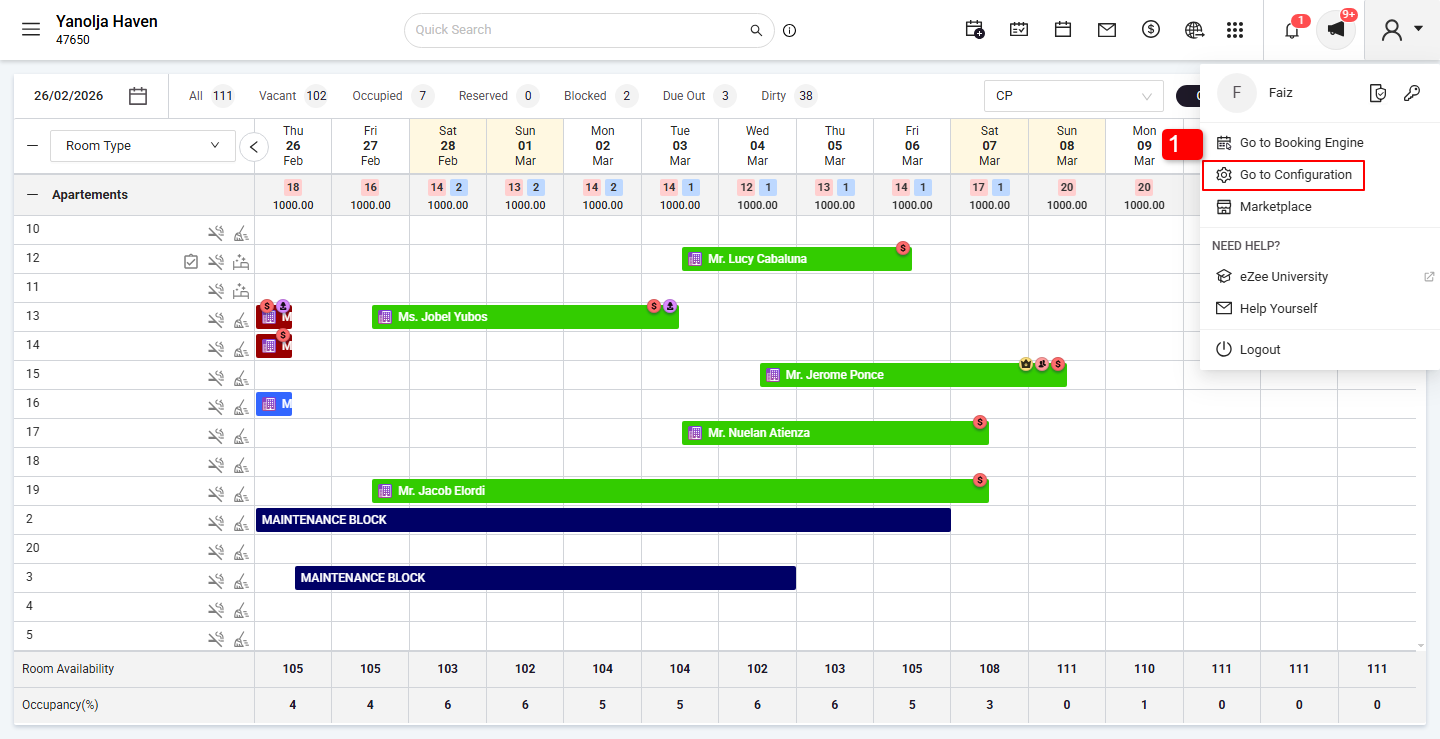
Click on Go to Configuration Panel.
Click on the Menu option.
Select Hotel Profile.
Open the Policies tab.
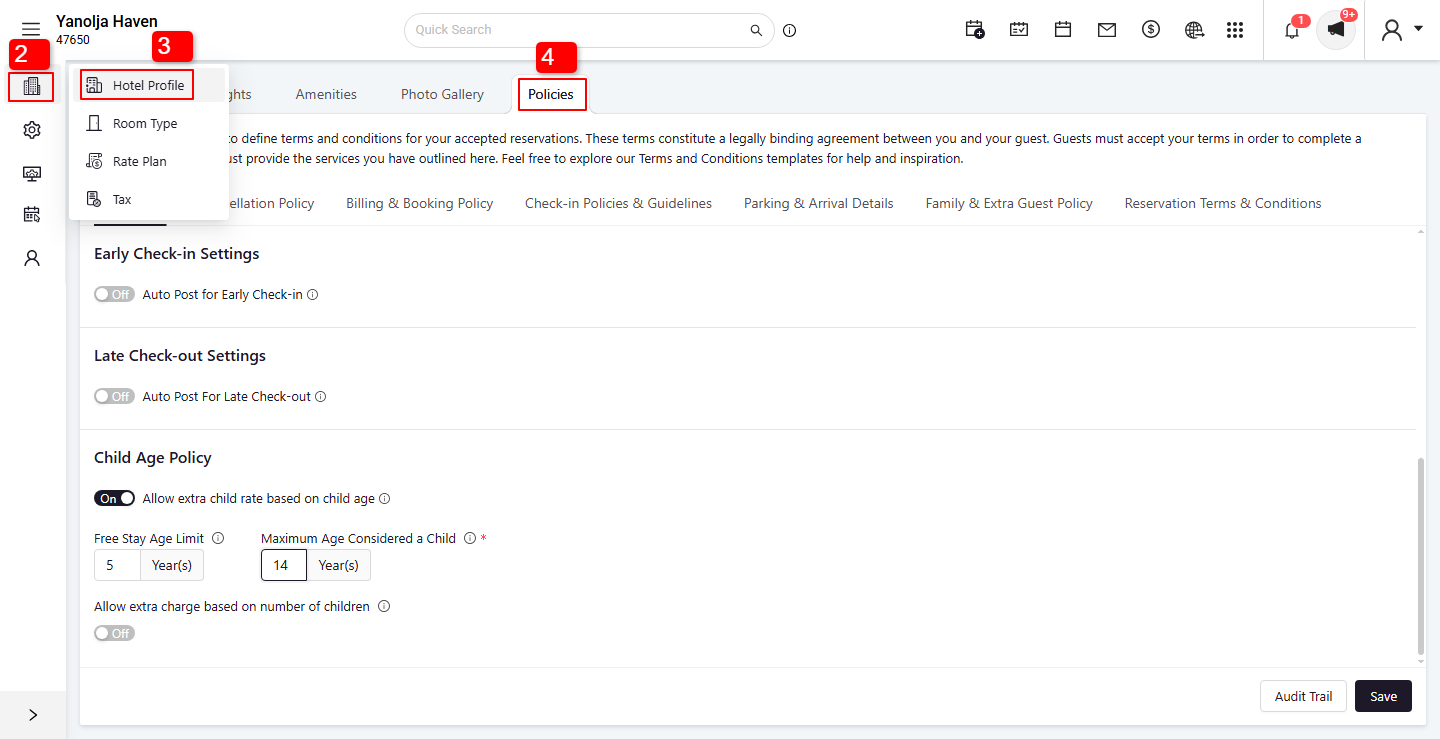
5. Click on Hotel Policy.
6. Click on the Child Age Policy.
No-Cost Child Age:
Enter the maximum age of a child who will stay free of charge (no cost).
Example: If you enter 5, children aged 5 years or younger will stay for free.Child Rate Age:
Enter the maximum age of a child for whom child rates will apply.
Example: If you enter 12, children aged between 6 and 12 years will be charged the child rate.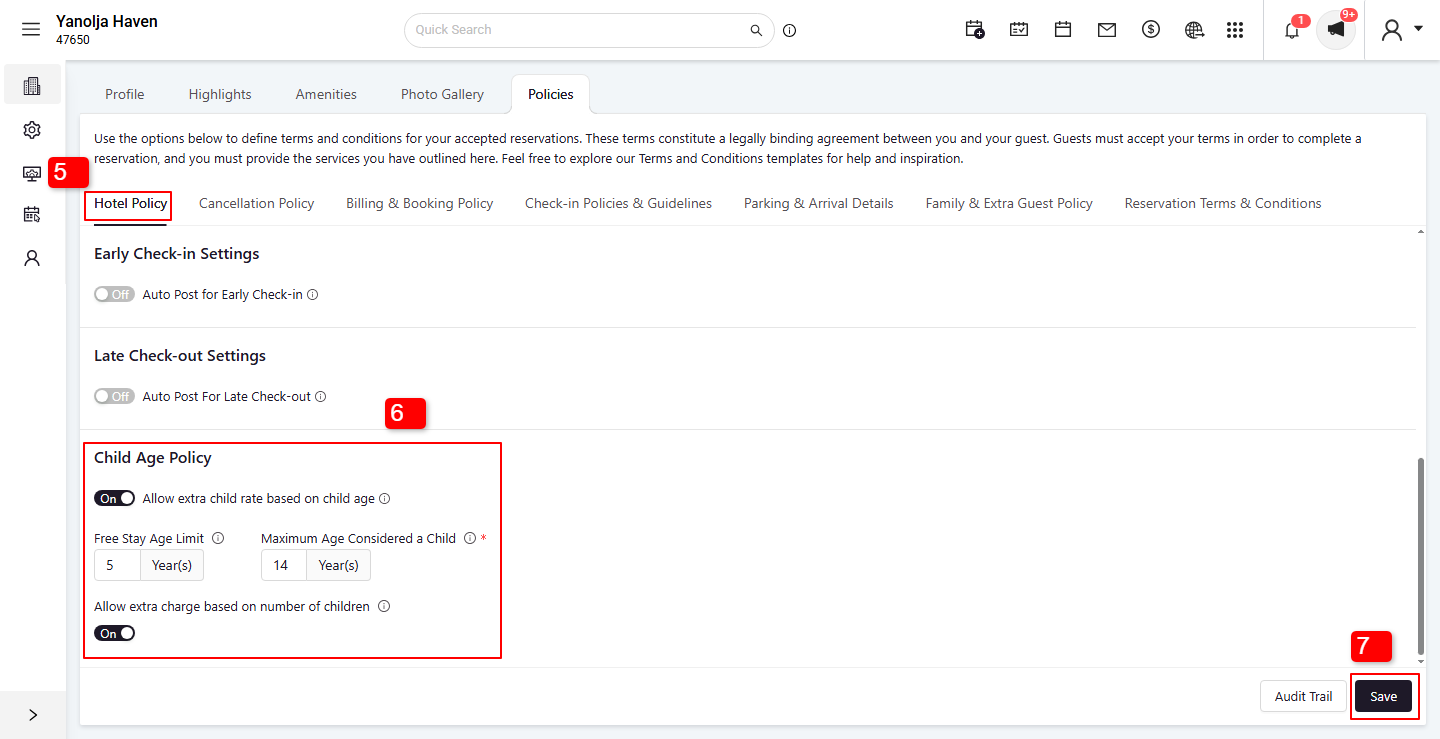
7. Click on Save.
This policy will now apply when making reservations and calculating charges.
Was this article helpful?
That’s Great!
Thank you for your feedback
Sorry! We couldn't be helpful
Thank you for your feedback
Feedback sent
We appreciate your effort and will try to fix the article