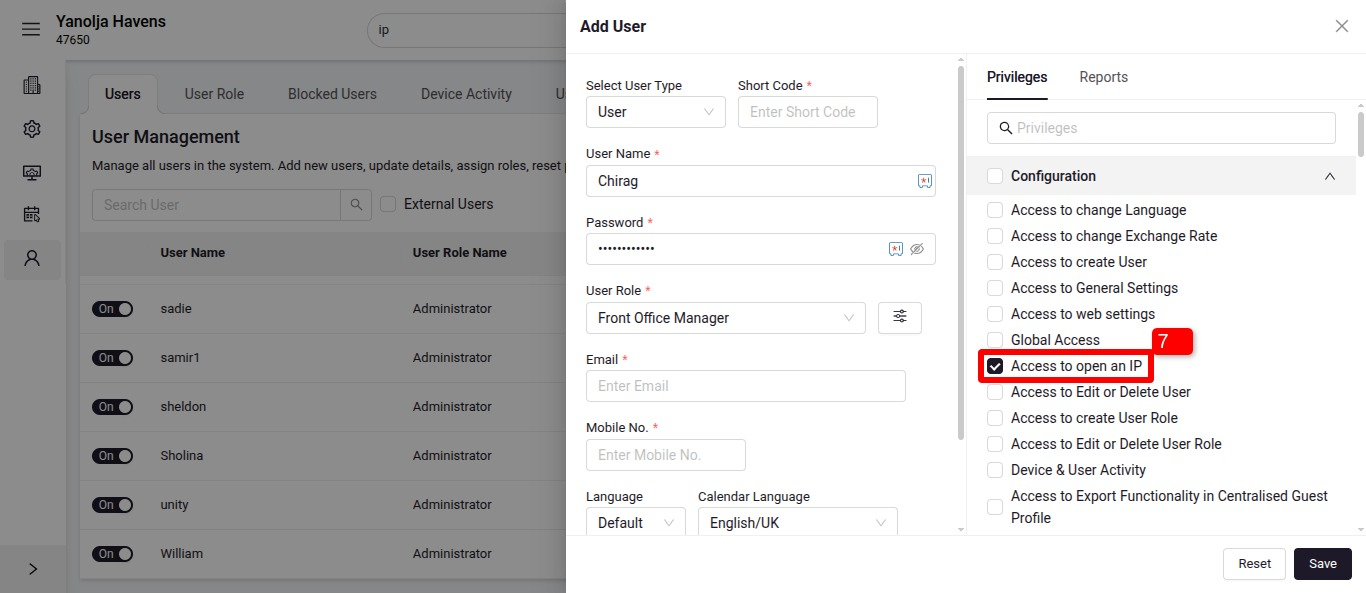
PMS is a cloud-based system thereby, considering a security factor, we have a privilege for the user account to login through specific IP address only.
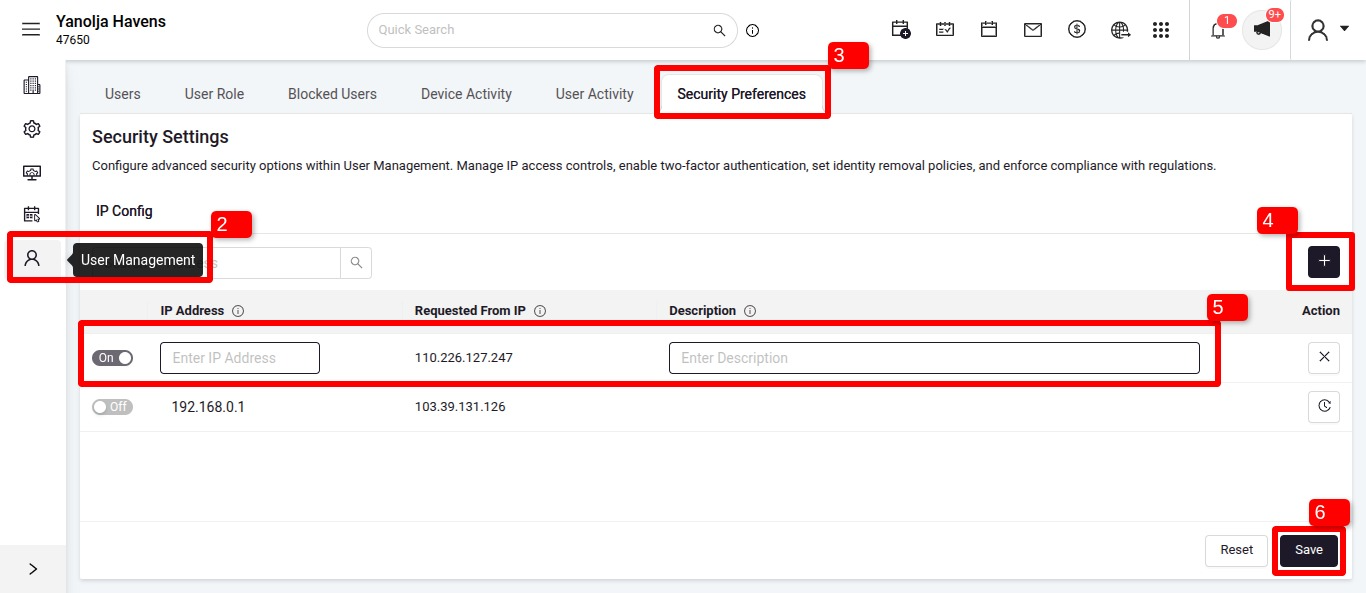
If we do not wish to give GLOBAL login access to the user, we need to define specific IP addresses and here is the Path
Please follow the steps below:
1. Log in to the PMS and navigate to the Configuration section.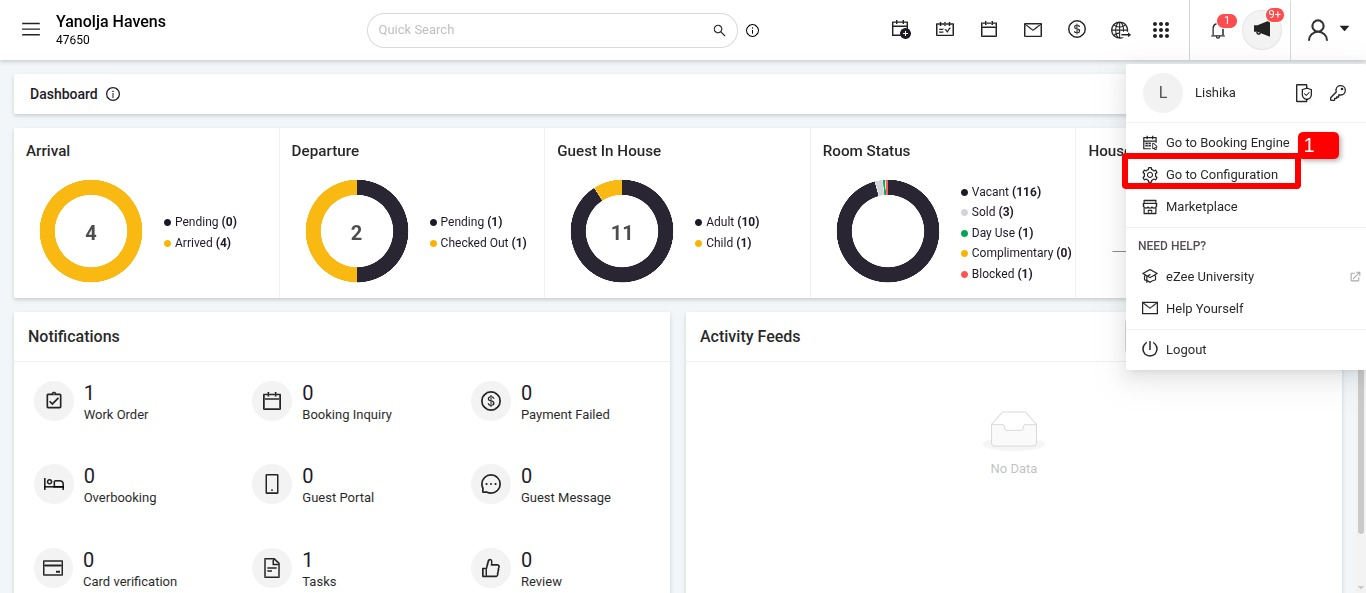
Was this article helpful?
That’s Great!
Thank you for your feedback
Sorry! We couldn't be helpful
Thank you for your feedback
Feedback sent
We appreciate your effort and will try to fix the article