We have a great feature named as IP Config whereby, you can define a specific IP address for the particular users. Resultantly, the user can only access PMS within your premises.
Please follow the steps below:
1. Log in to the PMS and navigate to the Configuration section.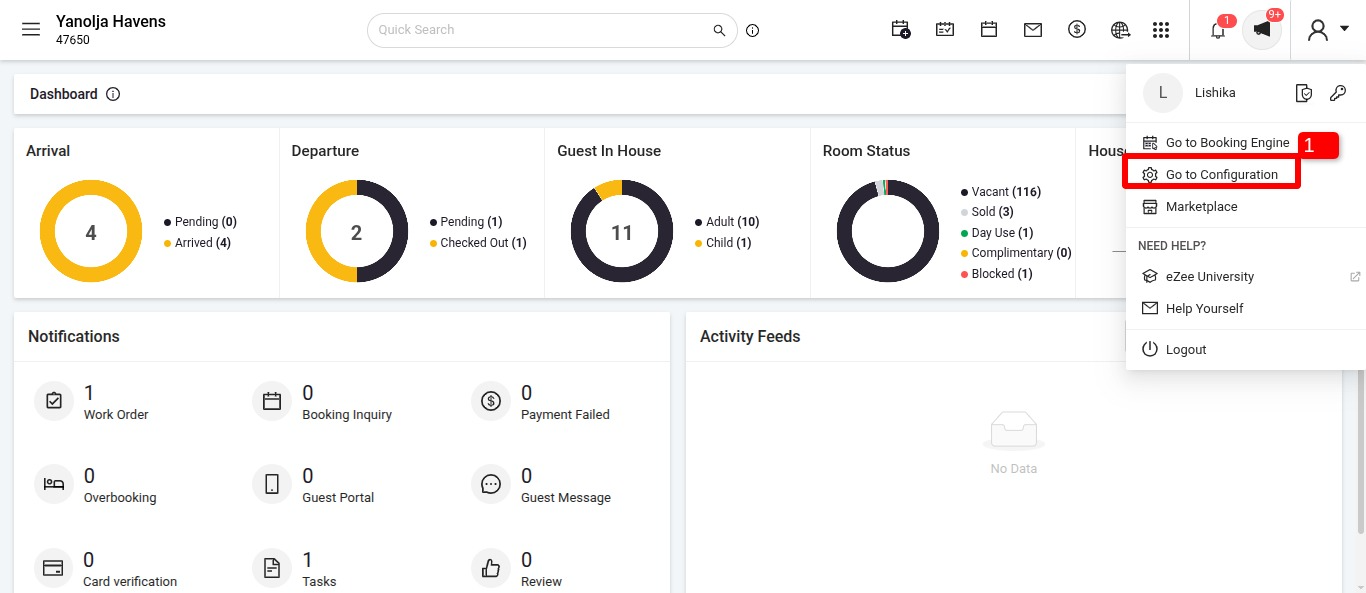
2. Select the User Management option → Go to Security Preferences → Add the IP address along with its description → Click on the Save icon to save the entered details.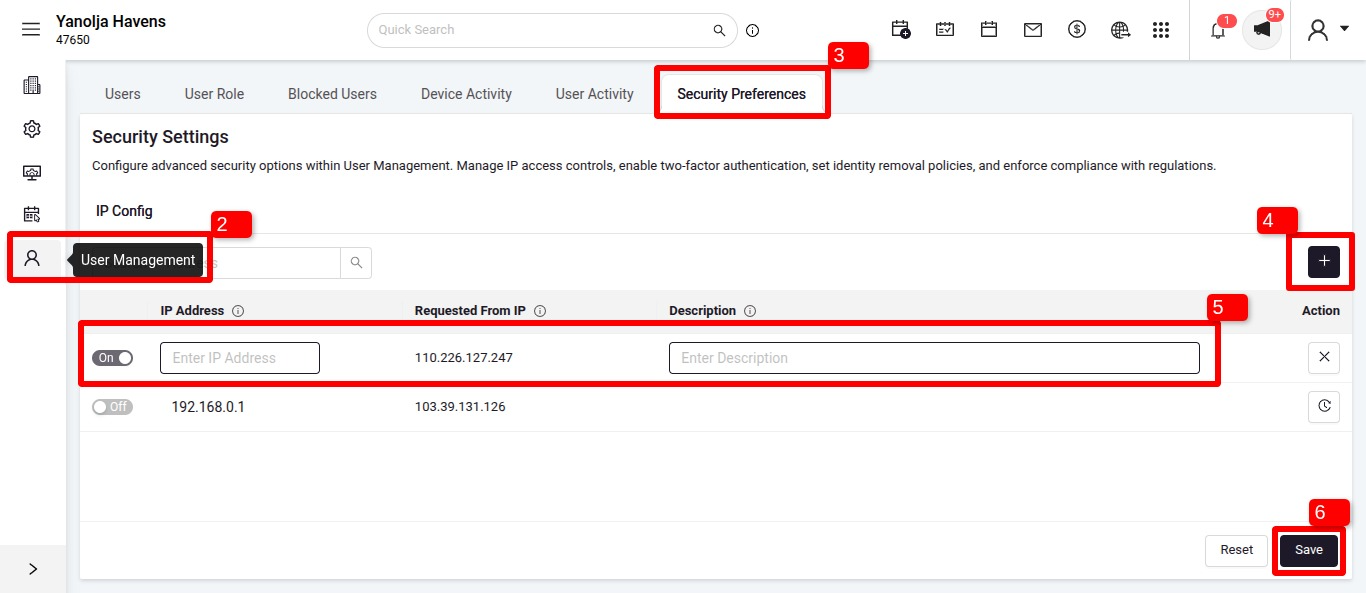
3. Once the IP is set, A user needs the privilege shown in the below screenshot “Access to open an IP” in order for this to work, Global Access should not be given here.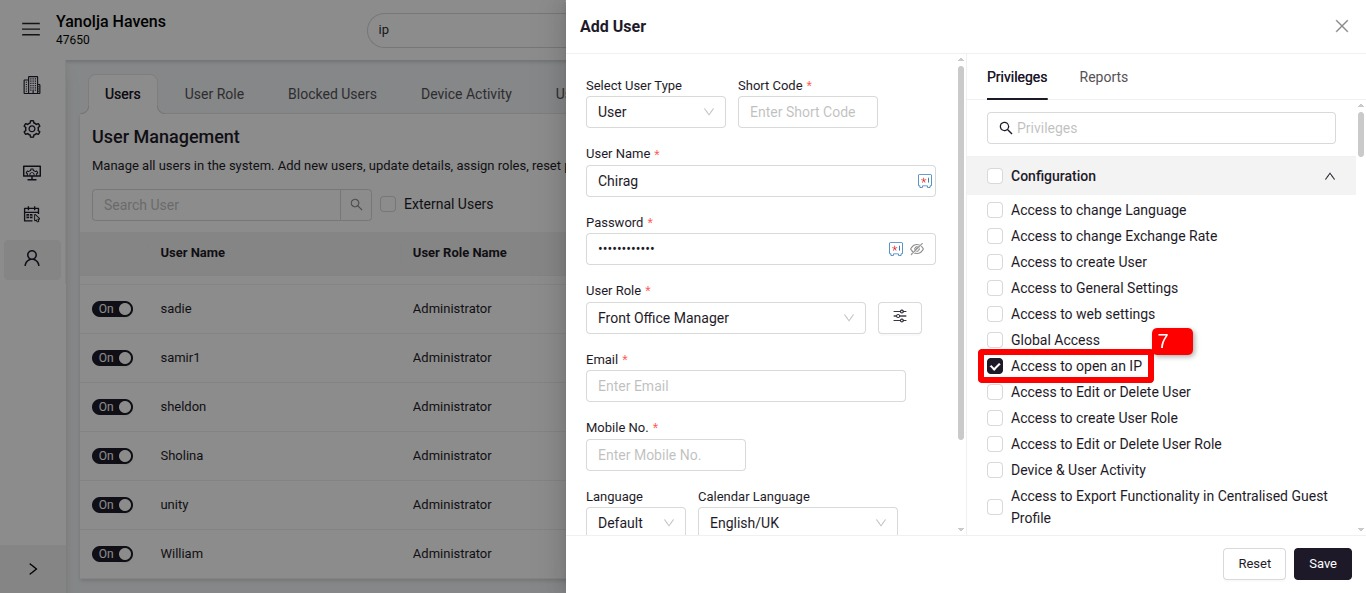
Was this article helpful?
That’s Great!
Thank you for your feedback
Sorry! We couldn't be helpful
Thank you for your feedback
Feedback sent
We appreciate your effort and will try to fix the article