To disable Multi-Factor Authentication (MFA) in PMS, follow these steps:
Disabling MFA for Specific Users:
Access User Settings:
- Navigate to Configuration.
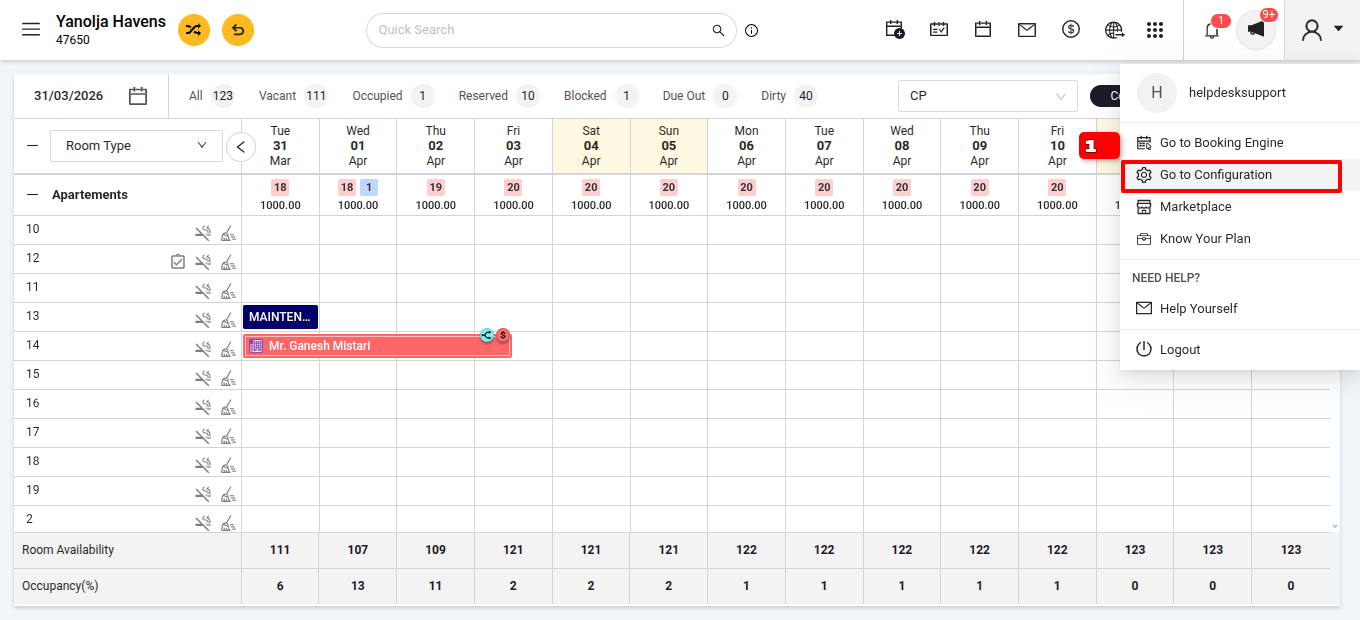
Go to User Management.
Select the User and click on Edit >Two Factor Authentication Configuration.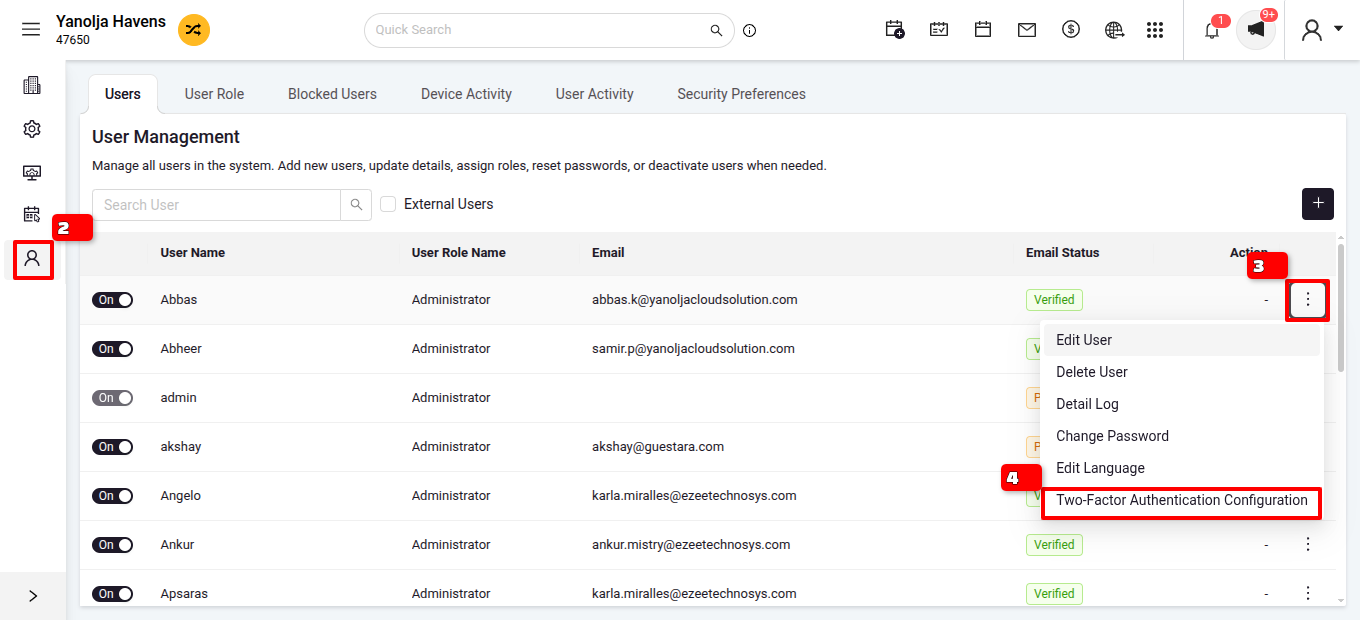
Modify User MFA Settings:
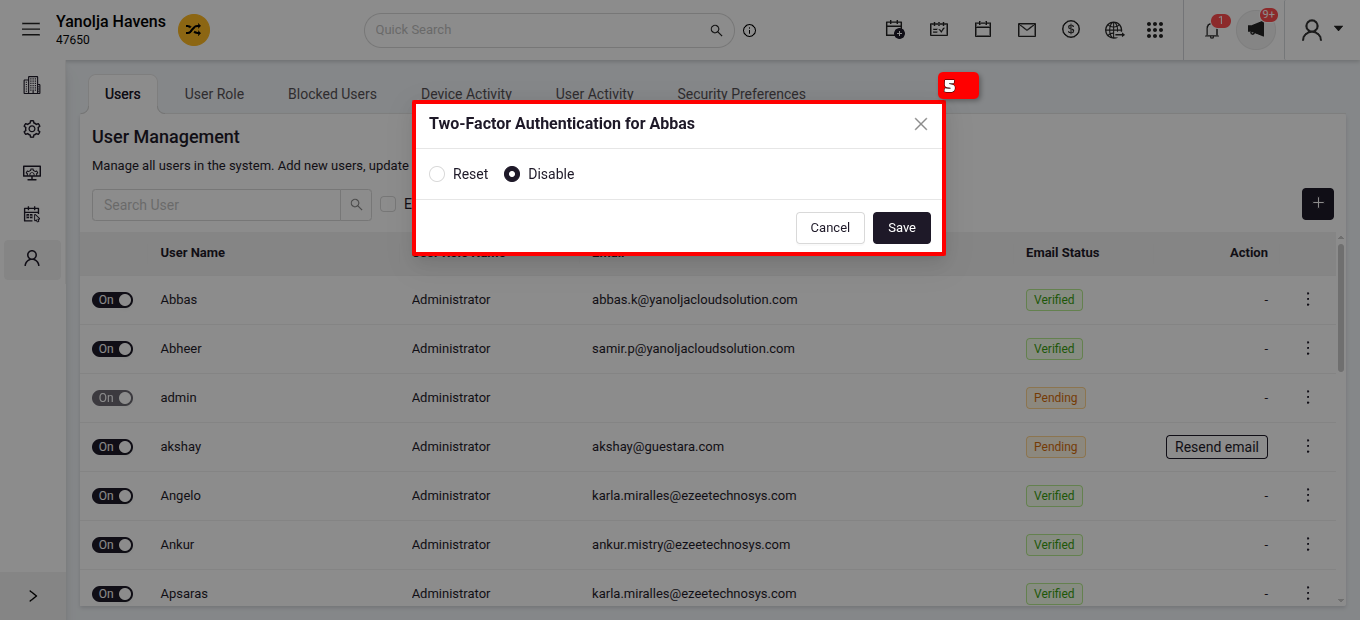
- Click on Disable to turn off MFA for that user.
- Save the changes.
Important Notes:
- Only admin users can access and modify security settings.
- Admin users have both Disable and Reset options for MFA configuration; other users can only reset their own MFA.
Was this article helpful?
That’s Great!
Thank you for your feedback
Sorry! We couldn't be helpful
Thank you for your feedback
Feedback sent
We appreciate your effort and will try to fix the article