You can edit user privileges based on the roles and functions assigned to that user in the PMS System. Only users with proper rights can modify other users' privileges.
Important Note
- Admin users have full rights and can assign all privileges to any user.
- Other users can only grant privileges that they themselves have.
To Access Configuration Panel
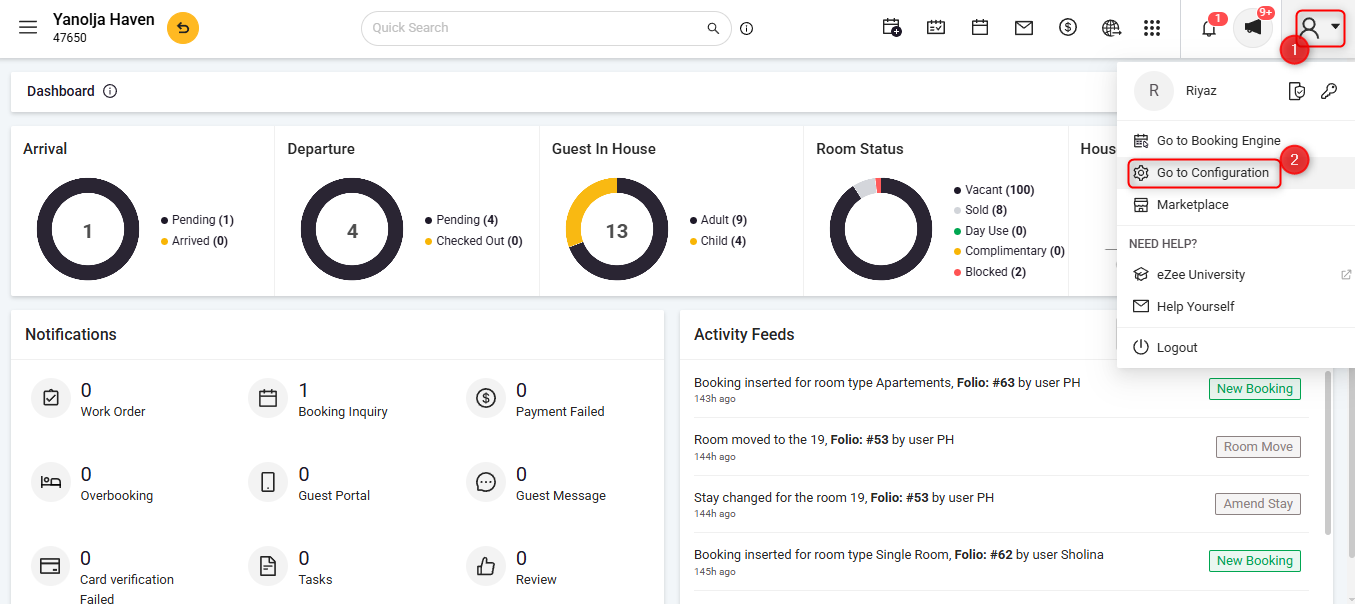
1 Click on the User Icon.
2 Click on Go To Configuration.
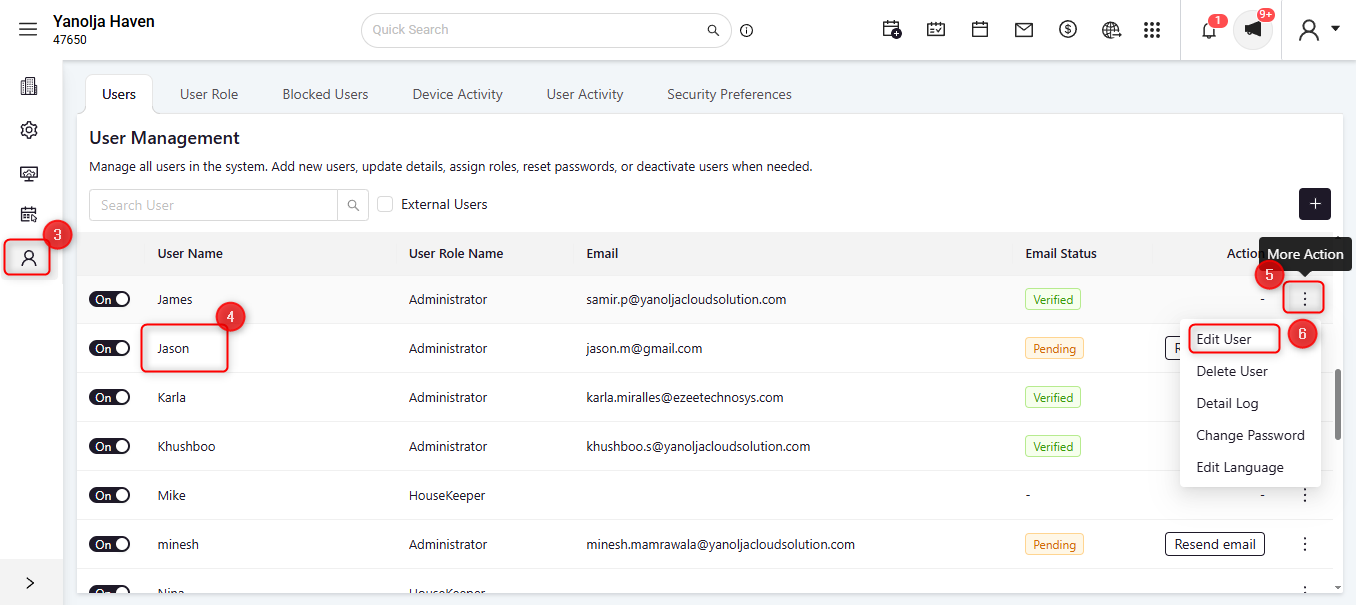
3 Click on User Management.
4 Select the required user.
5 Click on the three-dot menu (More Options).
6 Click on Edit User.
Under User Role
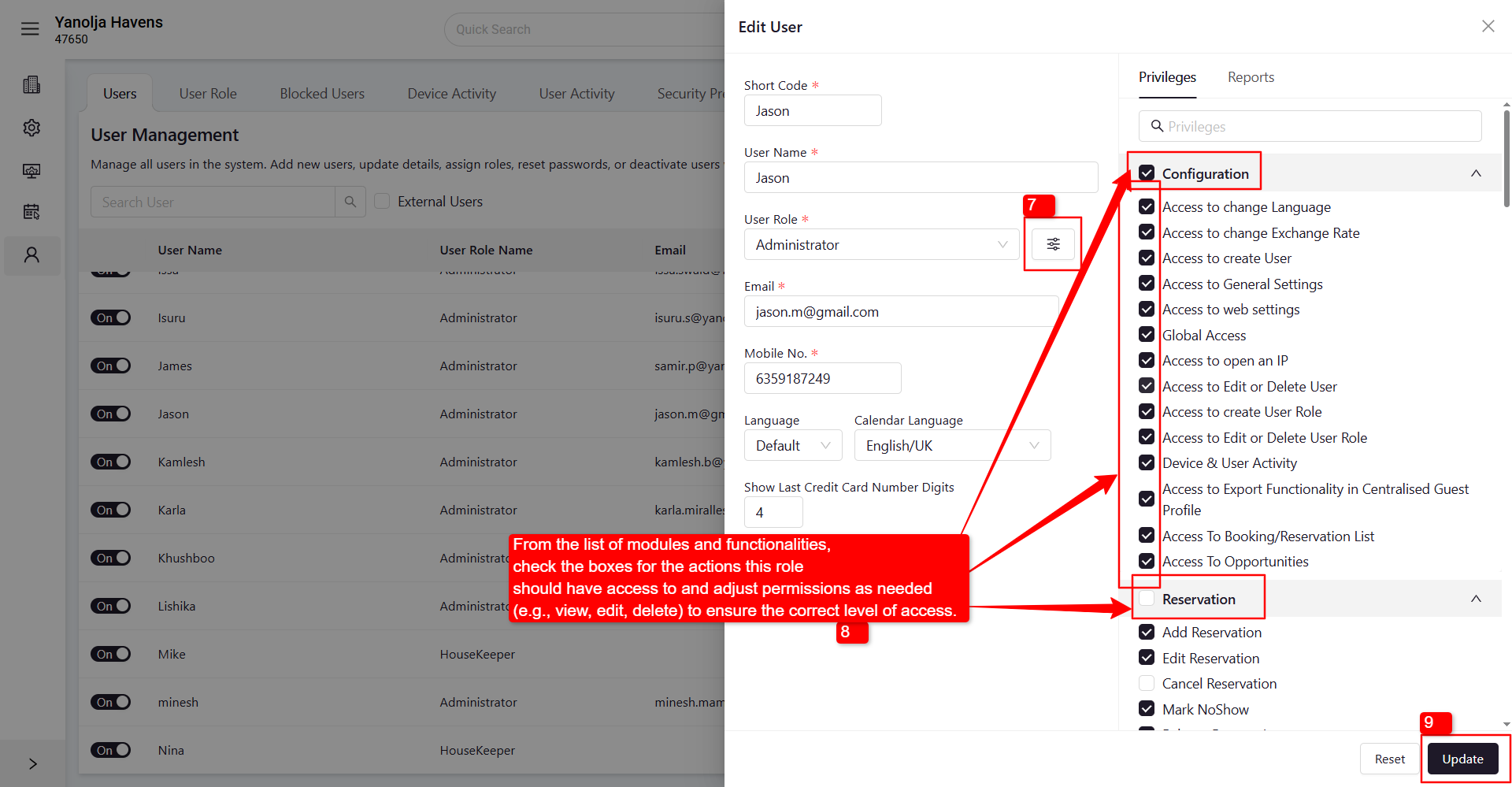
7 Click on the ≡ (three lines) menu.
8 From the list of modules and functionalities, check the boxes for the actions this role should have access to and adjust permissions as needed (e.g., view, edit, delete) to ensure the correct level of access.
9 Click on Update to save the changes.
Note
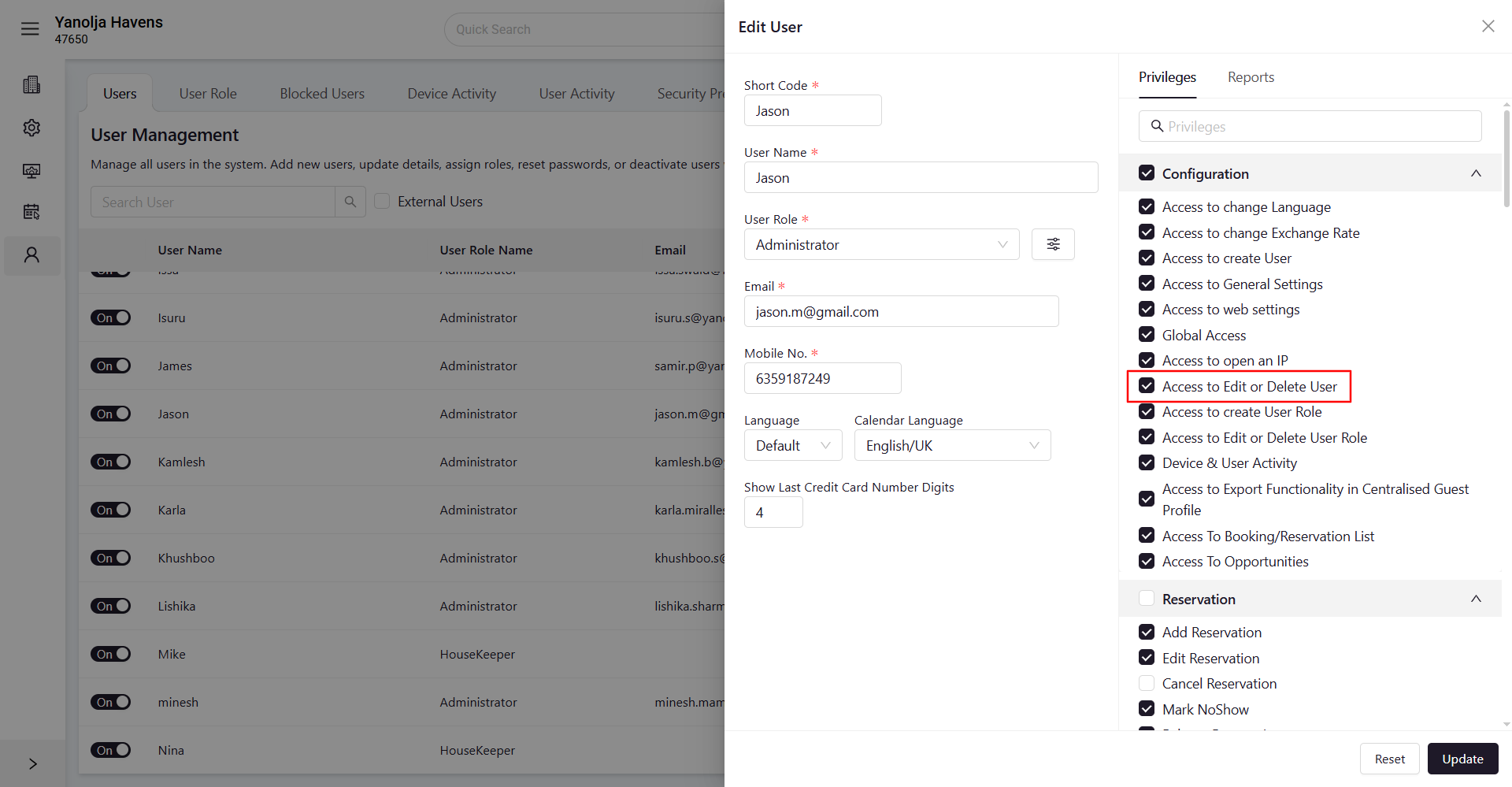
Updating privileges requires permission to edit or delete user records. Only users with the appropriate access can make changes to other users. Other users can only assign privileges that they already have.
Was this article helpful?
That’s Great!
Thank you for your feedback
Sorry! We couldn't be helpful
Thank you for your feedback
Feedback sent
We appreciate your effort and will try to fix the article