Yes, in PMS System, you can perform a check-in for a past date even after the night audit has been completed. This is helpful if a reservation was missed or voided and needs to be added retrospectively. PMS System provides an Insert Transaction feature to add bookings or transactions with past dates.
Steps to Insert a Backdated Transaction
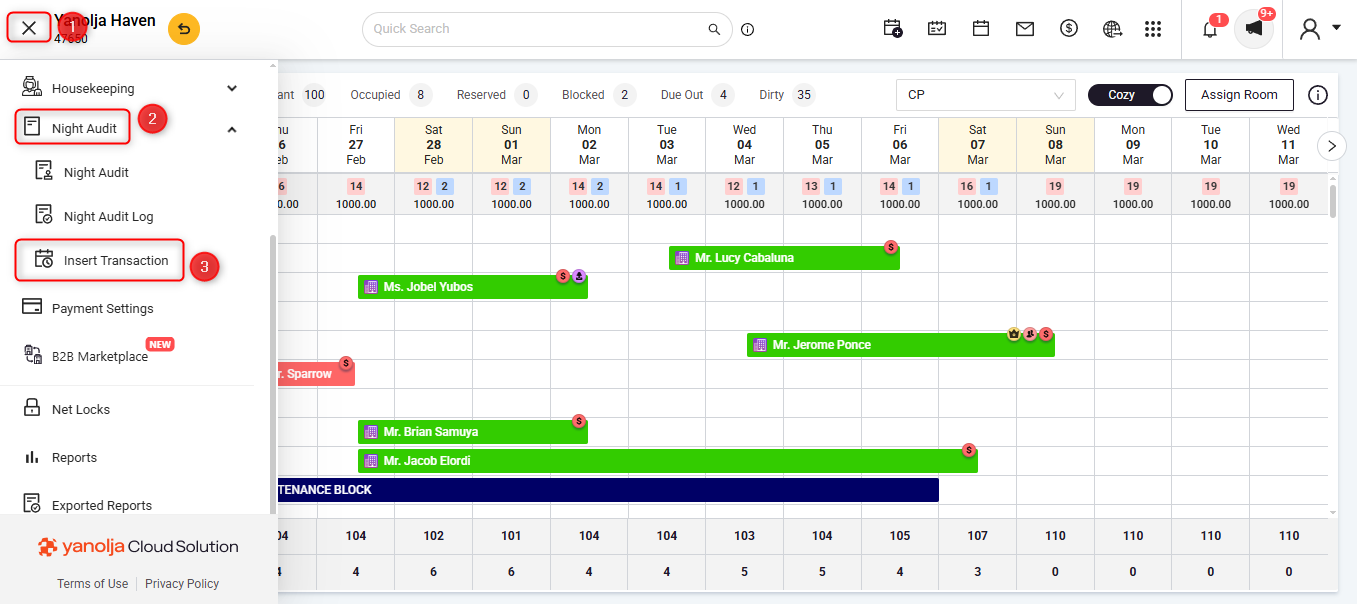
Access the Insert Transaction Feature:
Log in to Unified Solution.
Click on the ≡ (three lines) menu icon in the top-left corner.
Navigate to Night Audit.
Click on Insert Transaction.
Enter Booking Details:
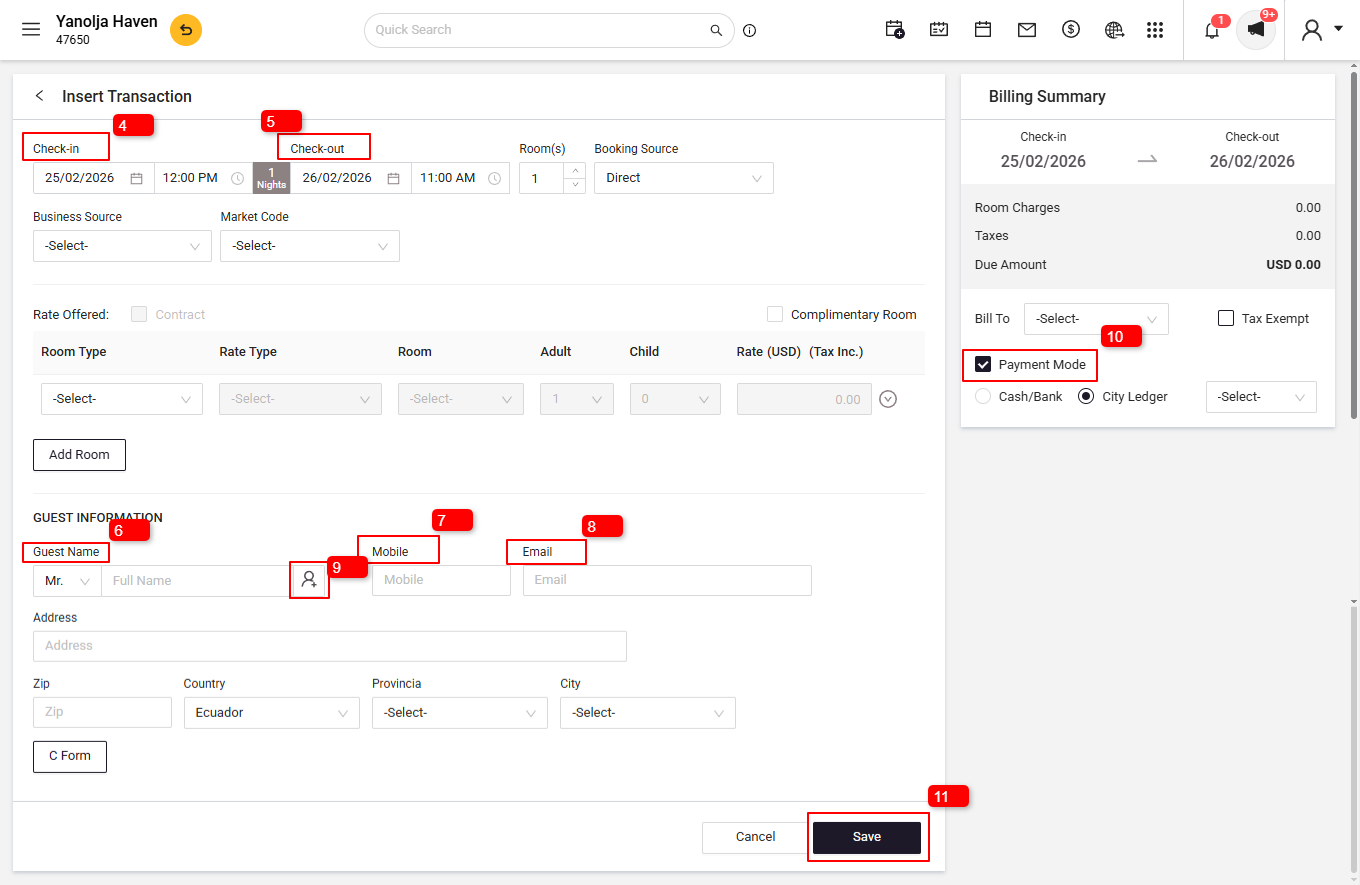
In the Insert Transaction window, enter the required information:
4. Arrival Date and
5. Departure Date – Set these as per the actual stay period.
6. Guest Name – Enter the full name of the guest.
7. Phone Number – Provide the guest’s contact number.
8. Email Address – Enter the guest’s email ID.
9. Identity Details – Add the required identification information.
10. Add Payment Details – Enter the payment information as applicable.
Save the Transaction:
After entering all the necessary details, click Save to add the backdated booking to the system.
User Privileges Required
Ensure that the user performing this action has the appropriate privileges.
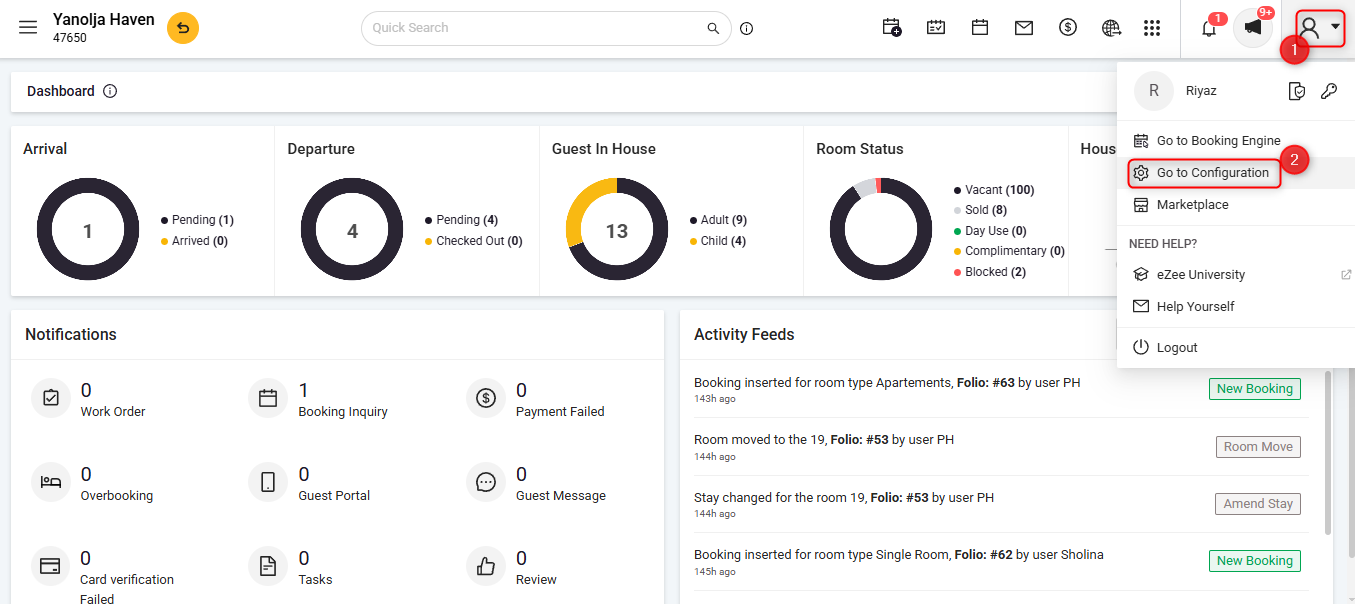
To Access Configuration Panel:
Click on the User Icon.
Click on Go To Configuration.
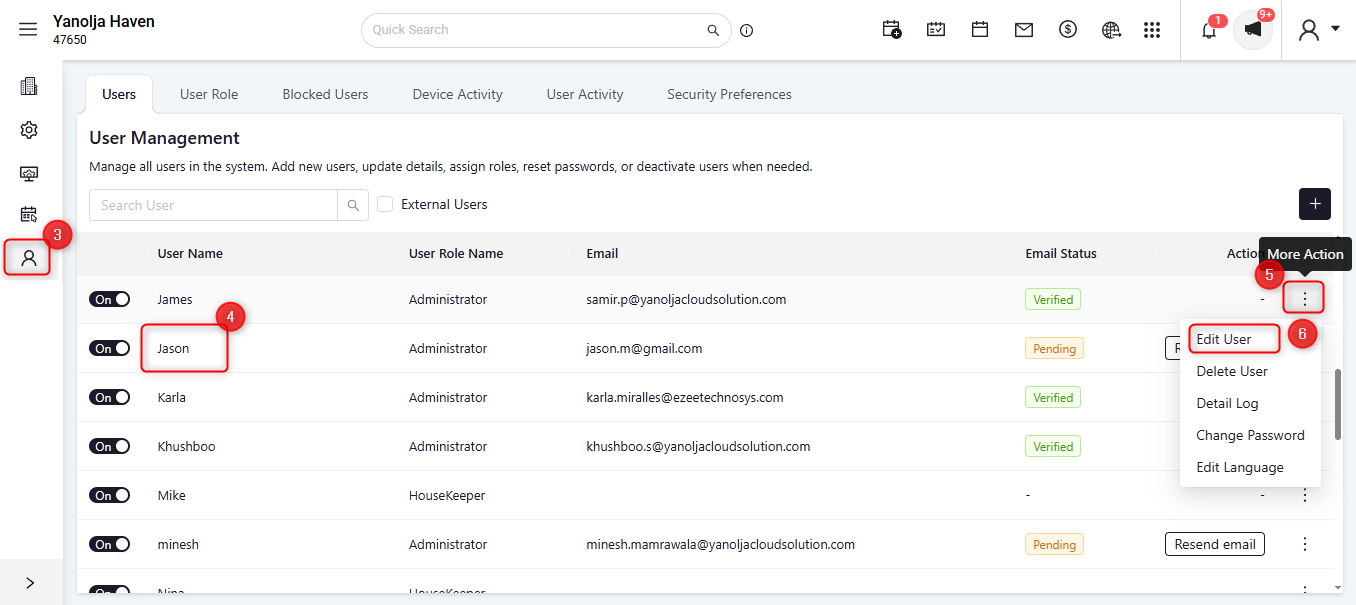
Click on User Management.
Select the required User.
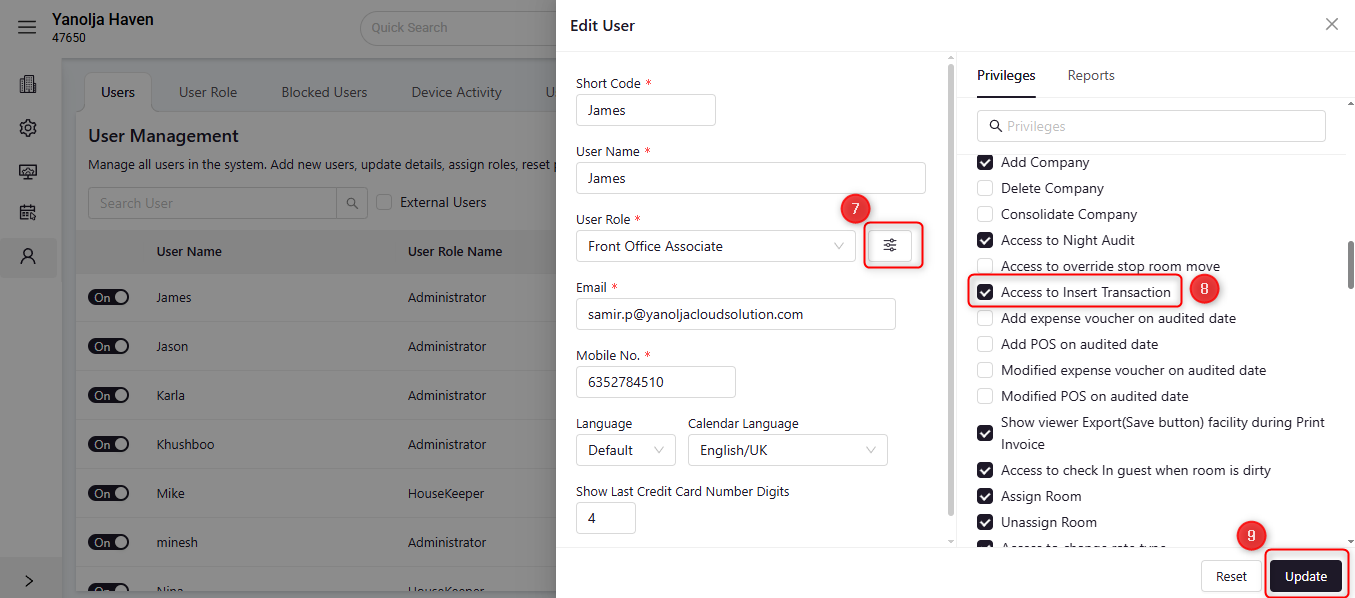
Click on the three-dot menu (More Options).
Click on Edit User.
Under User Role:
Click on the ≡ (three lines) menu.
Under Front Office Privileges, enable the Access to Insert Transaction privilege.
Save the changes by clicking on Update.
Important Note:
When adding backdated transactions, manual check-in for past dates is not required, as the system automatically marks the reservation as checked-in. If the check-out date has already passed, the reservation will also be automatically marked as checked-out. If the check-out date is in the future, the reservation will remain as a stayover and can be checked out at the appropriate time.
Was this article helpful?
That’s Great!
Thank you for your feedback
Sorry! We couldn't be helpful
Thank you for your feedback
Feedback sent
We appreciate your effort and will try to fix the article