To define your cancellation policy in PMS, follow these steps:
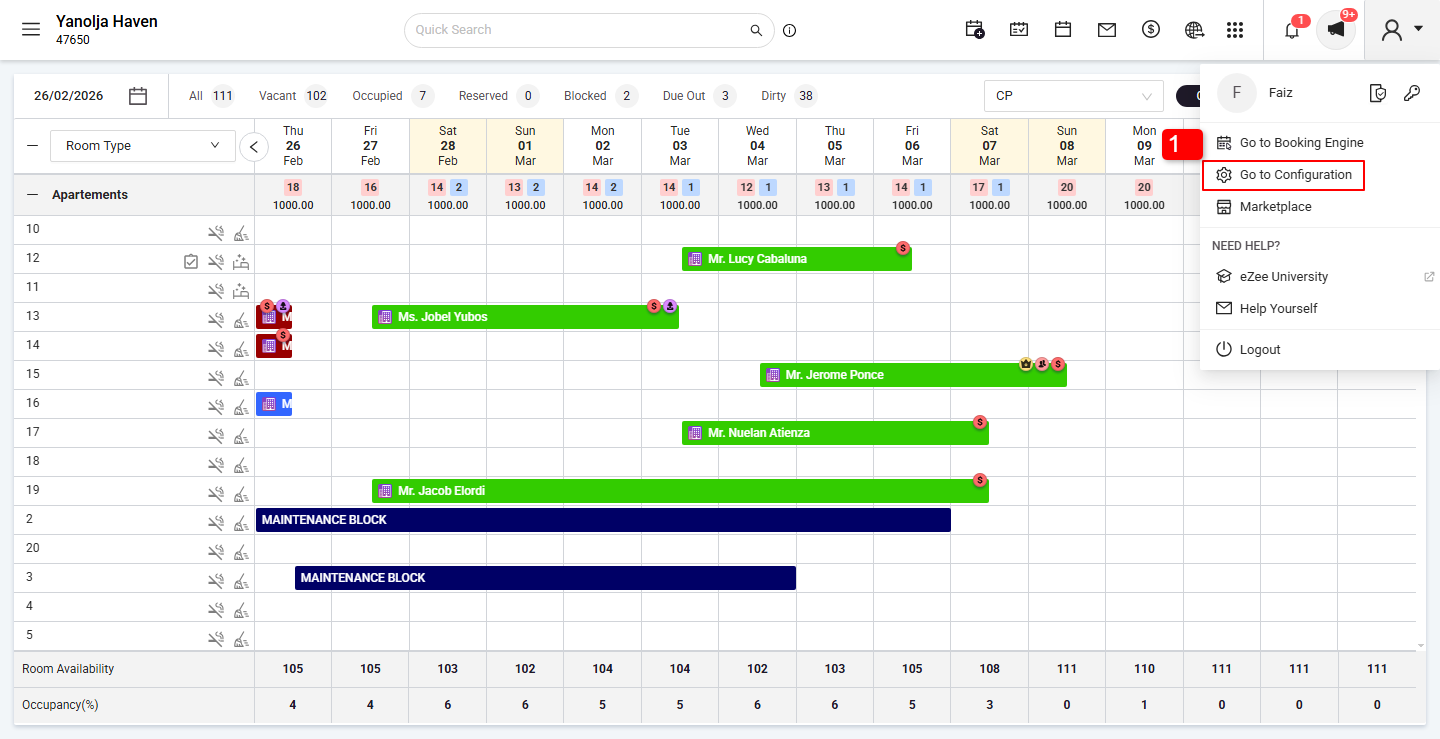
Click on Go to Configuration Panel.
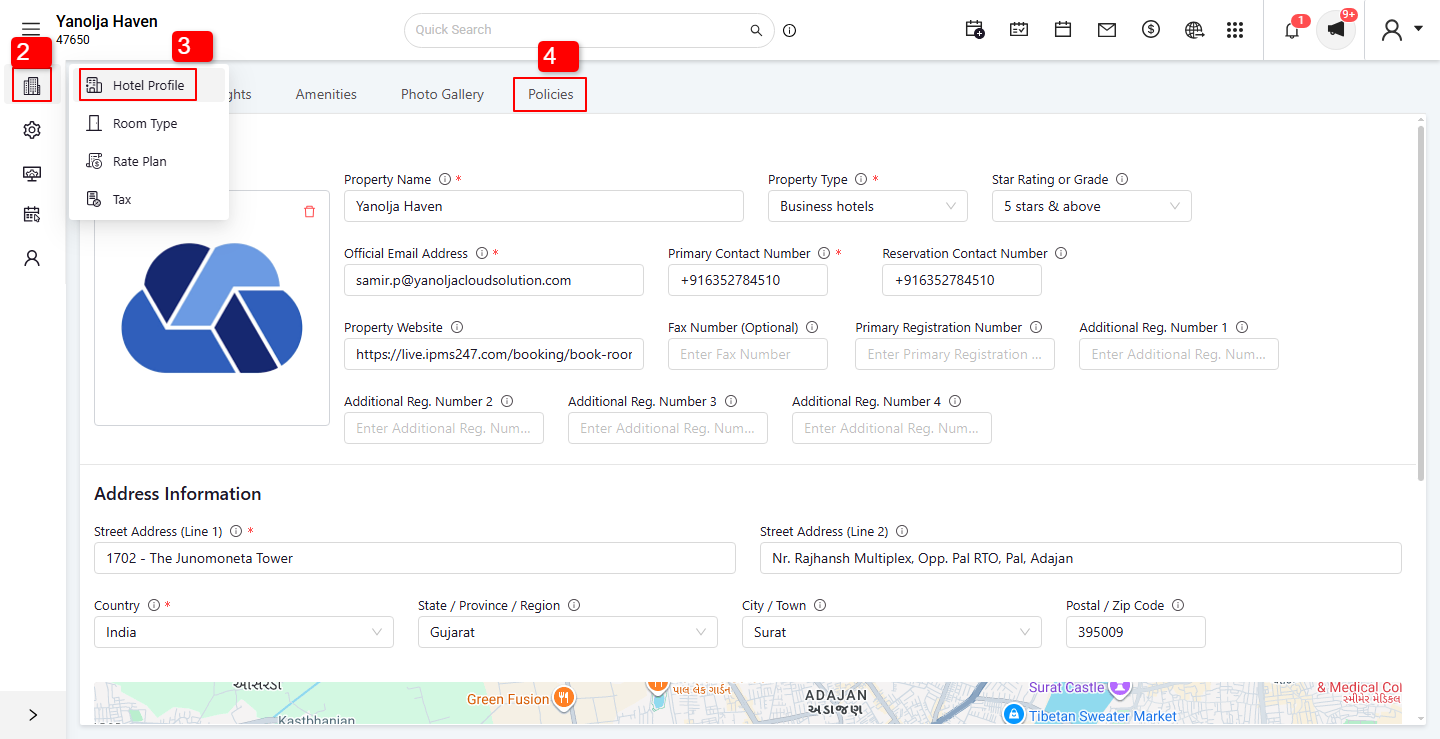
Click on the Menu option.
Select Hotel Profile.
Open the Policies tab.
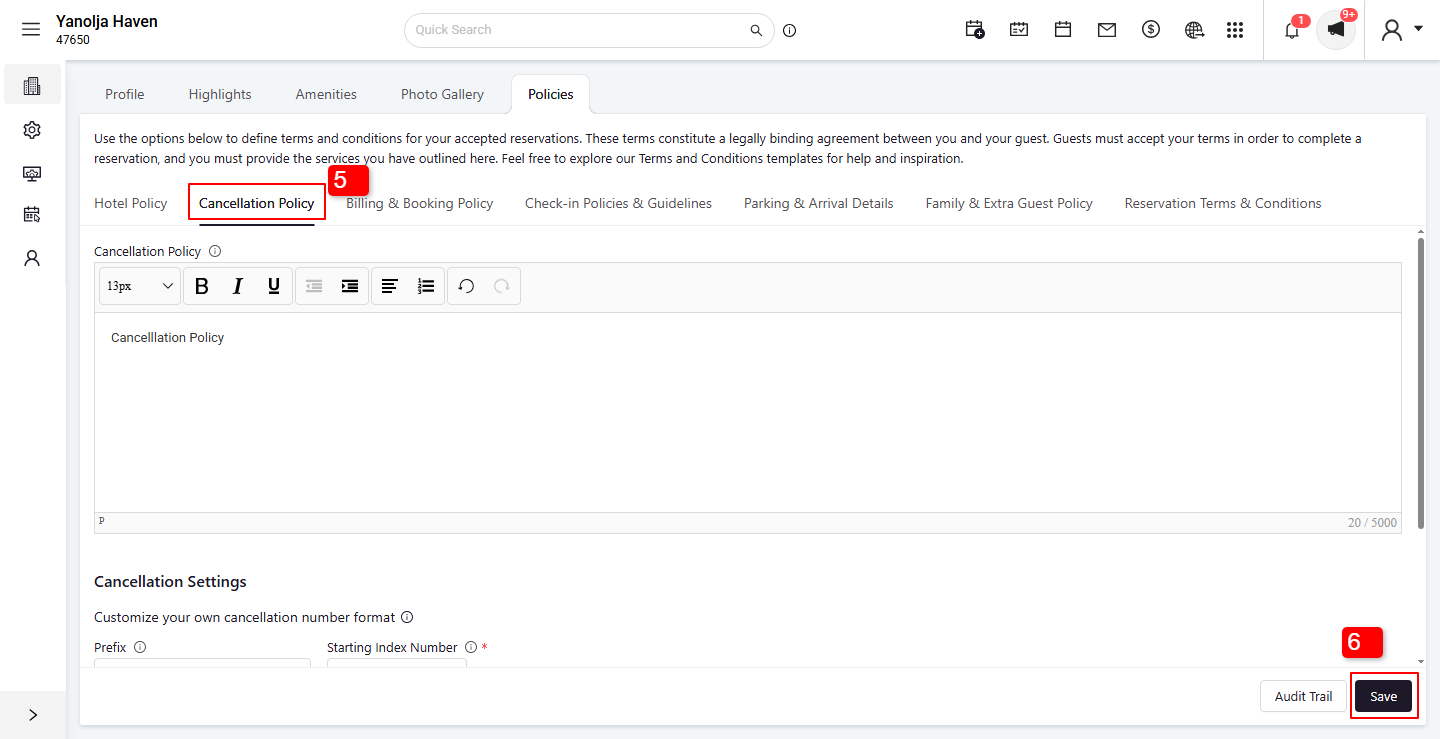
Click on Cancellation Policies and enter your cancellation policy draft in the provided text box.
Click Save to apply the changes.
Note:
The defined cancellation policy will appear on the Reservation Confirmation Voucher, ensuring guests are informed of the policy before their arrival. The voucher is automatically sent once the reservation is confirmed.
Was this article helpful?
That’s Great!
Thank you for your feedback
Sorry! We couldn't be helpful
Thank you for your feedback
Feedback sent
We appreciate your effort and will try to fix the article