Steps for Tripadvisor Connectivity
Log in to your Trip Connect panel and select "Your Business."
Click on Products > Trip Connect Instant Bookings.
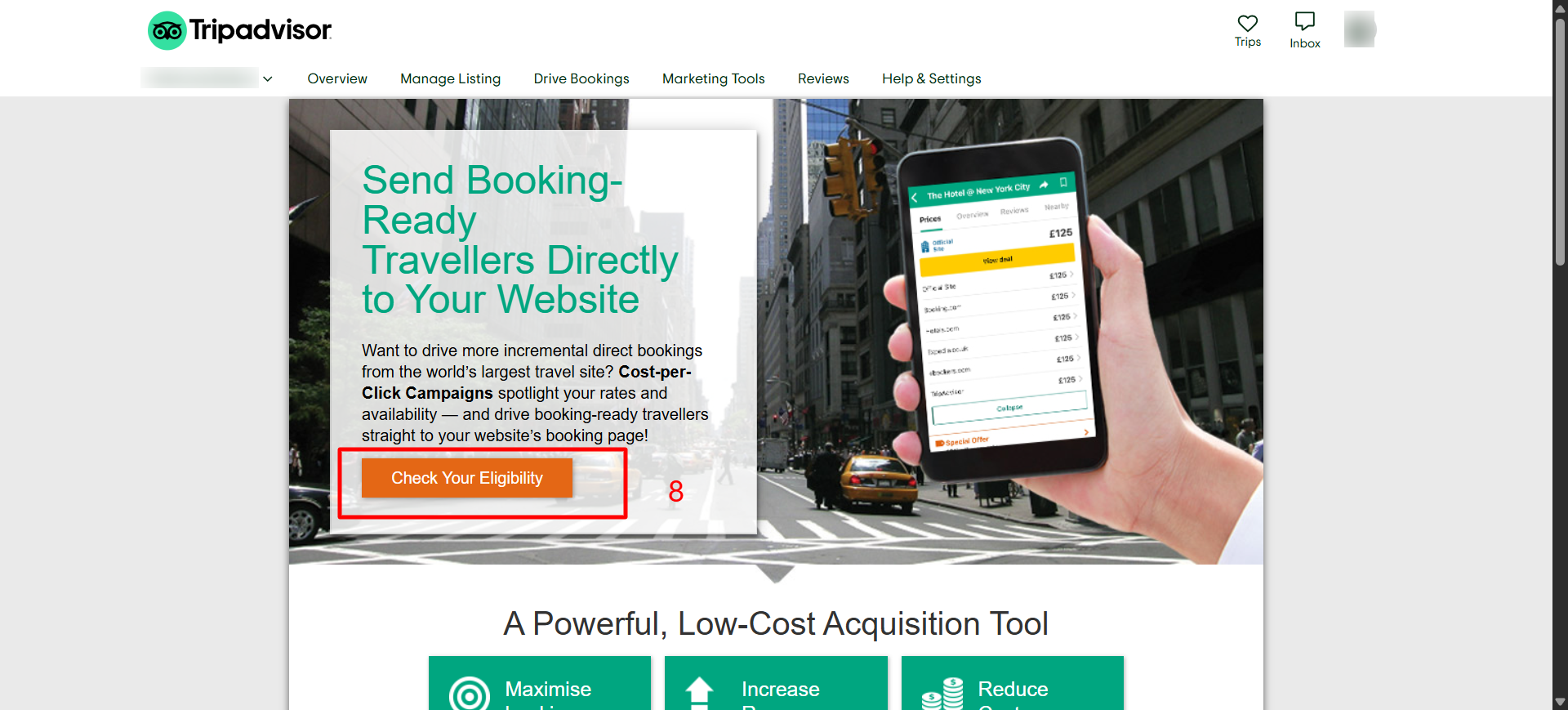
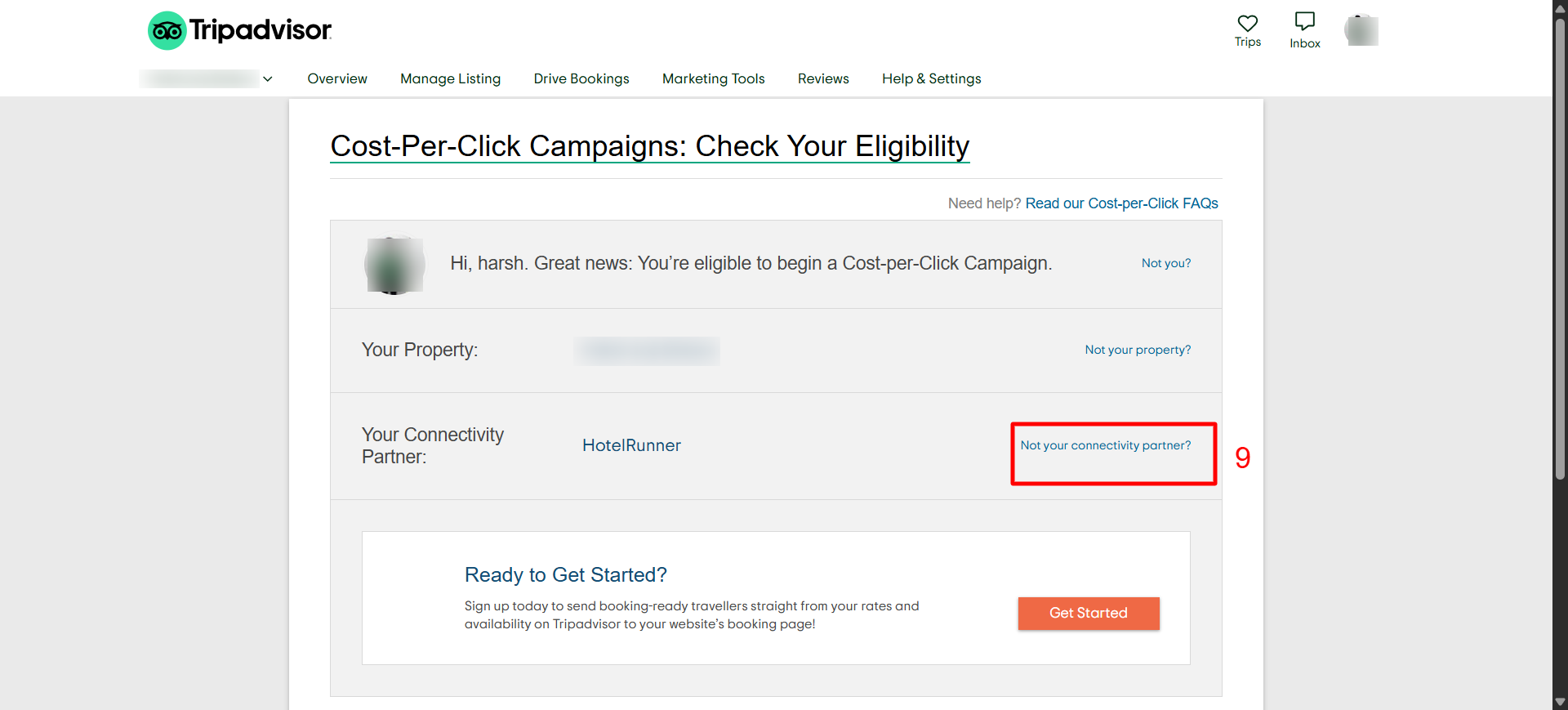
Check your eligibility.
Click on Get Connected.
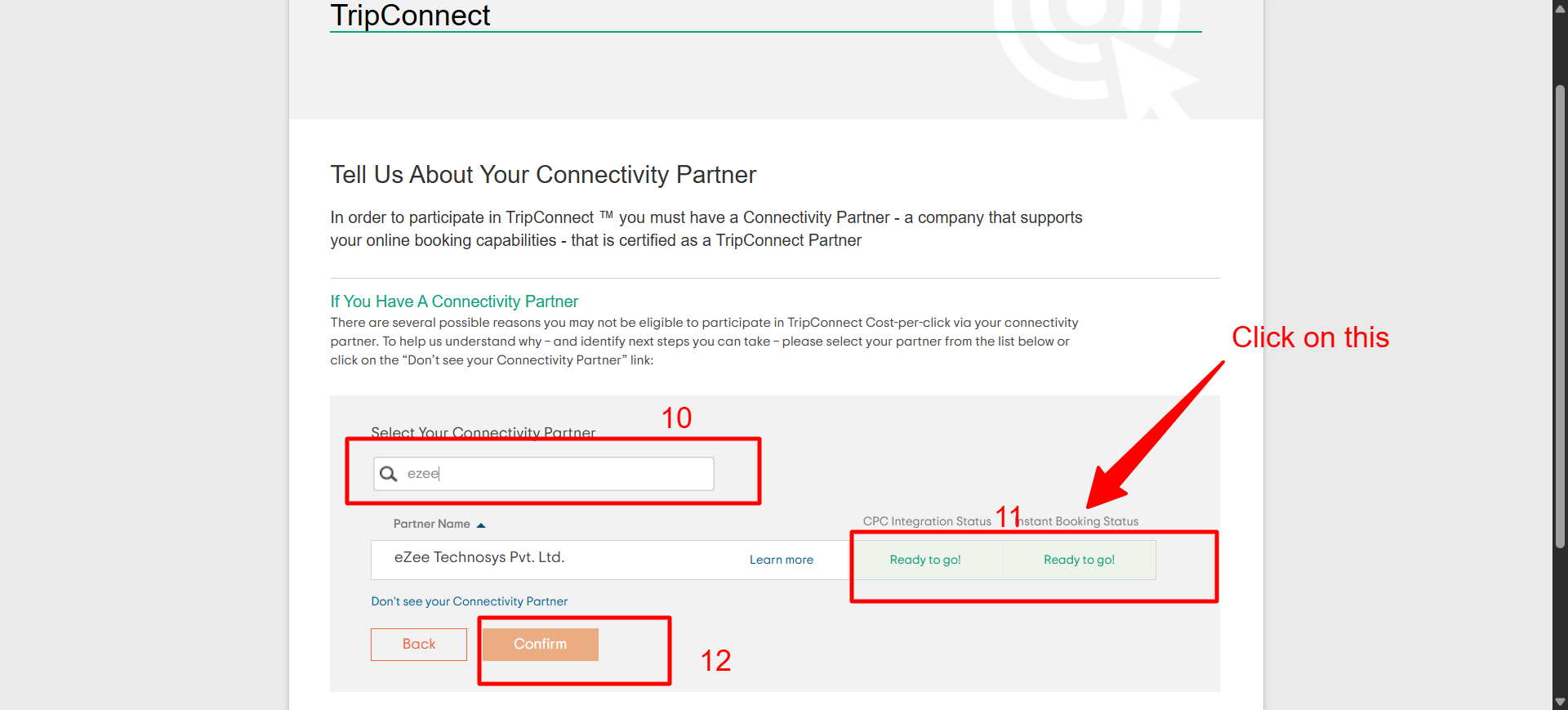
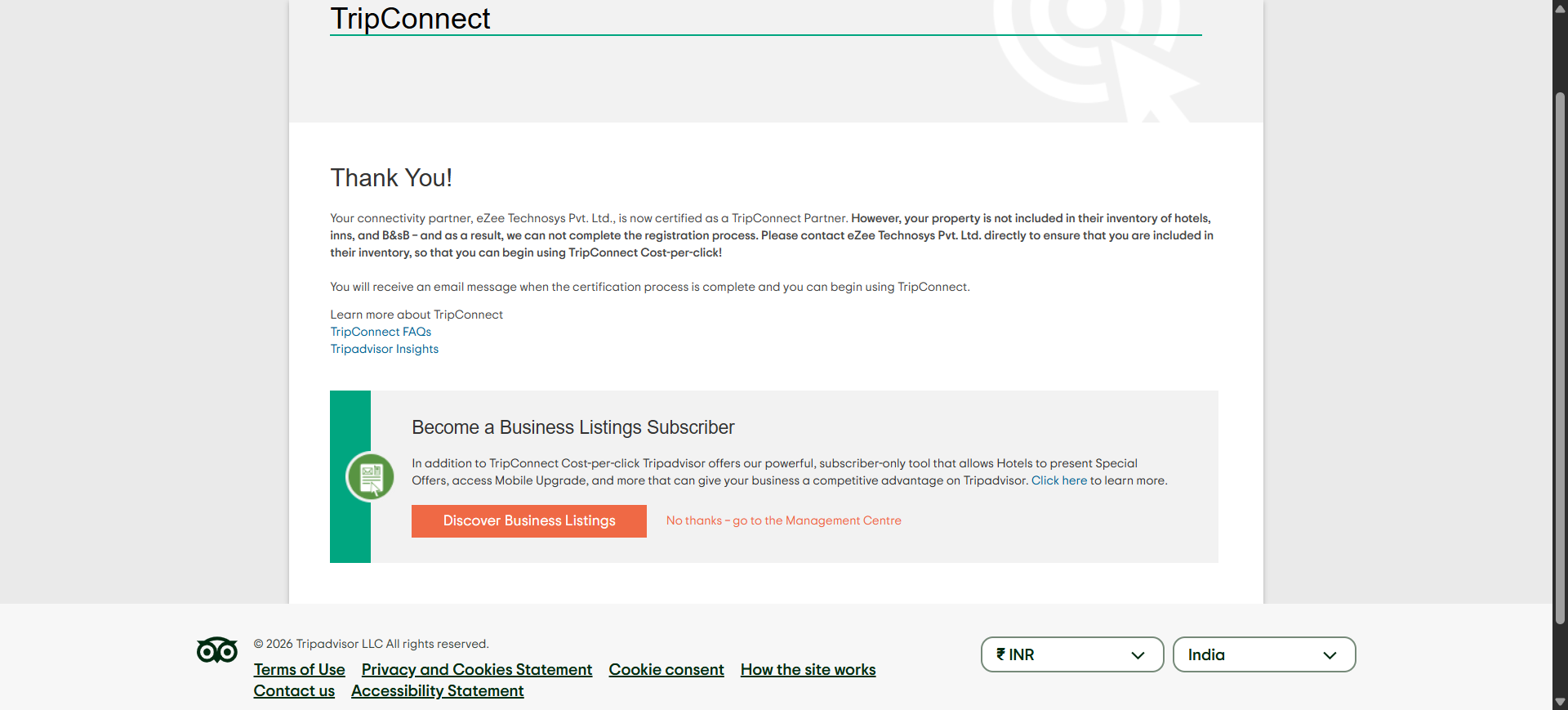
Select your connectivity partner as eZee Technosys Pvt. Ltd. and proceed.
Important Synchronization Details
Tripadvisor will take more than 48 hours to fetch data from the Booking Engine. Once completed, the rates and availability will be visible.
To enable Tripadvisor connectivity, a Cancellation Policy must be added to the system. Any Rate Plan displayed on the Booking Engine must contain a specific cancellation policy (defined by the number of days). You must add the "Number of Days" a guest can cancel before arrival for all Refundable Rate Plans.
Note: These changes are only required for Booking Engine Rate Plans.
How to Update Settings in the System.
To access the configuration settings:
Click on the User Icon.
Select Go To Configuration.
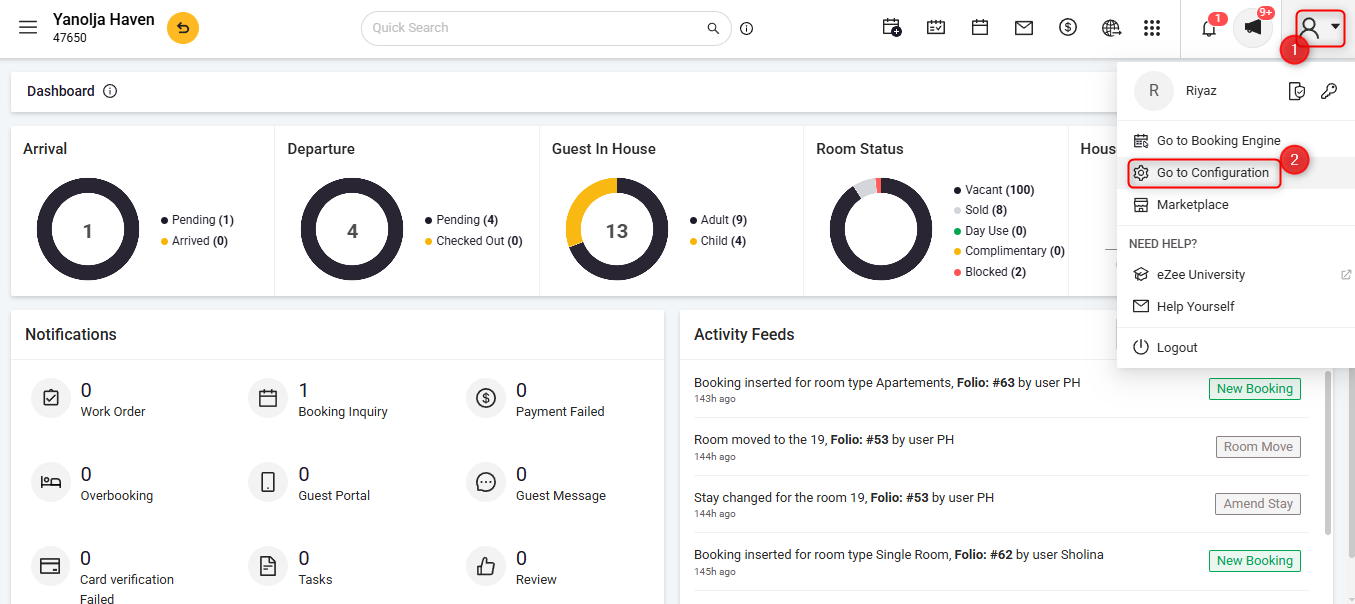
Accessing Rate Plan Settings:
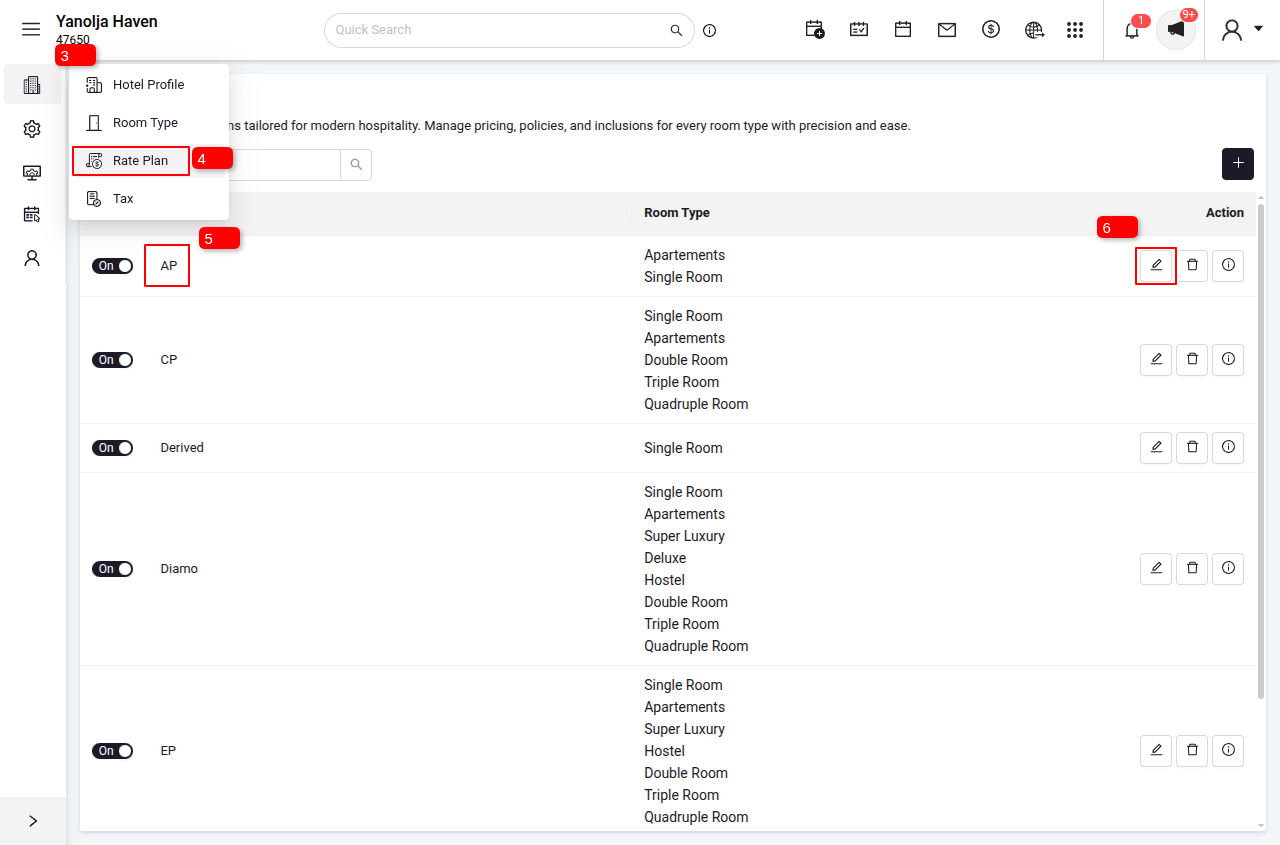
3. Go To Menu
4. Click on Rate Plans.
5. Select the specific Rate Plan you wish to update.
6. Click the Edit button.
7. If the Rate Plan is Non-Refundable: Check the box "Is this rate plan non-refundable?".
8. If the Rate Plan is Refundable: Uncheck the box "Is this rate plan non-refundable?" and enter the number of days required to cancel the booking before arrival.
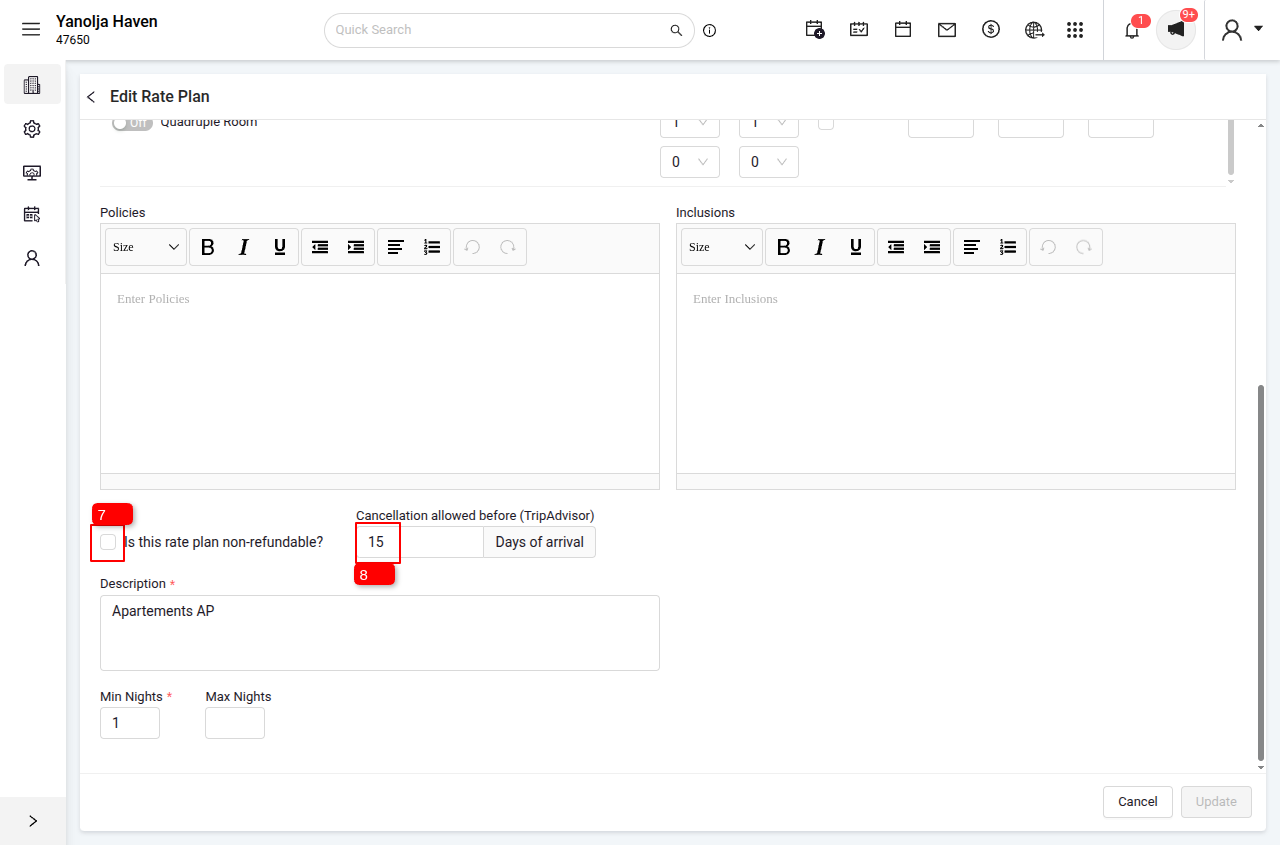
Crucial: Until these actions are performed, property availability will not show on Tripadvisor, as it is currently fetching data from the Booking Engine via the partner connection.
Tripadvisor – User Access & CPC Setup FAQ
1. How do I access my Tripadvisor account?
To access your account:
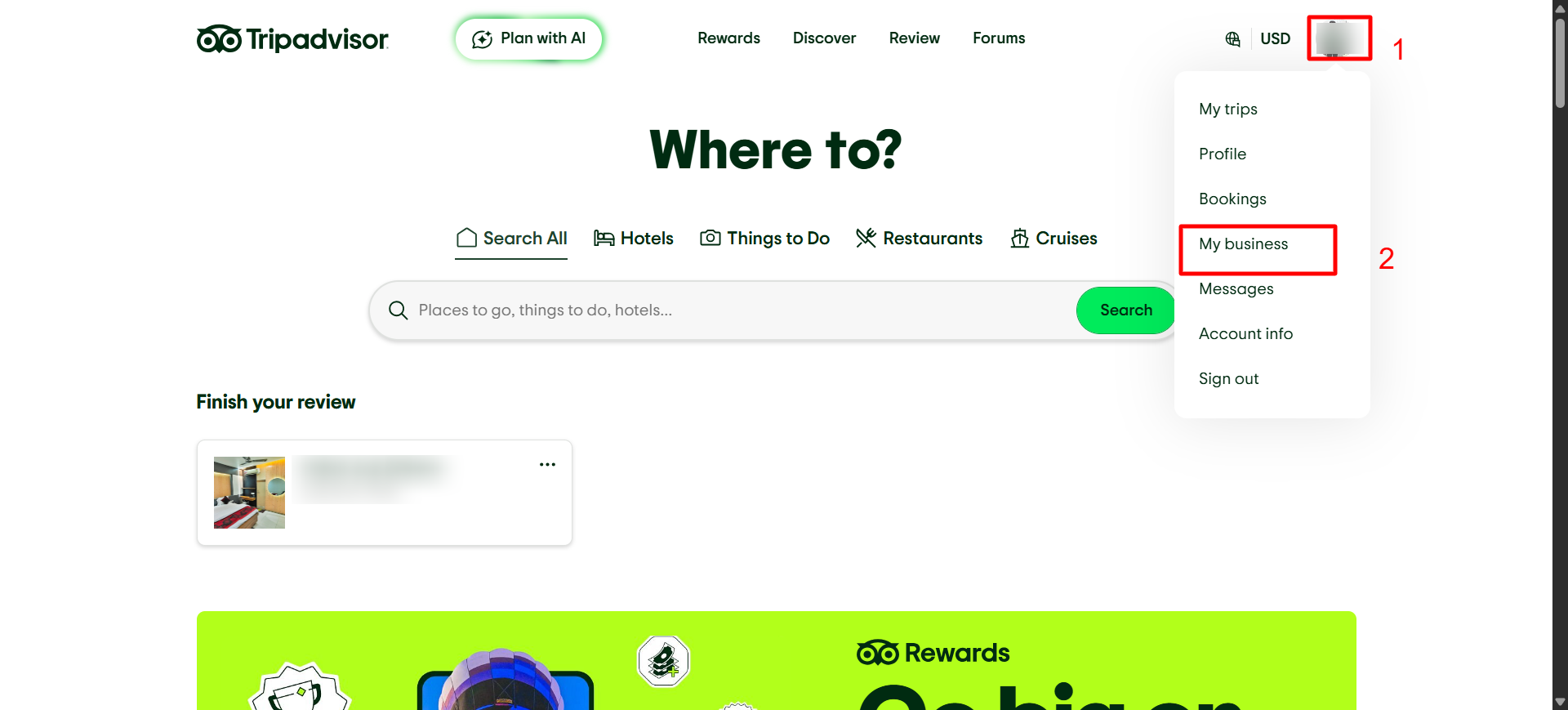
- Click on your profile icon (top right corner) on Tripadvisor
- This will open the account dropdown menu
2. Where can I find “My Business” on Tripadvisor?
- After clicking your profile icon
- Select “My Business” from the dropdown menu
This will redirect you to the Tripadvisor for Business dashboard
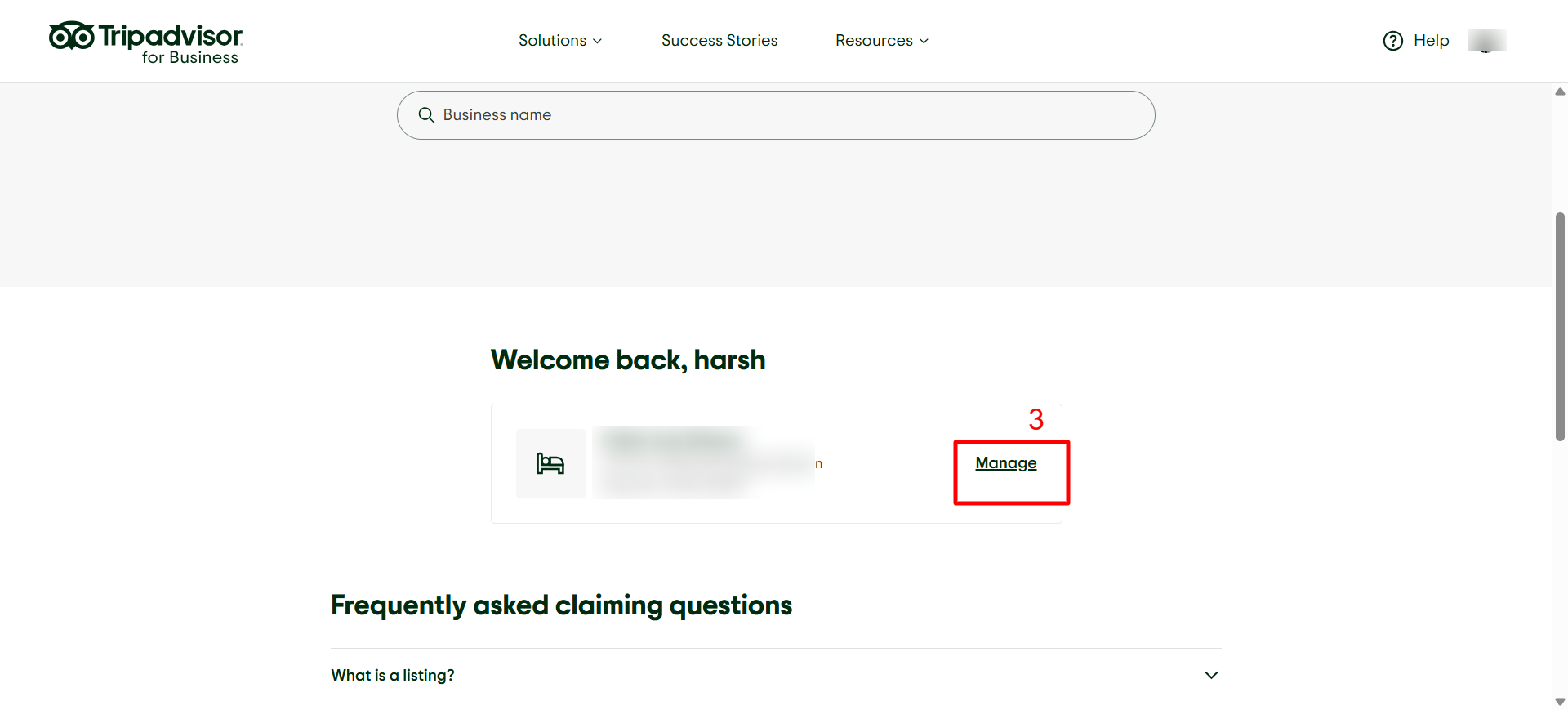
3. How do I manage my business listing?
- On the dashboard, locate your property/business
- Click on the “Manage” option next to your listing
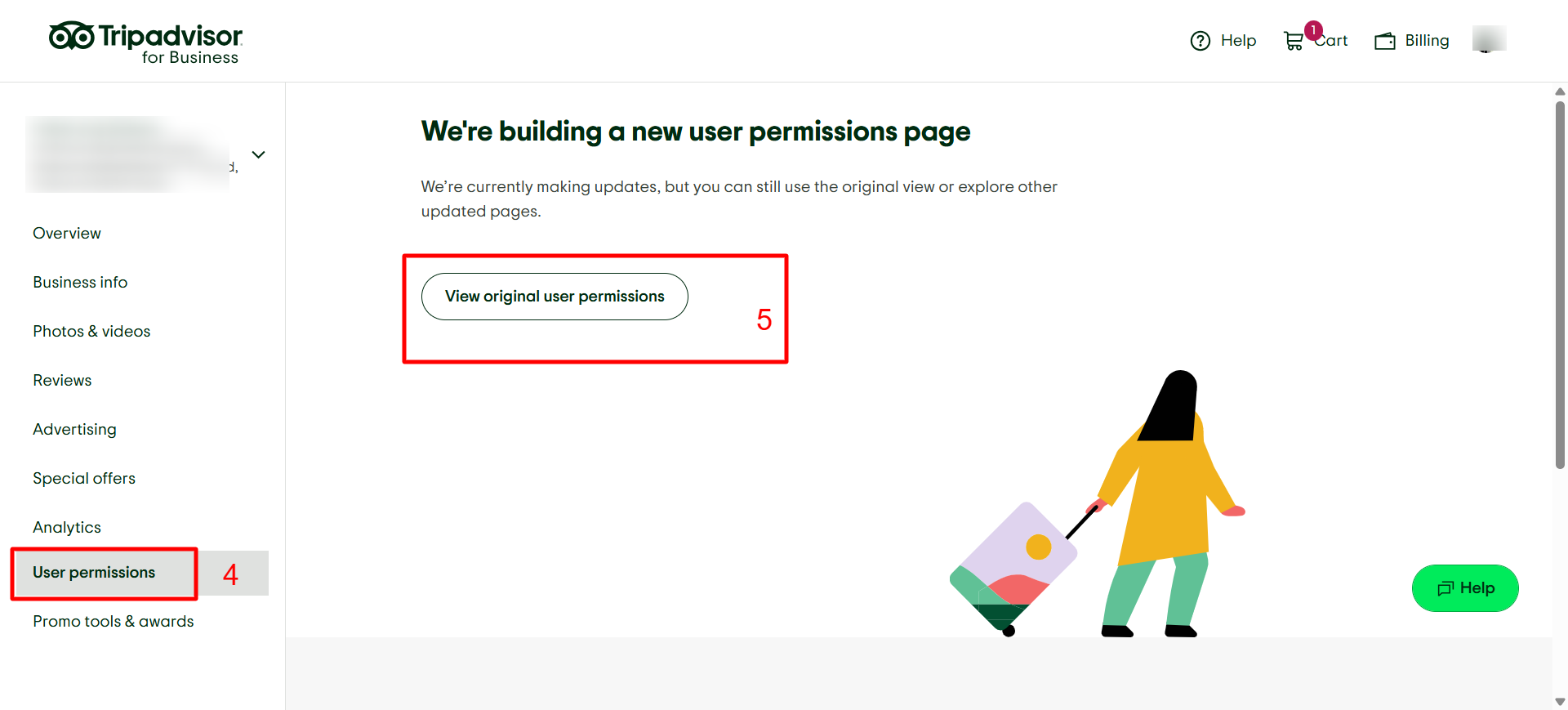
4. Where can I find user permissions?
- In the left-side menu
- Click on “User Permissions”
This section allows you to manage access for different users
5. How do I open the user permissions page?
- After clicking User Permissions
- Select “View original user permissions”
This will open the full access control page
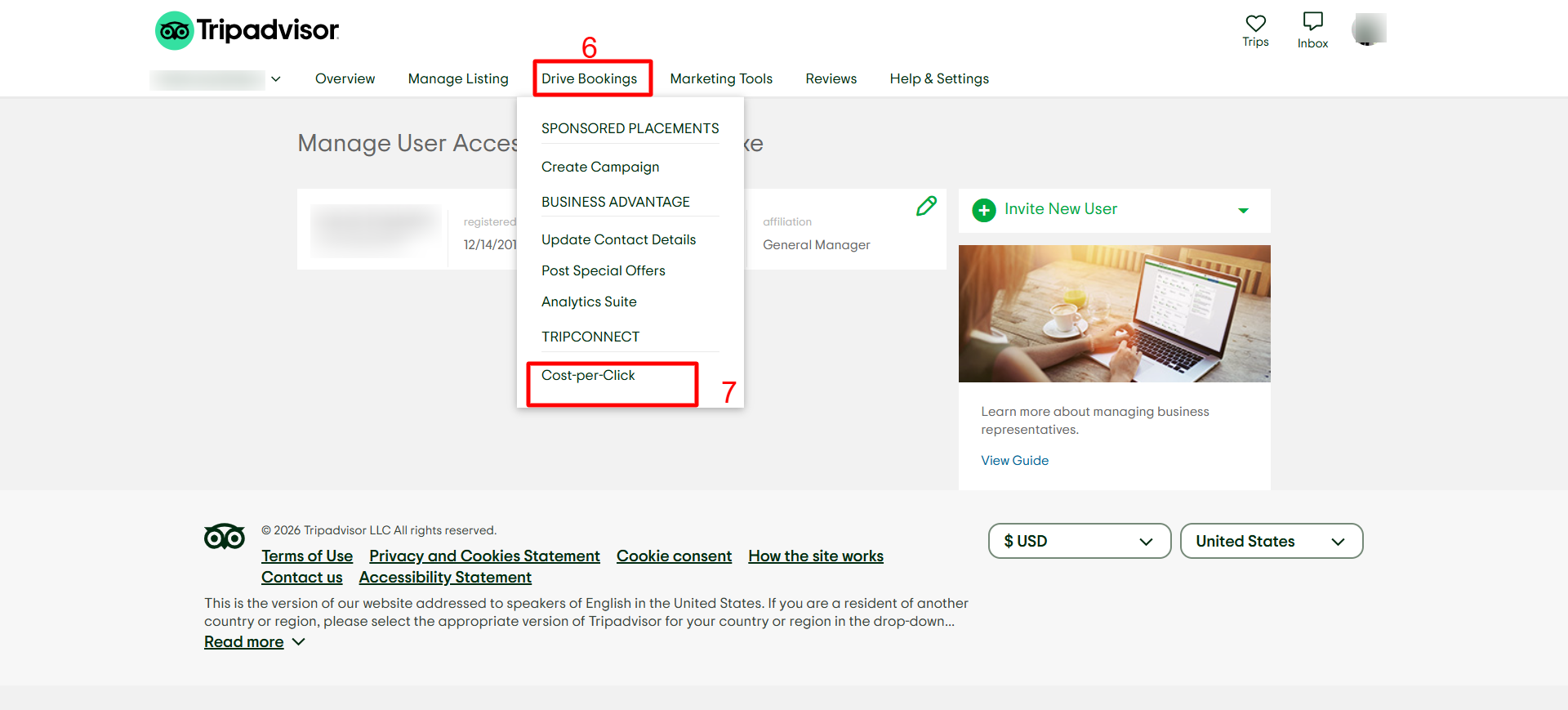
6. Where can I find the Drive Bookings option?
- On the top navigation bar
- Click on “Drive Bookings”
This section contains advertising and booking-related tools
7. How do I enable Cost-per-Click (CPC)?
- Go to Drive Bookings
- Select “Cost-per-Click” under TripConnect
This allows you to run CPC campaigns to drive direct bookings
Was this article helpful?
That’s Great!
Thank you for your feedback
Sorry! We couldn't be helpful
Thank you for your feedback
Feedback sent
We appreciate your effort and will try to fix the article