This article explains how guests can make reservations and complete payments through the Booking Engine under Yanolja Cloud Solution.
The Booking Engine provides flexible payment options that allow guests to either pay at the time of booking or provide their payment details to be charged later by the property.
Guests can complete their bookings using the following payment options:
- Pay Now – The guest completes the payment online during the booking process.
- Pay Later – The guest provides a credit/debit card as a guarantee, and the hotel can charge the card later according to its payment policy.
Pay Now
The Pay Now option allows guests to complete the payment online during the booking process.
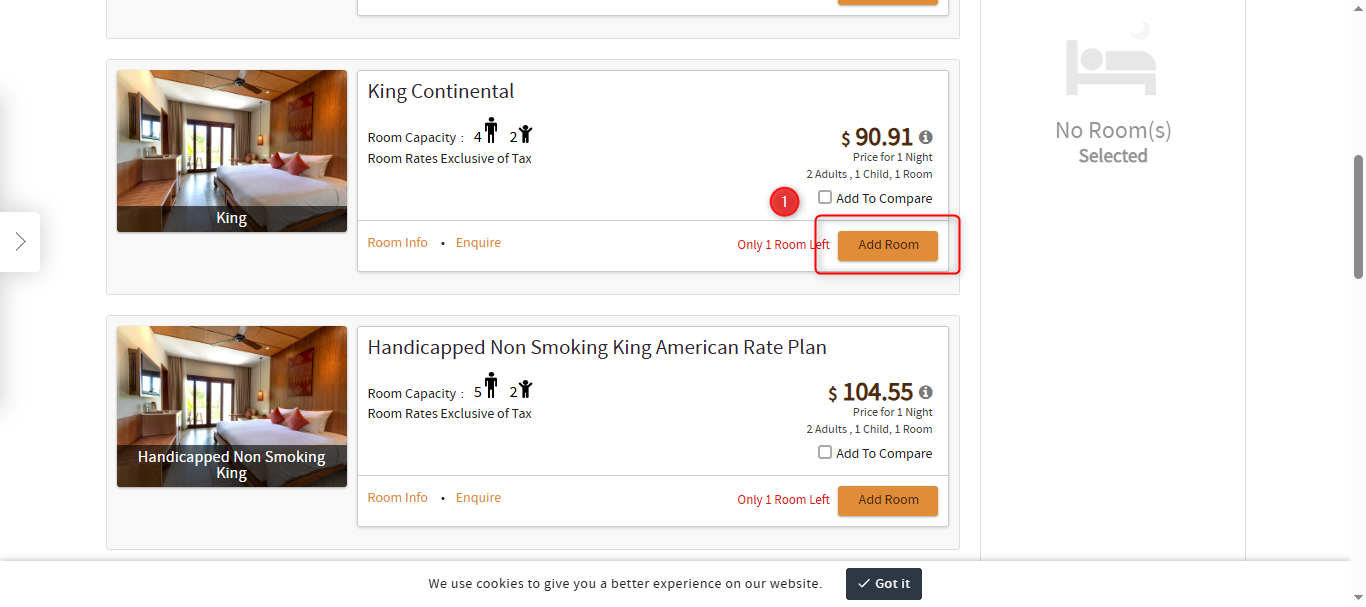
The guest selects the desired room and proceeds to the guest information page.
Enter the guest details.
Select the Online Payment option.
Acknowledge and accept the hotel’s terms and conditions.
Click Book Now.
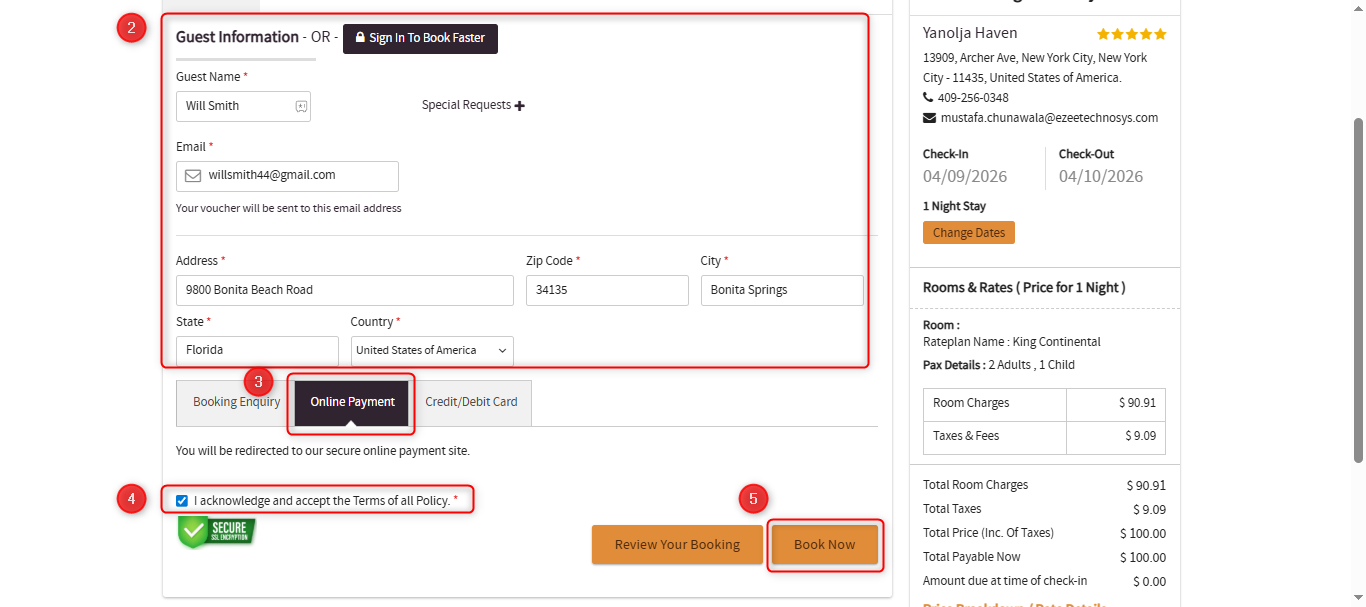
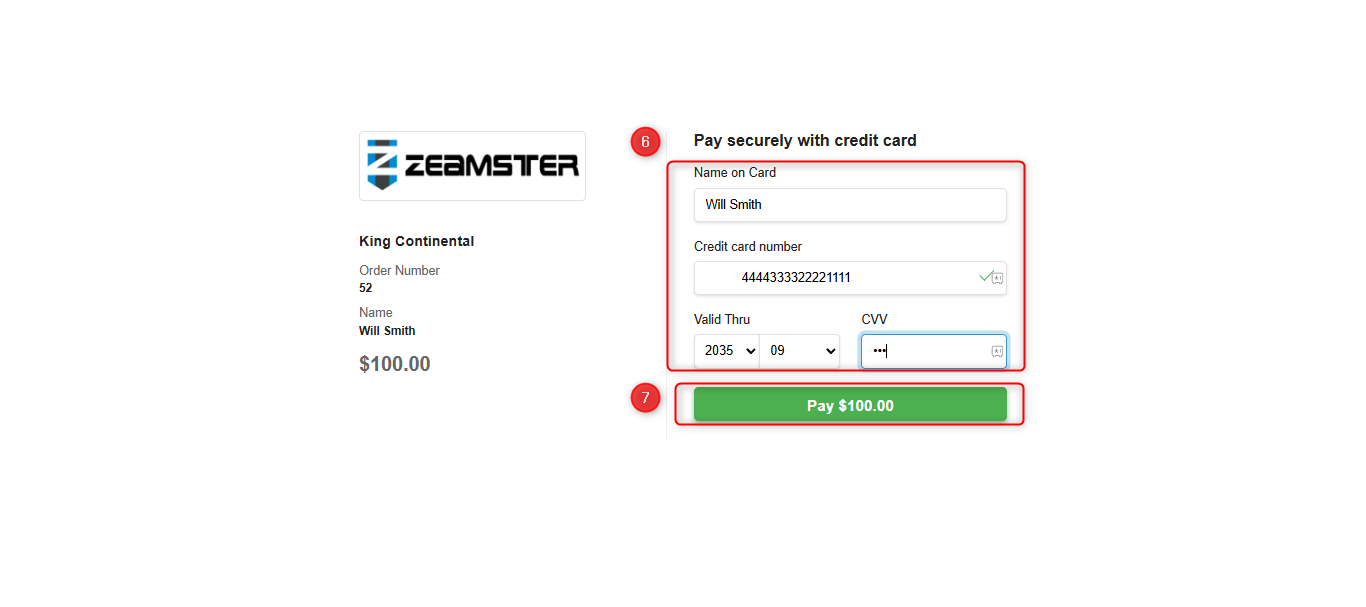
The guest will be redirected to the payment gateway page where they can enter the card details.
Lastly complete the payment by clicking "Pay".
Once the payment is successful, a booking confirmation message will appear on the screen, and the reservation will be confirmed in the system.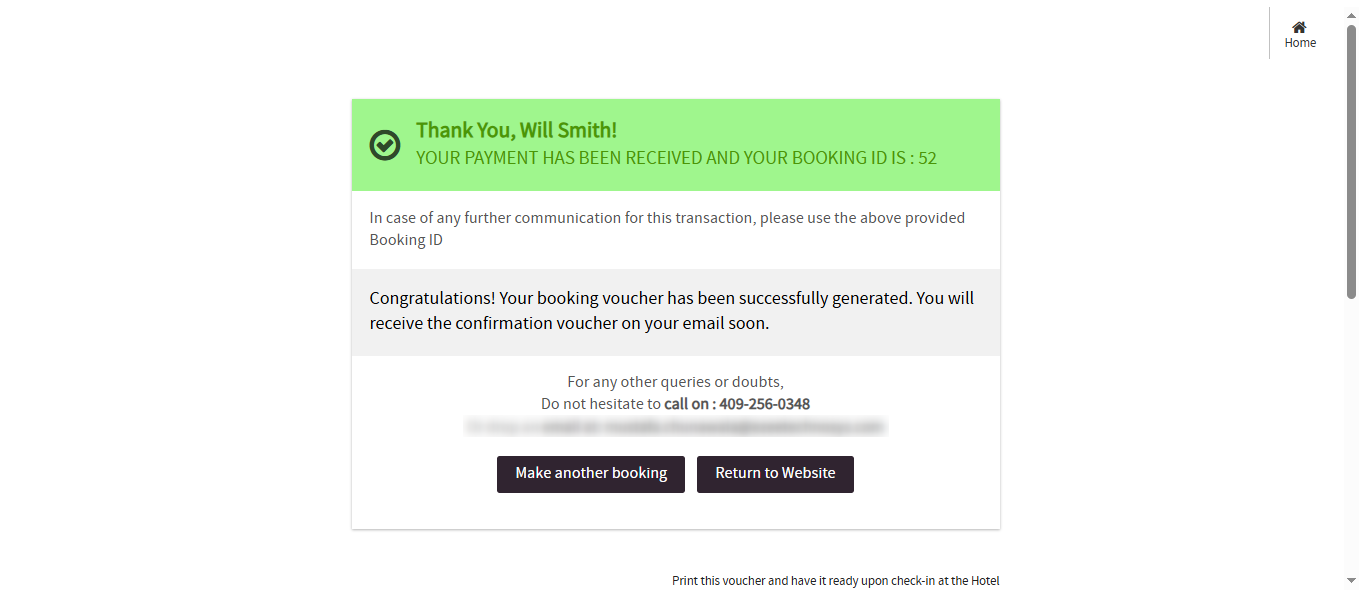
Configure Online Payment Amount
If you want to modify the payment amount collected during the booking process, you can update the deposit rules in the system according to your property’s policy.
Follow the steps below:
Go to the Configuration menu.
Navigate to Hotel Profile.
Open Policies and Billing.
Select Booking Policy.
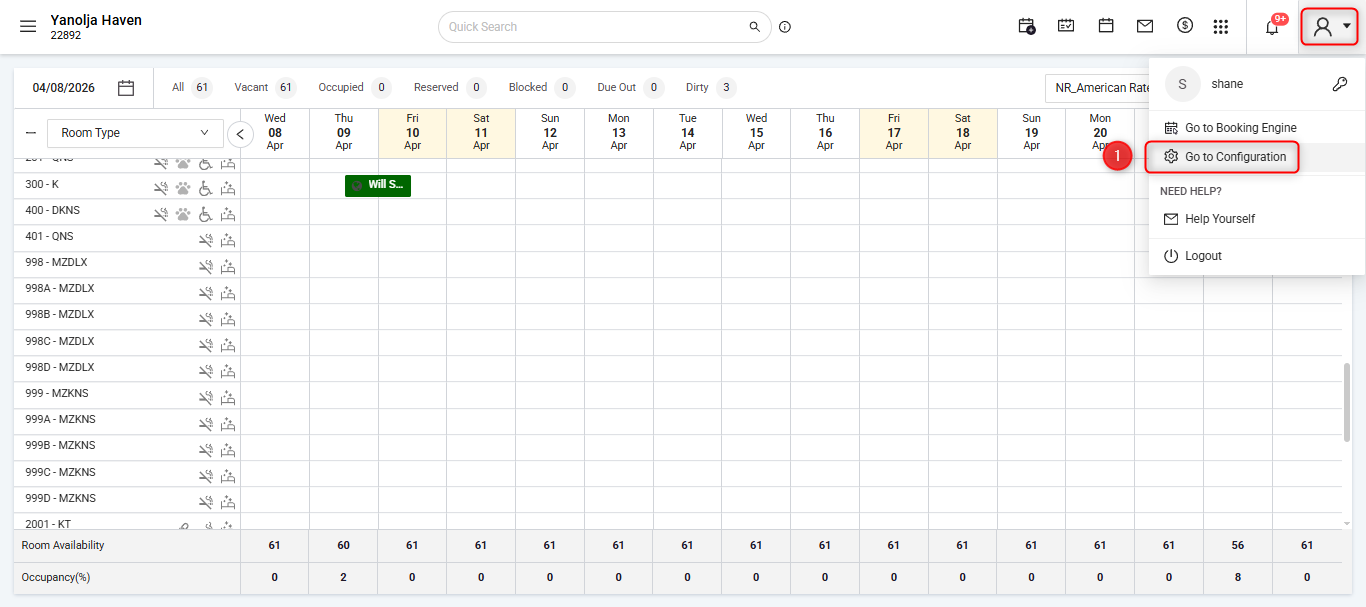
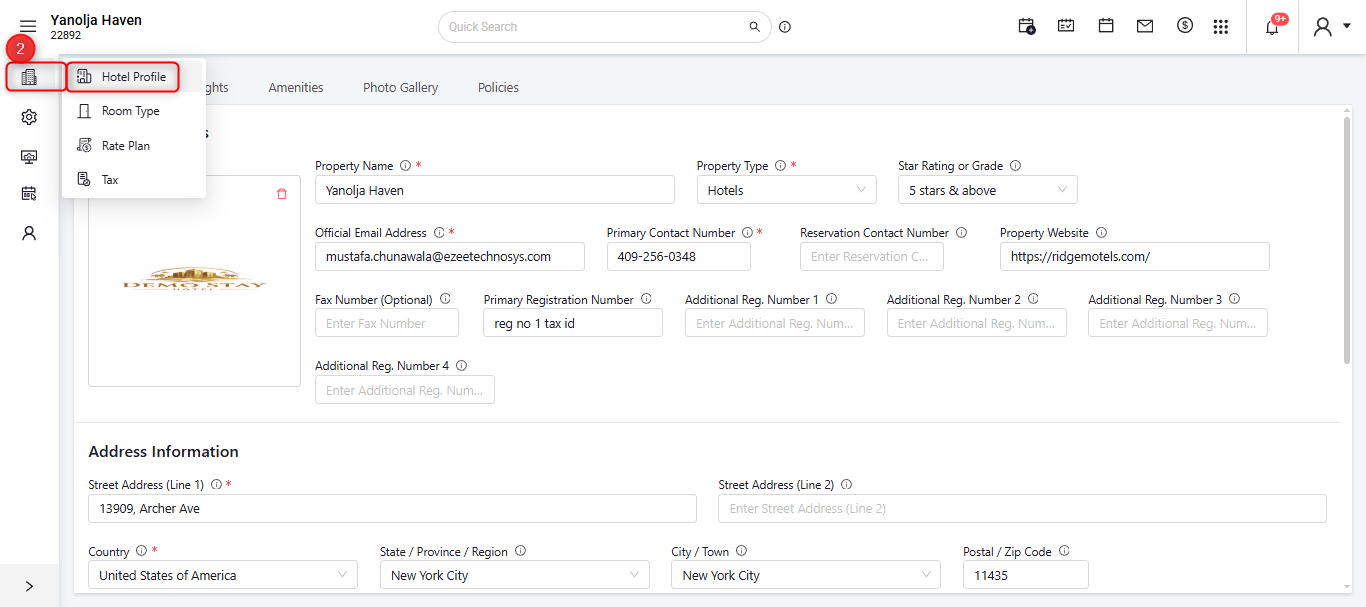
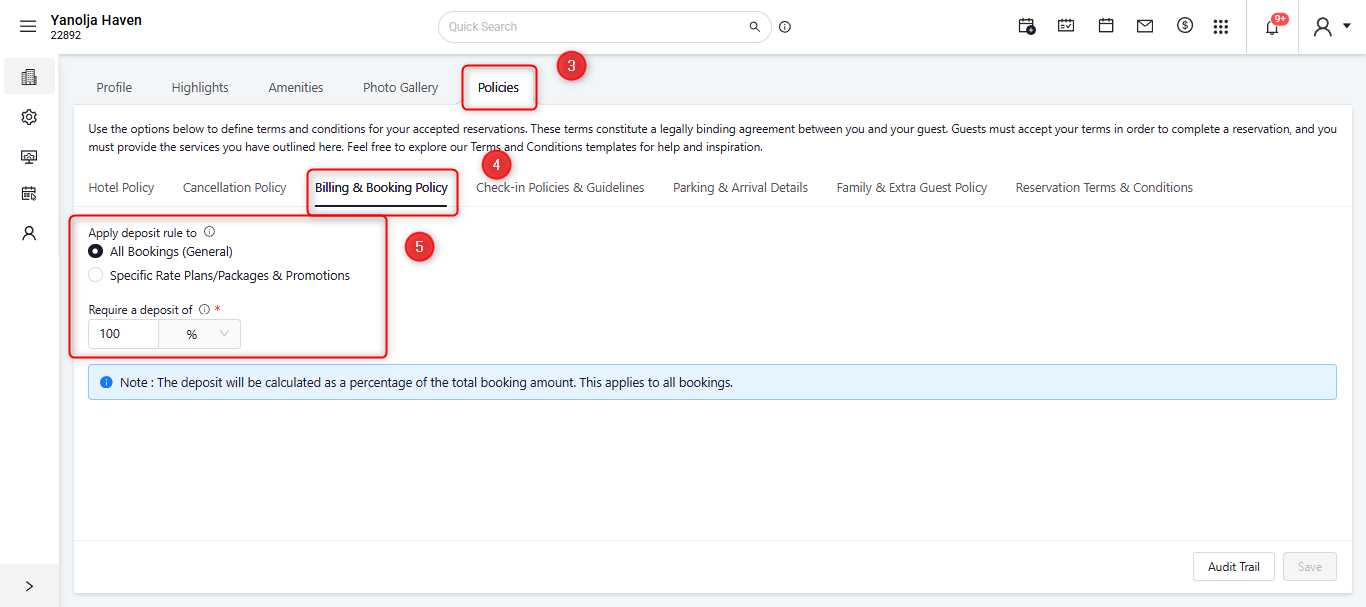
In this section:
Locate Apply Deposit Rule To – All Bookings (General).
By default, the deposit amount is set to 100% of the total booking value, meaning the full amount is collected at the time of booking. However, this can be customized based on your requirements. For example, you may choose to collect a partial deposit such as 50% or 25% of the total booking amount, or configure the system to collect specific nightly charges, such as one night’s stay as a deposit.You can adjust these settings to match your property’s payment and booking policies.
Pay Later
The Pay Later option allows guests to make a reservation through the Booking Engine while providing a credit/debit card as a guarantee, with the payment to be charged later by the hotel.
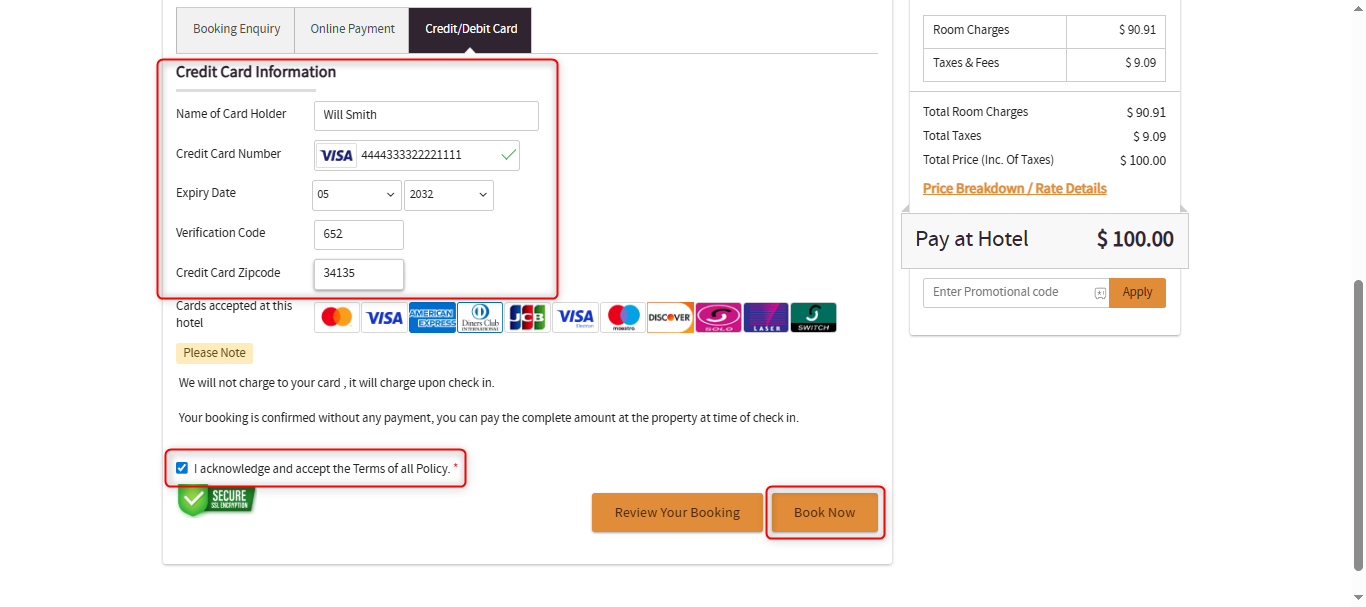
In this option, the guest enters their card details during the booking process to secure and confirm the reservation. The hotel can then charge the card at check-in or at any time based on the property’s payment policy.
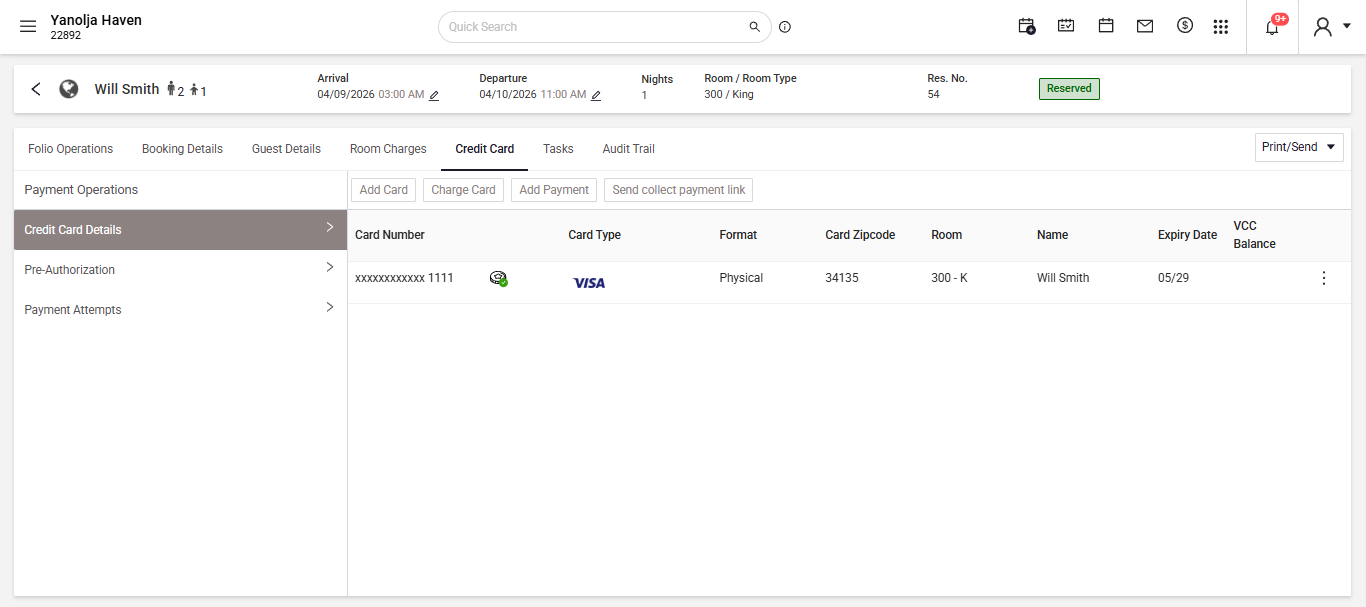
The booking steps are the same as the Pay Now process, except the guest needs to select the Credit/Debit Card option instead of Online Payment. Enter the card details, acknowledge and accept the terms and conditions, and then click Book Now. Once completed, a confirmation message will appear on the screen, and you can verify the card in the reservation on the credit card screen.
Booking Enquiry
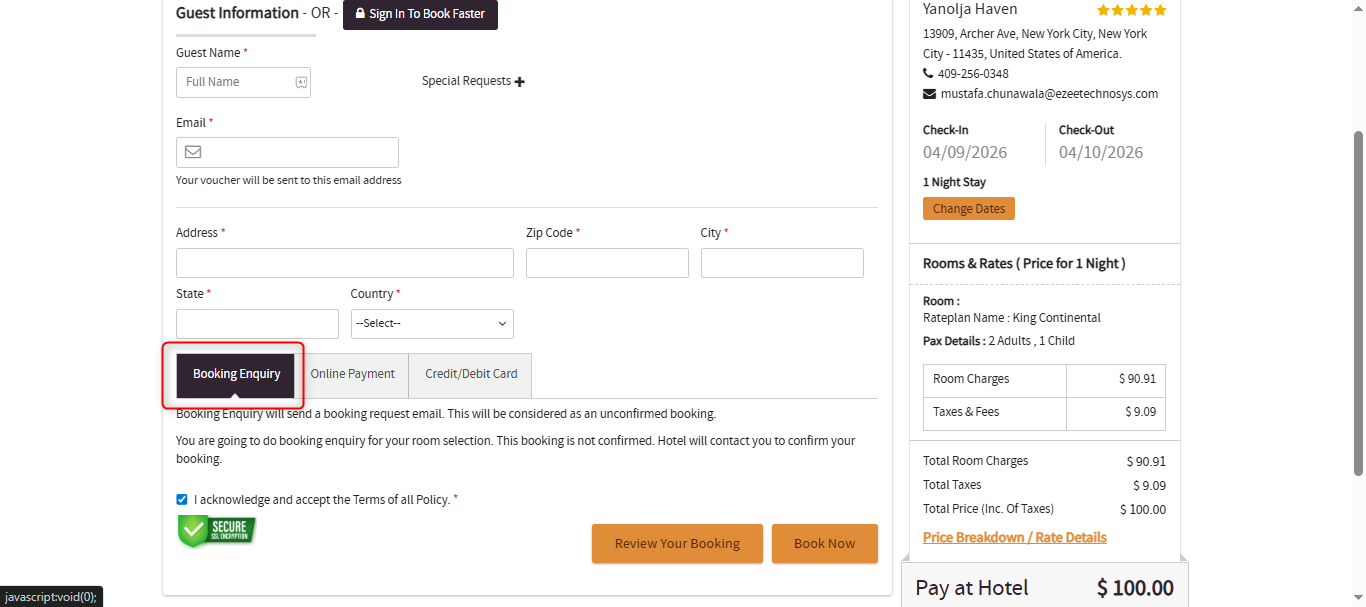
The Booking Enquiry option allows guests to submit a reservation request without providing payment details or confirming the booking immediately.
While making a reservation on the Booking Engine, the guest can select the Booking Enquiry option instead of entering payment information. After completing the required guest details and accepting the terms and conditions, the guest can click Book Now to submit the request.
Once submitted, the system will create an unconfirmed reservation in the Property Management System (PMS). The property can then review the request and confirm or follow up with the guest accordingly.
Was this article helpful?
That’s Great!
Thank you for your feedback
Sorry! We couldn't be helpful
Thank you for your feedback
Feedback sent
We appreciate your effort and will try to fix the article