Yes, we can restrict same-day reservations from the Booking Engine.
Steps to Configure:
Step 1: Login to PMS
- Log in to your PMS account.
- Go to Configuration.
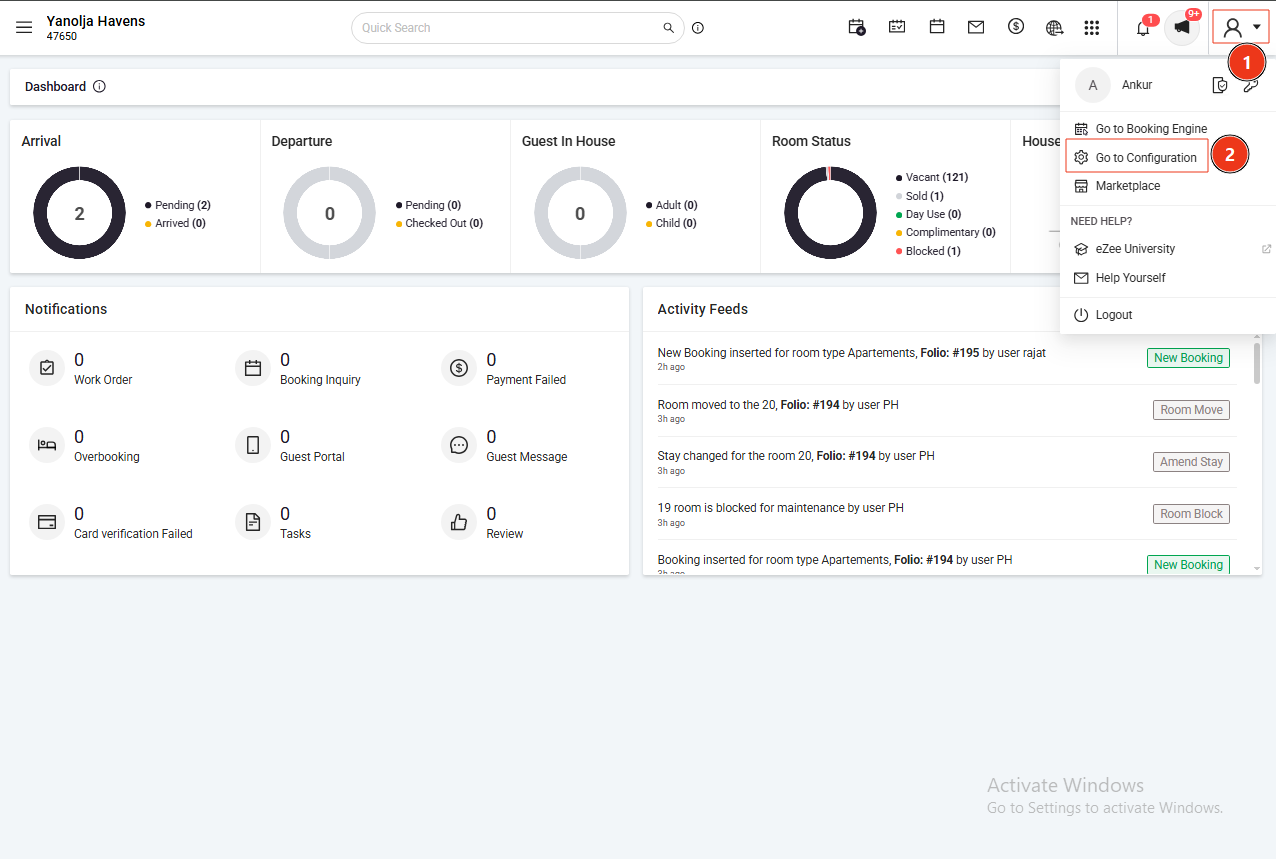
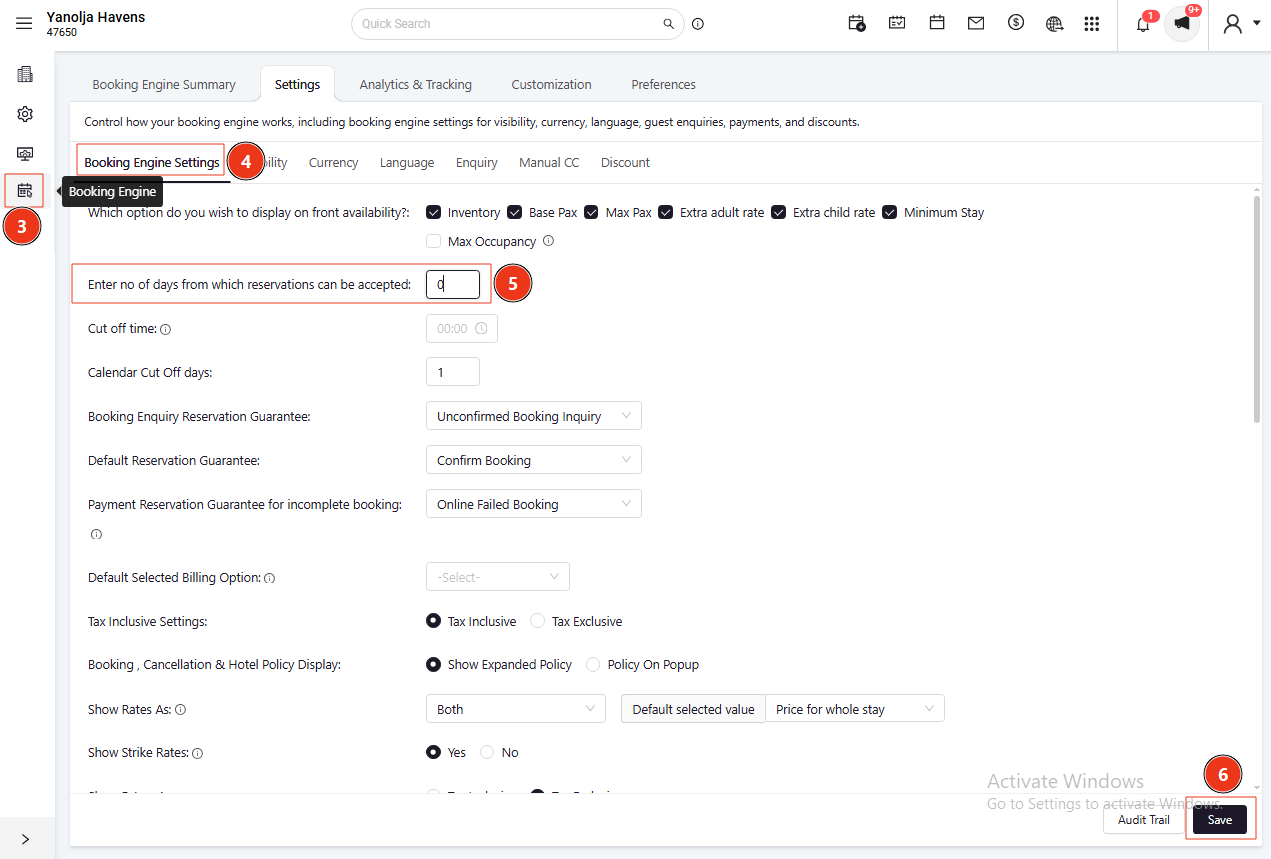
Step 2: Navigate to Booking Engine
- Open the Booking Engine settings.
- Locate the option: Enter no. of days from which reservations can be accepted.
- Enter the required number of days and click Save.
Clarification:
This setting controls how many days in advance bookings can be accepted.
Example:
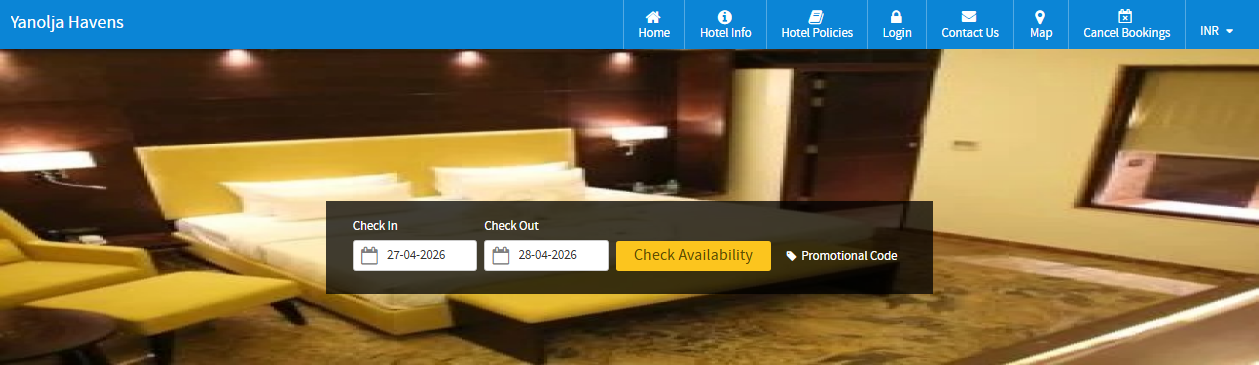
- If the value is set to 0:
Guests can make bookings for the same day. - If the value is set to 1:
Same-day bookings will be restricted, and bookings can only be made starting from the next day.
So, to block today’s date for reservations, you need to set the value to 1.

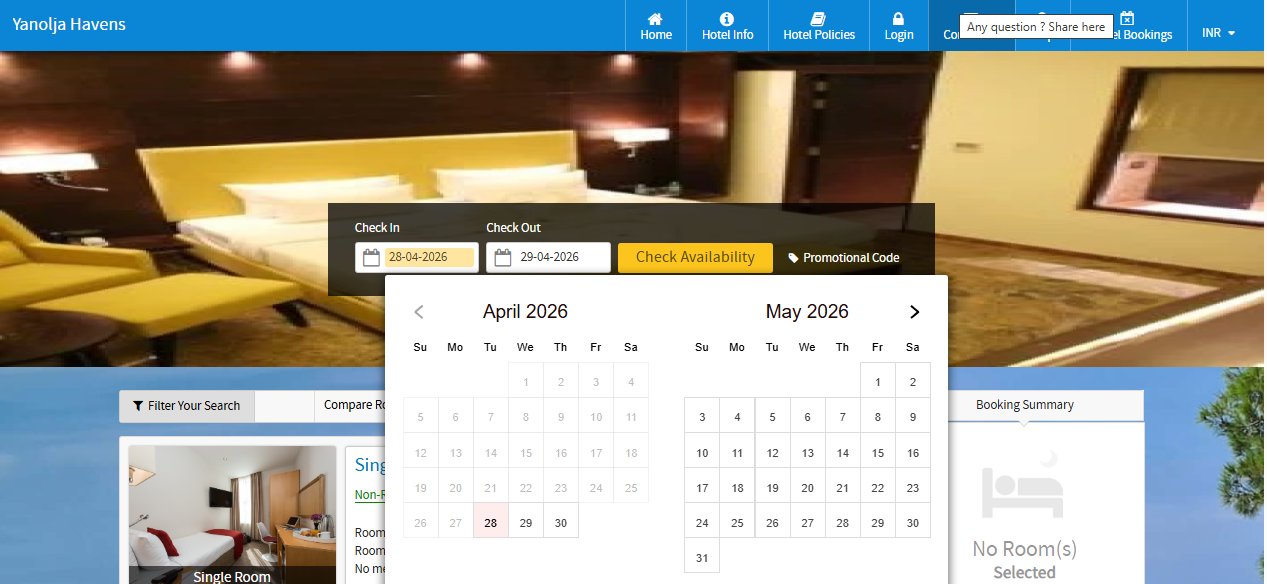
You can see on the two screenshots above, when you set the number to 0 at "Enter no. of days which reservations can be accepted," so on the same day, you can take the booking. But, if you change it to 1, it will not take the booking for the same day. Booking will start from the next day.
Was this article helpful?
That’s Great!
Thank you for your feedback
Sorry! We couldn't be helpful
Thank you for your feedback
Feedback sent
We appreciate your effort and will try to fix the article