Path: Login into Unified Solution Configuration >> General Settings >> Reservations/Walk-in >> Reservation Display Settings >> Allow Overbooking (PMS Only) - Enable /Disable >> Save.
Note: First of all you need to ask raise ticket from CRM, to active this setting, after technical team active this overbooking setting, only user with admin role can take overbooking and only Reservation.
Screenshot 1:
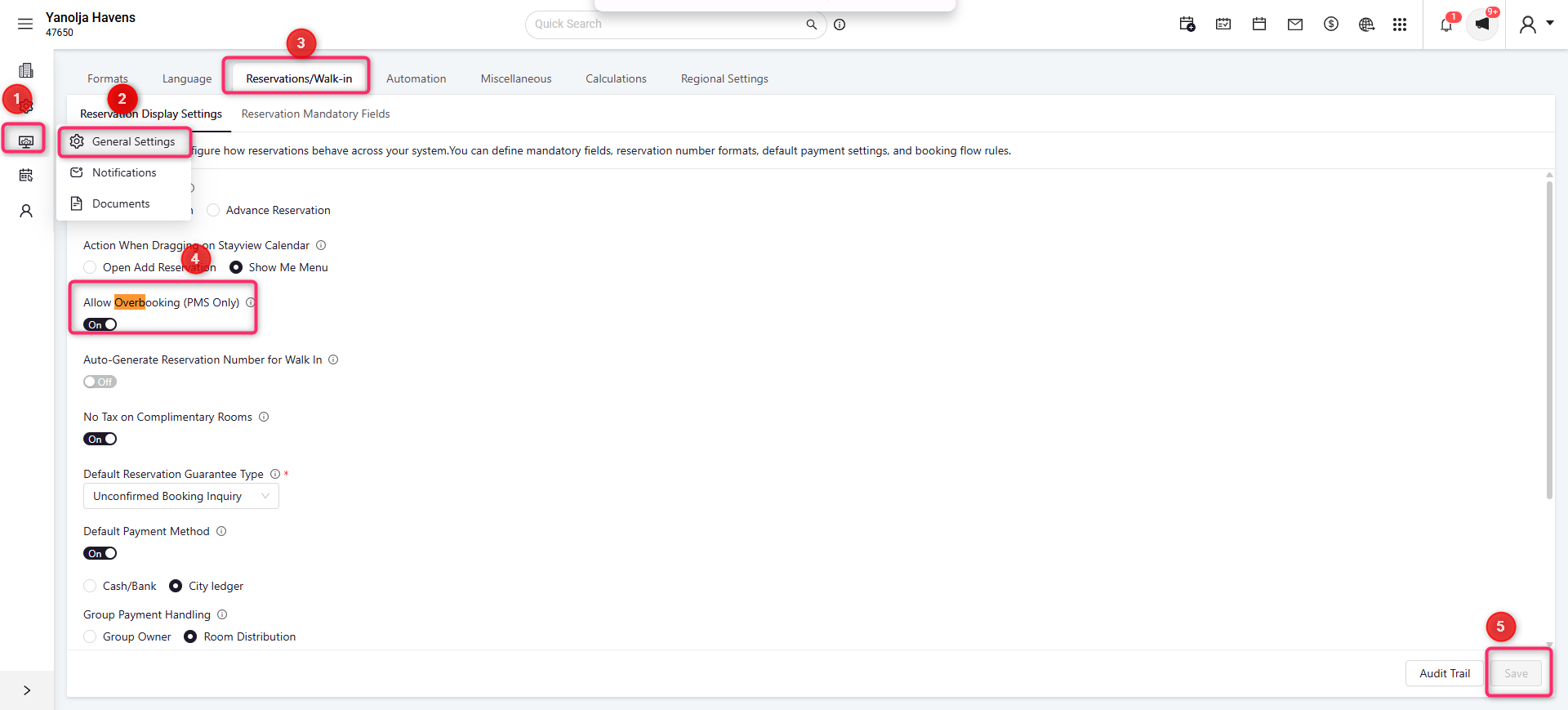
Once you enabled the overbooking feature you can allow the no of overbookings which you want on particular room type
For that, you have to enter a number of which are you looking to accept the overbooking from the path
Rooms >> Room Type >> Edit room type | Refer the below screenshot.
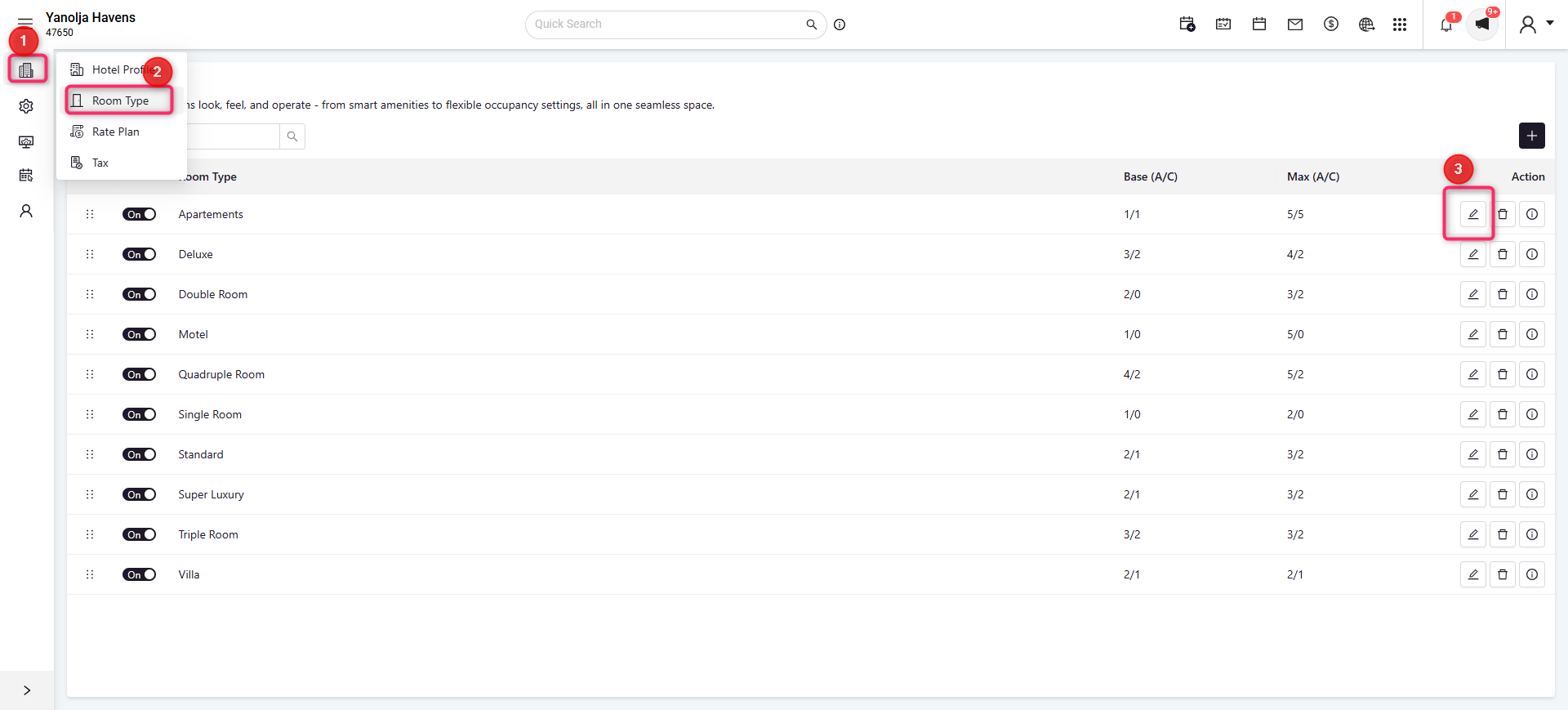
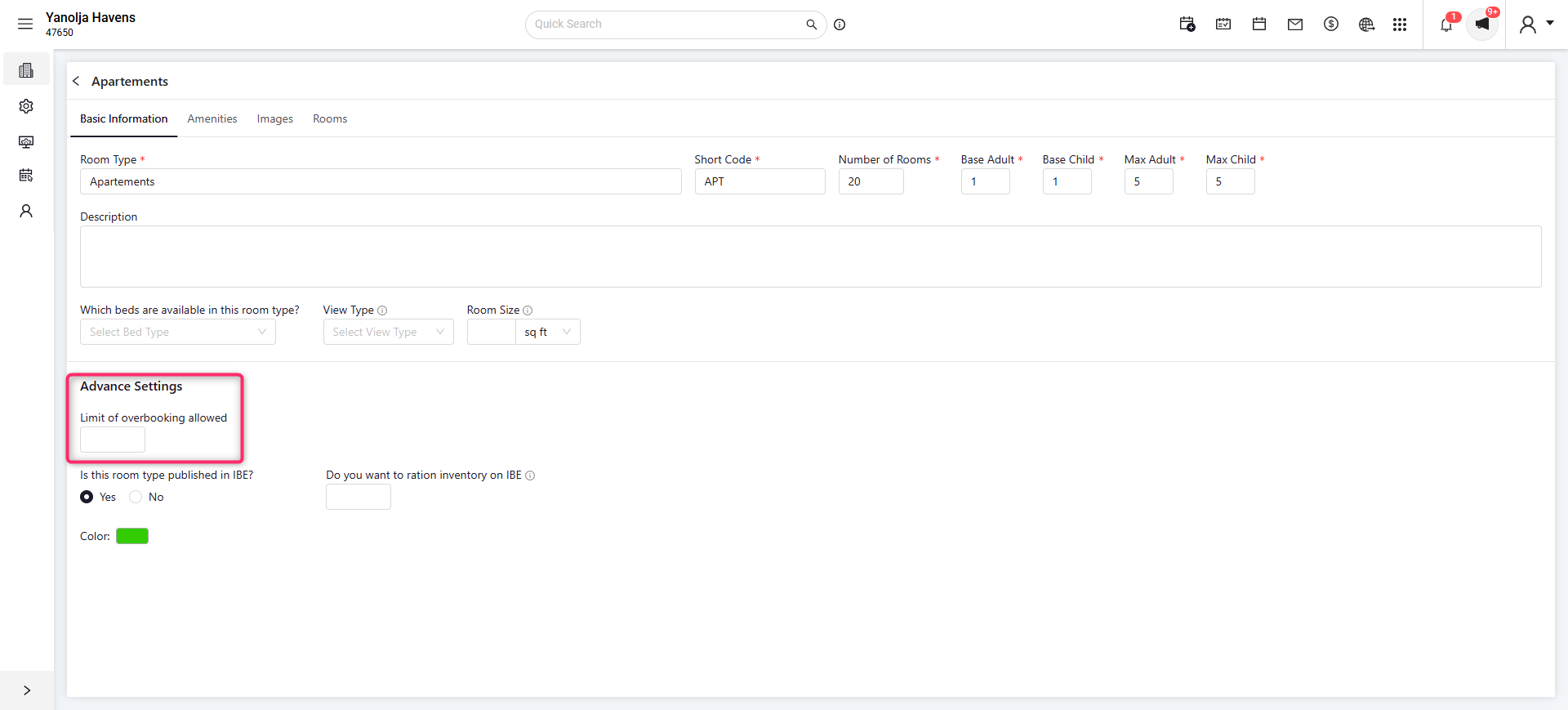
In the above screenshot, we can see, we can set the number of overbooking allowed in room type.
Was this article helpful?
That’s Great!
Thank you for your feedback
Sorry! We couldn't be helpful
Thank you for your feedback
Feedback sent
We appreciate your effort and will try to fix the article