To change Language or text in the Front office like we did in the Reservation, We can active Language setting and change the Module language.
- Go to configuration.
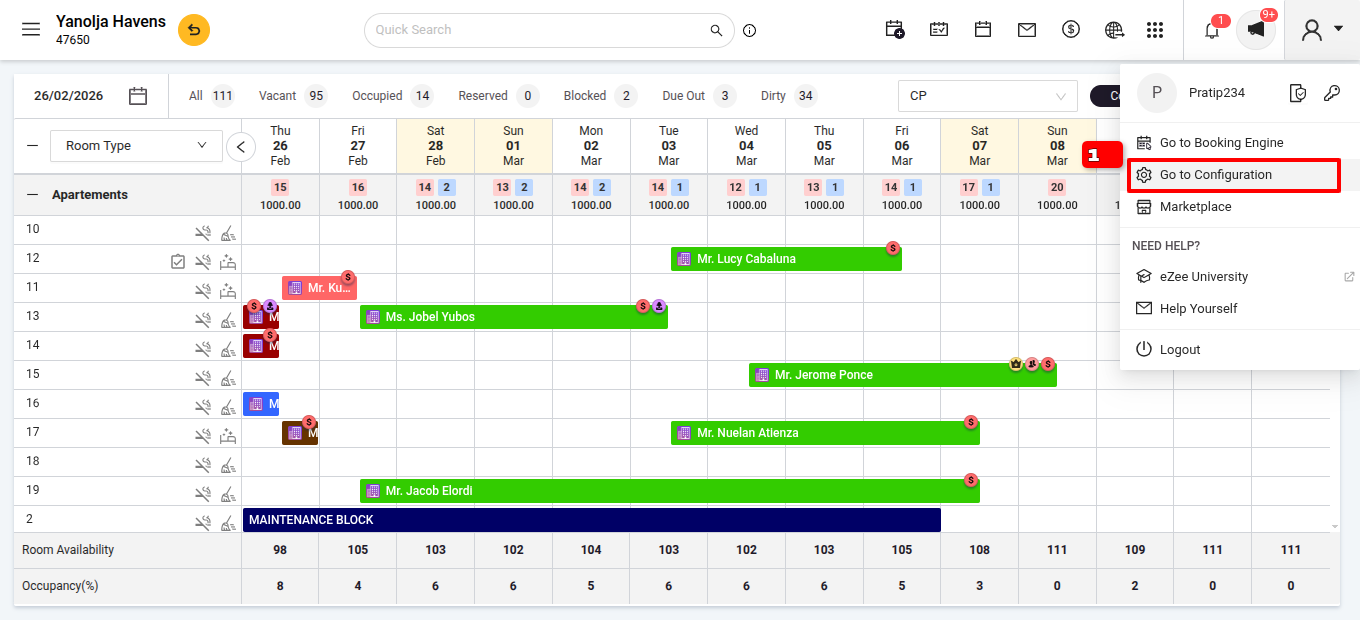
- Got to Setting >>General settings>>language.
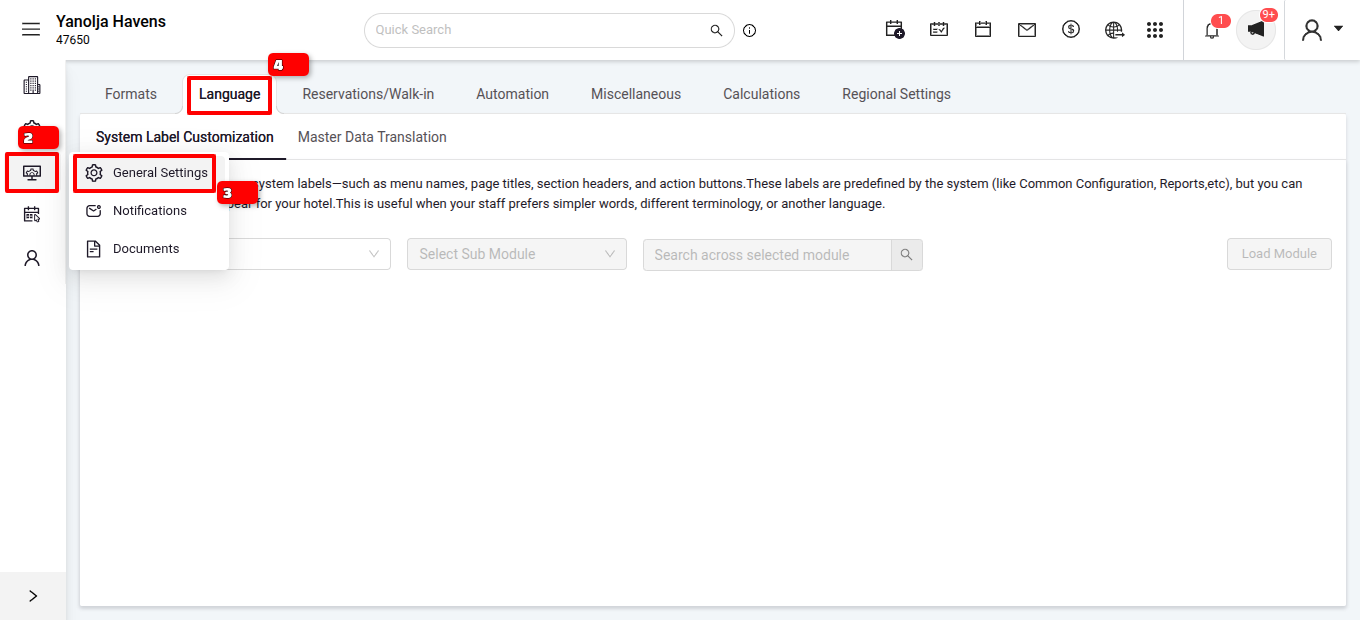
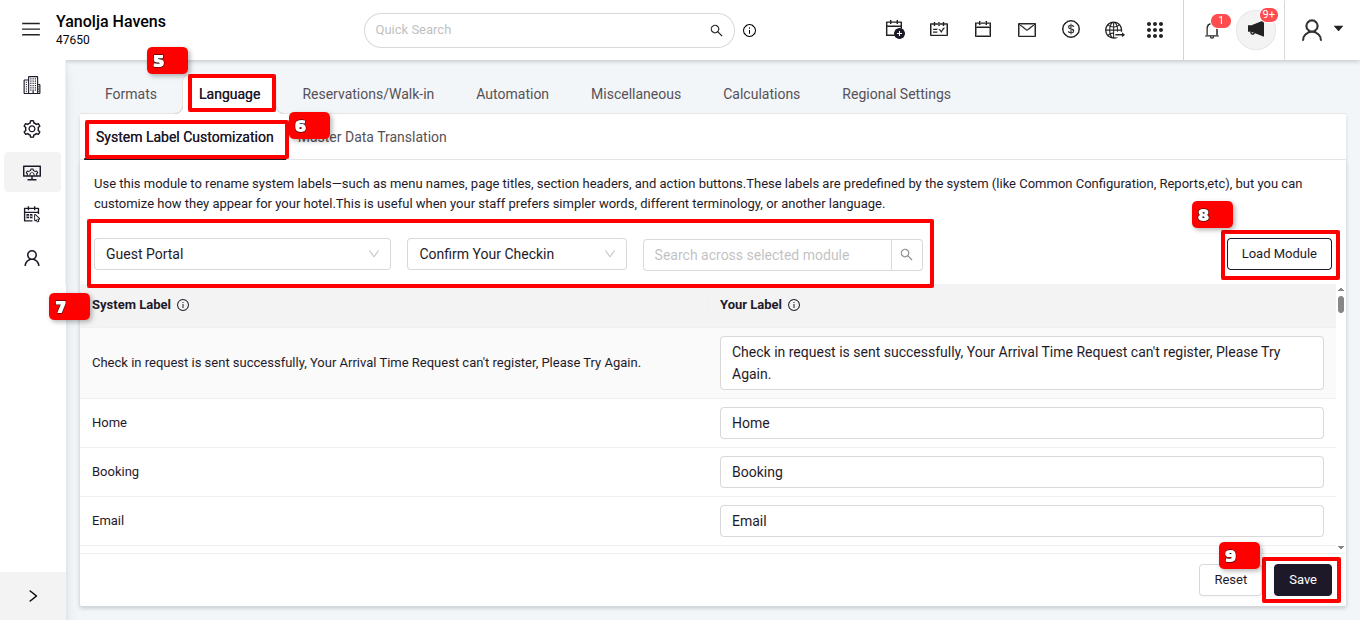
- In the System Label Customization select the module .
- After selecting click on Load Module.
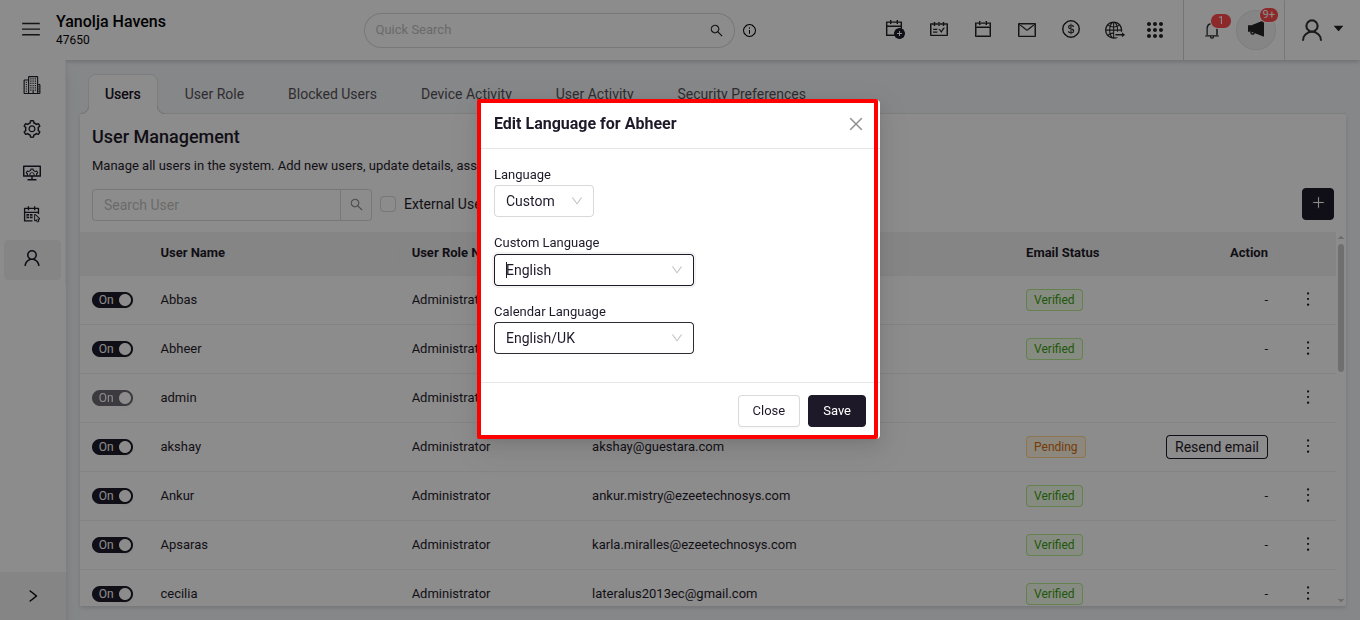
To Active Language setting in your property configuration, you can change all users language to Custom. After changing Language to Custom , you can Log out and Log-in again to see this setting.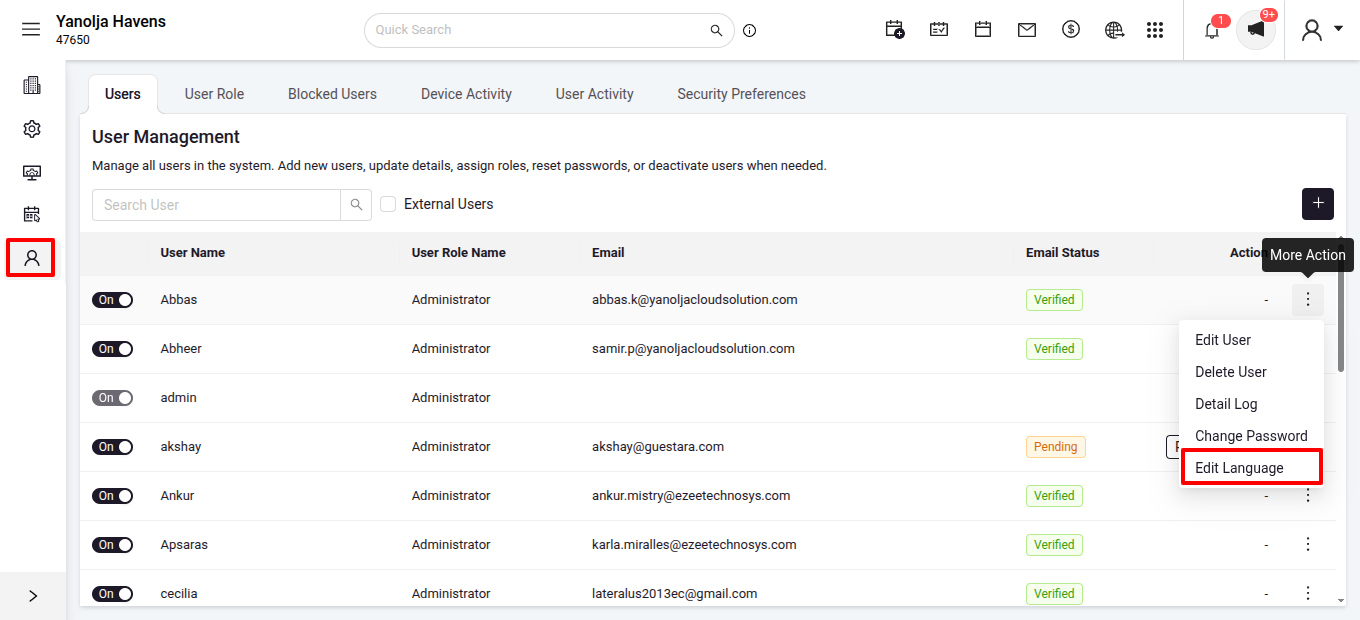
Was this article helpful?
That’s Great!
Thank you for your feedback
Sorry! We couldn't be helpful
Thank you for your feedback
Feedback sent
We appreciate your effort and will try to fix the article