How to Connect PMS and POS with QuickBooks Online Integration?
Overview
This guide will help you connect your PMS (Absolute) and POS (Optimus) with QuickBooks Online using the integration tool.
Prerequisites
- QuickBooks Online account should be active
- PMS/POS login credentials should be available
- Stable internet connection
Step-by-Step Process
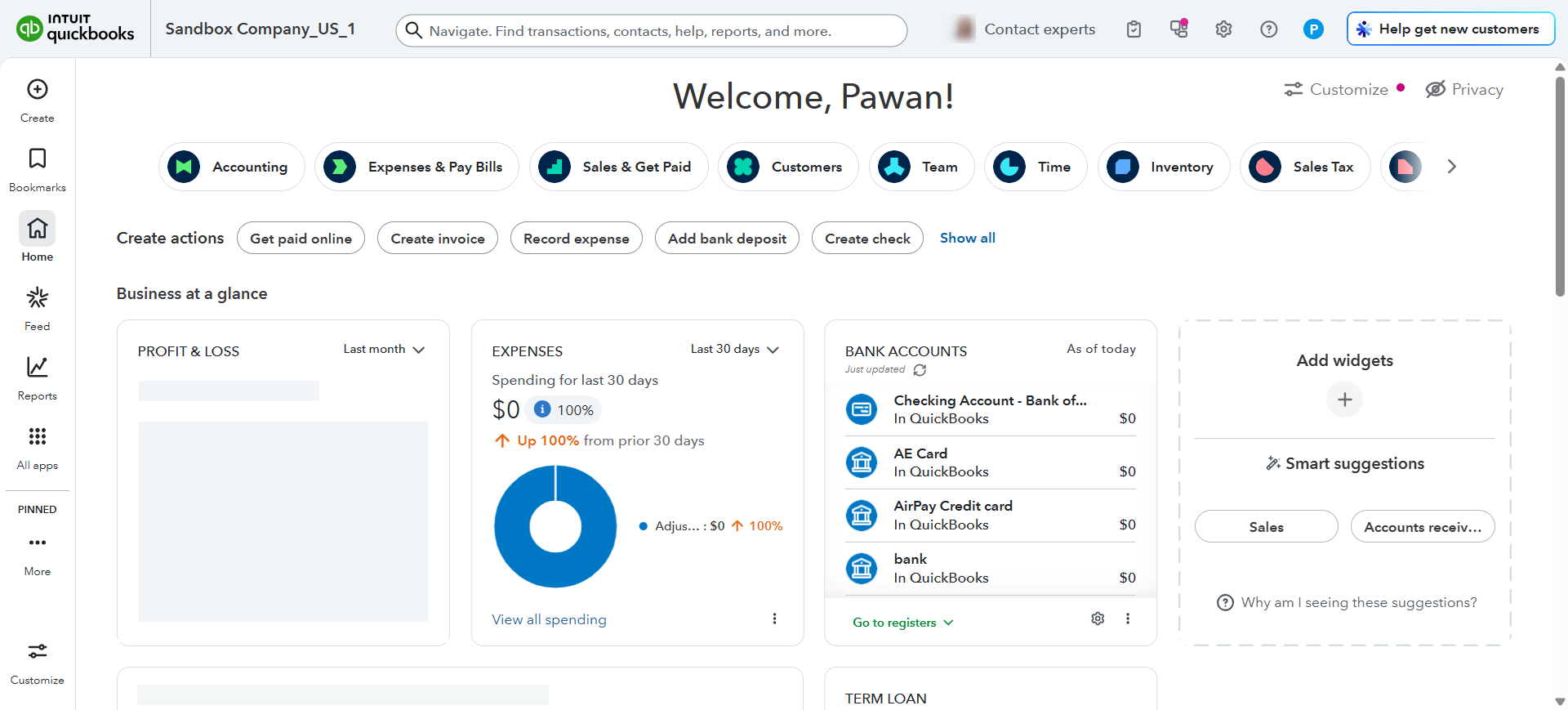
Step 1: Open QuickBooks
Ensure that QuickBooks is opened first and the required company is loaded.
Step 2: Open the Integration Link
Launch the integration tool using the below link:
https://dgs.ipms247.com/fasint/live/login.html
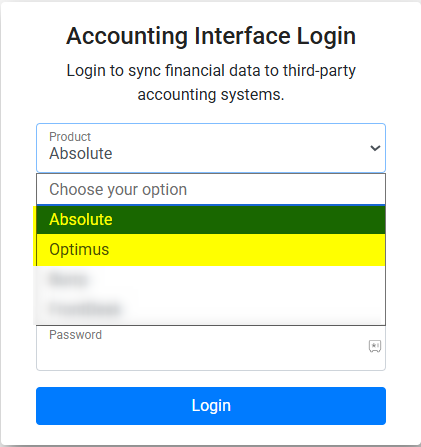
Step 3: Select the Product
Choose the appropriate product based on your requirement:
- Absolute for PMS
- Optimus for POS
Step 4: Enter Login Credentials
- For PMS (Absolute): Enter your PMS login credentials
- For POS (Optimus): Enter your POS login credentials
Click on the Login button after entering the details.
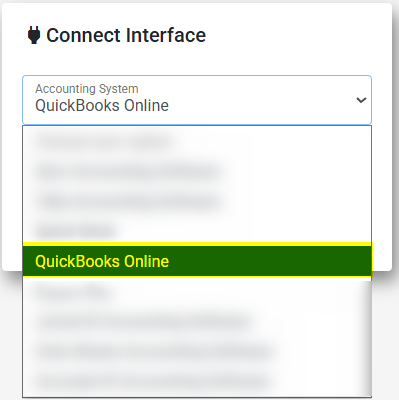
Step 5: Select Accounting System
- Choose QuickBooks Accounting Software
- Select the Production Key
- Click on Connect
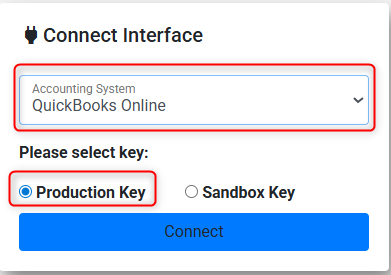
Once the above steps are completed, the integration will be successfully connected to the QuickBooks Online accounting system.
Was this article helpful?
That’s Great!
Thank you for your feedback
Sorry! We couldn't be helpful
Thank you for your feedback
Feedback sent
We appreciate your effort and will try to fix the article