Email Option in PMS is used to Automatized email mechanism in PMS. Automatized means, once the PMS is activated then only system will shoot an email to the Guest. Such as ‘Check out notification email’ to a guest.
Prerequisite(Condition): Guest Email ID has to be their on the Transaction when the booking comes from the Channel/Booking Engine or PMS.
Configuration Part :
Step 1 : Go to configuration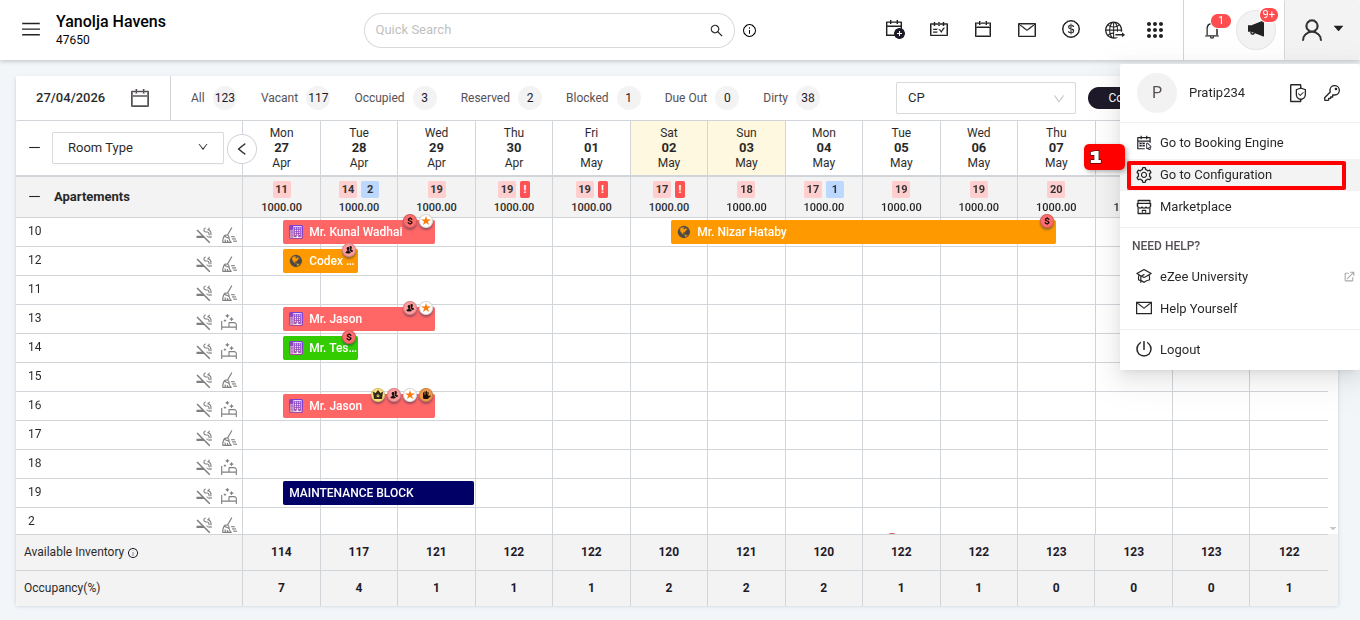
Step 2 : Go to Setting.
Step 3 : Go to General Setting.
Step 4 : Click on Miscellaneous.
Step 5 : Email setting>
Step 6 : Enter the mail id and click on save 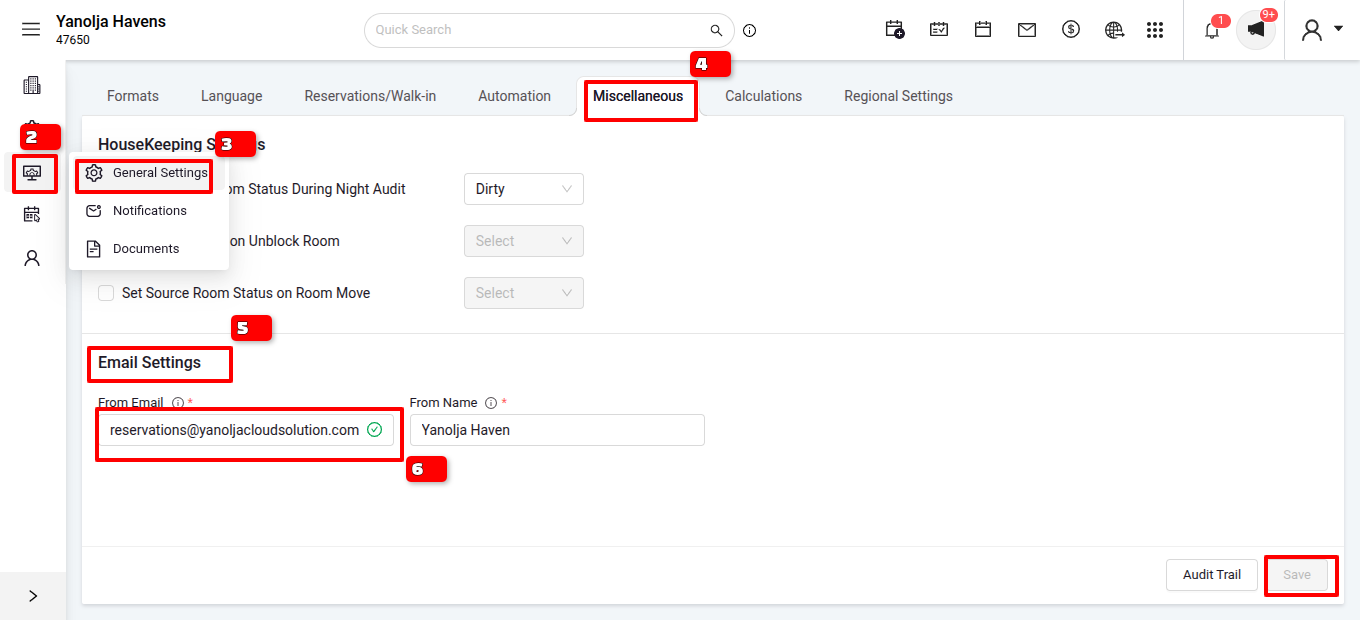
Was this article helpful?
That’s Great!
Thank you for your feedback
Sorry! We couldn't be helpful
Thank you for your feedback
Feedback sent
We appreciate your effort and will try to fix the article