Automated Email:
- Go to Configuration > Settings > Notifications > Email > Guest Option.
1. Go to Setting option.
2. Click on Notifications.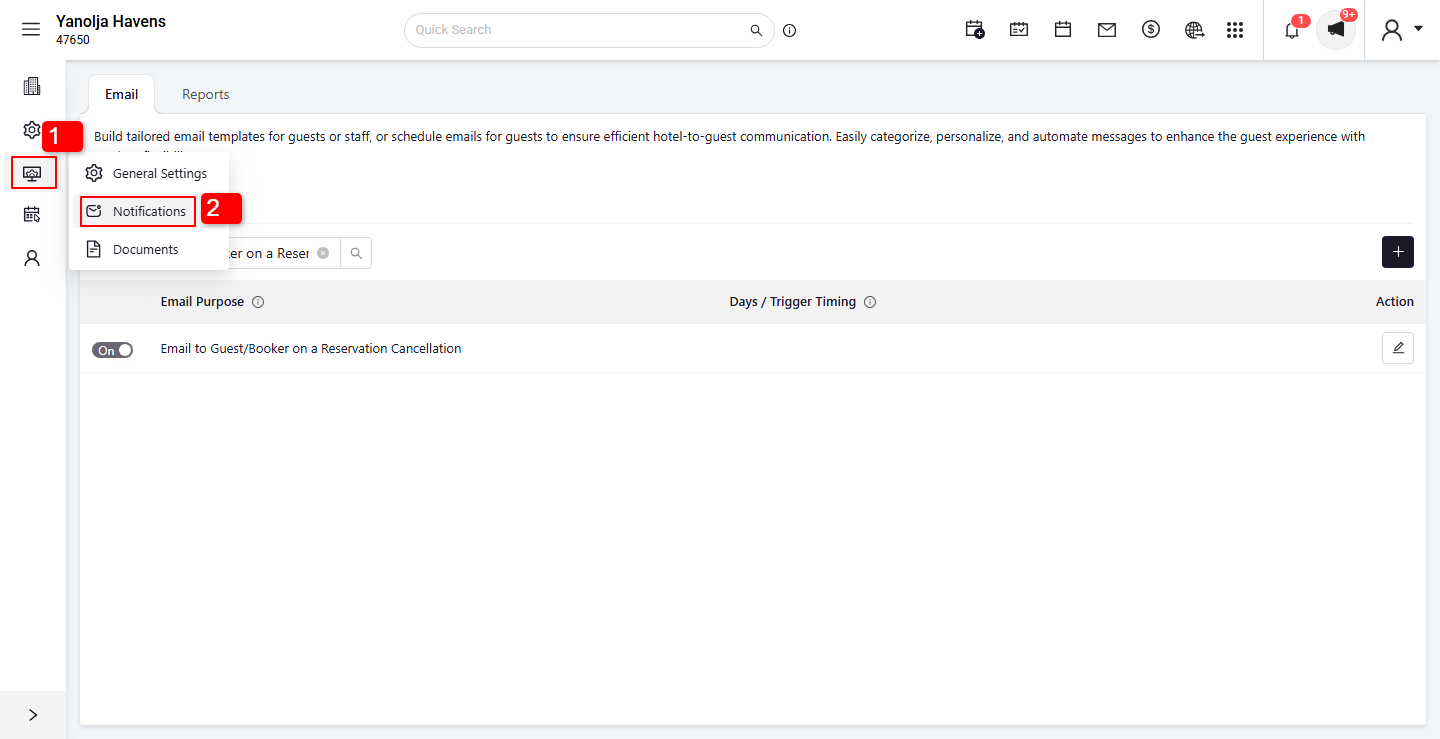 3. Select the Guest option.
4. Enable Email to Guest/Booker on a Reservation Cancellation.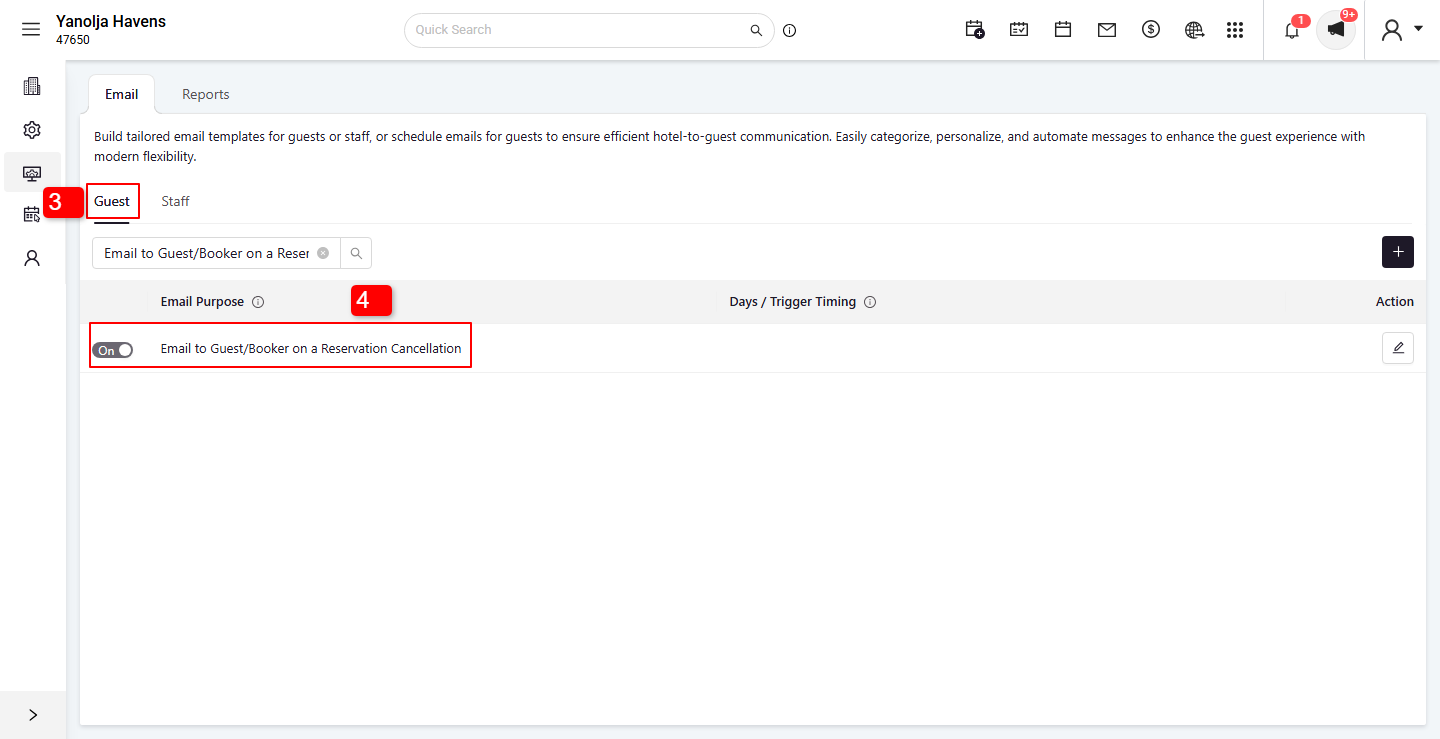
- Go to Configuration > Settings > Notifications > Email > Guest Option.
Manual Email:
- Go to PMS > Reservations > Search > Cancelled.
1. Click on the Reservation button.
2. Select Reservations mode.
3. Click on the Search button.
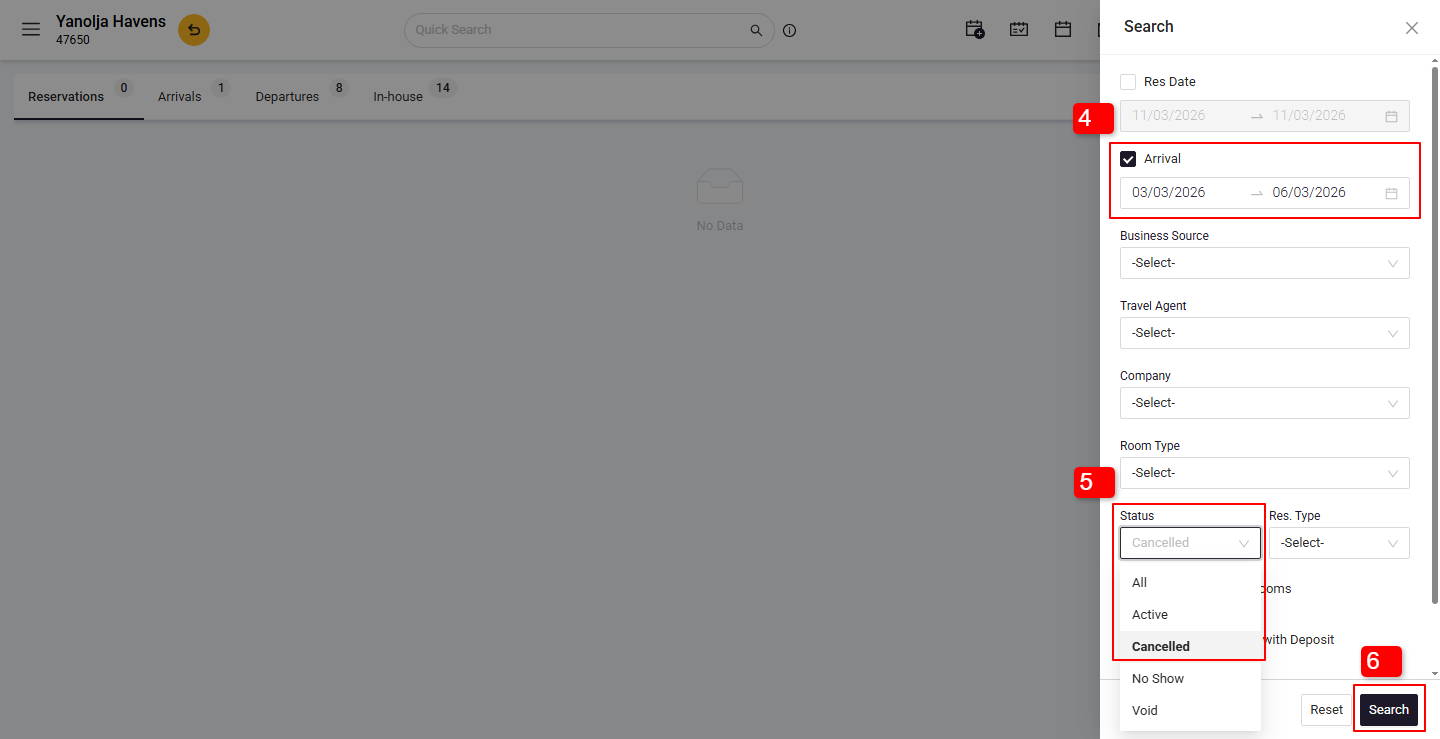
4. Select the Arrival option and enter the check-in and check-out dates of the reservation.
5. Select the Status as Cancelled.
6. Click on Search. 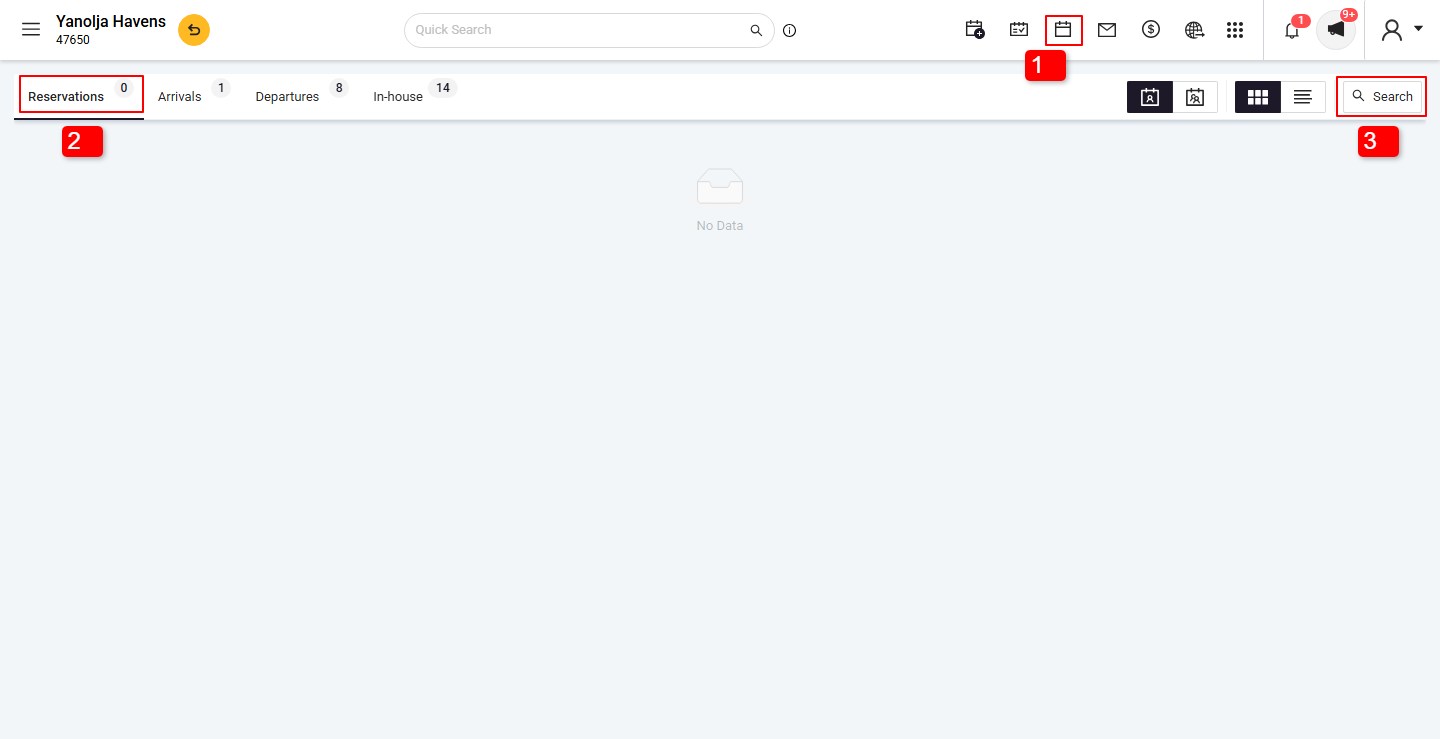
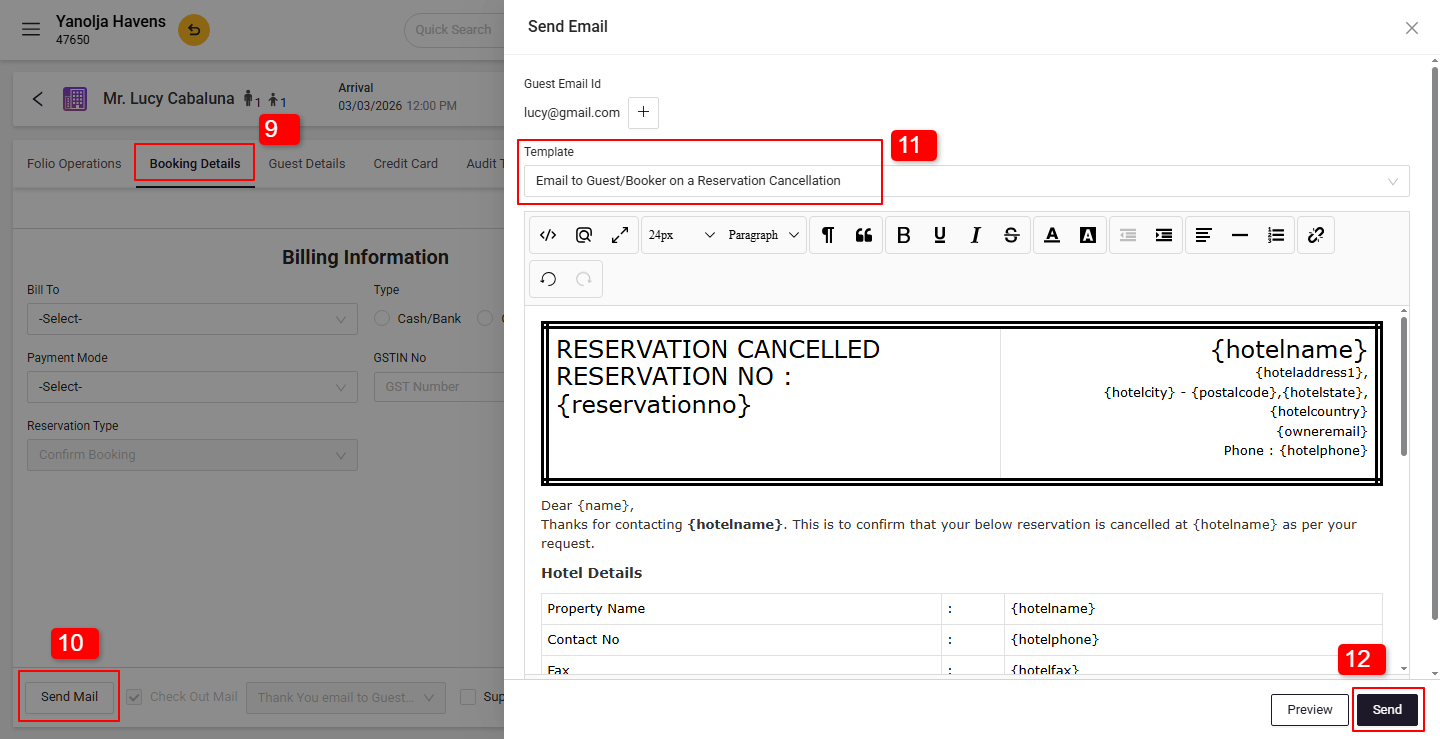
Select the booking, click Edit Reservation > Booking Details > Send Email.- Choose the cancellation template and send.
7. Click on the Reservation.
8. Select Edit Reservation.
9. Go to the Booking Details section.
10. Click on Send Email.
11. Select the Cancelled Template.
12. Click on the Send button.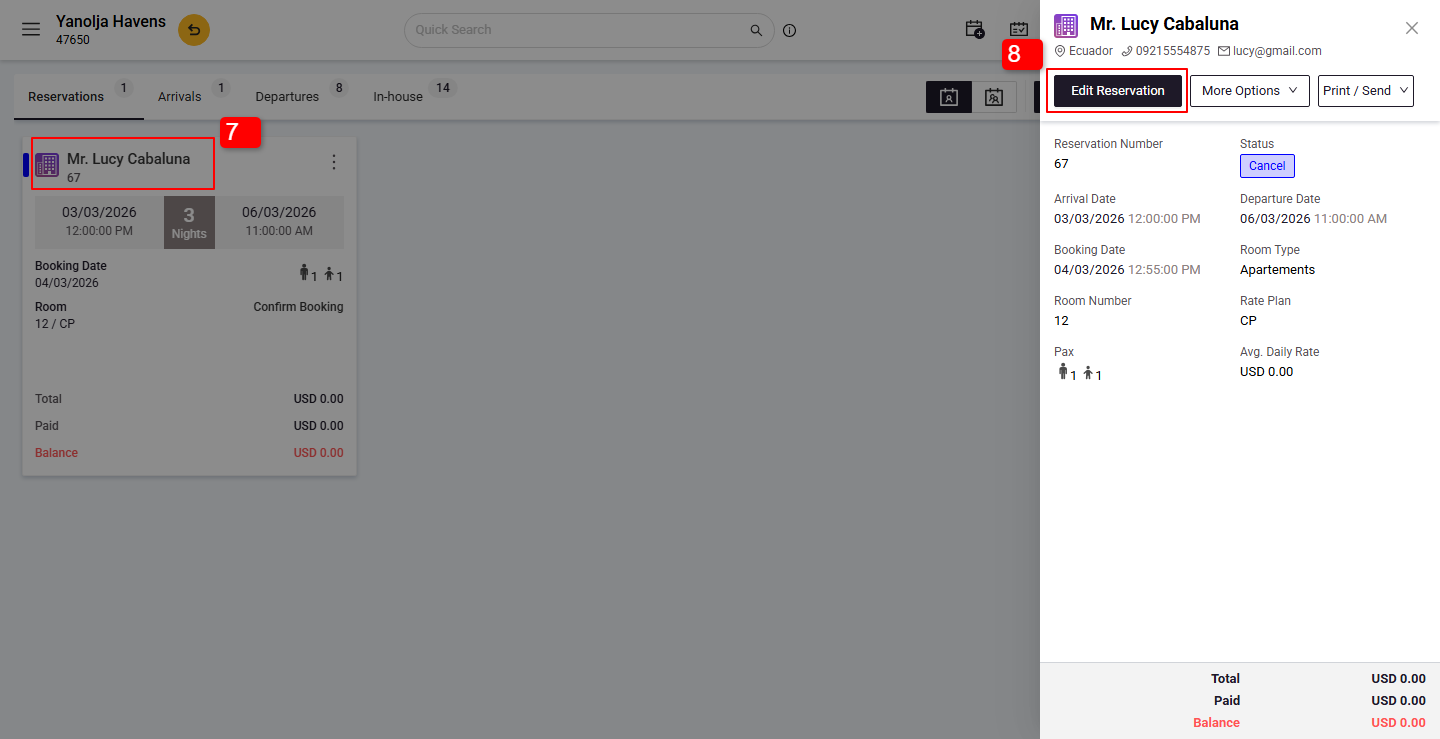
- Go to PMS > Reservations > Search > Cancelled.
Was this article helpful?
That’s Great!
Thank you for your feedback
Sorry! We couldn't be helpful
Thank you for your feedback
Feedback sent
We appreciate your effort and will try to fix the article