How to Enable Automatic Emailing of Reports After Night Audit in PMS
To enable automatic emailing of reports after completing the night audit in PMS, follow the steps below:
Steps to Configure Auto Email Reports
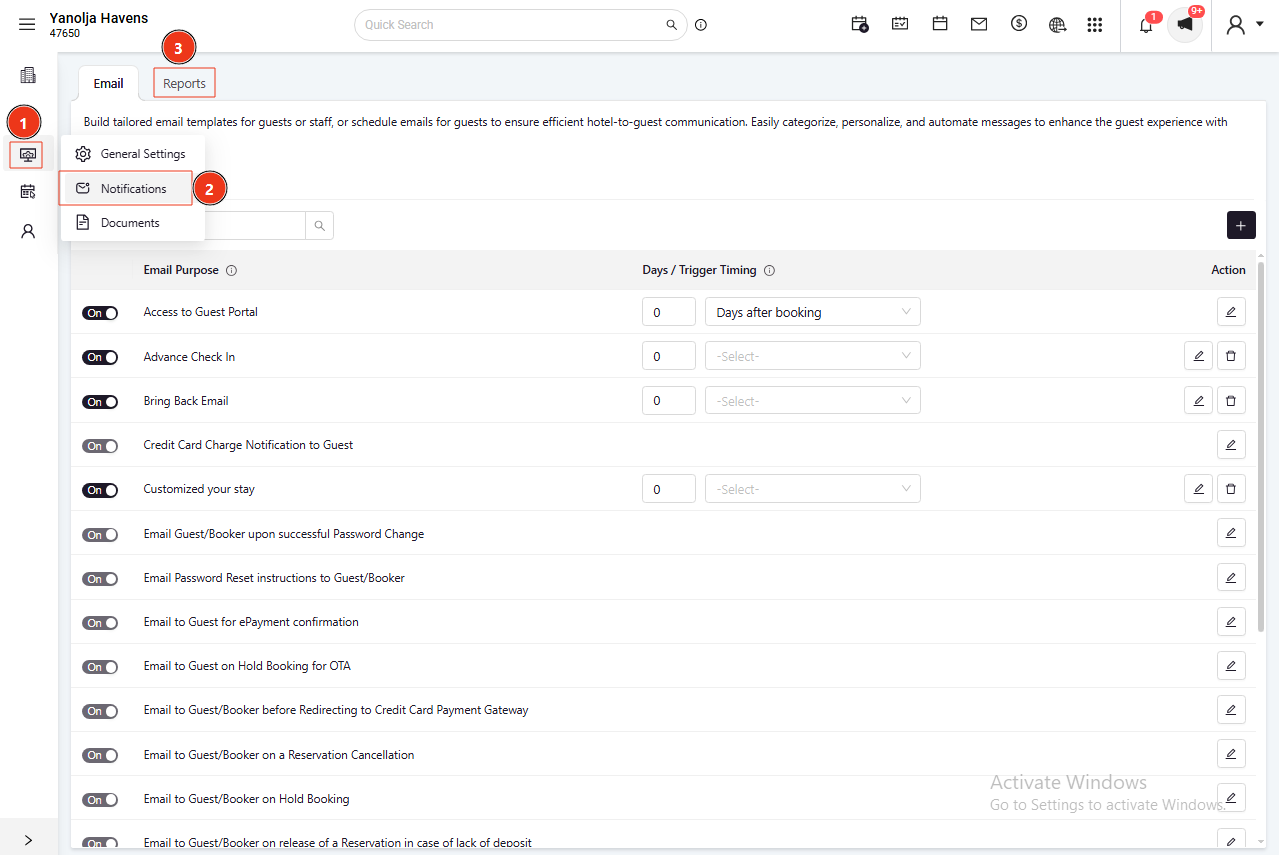
Log in and go to the PMS Configuration Panel
Navigate to Settings → Notification → Report
Select the user from the drop-down list
Click on “Save” to apply the changes
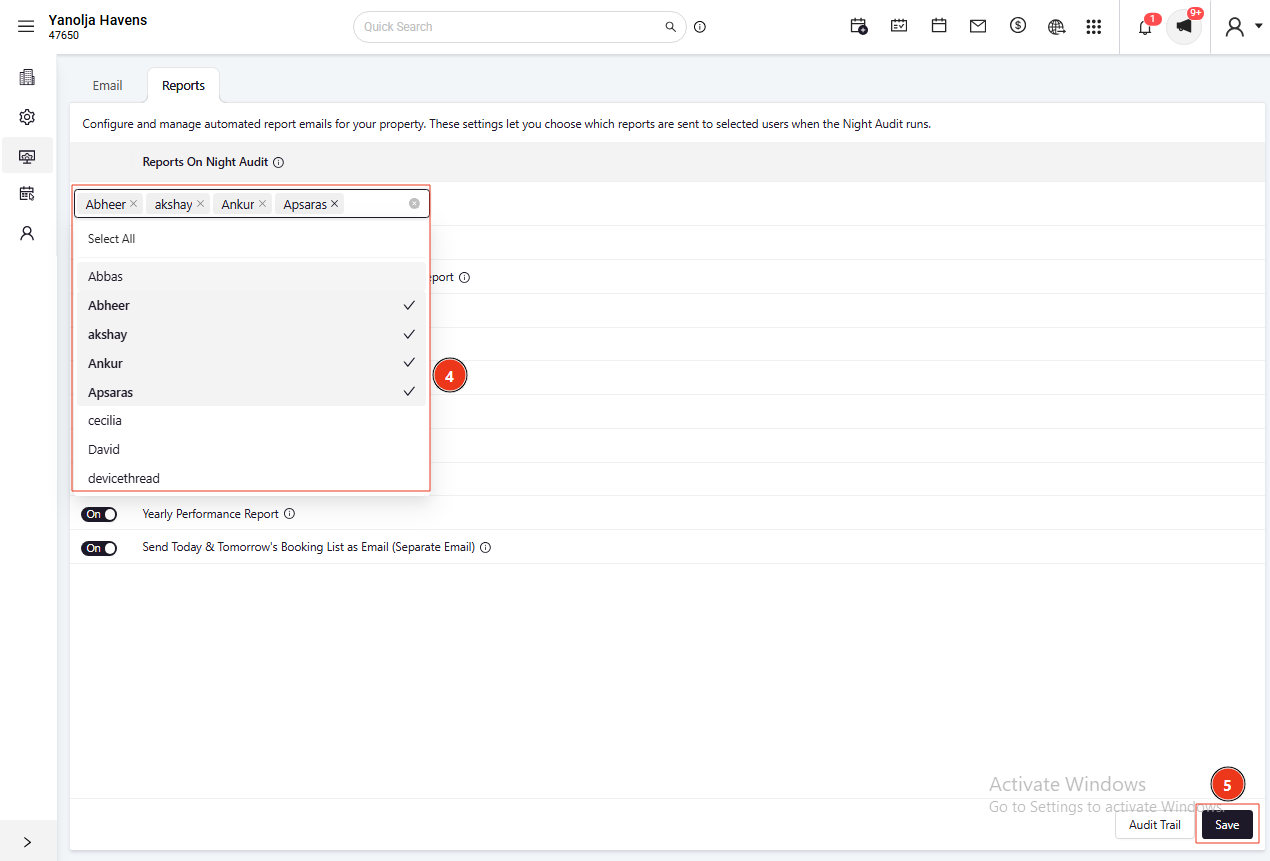
Once configured, the selected reports will be automatically emailed to the specified recipients every time the Night Audit is completed.
Was this article helpful?
That’s Great!
Thank you for your feedback
Sorry! We couldn't be helpful
Thank you for your feedback
Feedback sent
We appreciate your effort and will try to fix the article