Booking more than one room is possible in the PMS system by using the group reservation option and in group reservation Sometimes it is required to add one more guest reservation to generate a single invoice in PMS , you can add a new booking to an existing group reservation. Here's how:
Steps to Add a New Booking to an Existing Group Reservation:
Method 1: From Reservation Section
Access the Group Reservation:
- Log in to PMS.
- Navigate to the Reservations section.
- Check the Group option to view group reservations.
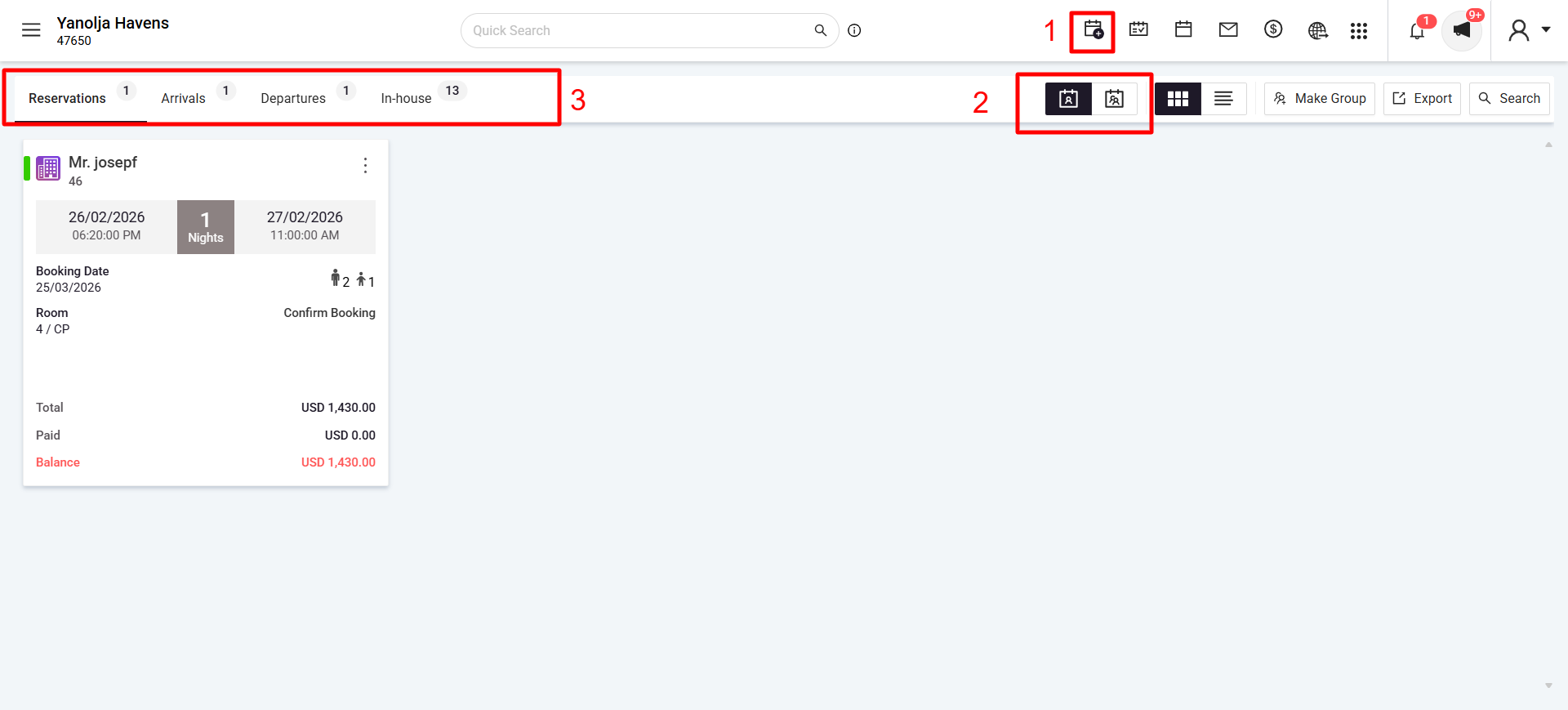
Add a New Booking:
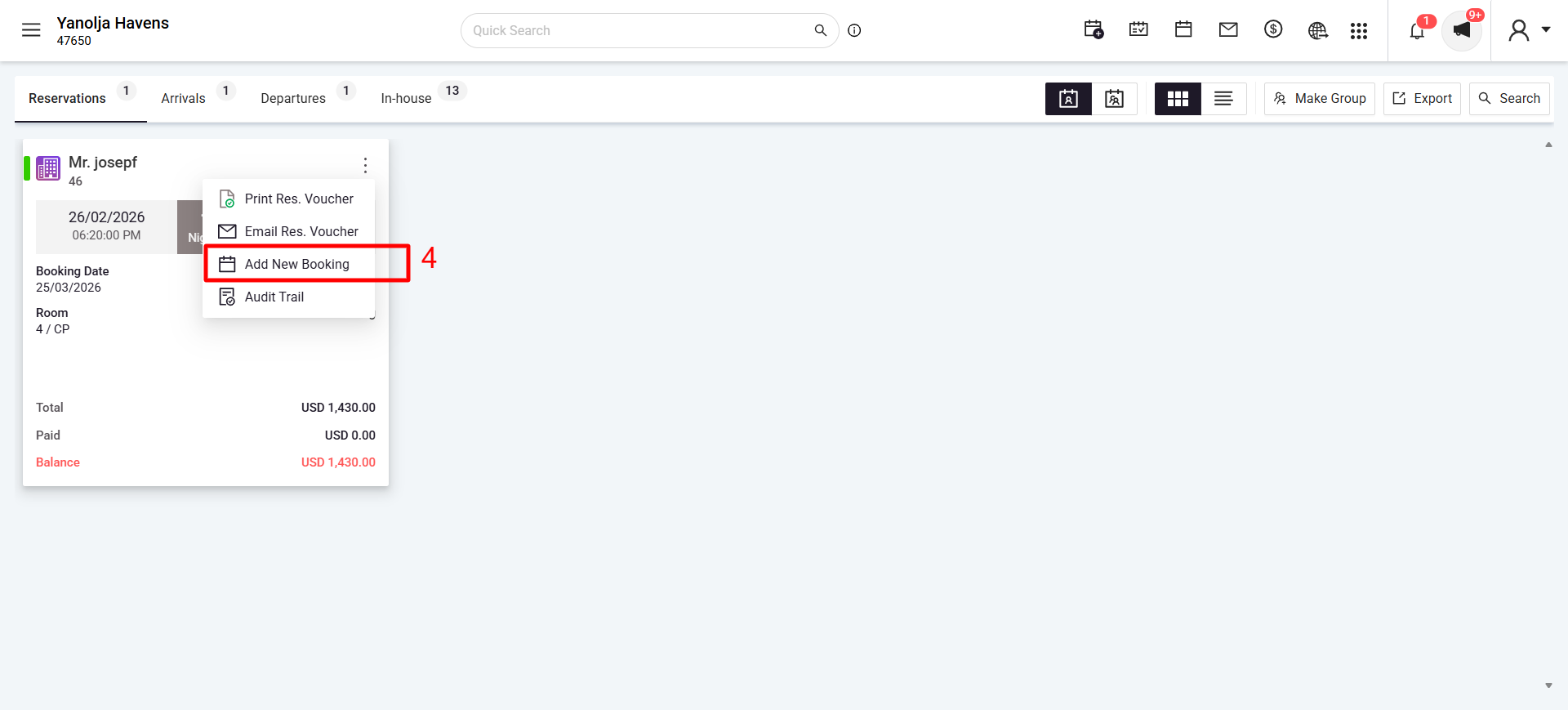
- Select the existing group reservation to which you want to add a booking.
- Clik on 3 dots of that reservation card and Click on Add New Booking.
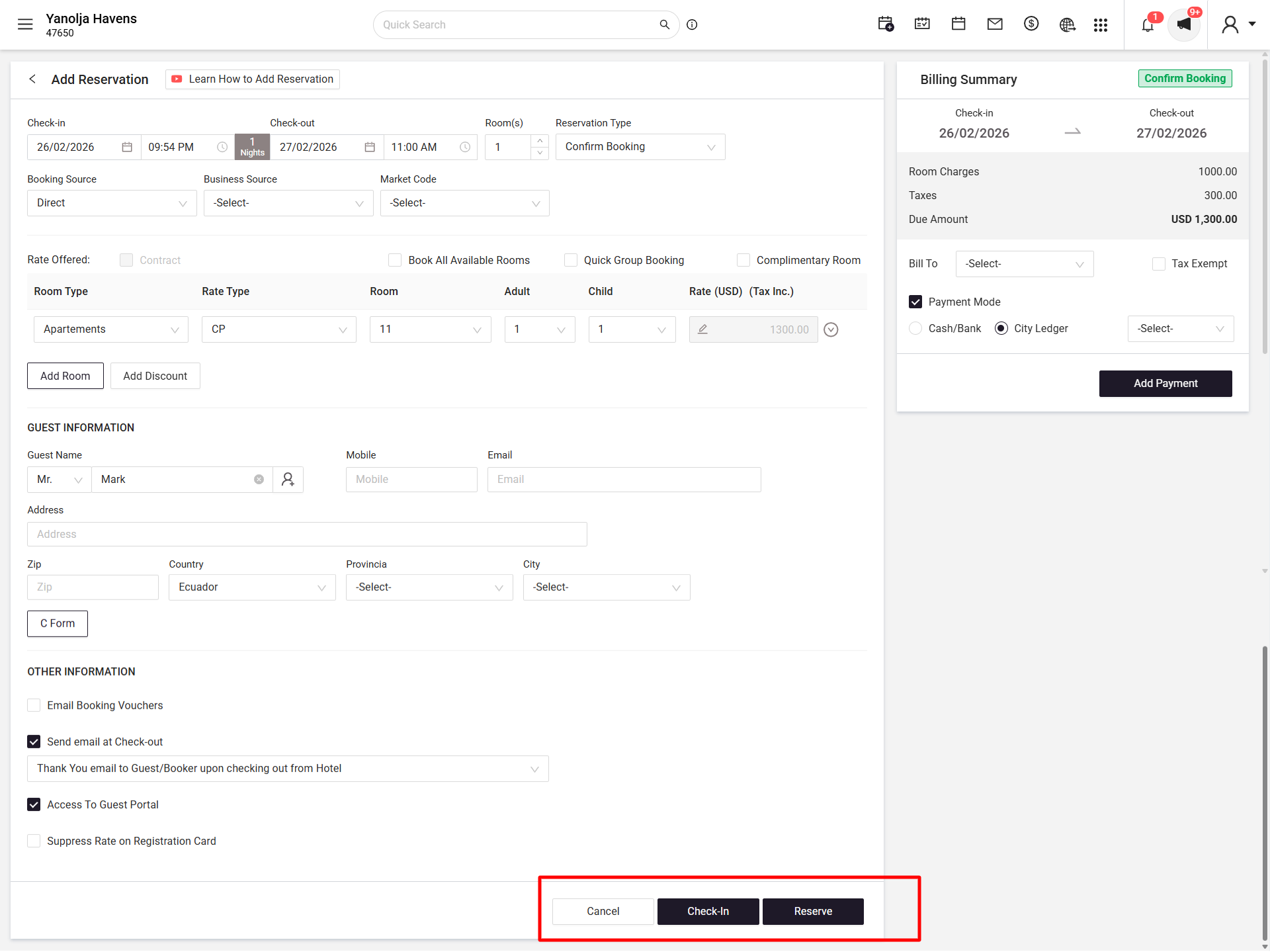
- Fill in the guest details and reservation information.
- Click Reserve to save the new booking under the existing group reservation.
Method 2: From Stay View
Access Stay View:
- Log in to PMS.
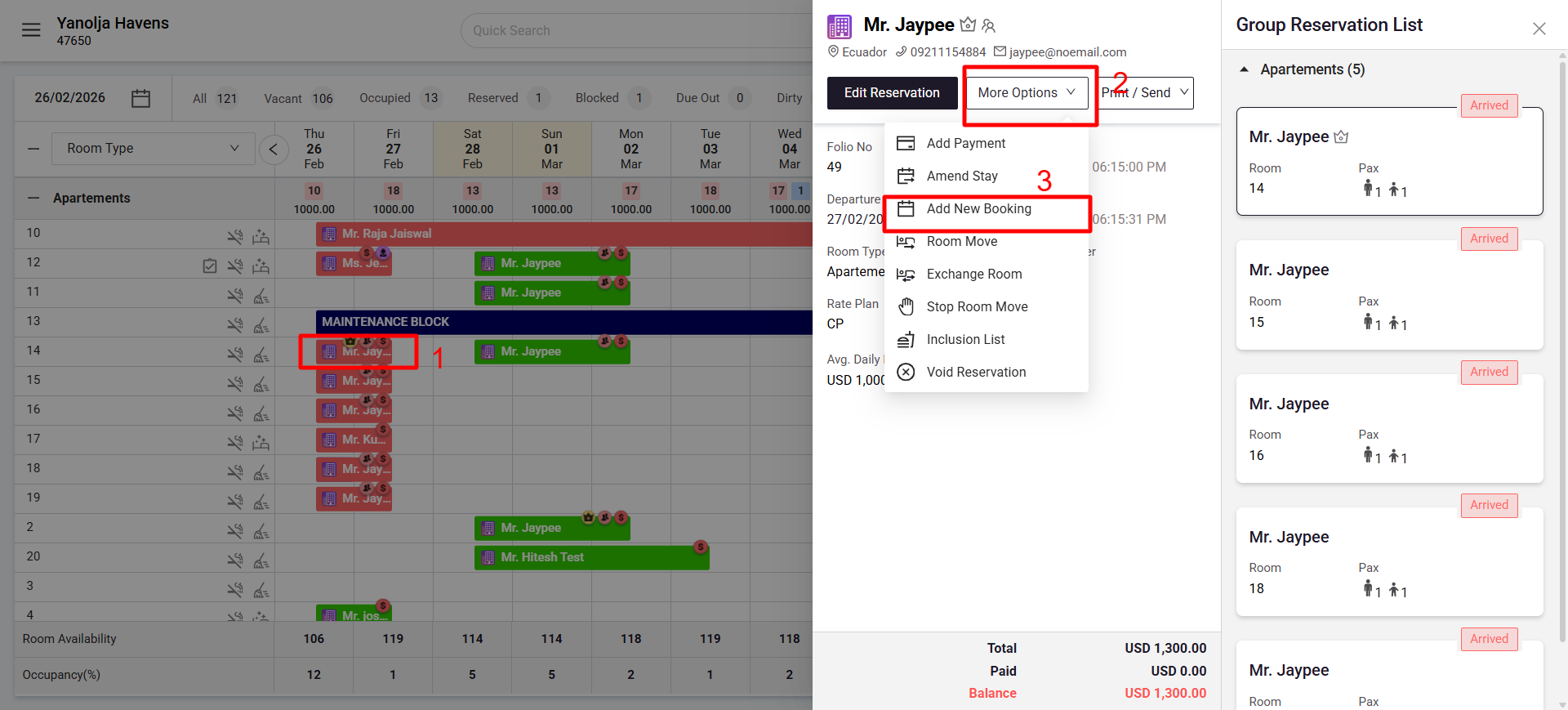
- Go to the Stay View section.
Identify the Group Reservation:
- Locate the group reservation where you want to add a booking.
Add a New Booking:
- Click on the group reservation.
- Click on More Options; a dropdown menu will appear.
- Select Add New Booking from the dropdown.
- Enter the guest details and reservation information.
Save the Booking:
- Click Reserve to add the new booking under the existing group.
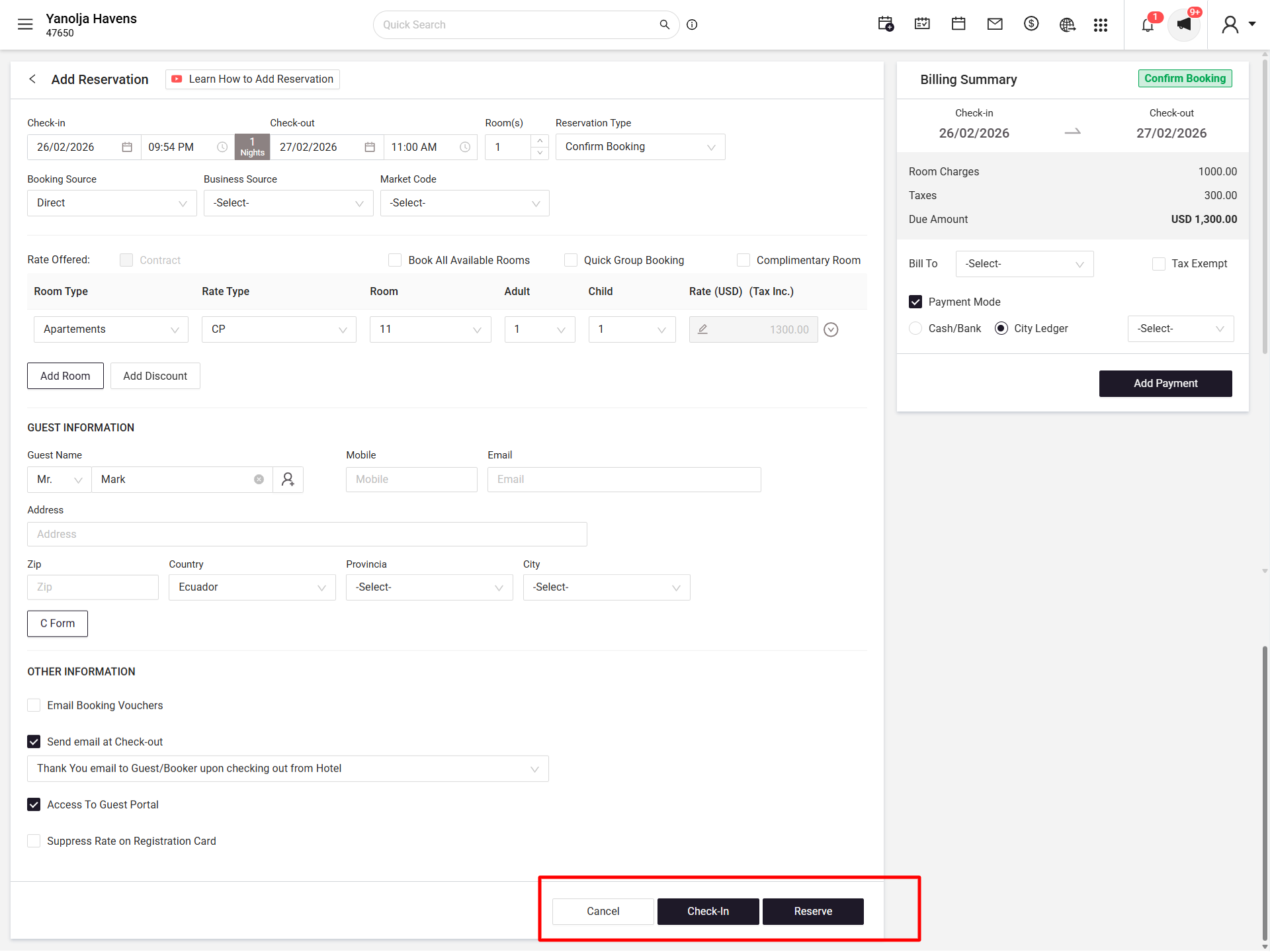
- Click Reserve to add the new booking under the existing group.
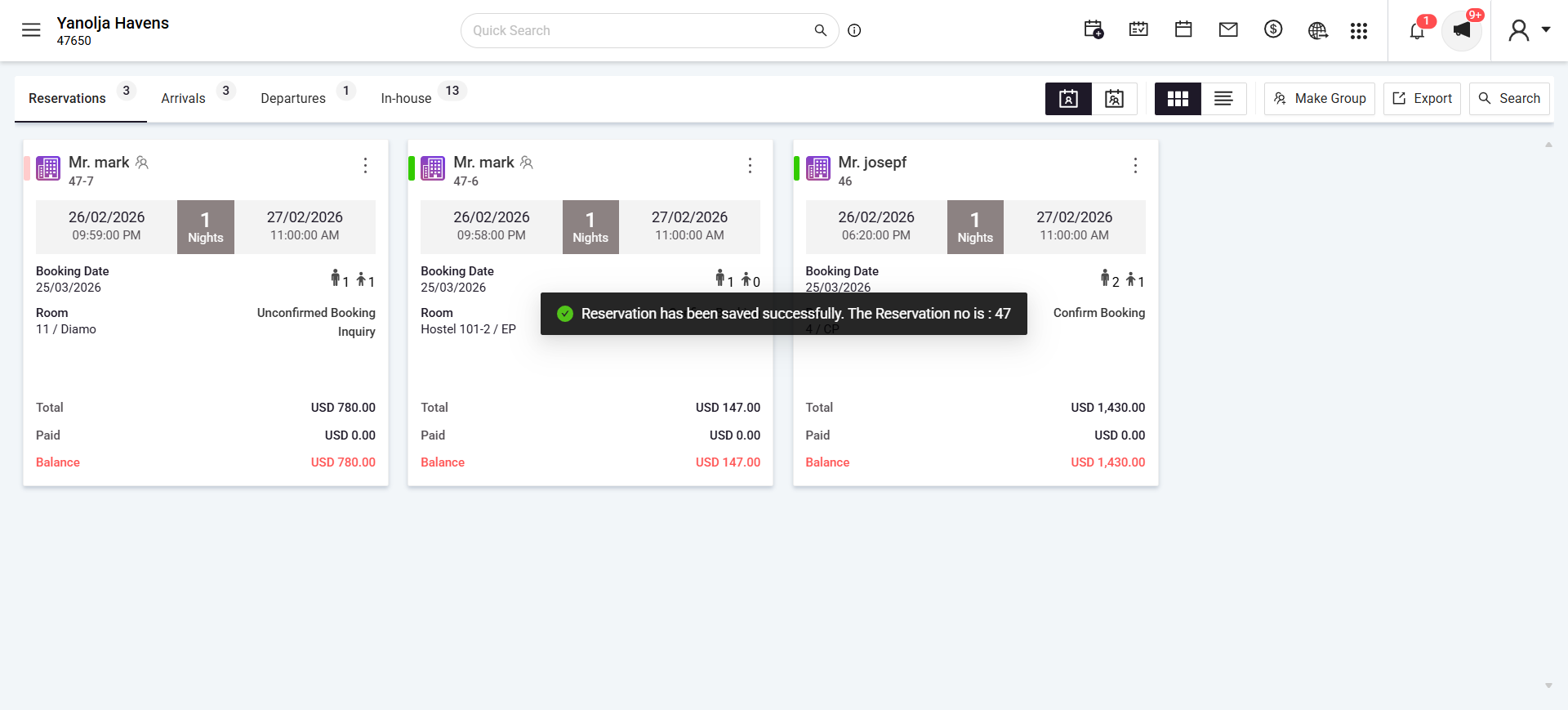
By following these steps, you can efficiently manage group reservations and ensure all bookings are consolidated appropriately.
Was this article helpful?
That’s Great!
Thank you for your feedback
Sorry! We couldn't be helpful
Thank you for your feedback
Feedback sent
We appreciate your effort and will try to fix the article