In PMS, booking more than one room can be managed efficiently using the Group Reservation feature. Sometimes, it becomes necessary to add an existing individual transaction—such as an in-house guest, canceled booking, no-show, checked-out reservation, or a single reservation—to an ongoing group reservation. This helps in managing multiple reservations under one group for better organization and billing.
Log in to PMS.
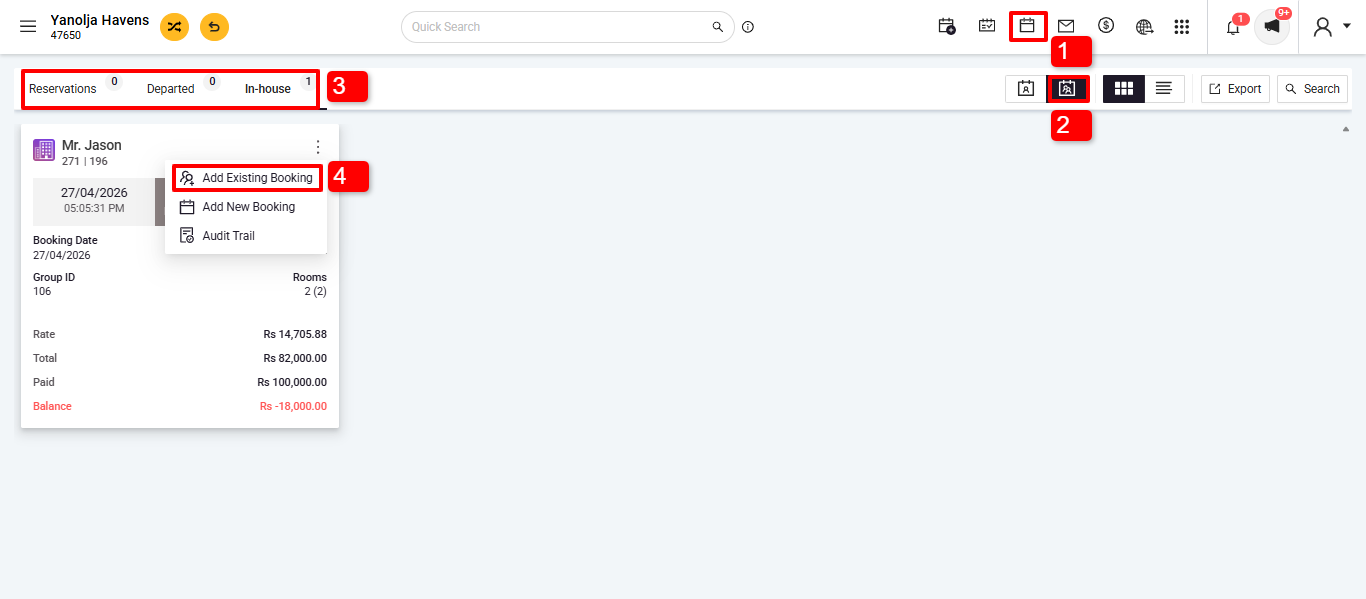
1.Go to the Reservations section.
2. Go to Group Reservation.
3. Find and select the group reservation where you want to add an existing transaction.
4. Click on the three buttons then click on Add Existing Booking.
- A list of individual transactions will appear, including in-house guests, canceled bookings, no-shows, checked-out reservations, and single bookings.
- Use filters to quickly locate the relevant transaction.
- Select the transaction you want to add.
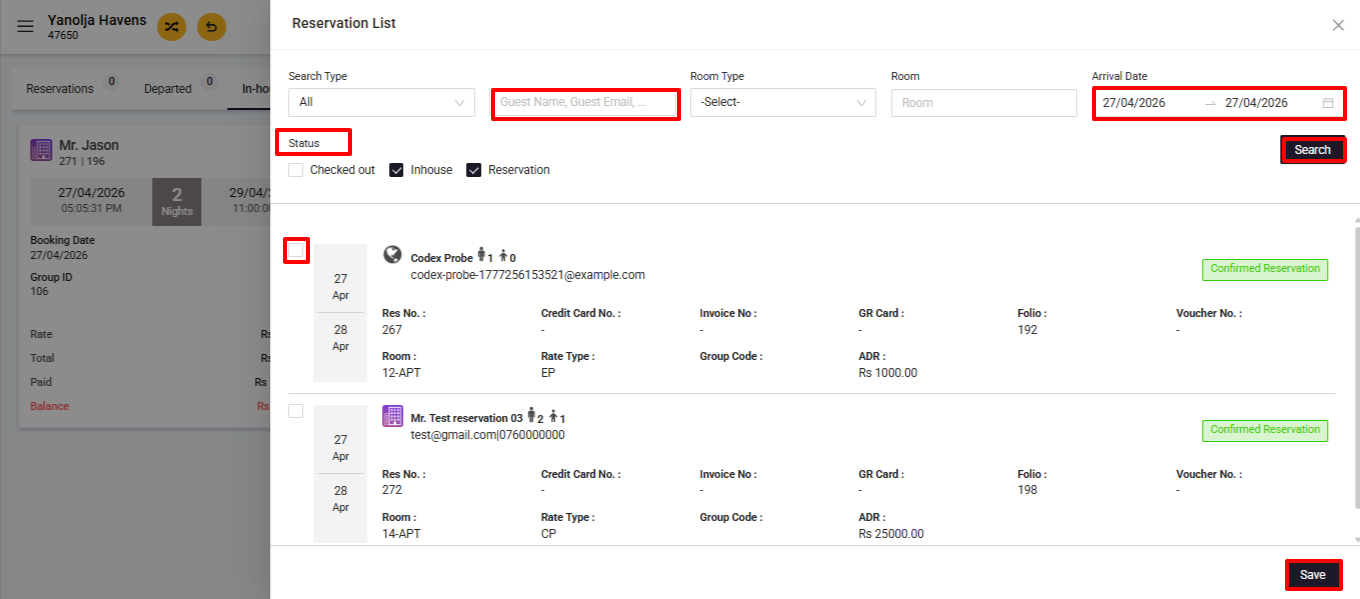
Save Changes:
- Click Save to successfully link the existing booking with the group reservation.
Was this article helpful?
That’s Great!
Thank you for your feedback
Sorry! We couldn't be helpful
Thank you for your feedback
Feedback sent
We appreciate your effort and will try to fix the article