Void Group reservation / Single Reservation from Group Booking:
If by mistakenly one of the users make a Group reservation and they are looking to void it instead of voiding the one by one all reservation we can void directly Group Booking in a single way. Also if we are looking to void a single reservation from group booking then also we can void it.
Steps to Void a Group Reservation or a Single Reservation within a Group:
Log in to PMS.
1.Navigate to the Reservations section.
2. Switch to the Group tab.
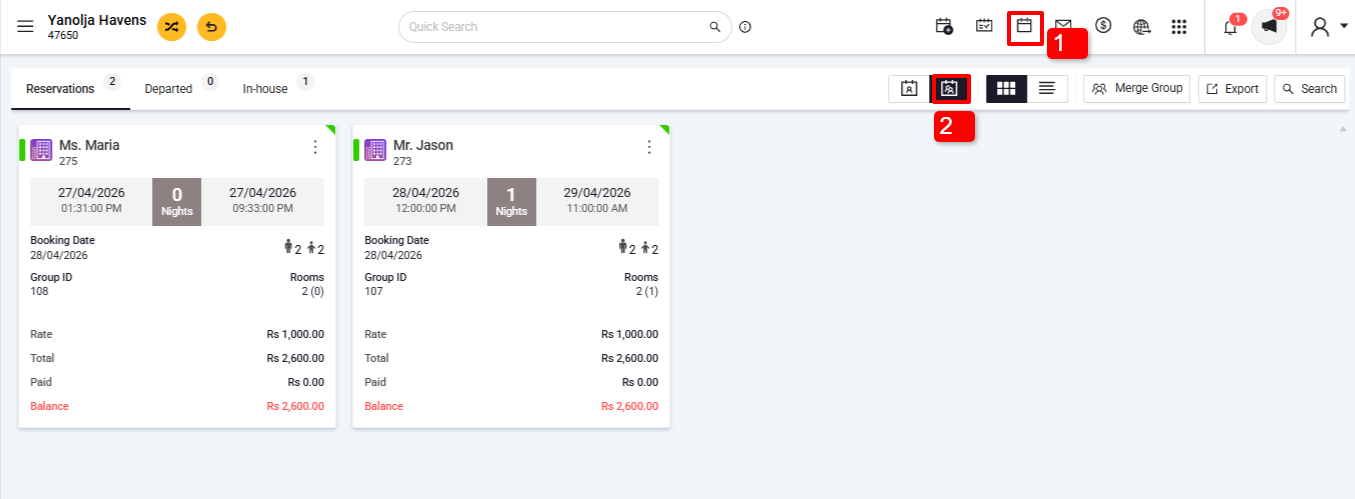
Select the Group Booking:
3.Locate and select the group booking you intend to void.
4. Click on Edit Reservation.
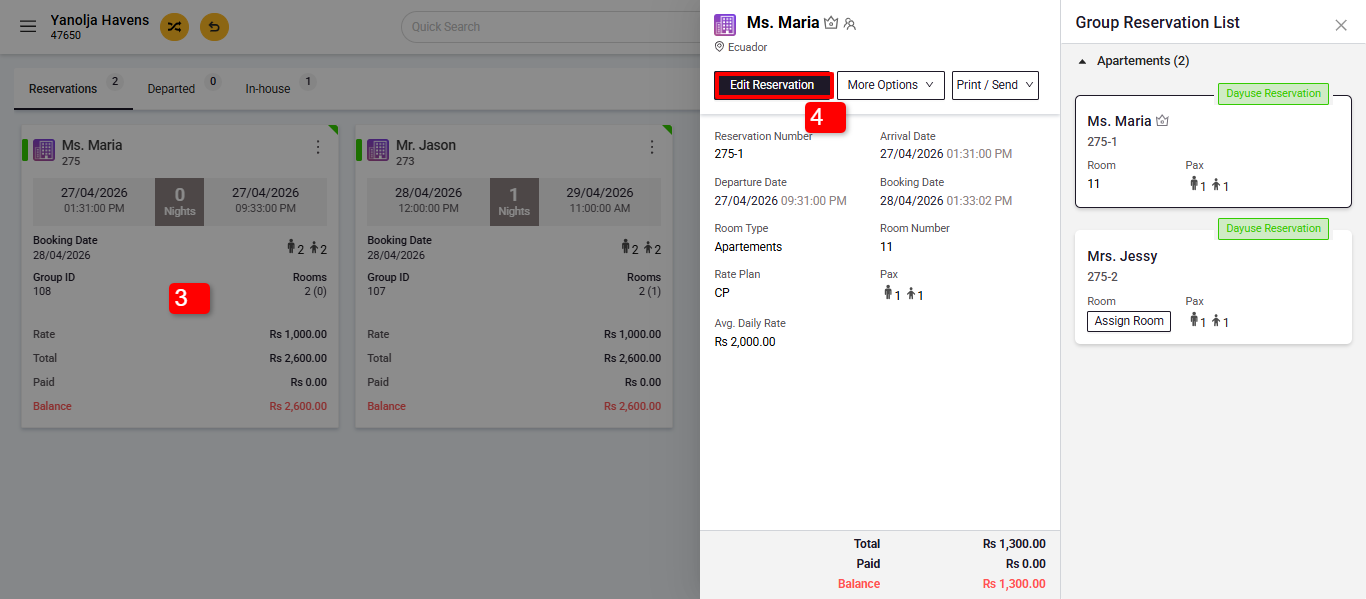
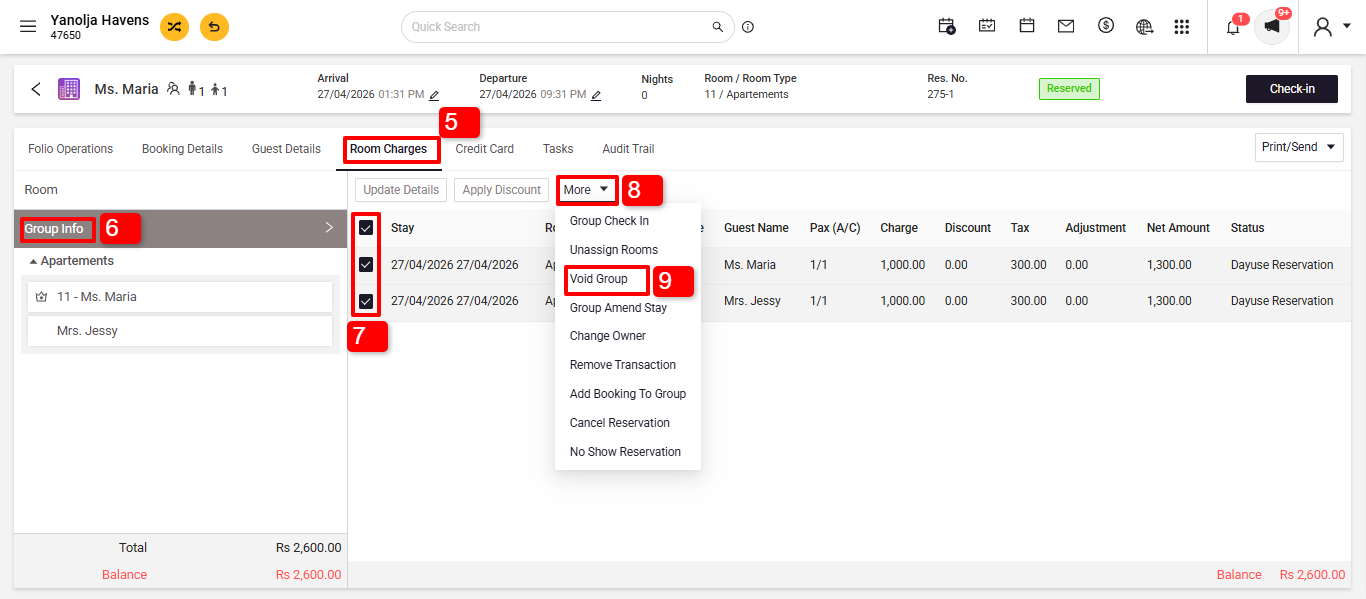
5. Go to the Room Charges section.
6. Click on Group Info.
7. Select the specific bookings from group you want to void.
8. Click on More.
9. Choose Void Group.
10. Click on Group to void the entire group reservation. Or click on a selected reservation to void an individual from the group.
11. Provide a reason for voiding when prompted.
12. Click on Void.
Prerequisites:
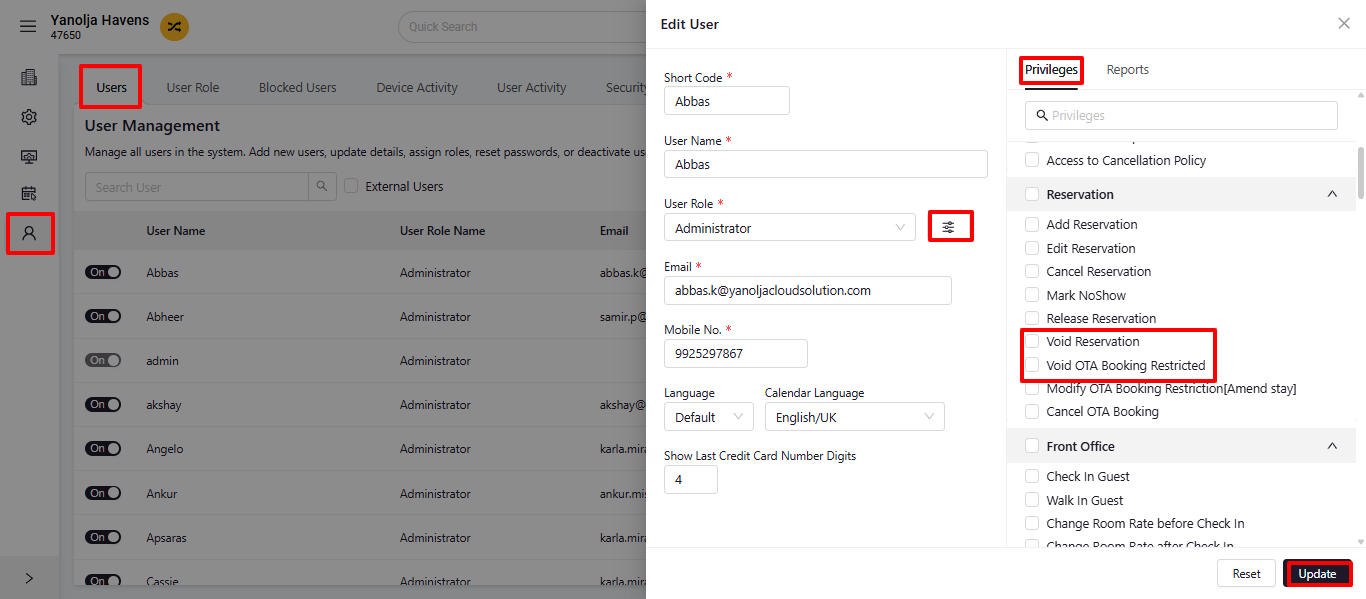
- User Privileges:Ensure your user account has the necessary permissions:
- Navigate to PMS Configuration > User > Edit User.
- Under Privileges, enable Void Reservation.
- For OTA bookings, also enable Void OTA Booking Restricted.
Was this article helpful?
That’s Great!
Thank you for your feedback
Sorry! We couldn't be helpful
Thank you for your feedback
Feedback sent
We appreciate your effort and will try to fix the article