You can now schedule automatic stop sell on OTAs using the Unified Solution. This feature allows setting time-based stop sell for specific days after a fixed number of hours.
User Privileges
Ensure the following privilege is enabled:
Configuration > User > Edit Record > Privileges > Reservation Configuration > Deals & Stop Sell
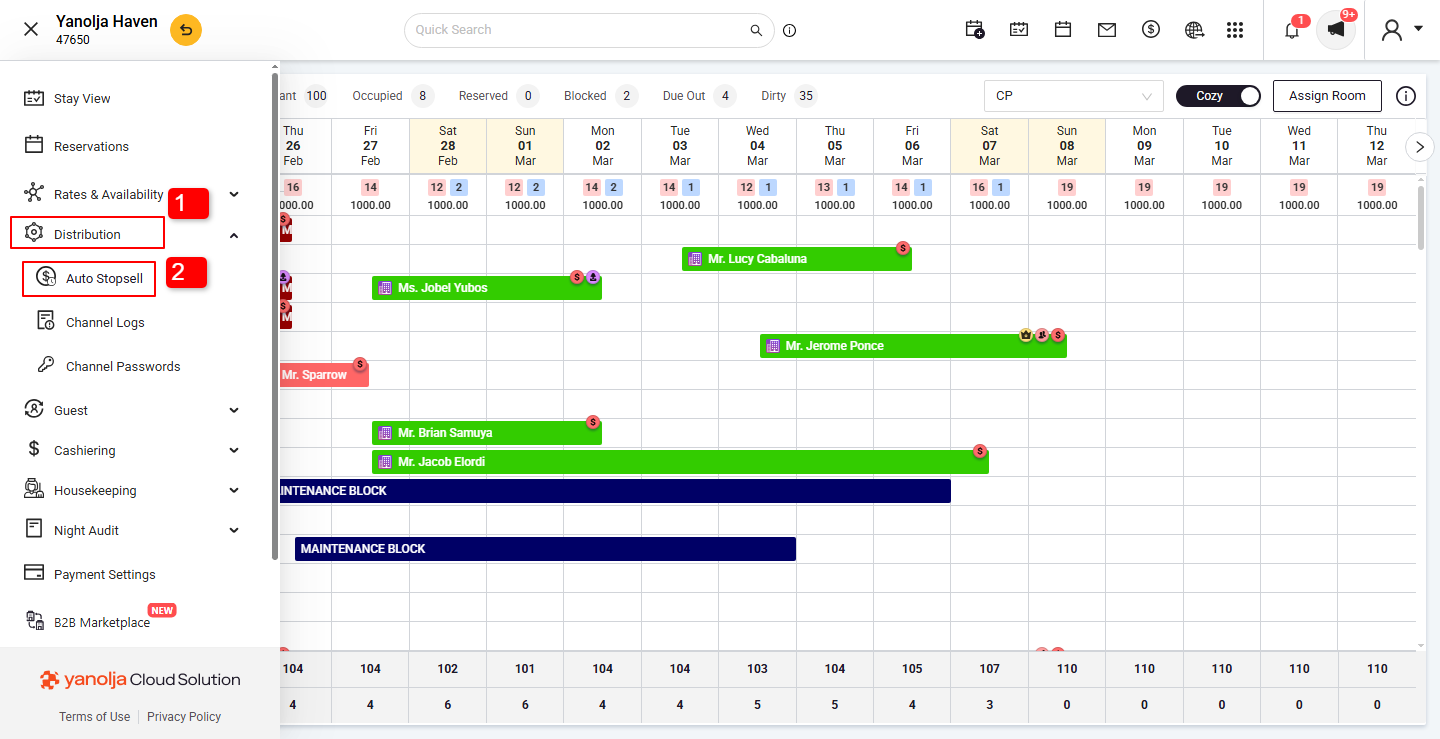
- Navigate to the hamburg menu on Top left Corner (≡)
1. Go to Distribution.
2. Select Auto Stop-Sell.
Setting Up Auto Stop Sell
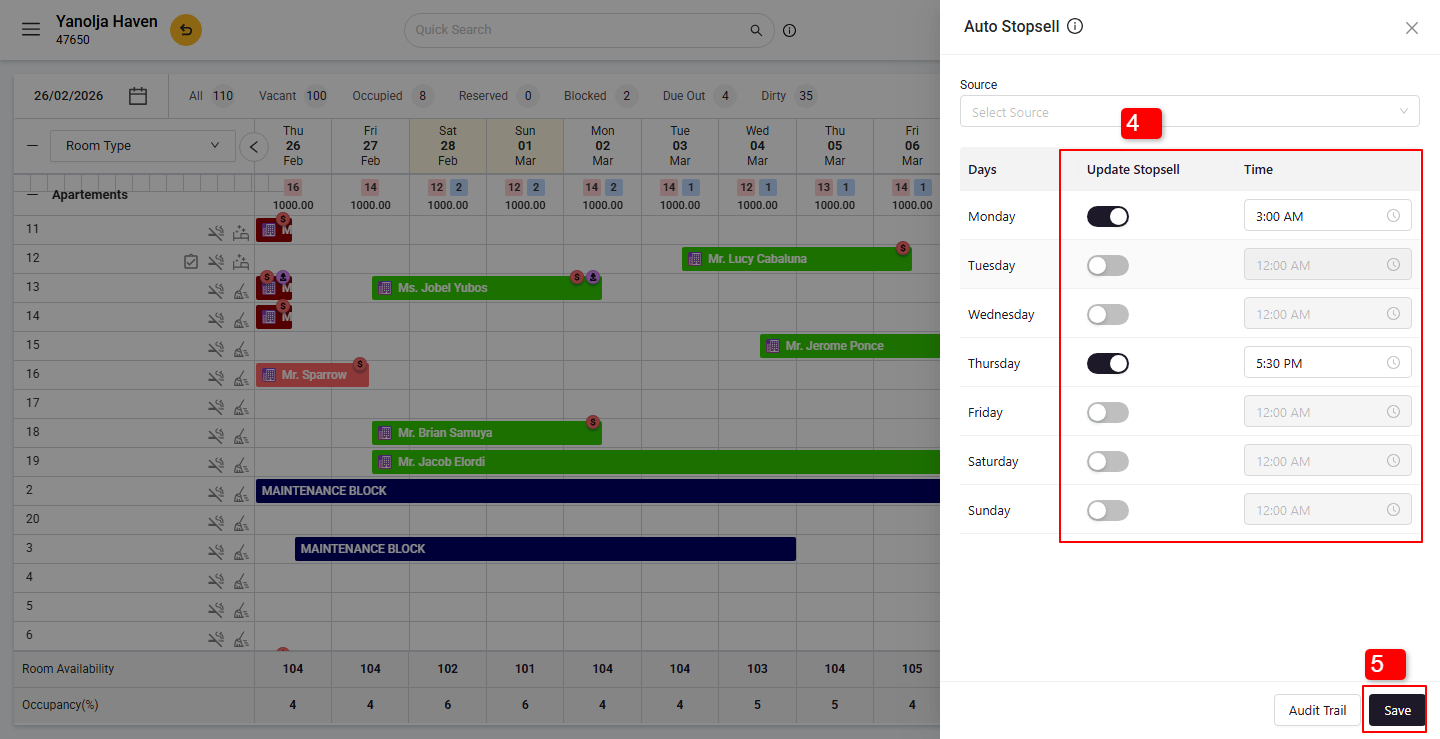
4. You'll see a list of days with corresponding stop sell statuses and hours. Specify the time (in 24-hour format) for each day and set the status. For example, to set stop sell after 5:00 PM, enter 17.
5. Save the settings. The stop sell will activate automatically as scheduled.
Notes:
- The feature operates based on the property's time zone.
- Stop sell applies to all mapped rate plans across connected OTAs.
- Settings are applied daily and do not carry over to the next day.
Was this article helpful?
That’s Great!
Thank you for your feedback
Sorry! We couldn't be helpful
Thank you for your feedback
Feedback sent
We appreciate your effort and will try to fix the article