Green Tax Configuration in PMS (Maldives)
In the Maldives, Green Tax is applied to tourists based on their accommodation type and duration of stay. In the PMS, this tax can be automated by properly configuring and assigning VIP Status to guests. Please follow the steps below.
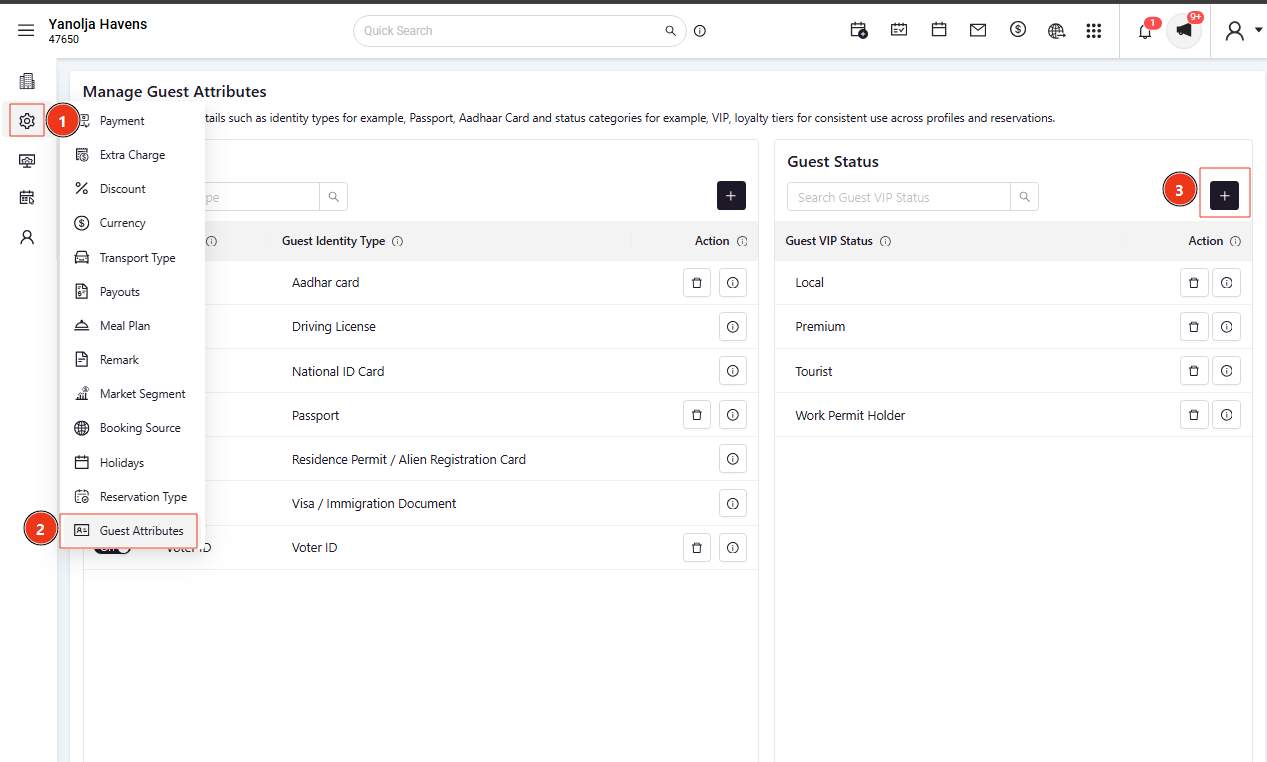
Step 1: Configure Guest Categories (VIP Status)
Log in to PMS configuration.
Navigate to ⚙️ Option
Select Guest Attributes
Create the following categories:
Tourist
Local
Work Permit Holder
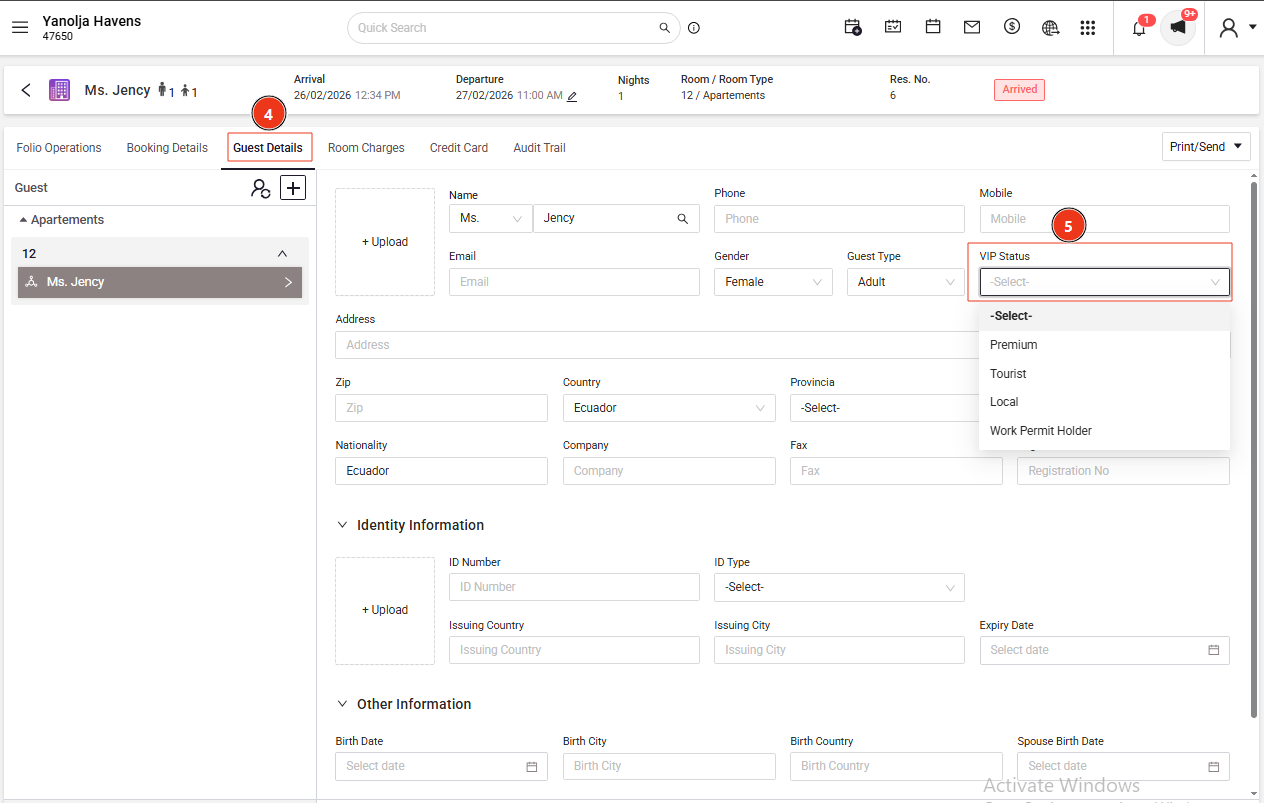
Step 2: Assign VIP Status to Guests
During booking or check-in, add each guest as a sharer
In the guest details, assign the appropriate VIP status:
Tourist → Green Tax will be applied
Local / Work Permit Holder → Green Tax will not be applied
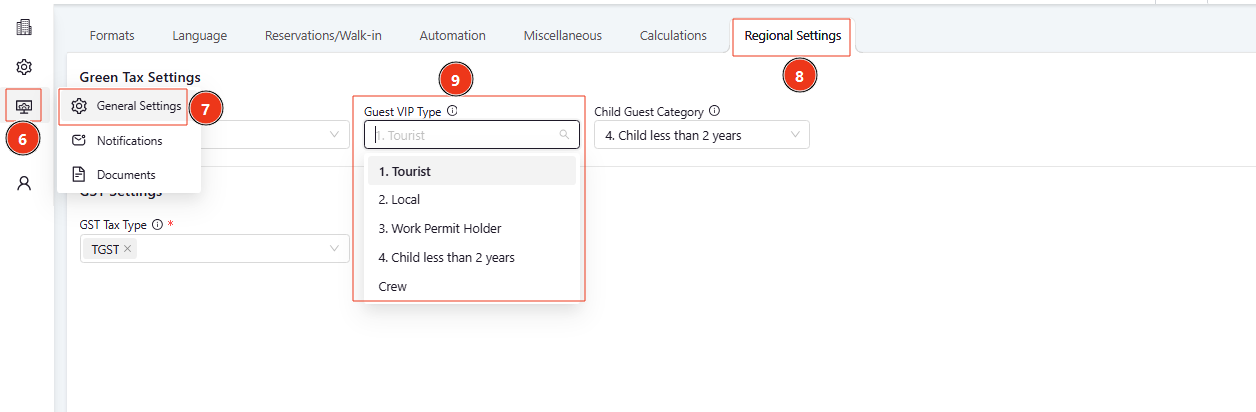
Important Note
If the VIP status is not assigned, the system will assume the guest is not a tourist, and the green tax will not be applied automatically.
Potential Implications of Incorrect Configuration
Overpayment of Green Tax
Mismatch in reports compared to MIRA calculations
Additional effort required to correct discrepancies
By correctly configuring and assigning VIP status, PMS will automatically handle green tax calculations in compliance with Maldivian regulations, ensuring accurate billing and reporting.
Was this article helpful?
That’s Great!
Thank you for your feedback
Sorry! We couldn't be helpful
Thank you for your feedback
Feedback sent
We appreciate your effort and will try to fix the article