We can create the tax in the system and apply it to the Room Charges, Cancellation Revenue, and No Show Revenue.
How to Access: In order to create and configure the tax, please follow the below steps and video.
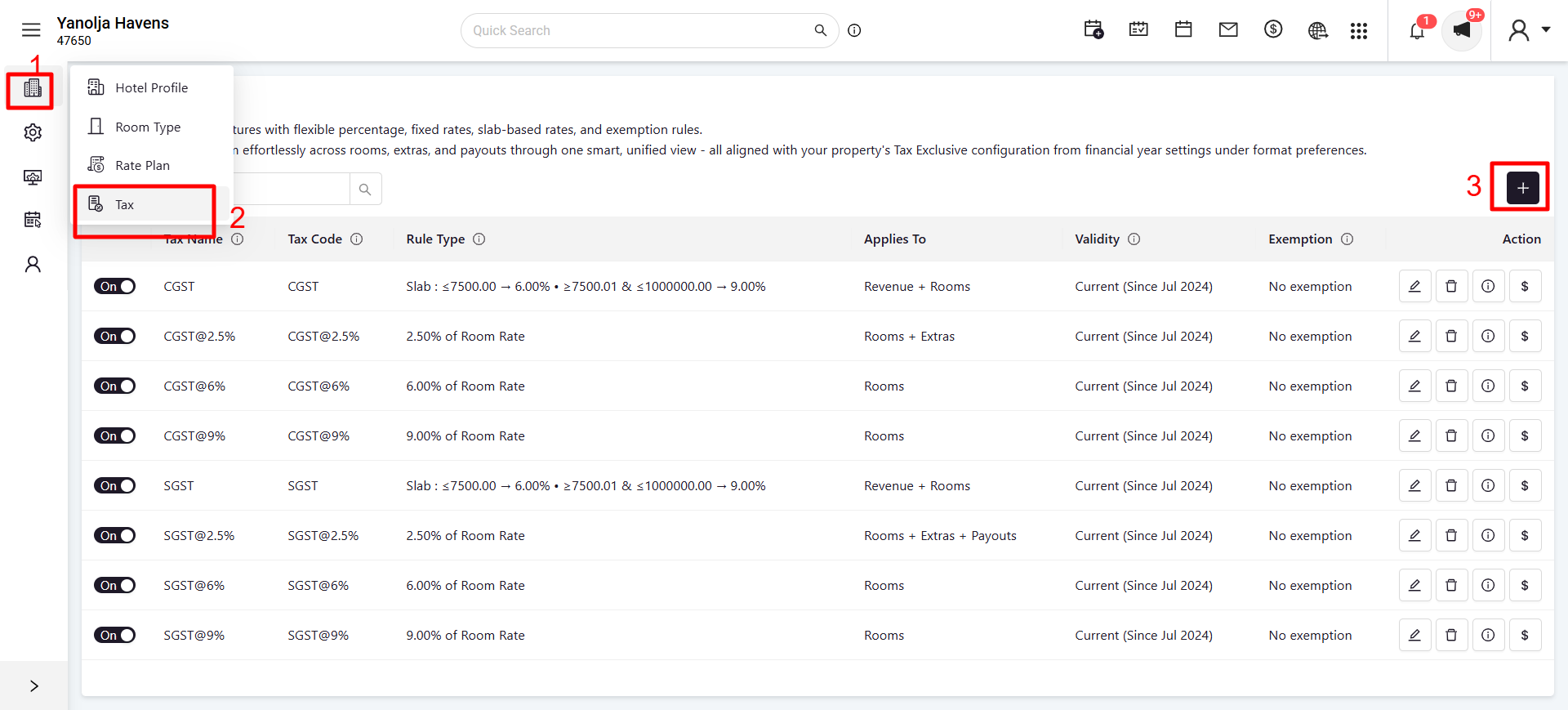
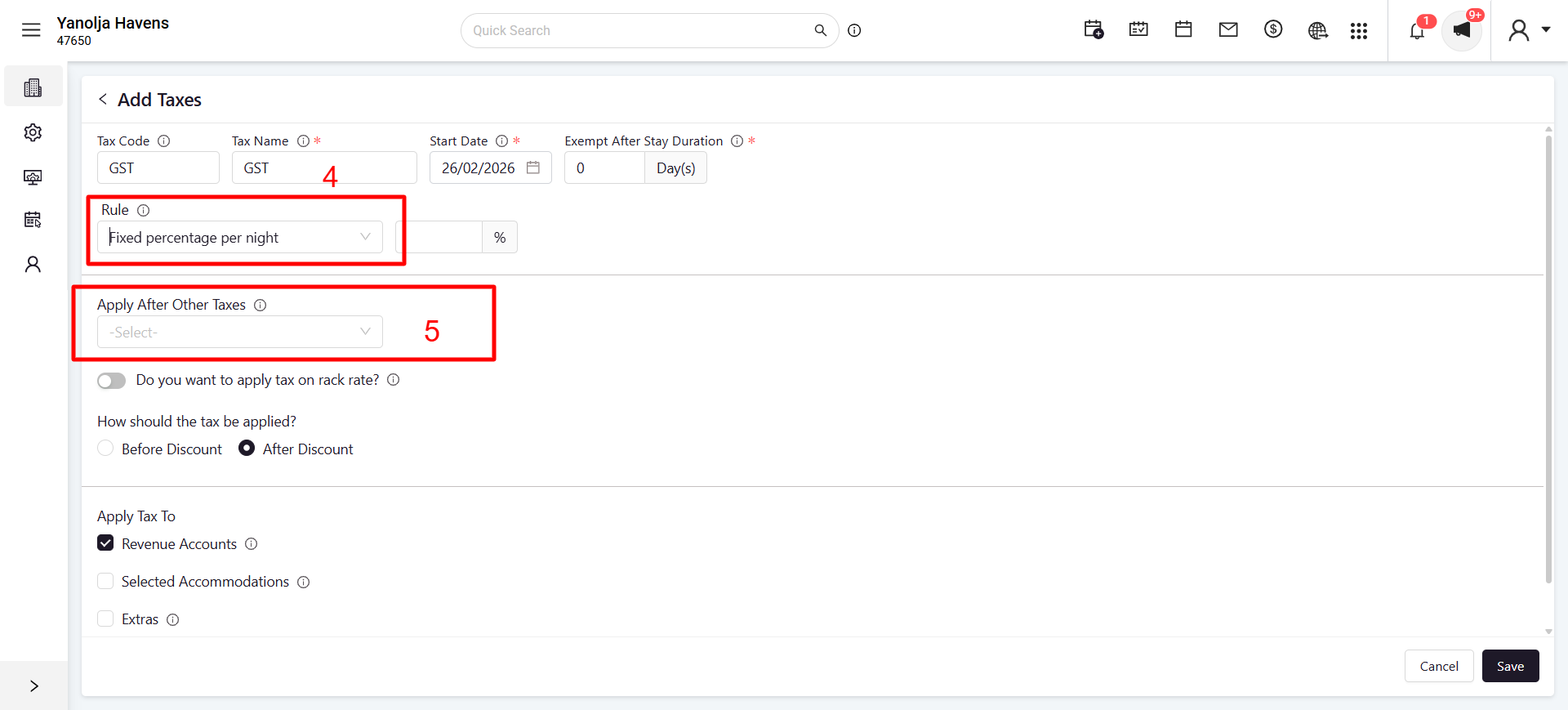
Path: Login into PMS Configuration >> Hover the Hotel Icon >> Tax >> Add Tax
Screenshot 1:
Screenshot 2:
After the creation of the tax we need to apply the tax on the Room Charges.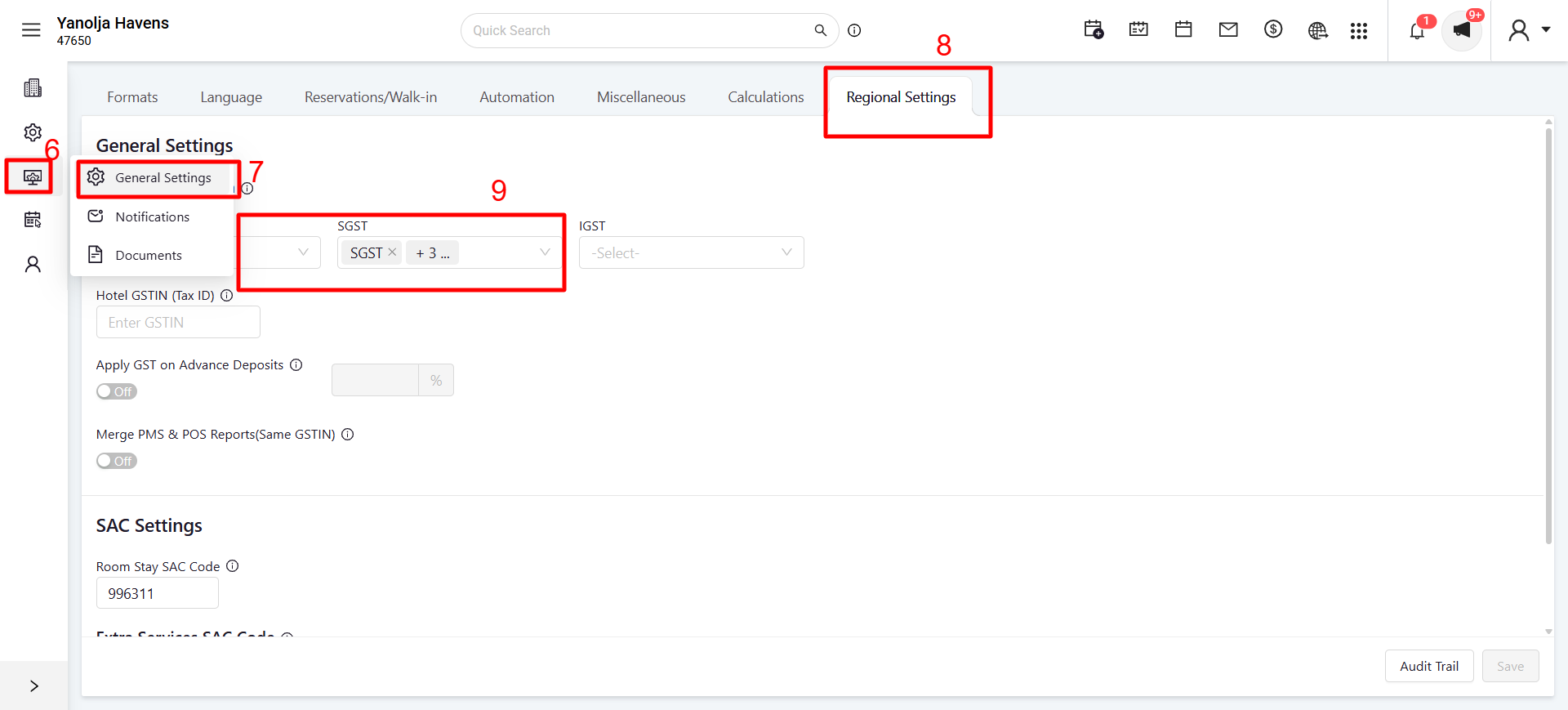
Note: You can apply the same tax to the Cancellation Revenue and No Show Revenue if you want.
Was this article helpful?
That’s Great!
Thank you for your feedback
Sorry! We couldn't be helpful
Thank you for your feedback
Feedback sent
We appreciate your effort and will try to fix the article