To calculate and monitor your property's monthly occupancy rate in PMS, you can utilize the system's built-in reporting features. Here's how:
1. Accessing Monthly Occupancy Reports:
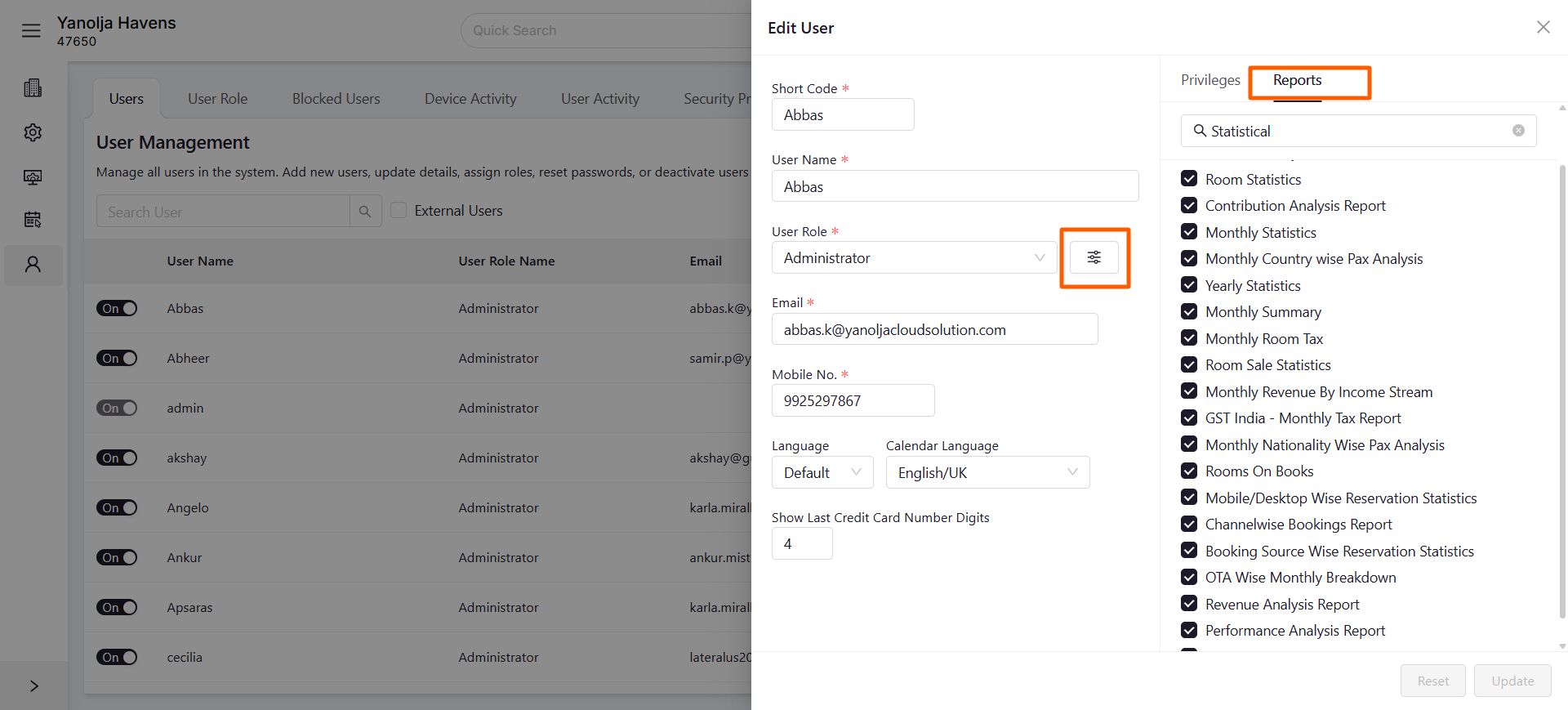
User Privileges: Ensure your account has the necessary permissions:
- Navigate to Unified Configuration > User > Edit User.
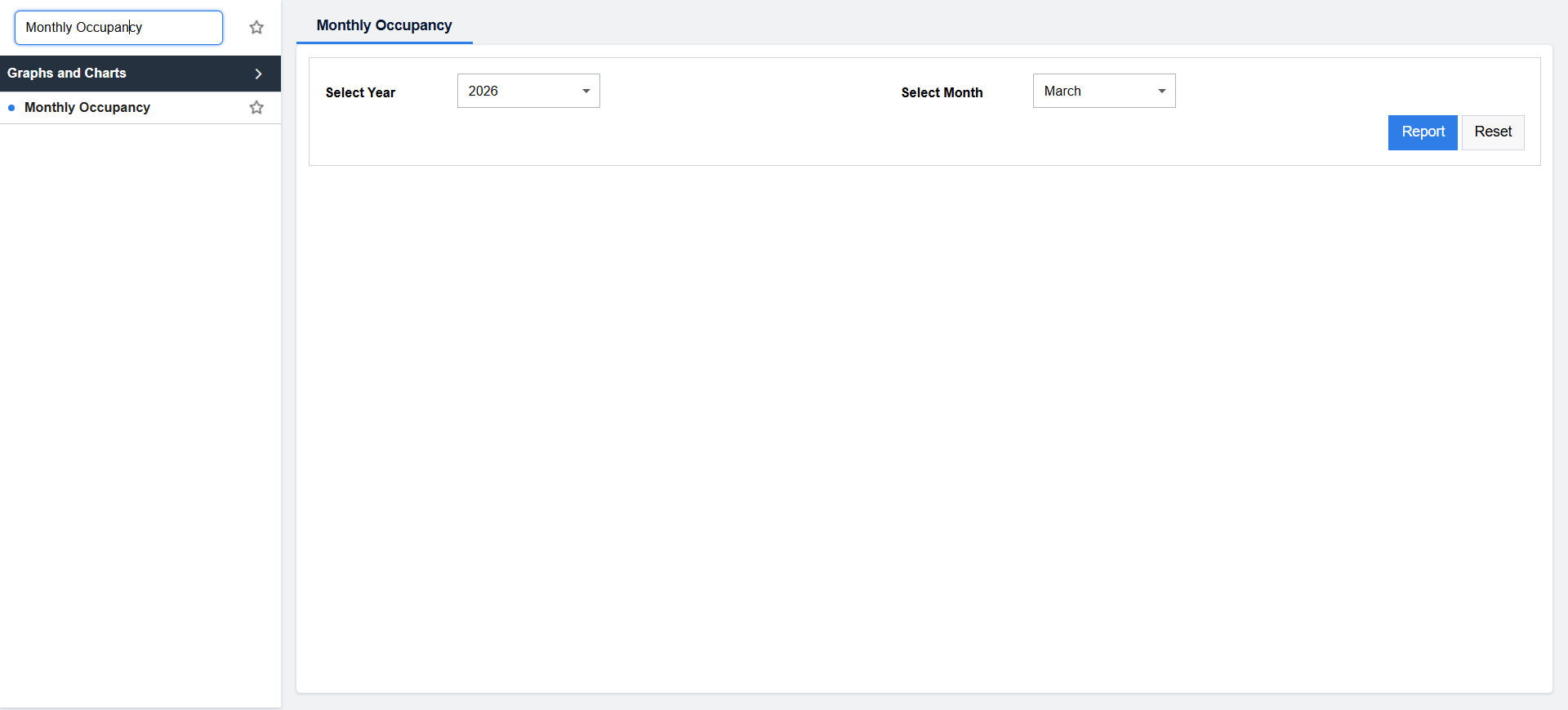
- Under Reports, enable Statistical Report > Monthly Statistics and Graphs and Charts > Monthly Occupancy.
Generating Reports:
- Log in to Unified Solution.
- Go to the Reports section.
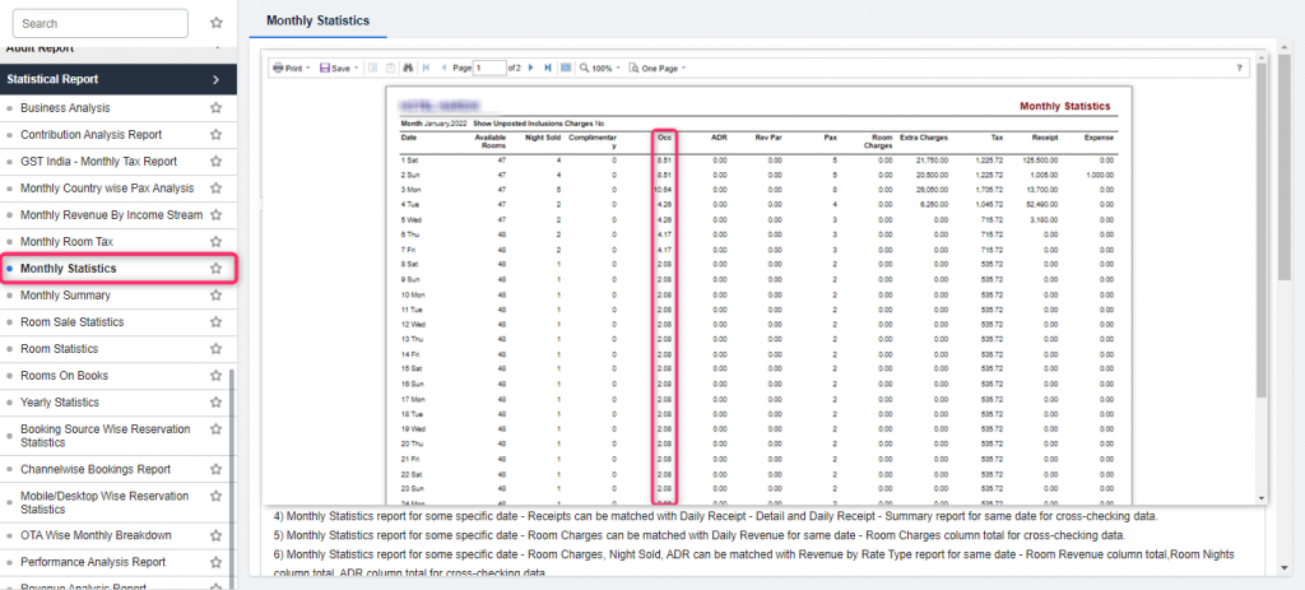
- Under Statistical Report, select Monthly Statistics to view detailed occupancy data.
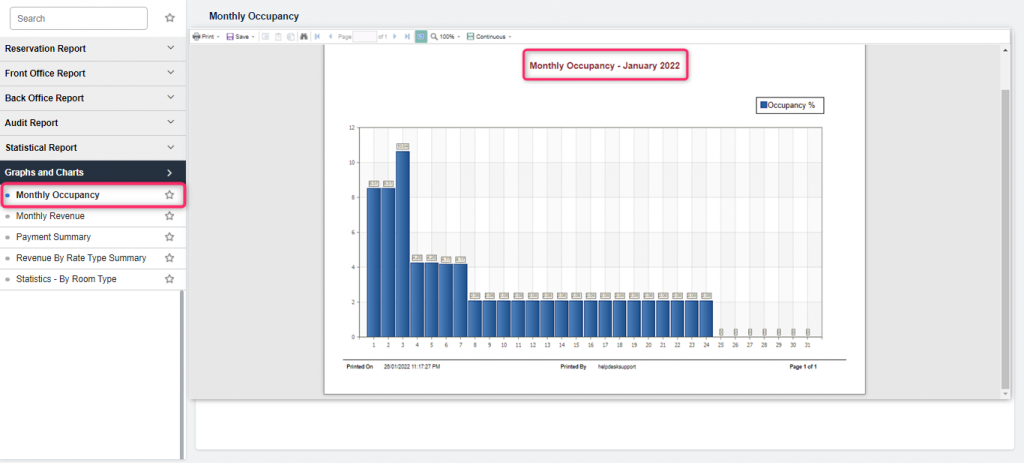
- For a visual representation, navigate to Graphs and Charts and choose Monthly Occupancy.
By regularly reviewing these reports, you can gain insights into your property's performance and make informed decisions to optimize occupancy rates.
Was this article helpful?
That’s Great!
Thank you for your feedback
Sorry! We couldn't be helpful
Thank you for your feedback
Feedback sent
We appreciate your effort and will try to fix the article