If a bill was mistakenly settled in Cash, but the actual payment was made via Card, you can correct the payment mode by recalling the completed order and voiding the incorrect settlement.
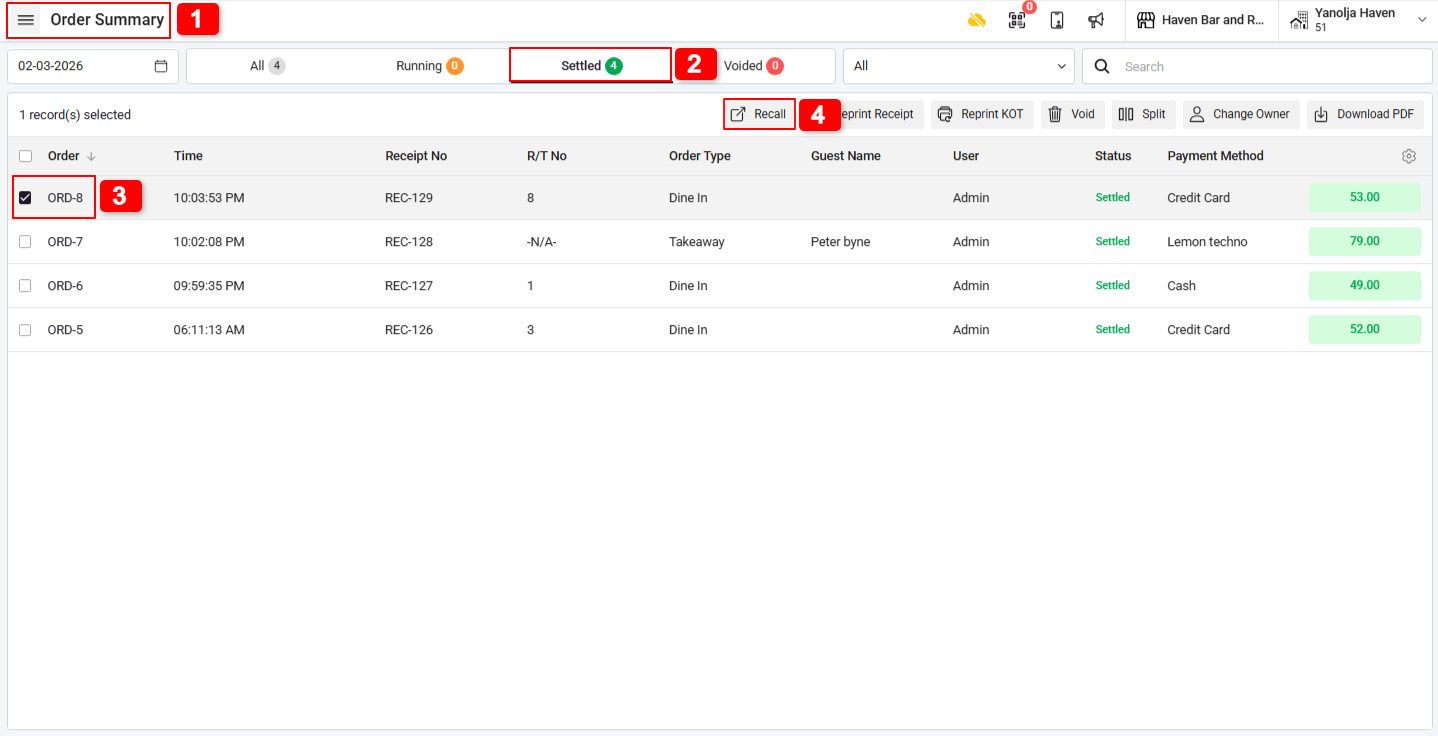
Step 1: Recall the Completed Order :
1. Go to Order Summary.
2. Click on Completed Order.
3. Select the required bill.
4. Click on Recall.
Step 2: Void the Incorrect Payment :
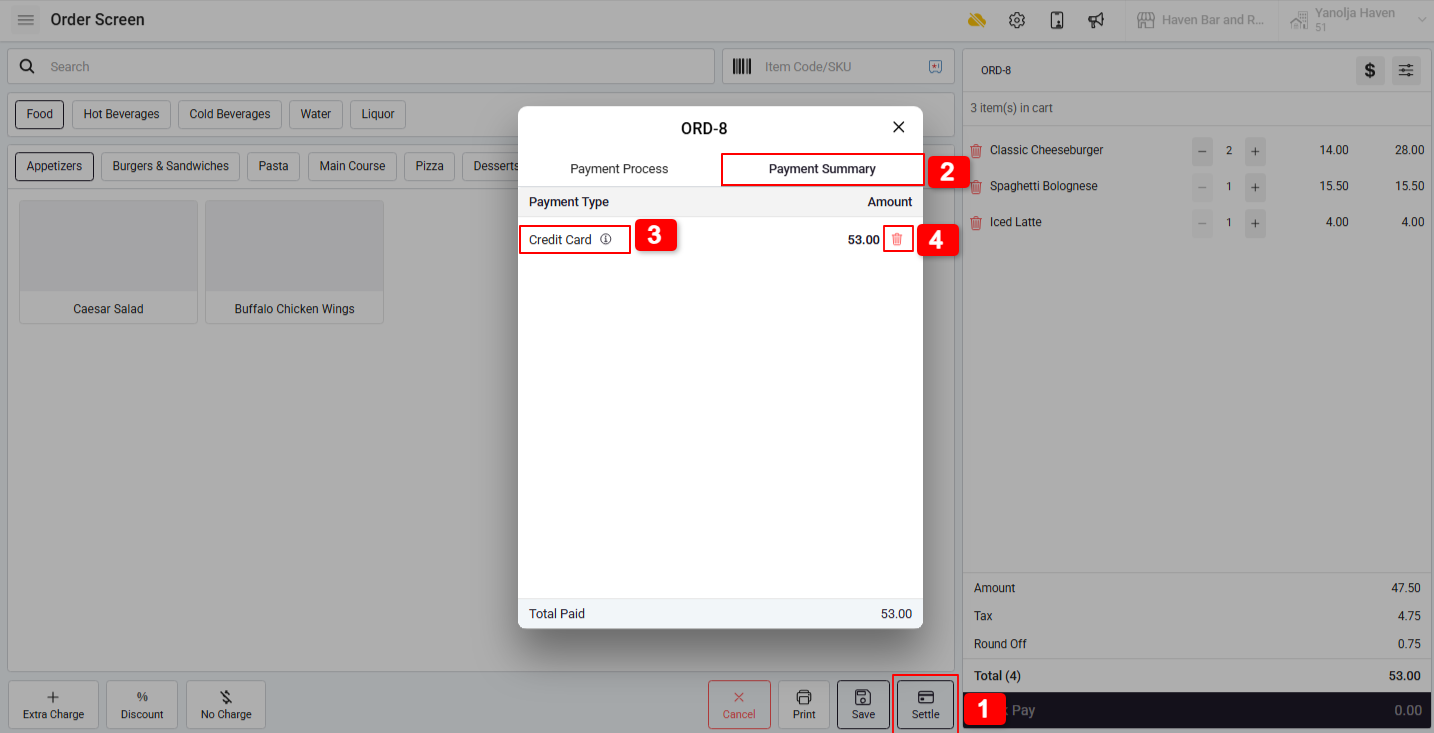
1. Click on Settle.
2. Go to Payment Summary.
3. Select the incorrect payment (Cash).
4. Click on Void Payment.
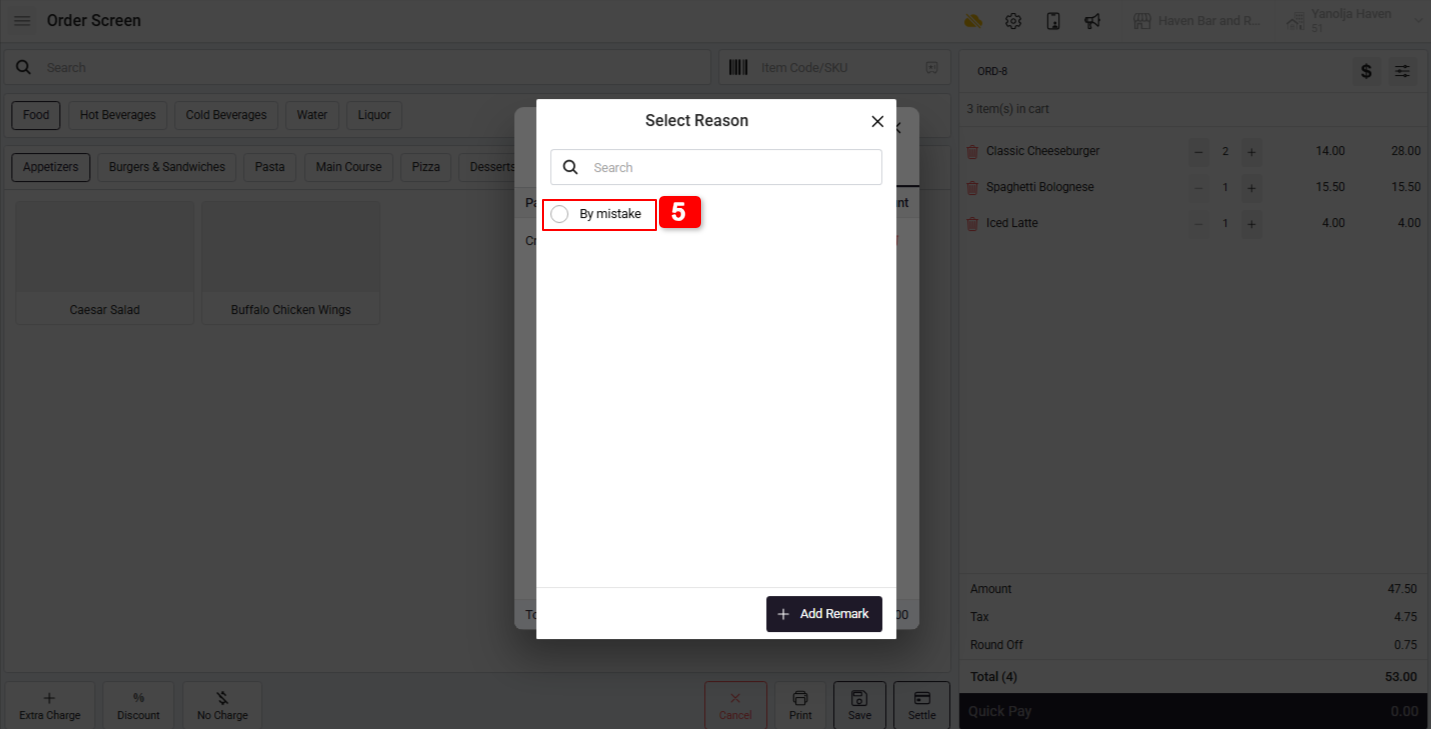
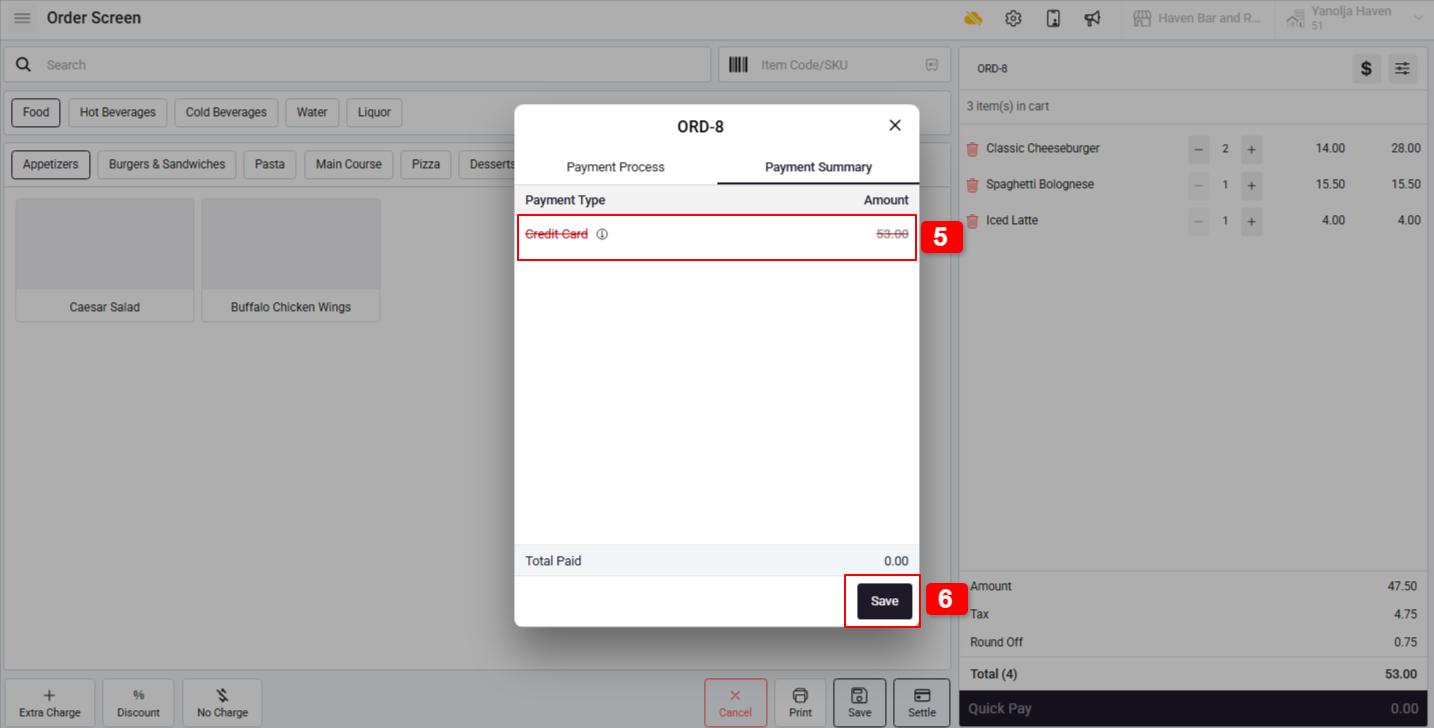
5. Select the reason and add remark. You will notice the payment type color changes after voiding.
6. Click on Save.
Step 3: Re-Settle with Correct Payment Type :
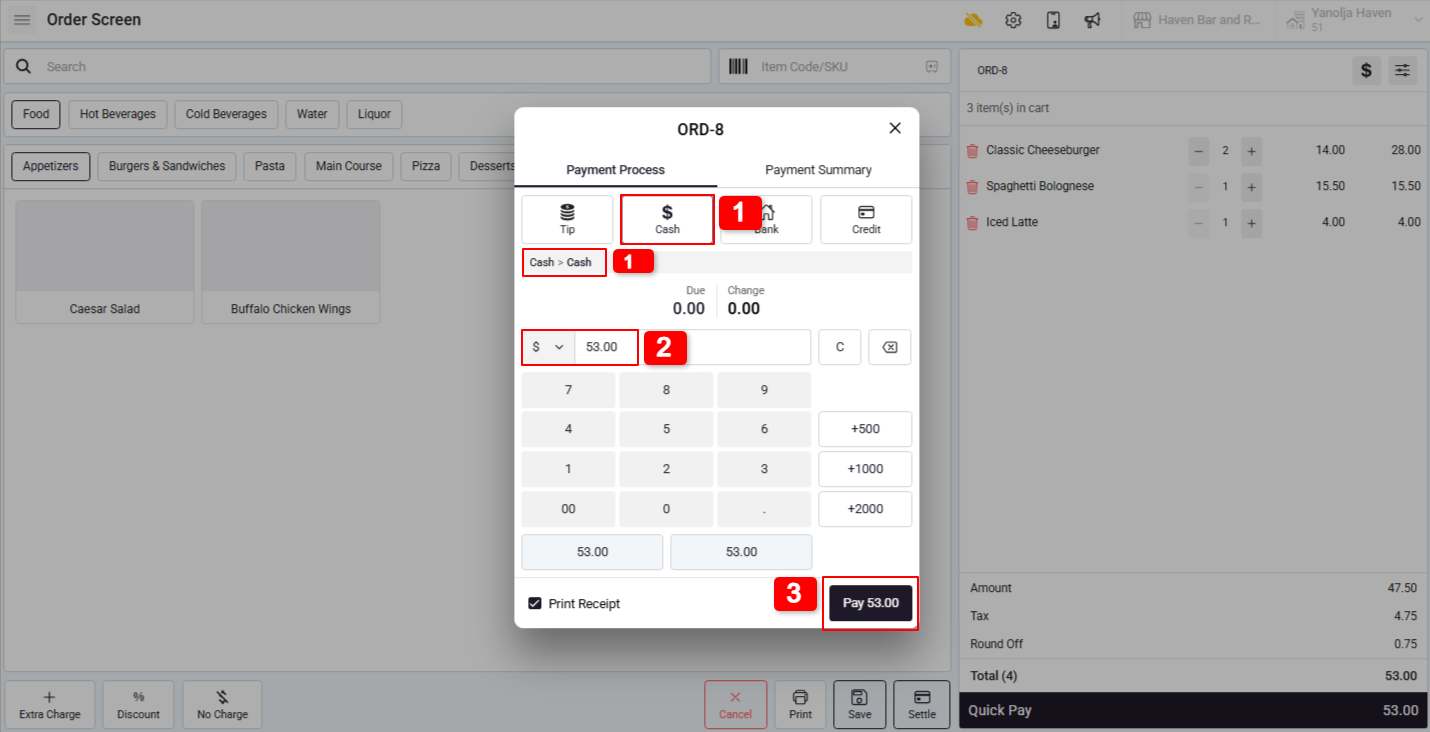
1. Select the correct Payment Type (e.g., Card).
2. Verify the payment details.
3. Click on Pay.
4. The new payment type will now be successfully updated.
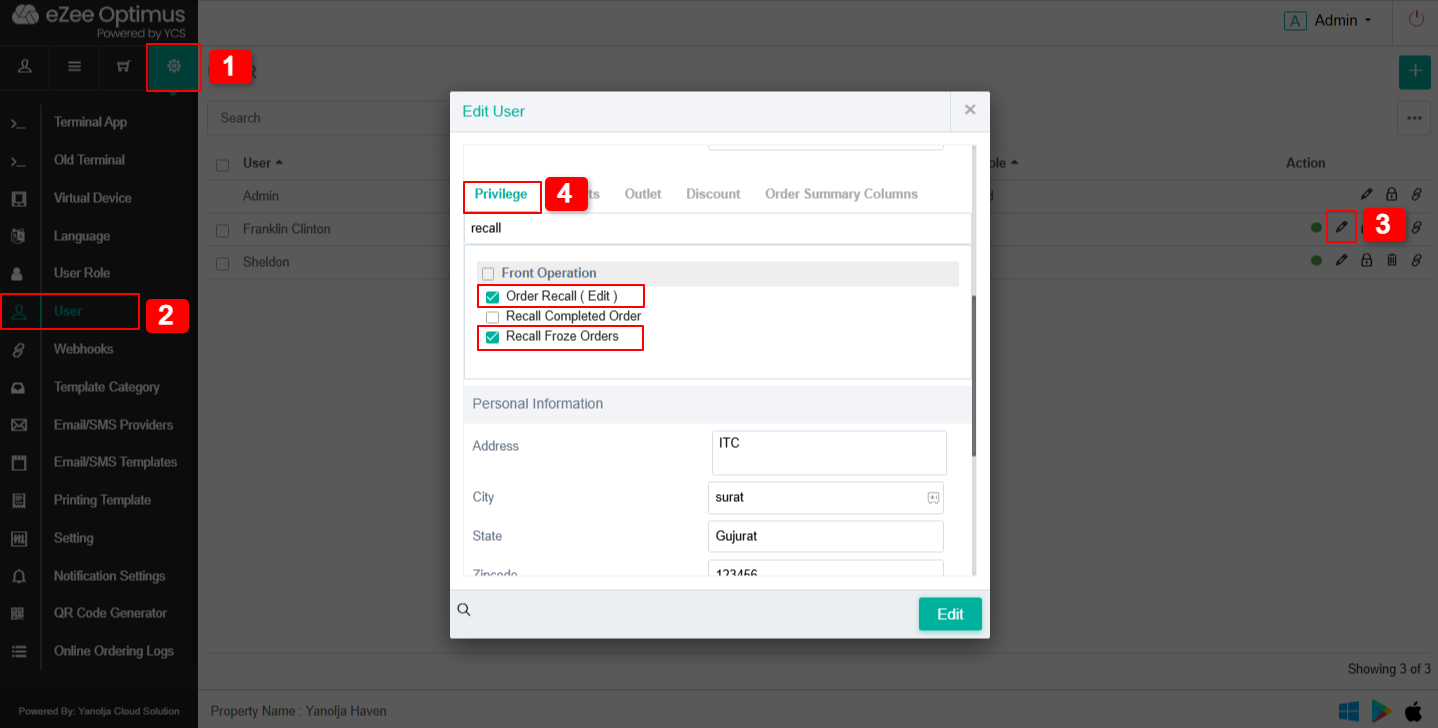
For Recall Permission
1. Settings →
2. User →
3. Privilege →
4. Front Operation
Enable the following options:
Recall Completed Order
Order Recall (Edit)
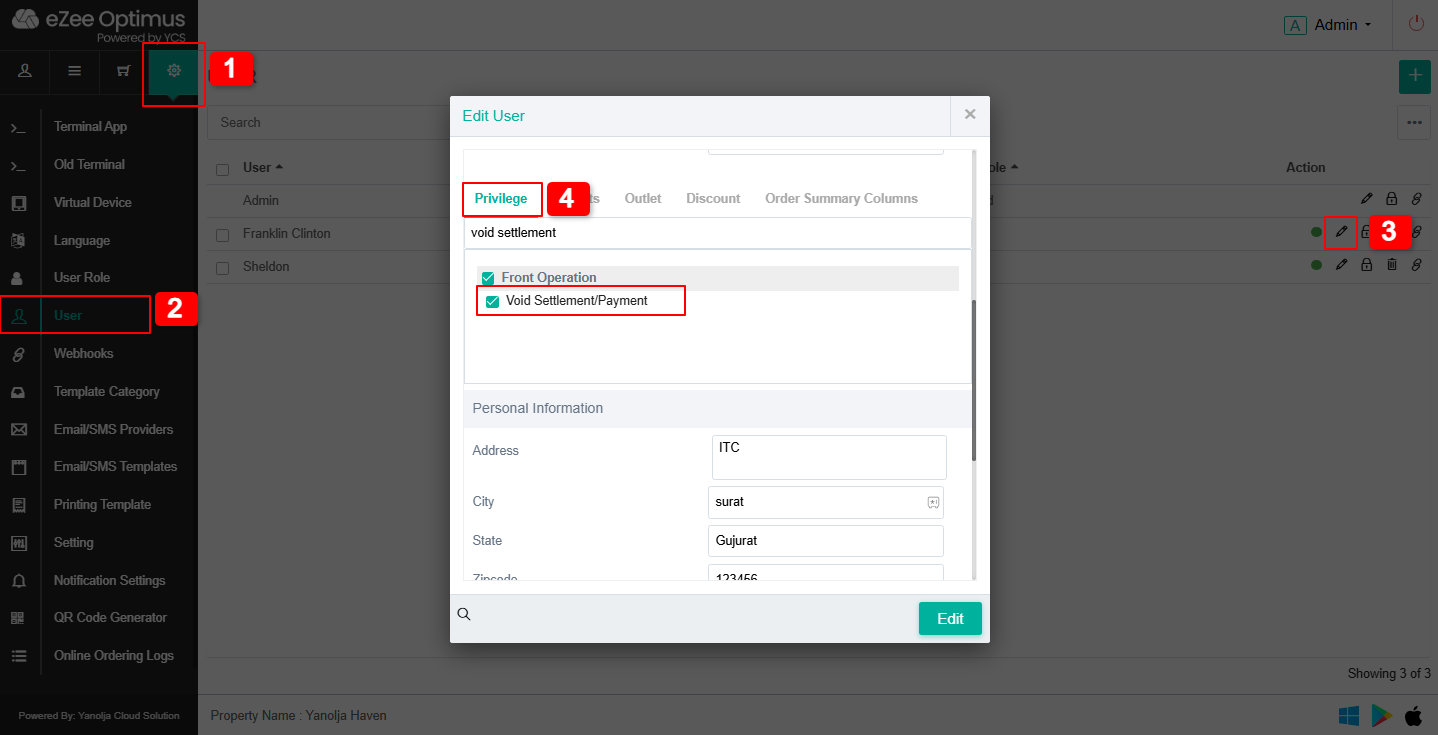
1. Settings →
2. User →
3. Privilege →
4. Front Operation
Enable the following option:
Void Settlement/Payment
Was this article helpful?
That’s Great!
Thank you for your feedback
Sorry! We couldn't be helpful
Thank you for your feedback
Feedback sent
We appreciate your effort and will try to fix the article