The Receipt Settlement feature allows users to complete the payment process for an order using different payment methods available in the POS system.
The most commonly used payment modes include:
Cash
Credit Card
Bank Transfer
City Ledger (Bill to Company)
Room Posting
Additional payment modes can also be created depending on the business requirements.
Step 1: Open the Order
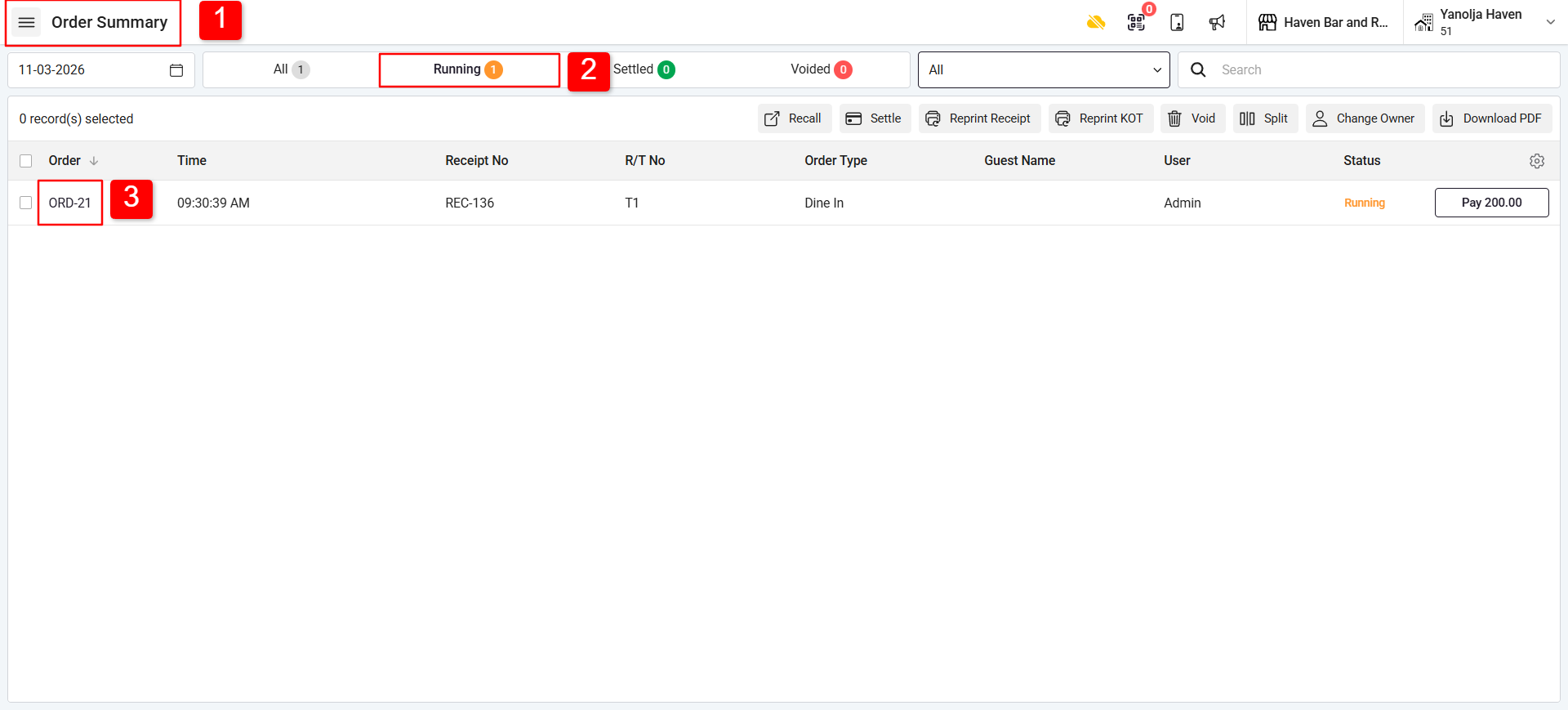
1. Go to Order Summary.
2. Click on Running.
3. Select and open the order you want to settle.
Step 2: Select Settlement Mode
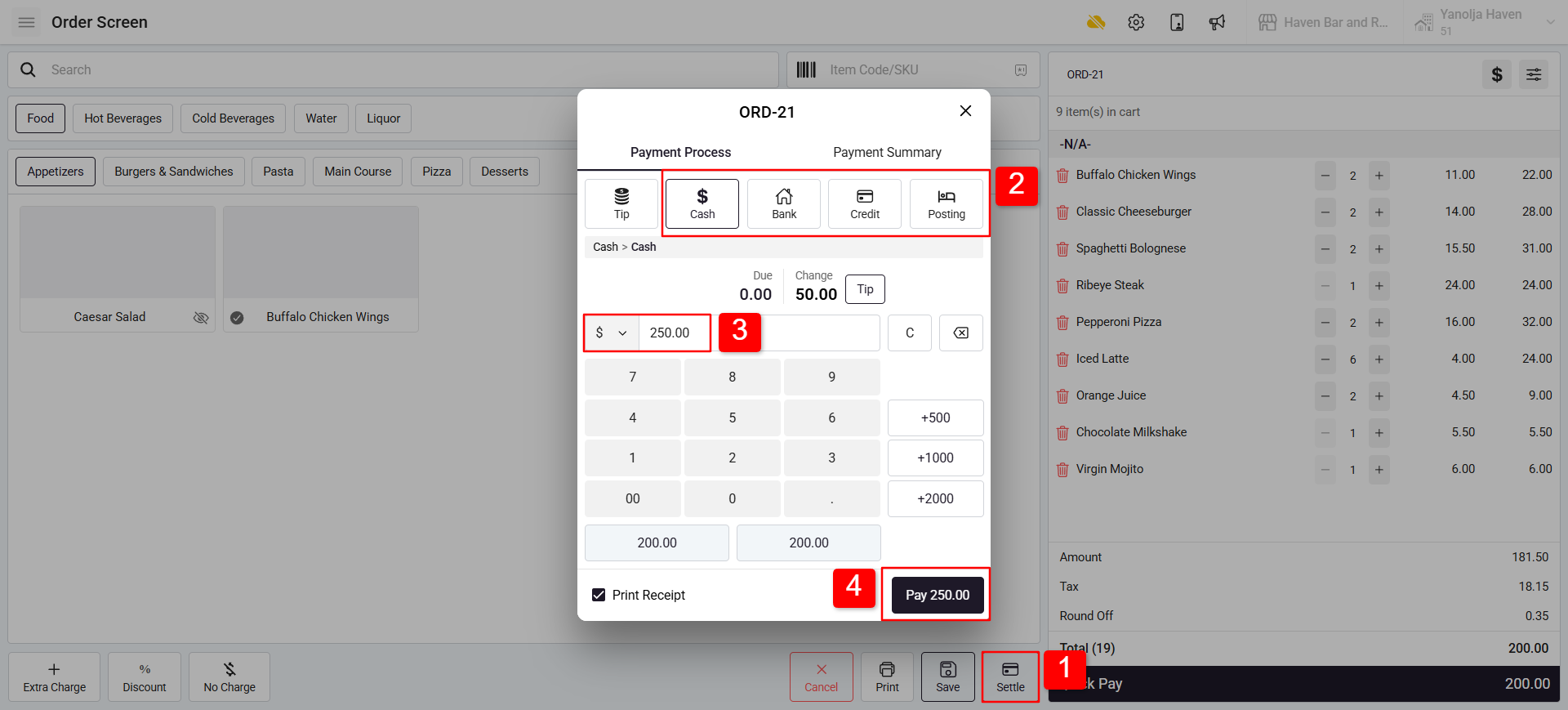
1. Click on Settle.
2. Different settlement options will appear on the screen. Select the payment mode, such as:
Cash
Card
City Ledger (Bill to Company)
Room Posting
3. Enter the amount which is received by guest.
4. Click on Pay to settle.
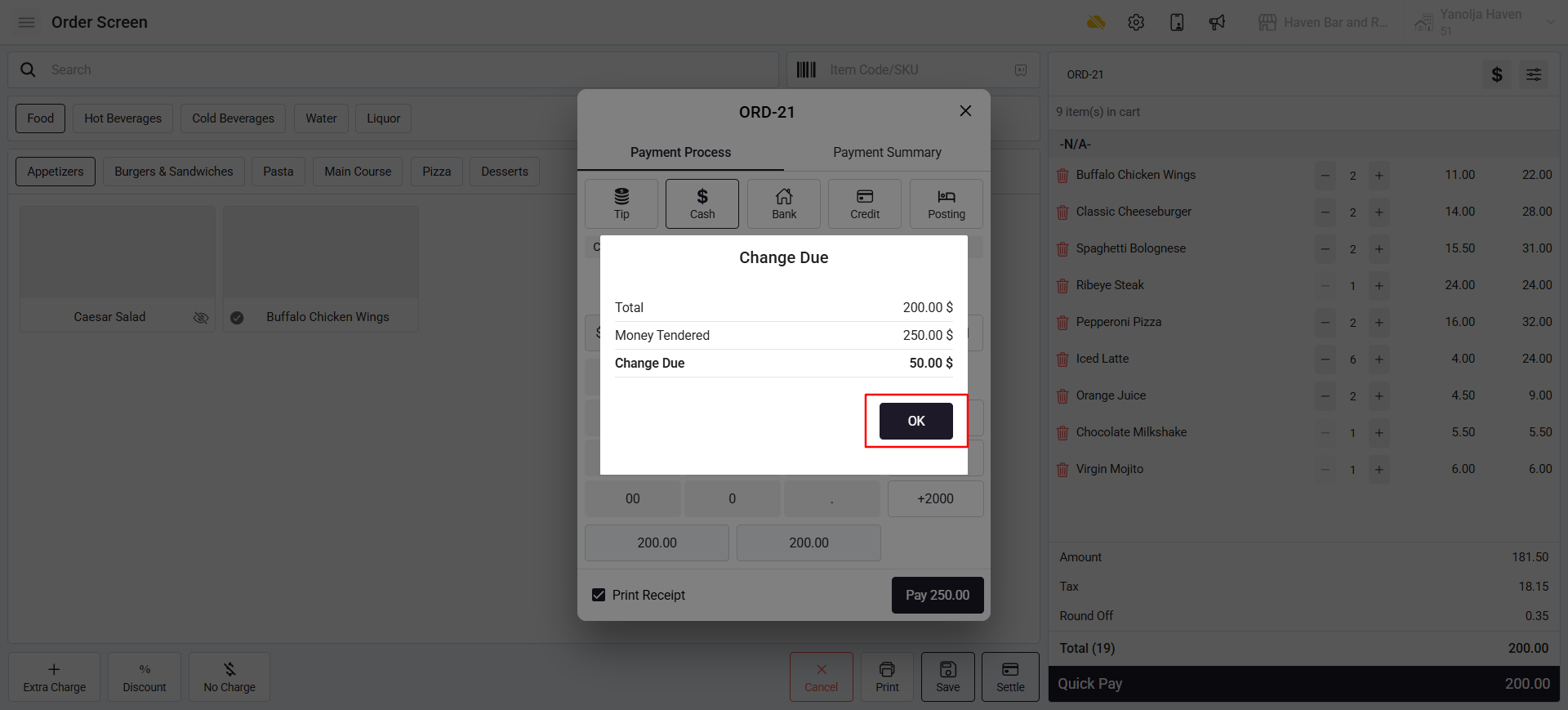
Note:- If the received amount is greater than the order amount, the system will automatically display the change due amount Click on Ok to settle.
Cash Payment Example
If the payment mode is Cash, the user needs to enter the amount received from the guest.
If the received amount is greater than the order amount, the system will automatically display the change due amount that needs to be returned to the guest.
Was this article helpful?
That’s Great!
Thank you for your feedback
Sorry! We couldn't be helpful
Thank you for your feedback
Feedback sent
We appreciate your effort and will try to fix the article