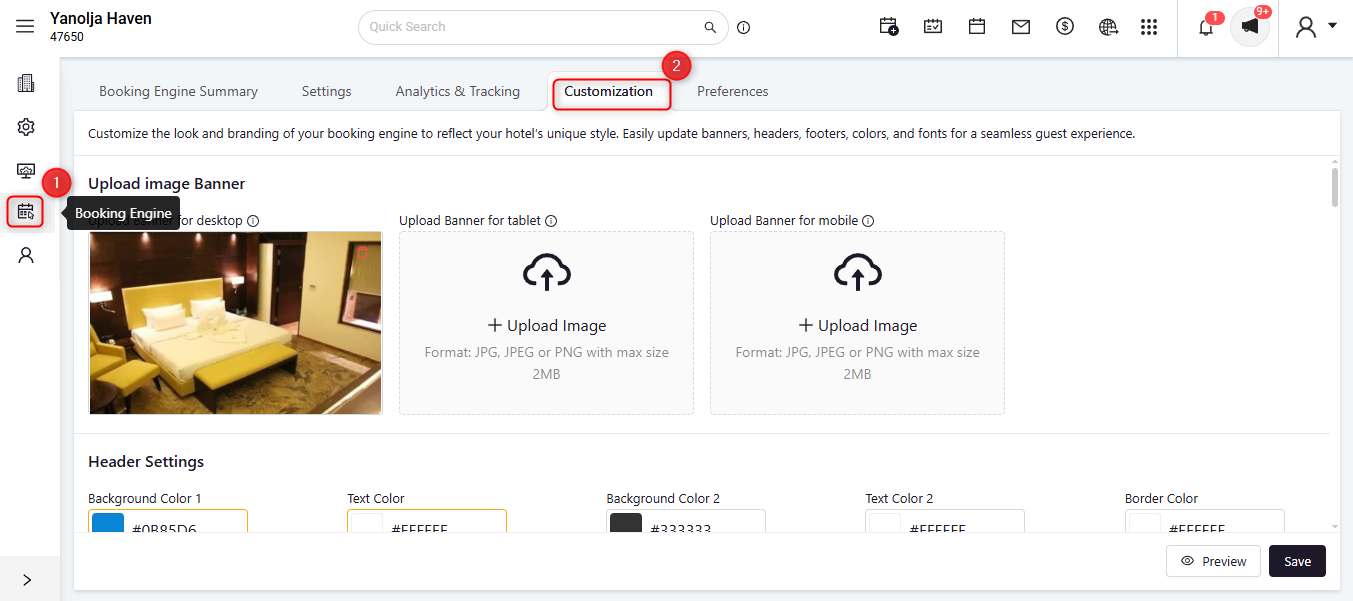
How to Upload or Change Room Images and Banners for Booking Engine
Upload or Change Room Type Images
Access the Configuration: Log in to System.
Click on the User Icon.
Click on Go To Configuration.
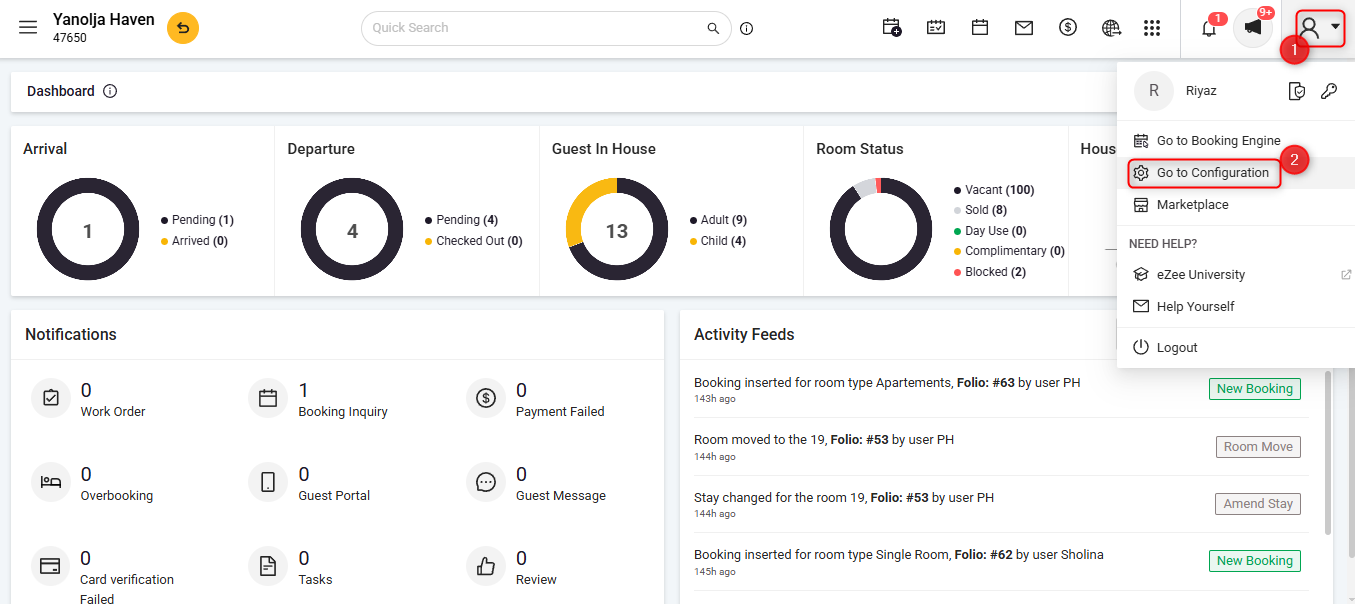
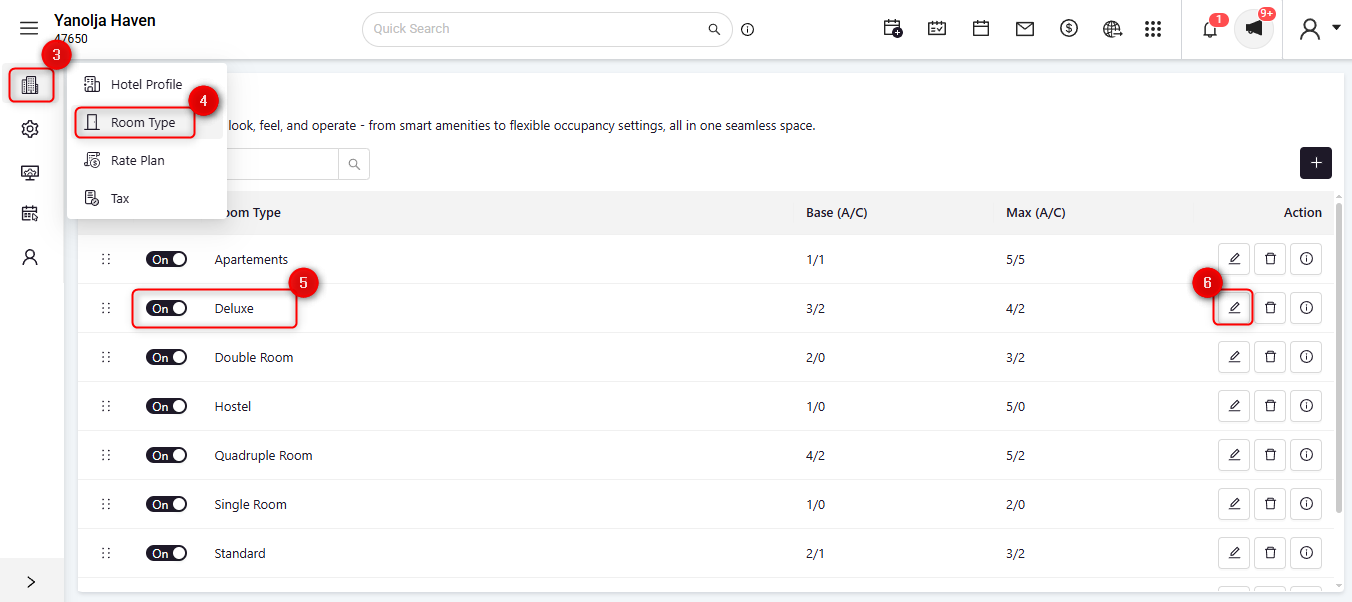
Navigate to Room Type Management:
3. Go to Menu.
4. Click on Room Type.
5. Select the required Room Type.
6. Click on the Edit button.
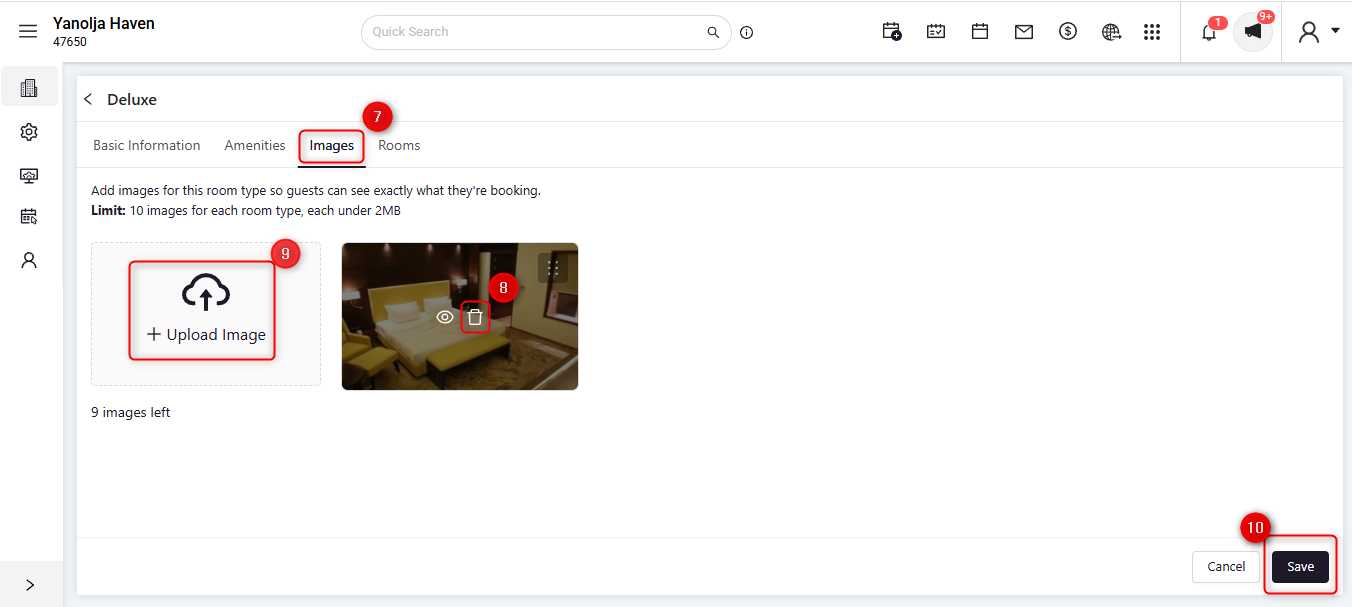
Manage Images:
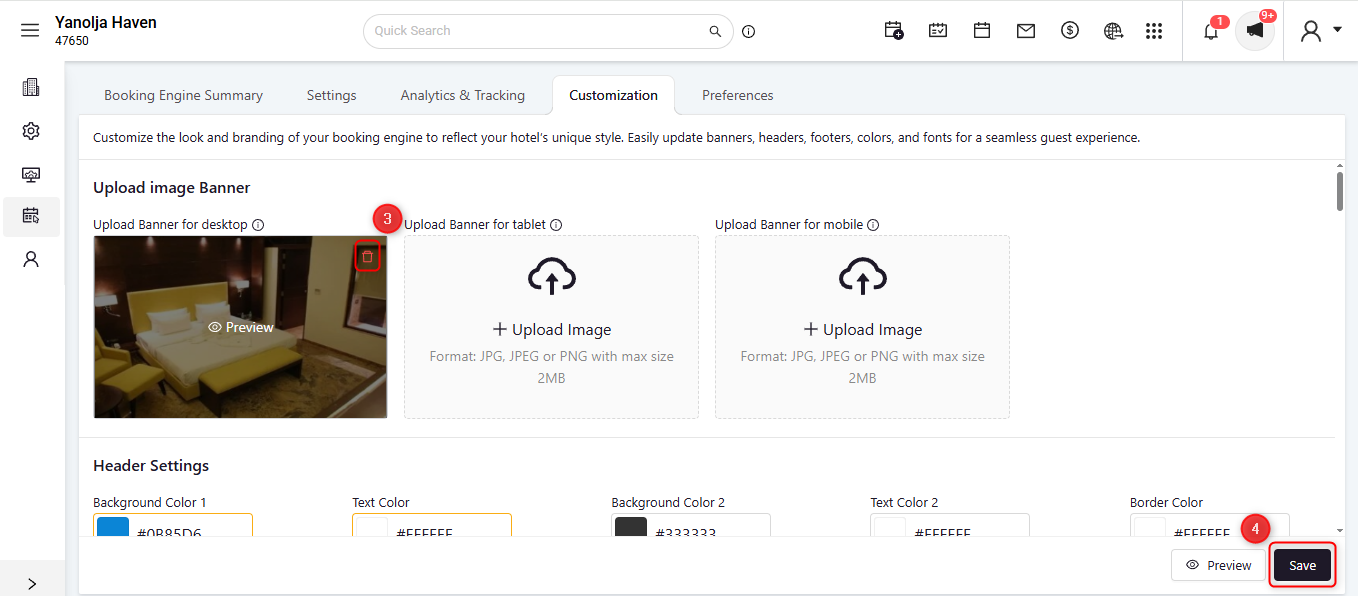
To delete an existing image:
7. Navigate to the Images section.
8. Click on the Delete icon on the image.
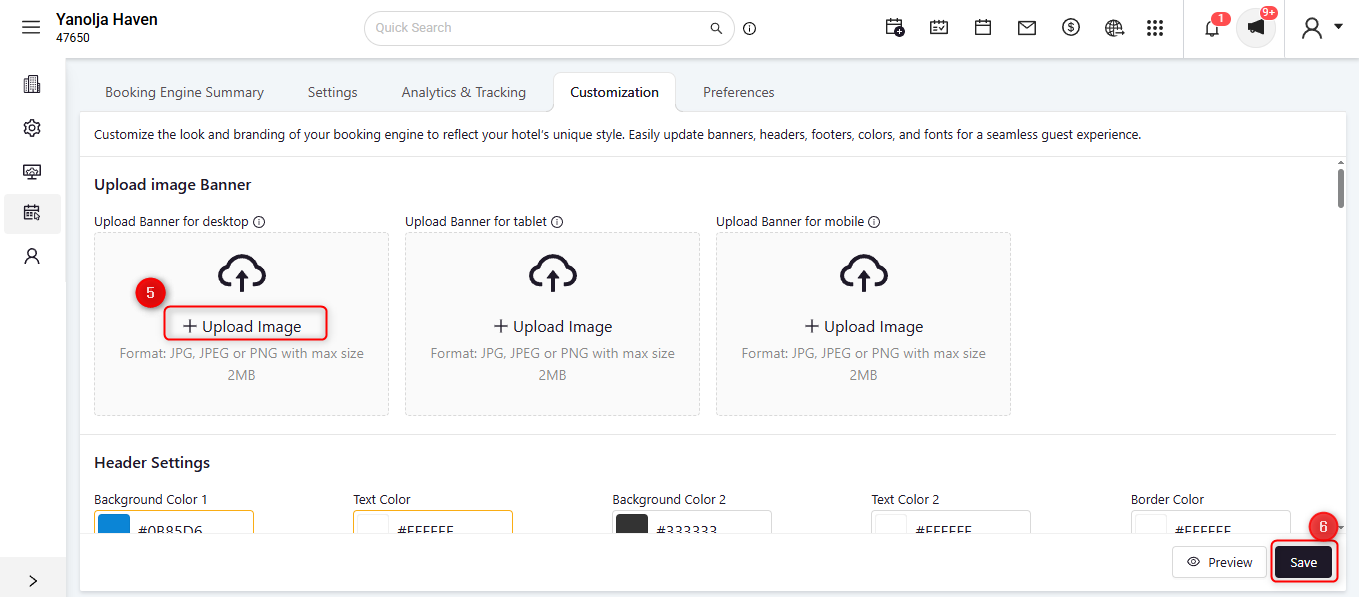
To upload a new image:
9. Click on Upload Photo and select the desired image from your device.
10. Click on the Save button.
Was this article helpful?
That’s Great!
Thank you for your feedback
Sorry! We couldn't be helpful
Thank you for your feedback
Feedback sent
We appreciate your effort and will try to fix the article