Amenities are used to define and display the facilities available for each room type in the PMS.
You can configure amenities for a room type by following the steps below:
1. Navigate to Configuration.
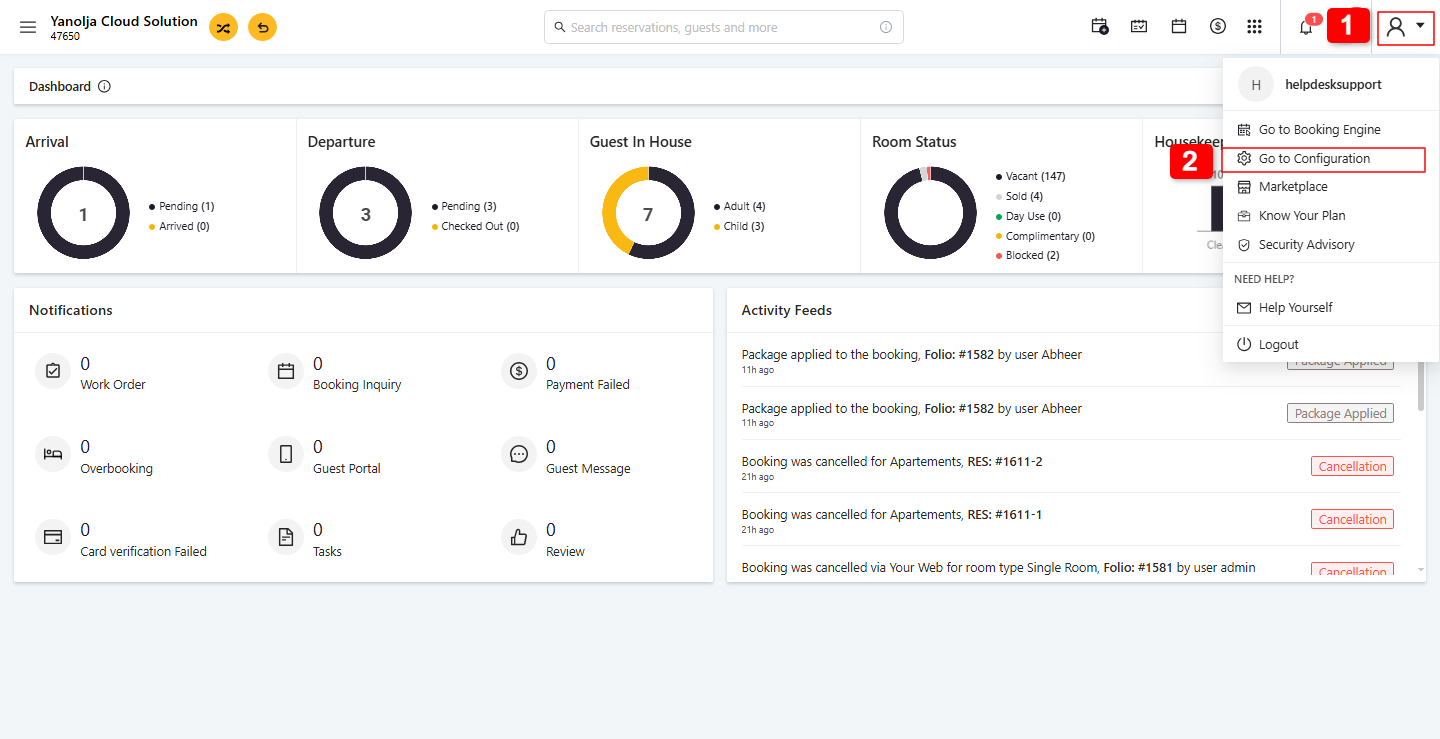
2. Go to Masters and click on Room Type.
3. Select the required room type and click Edit.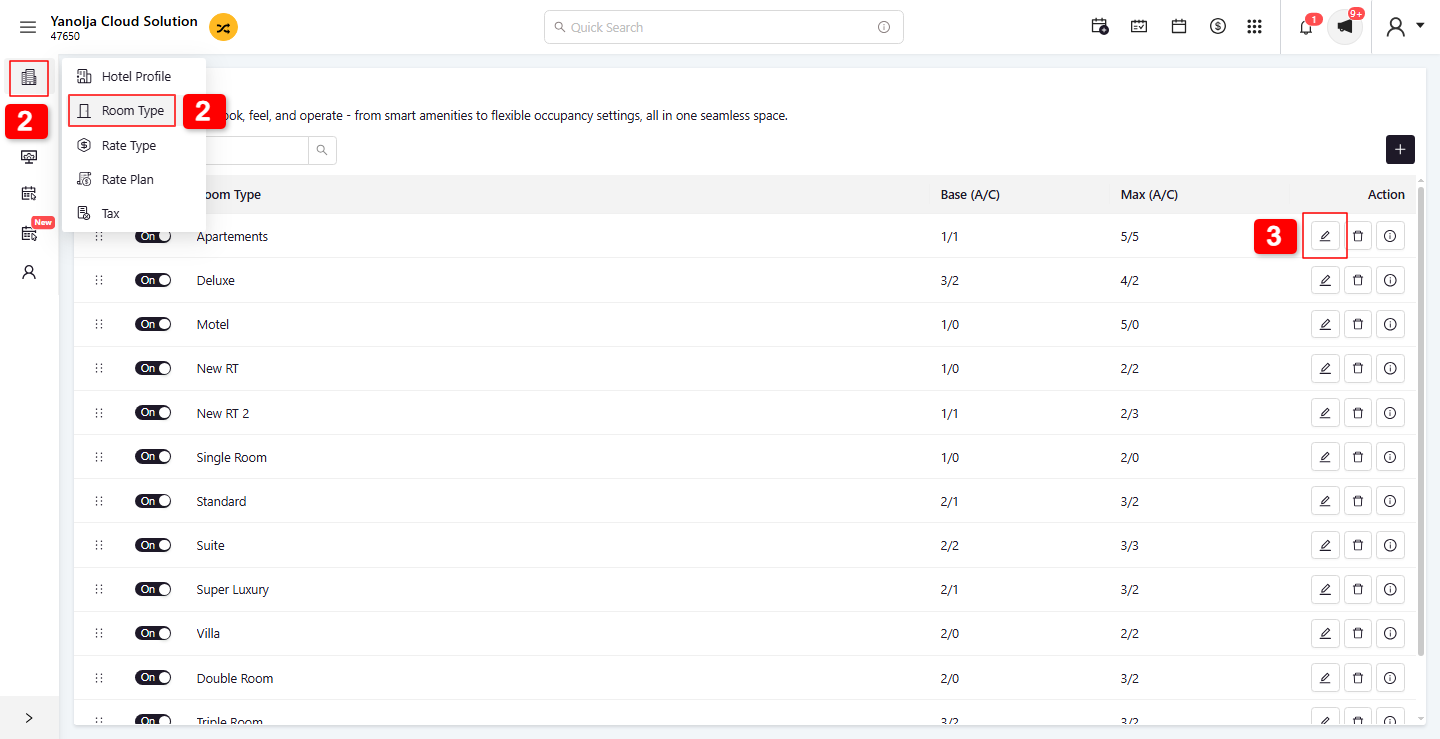
4. Open the Amenities section.
5. Enable or select the amenities you want to associate with the room type.
6. If the required amenity is not available, click the + (Plus) icon.
7. Enter the Amenity Name and upload/select the Amenity Icon.
8. Click Save to create the new amenity.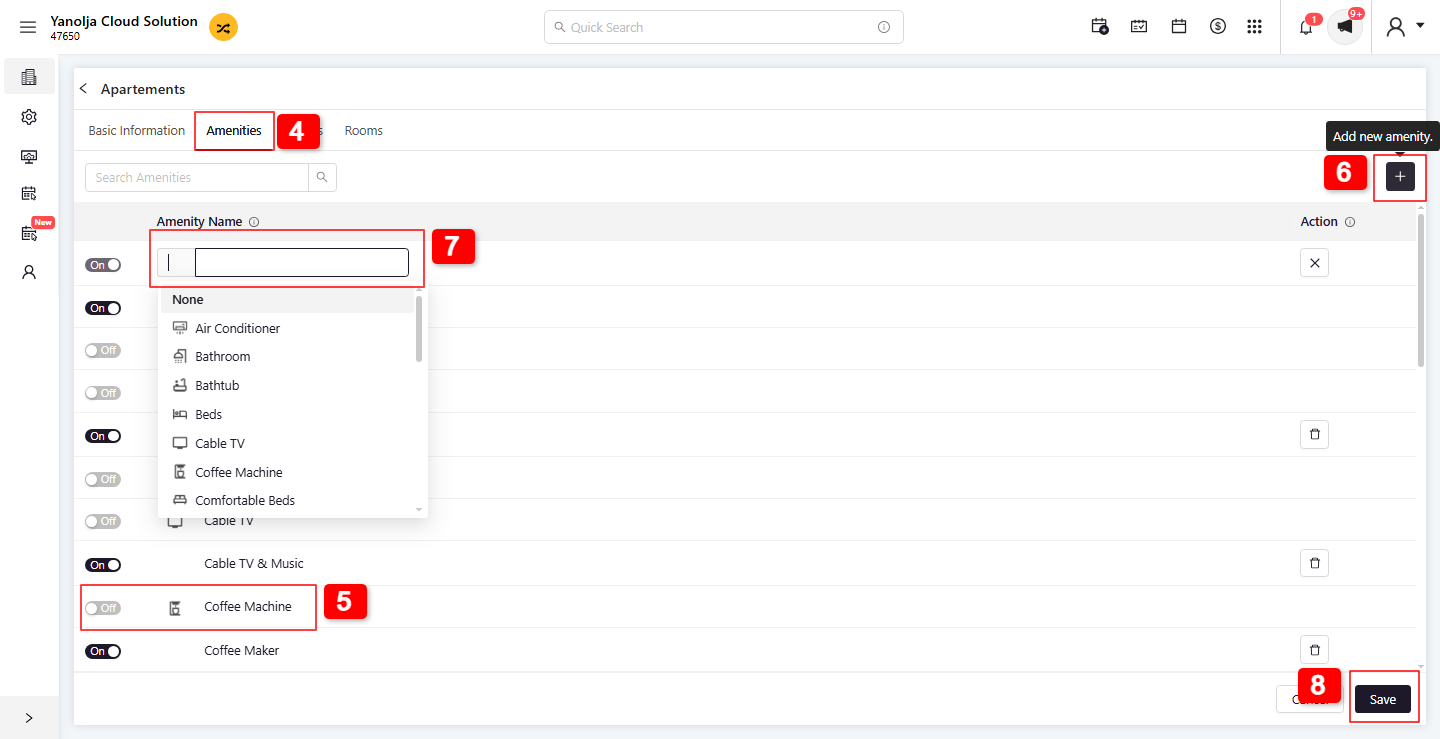
Was this article helpful?
That’s Great!
Thank you for your feedback
Sorry! We couldn't be helpful
Thank you for your feedback
Feedback sent
We appreciate your effort and will try to fix the article