This FAQ explains how to configure mandatory information that users must provide while creating a Walk-in or Reservation in the PMS. By setting mandatory fields, you can ensure that all required guest details are captured consistently during the booking process.
Steps to Configure Mandatory Fields :
1. Go to the Configuration section and Select General Settings.
2. Navigate to Reservations / Walk-in.
3. Open Reservation Mandatory Fields.
4. Check the fields that you want to make mandatory during the Walk-in or Reservation process.
5. Click Save to apply the changes.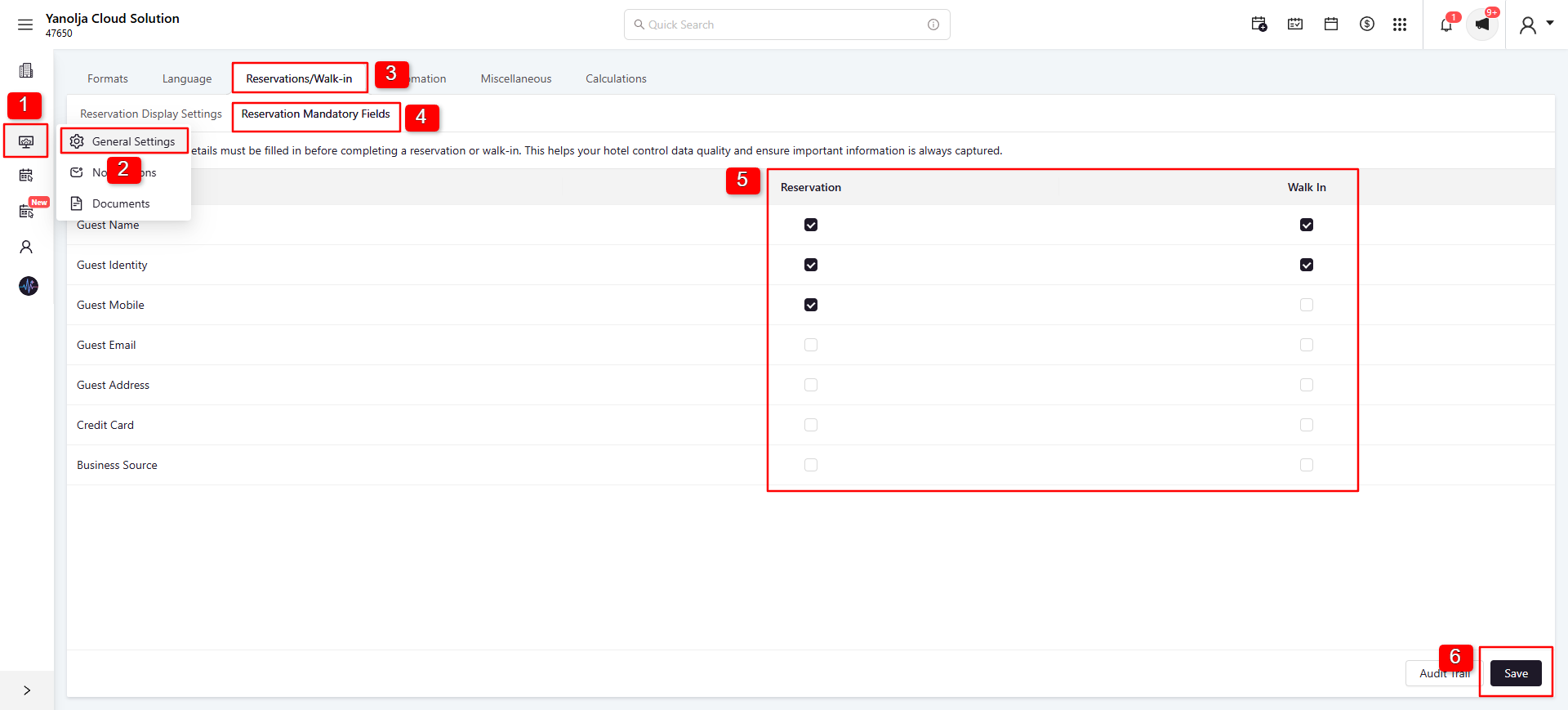
Was this article helpful?
That’s Great!
Thank you for your feedback
Sorry! We couldn't be helpful
Thank you for your feedback
Feedback sent
We appreciate your effort and will try to fix the article