Step 1: Access the Reservation System
- Log in to your PMS account.
- Click on Add Reservation or directly select a room from the Room Status screen.
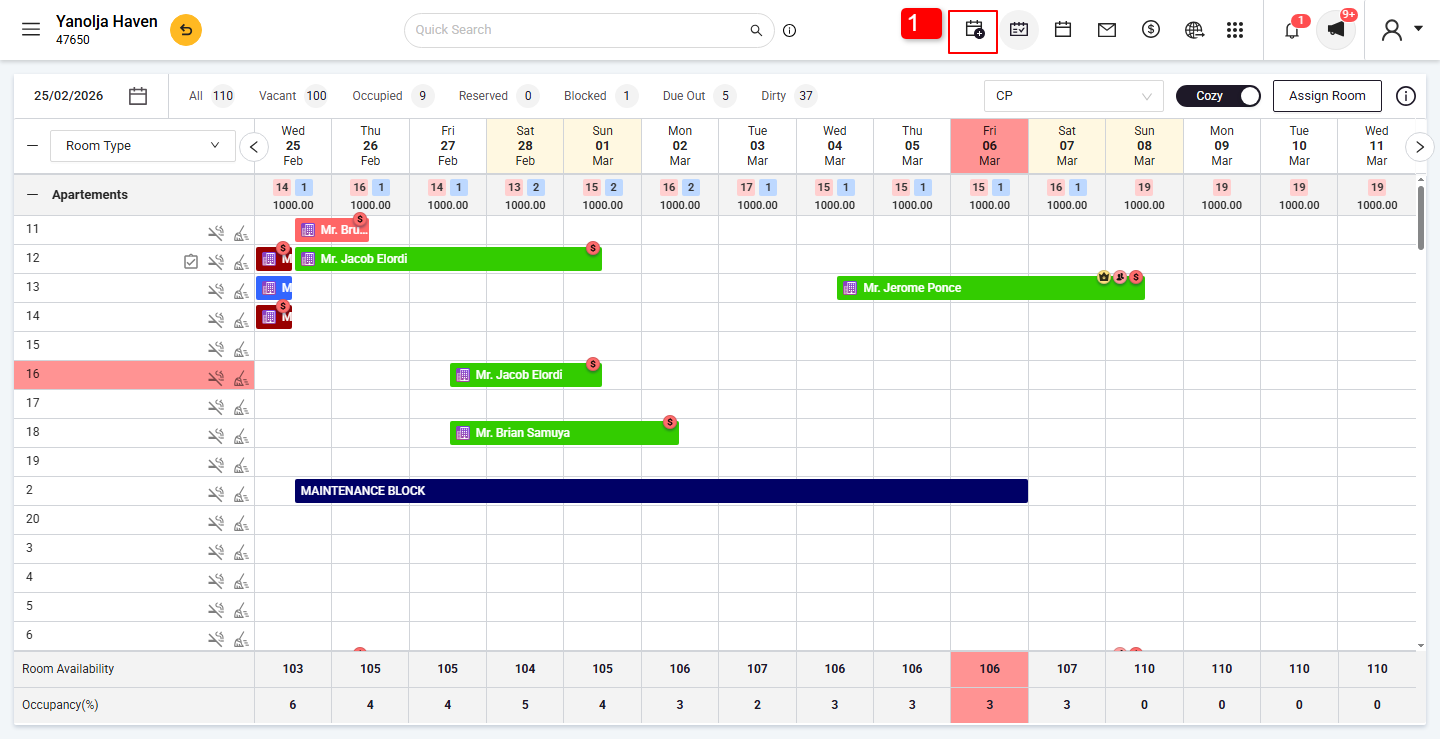
Step 2: Enter Guest and Booking Details
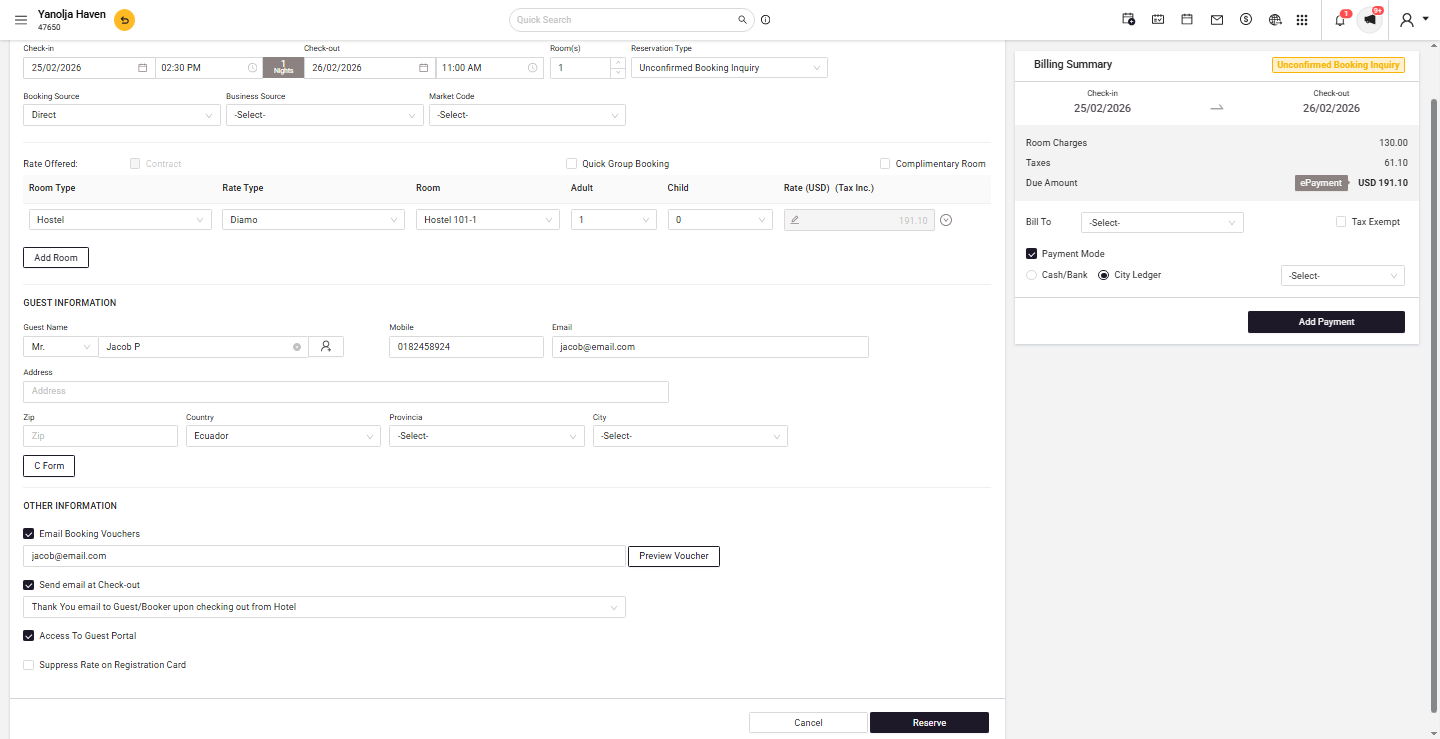
- In the Reservation window, fill in:
- Guest Name
- Arrival & Departure Date
- Number of Guests
- Room Type and Rate Plan
- Click Reserve to save the booking.
Prerequisite: User Privileges for Reservation
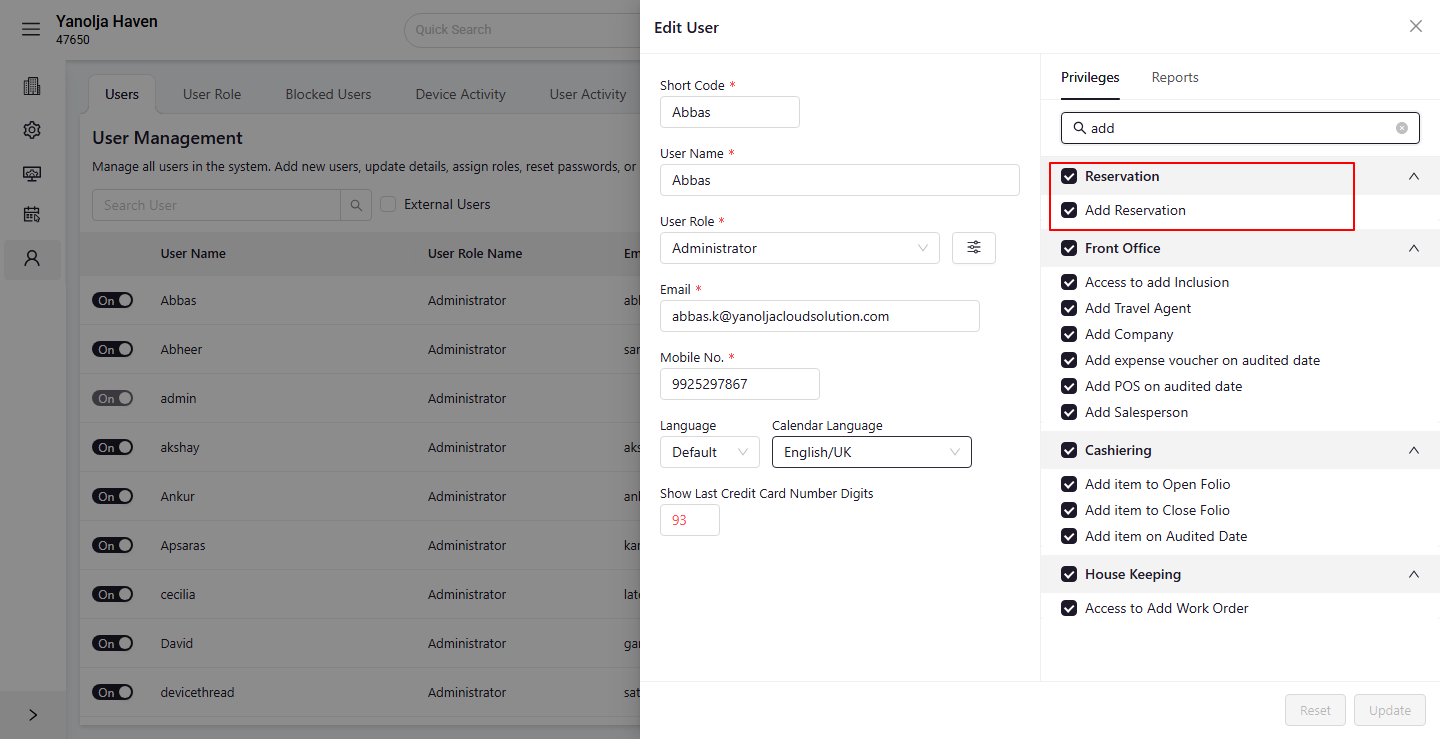
Before making a group booking, ensure the user has permission to add reservations:
- Log in to PMS Configuration.
- Click on Users and select the user you want to edit.
- Click on Edit User.
- Navigate to Privileges > Reservation.
- Ensure that "Add Reservation" privilege is enabled.
Was this article helpful?
That’s Great!
Thank you for your feedback
Sorry! We couldn't be helpful
Thank you for your feedback
Feedback sent
We appreciate your effort and will try to fix the article