This article Explains How to Set Housekeeping Frequency in the Property Management System (PMS) under Yanolja Cloud Solution:
- What is Housekeeping Frequency
- How to Set Housekeeping Schedule for an Existing Reservation
- How to Configure Housekeeping Frequency While Creating a Reservation
To manage housekeeping for long-stay reservations, You can create a housekeeping frequency.
Housekeeping frequency simply means how often a guest’s room will be cleaned during a long stay. Instead of cleaning the room every day, you can set a schedule like once / twice a week based on the guest’s preference or hotel policy. This helps ensure the room stays clean and maintained without unnecessary daily cleaning, especially for guests staying for a longer period.
follow the steps below:
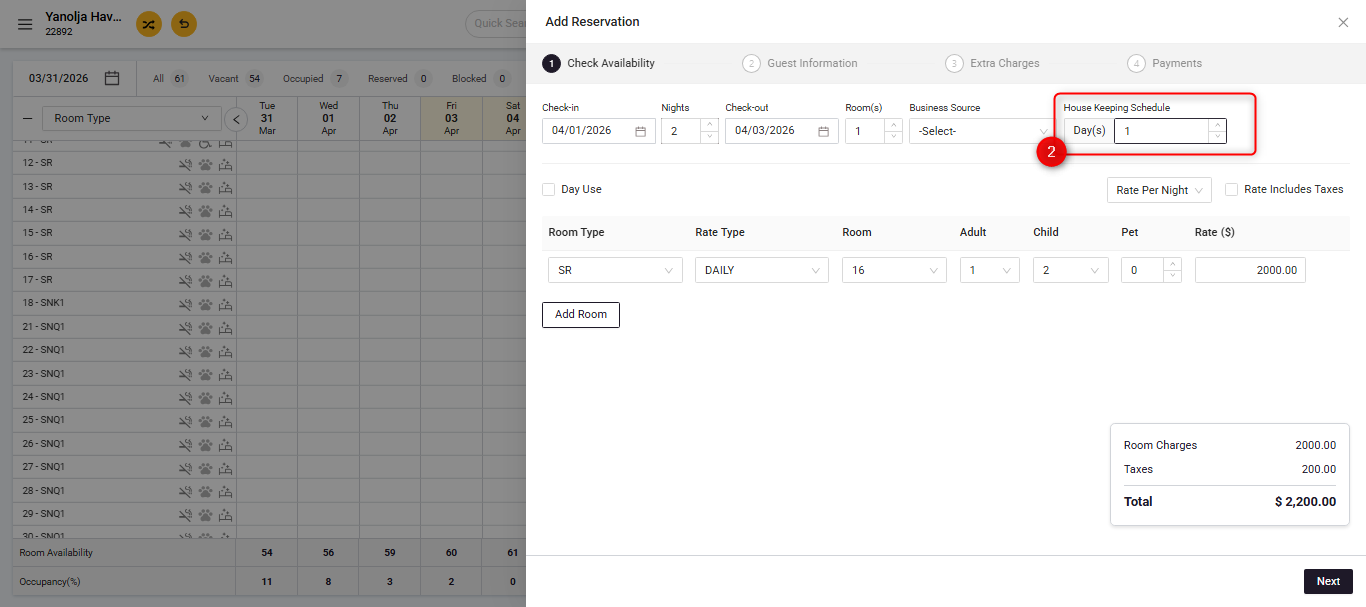
You have the option to set the housekeeping frequency for a reservation directly while creating the reservation.
- You can drag across the available space on the main screen and select “Walk-in / Reservation”, or alternatively, click on “Add Reservation” at the top of the screen to create a new booking.
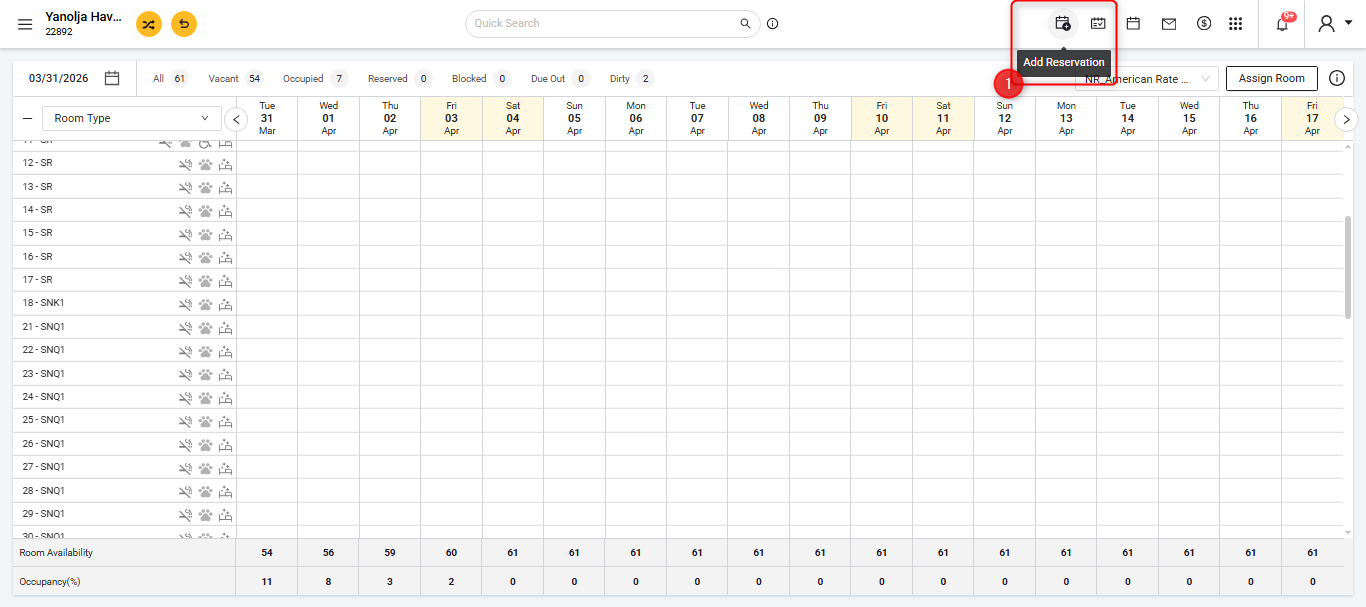
- Upon clicking, a side panel will open on the right side of the screen, where you can directly configure and schedule the housekeeping frequency while creating the reservation.
You also have the option to set the frequency for Existing reservation as well:
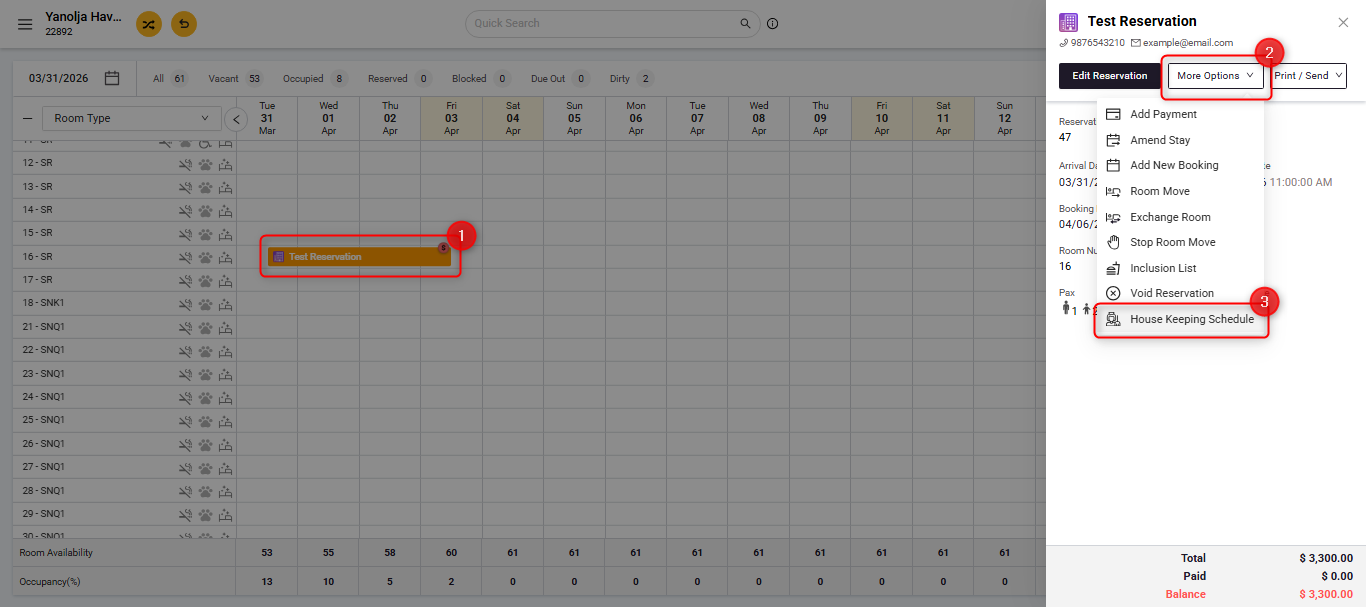
- Navigate to the reservation for which you want to schedule housekeeping. Click on that reservation.
- Select the booking and click on More Options
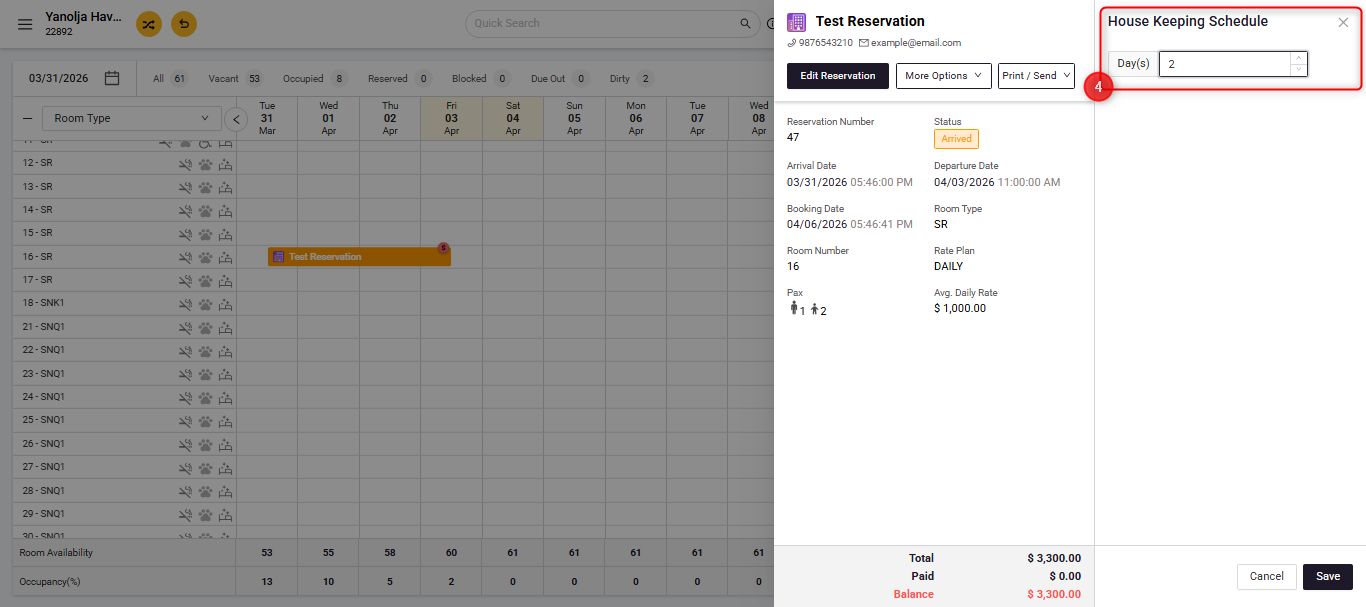
- Selected the last option on the menu "Housekeeping Schedule"
Was this article helpful?
That’s Great!
Thank you for your feedback
Sorry! We couldn't be helpful
Thank you for your feedback
Feedback sent
We appreciate your effort and will try to fix the article