This article explains how to configure the room status in Property Management Software (PMS) under Yanolja Cloud Solution.
Steps to set up custom housekeeping statuses:
Log in to Property Management Software (PMS).
1. Click on the ☰ located in the upper left corner.
2. Proceed to Housekeeping > House Status.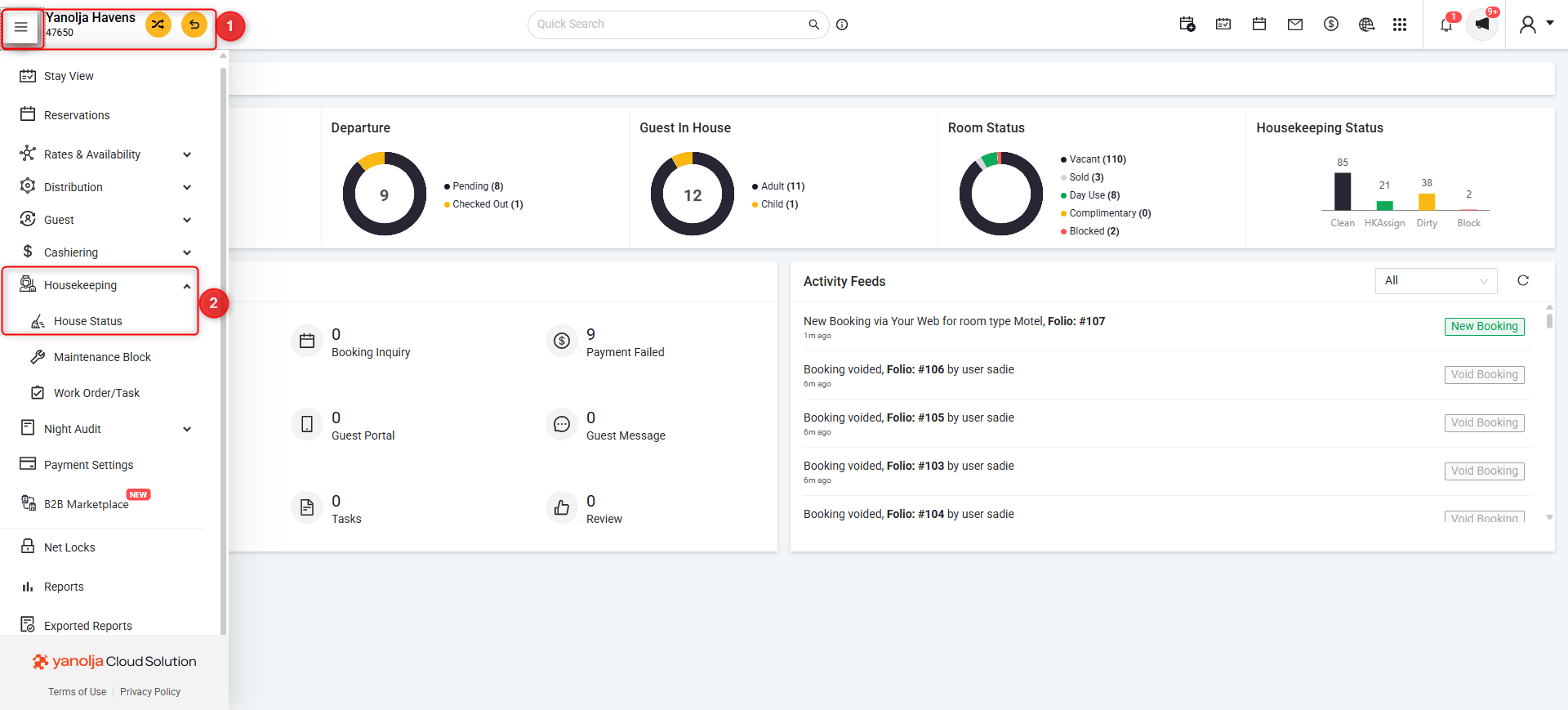
3. Click on Settings.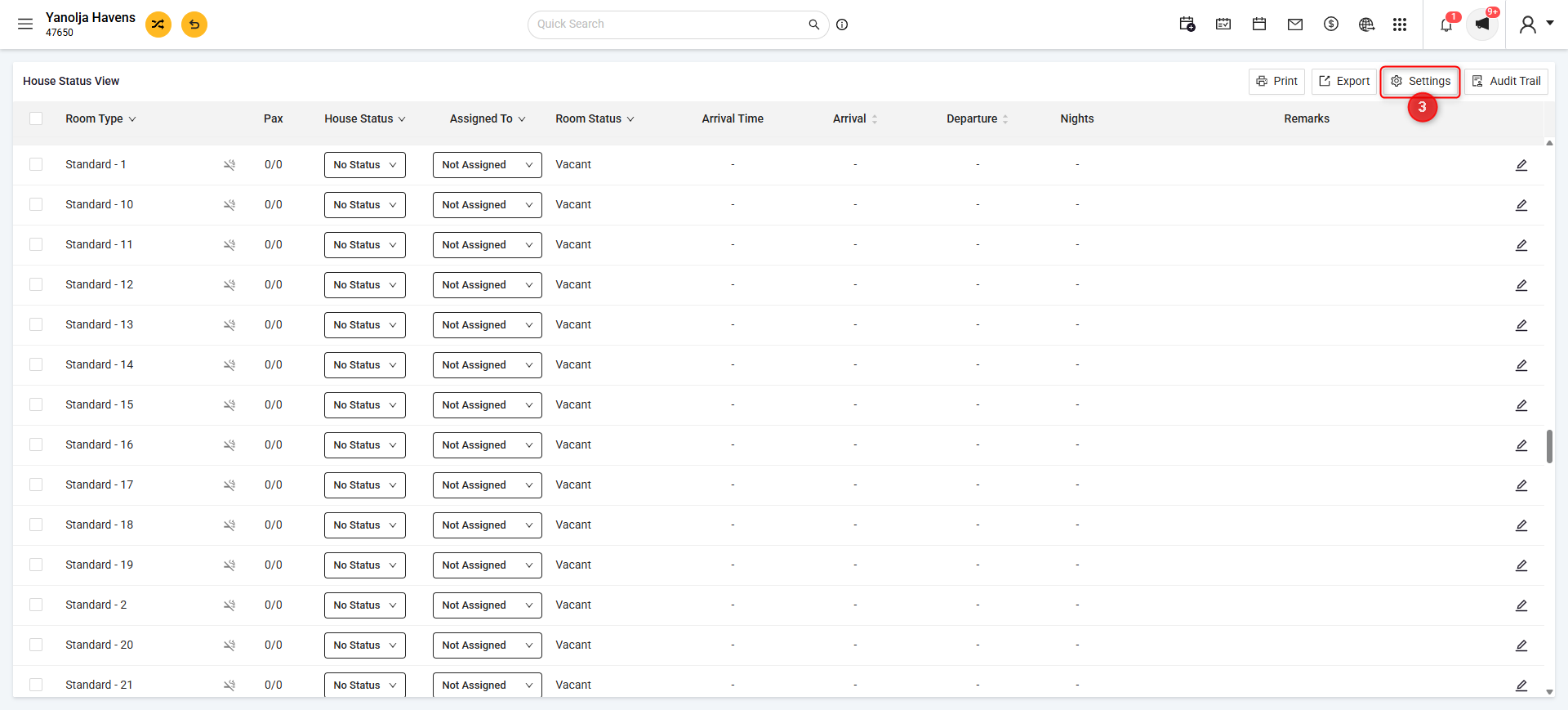
4. Click on the + icon next to housekeeping status
5.
- Enter the Status Name (e.g., Inspection, Deep Cleaning).
- Select a Color Code that will visually represent this status in the housekeeping section.
- Enable the is Dirty checkbox if this status should mark the room as dirty. If not, leave it unchecked.
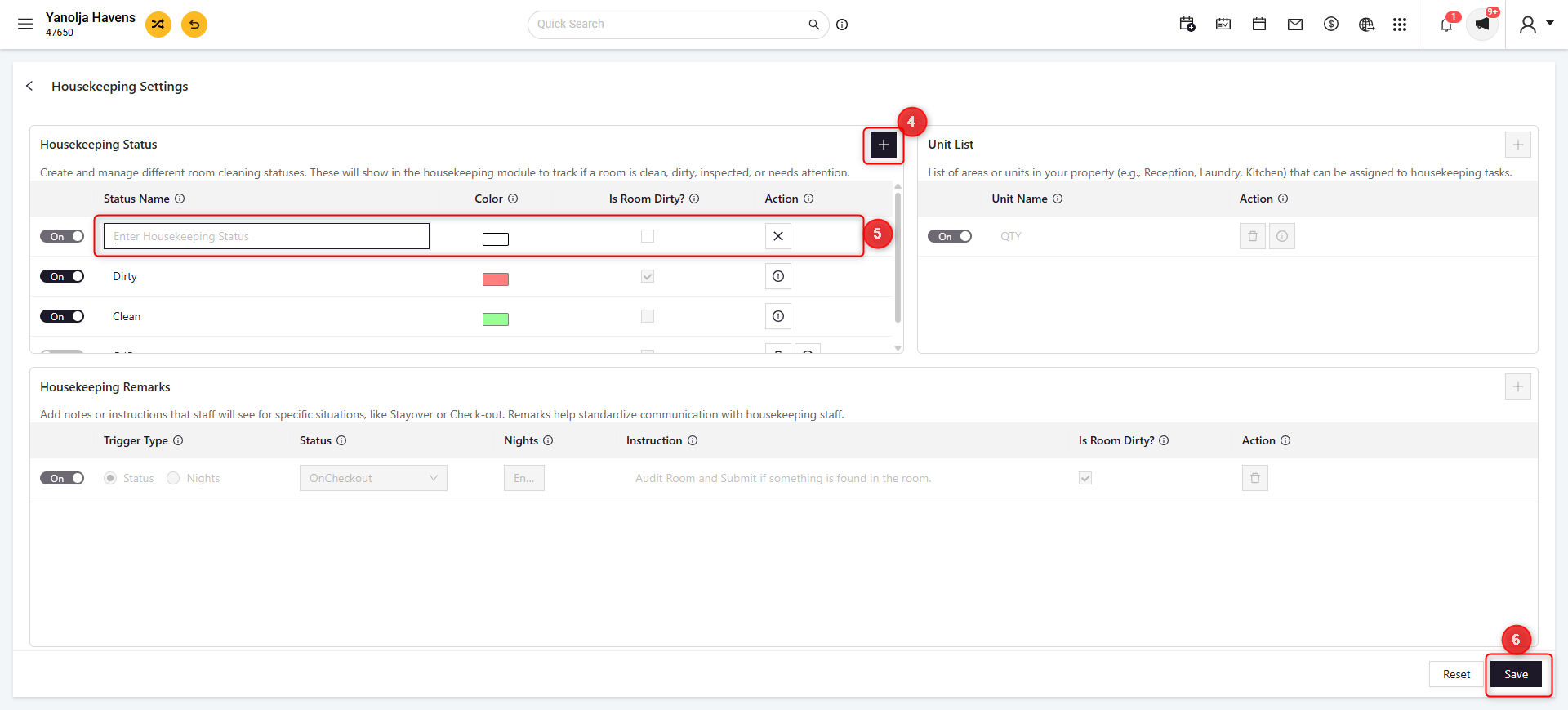
7. Click Save.
8. After Configuration you can update the room status by Click on the ☰ located in the upper left corner > Proceed to Housekeeping > House Status > Select Status.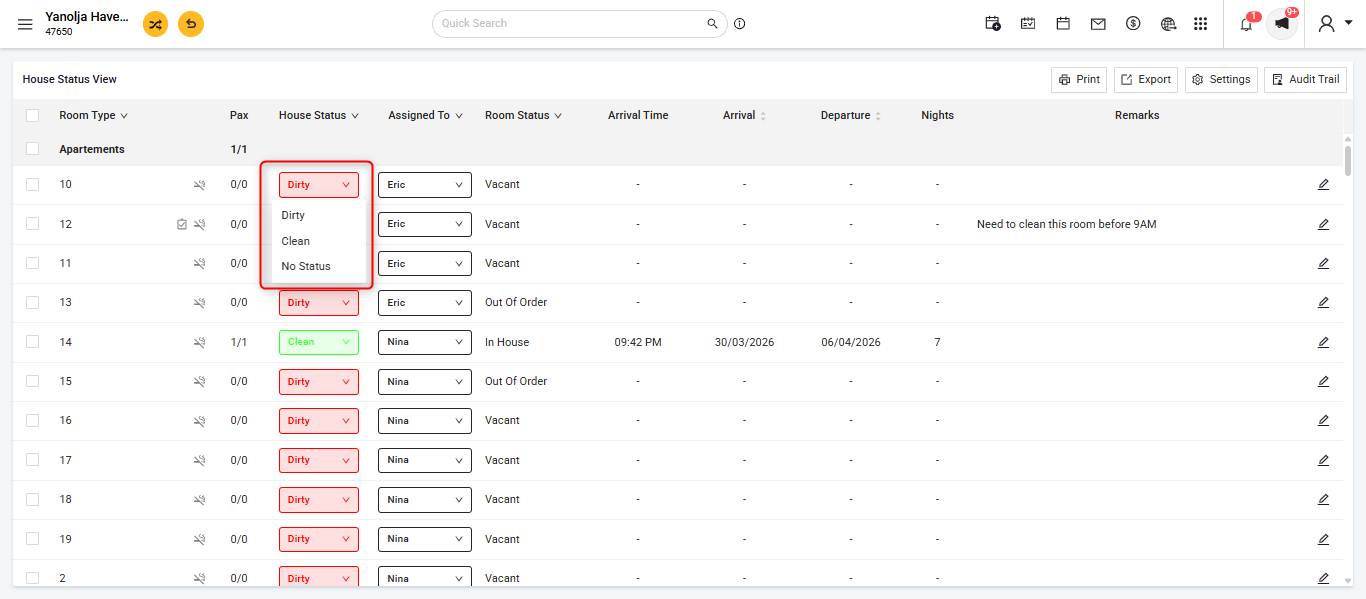
9. You can also update the house status on the stay view:
Was this article helpful?
That’s Great!
Thank you for your feedback
Sorry! We couldn't be helpful
Thank you for your feedback
Feedback sent
We appreciate your effort and will try to fix the article