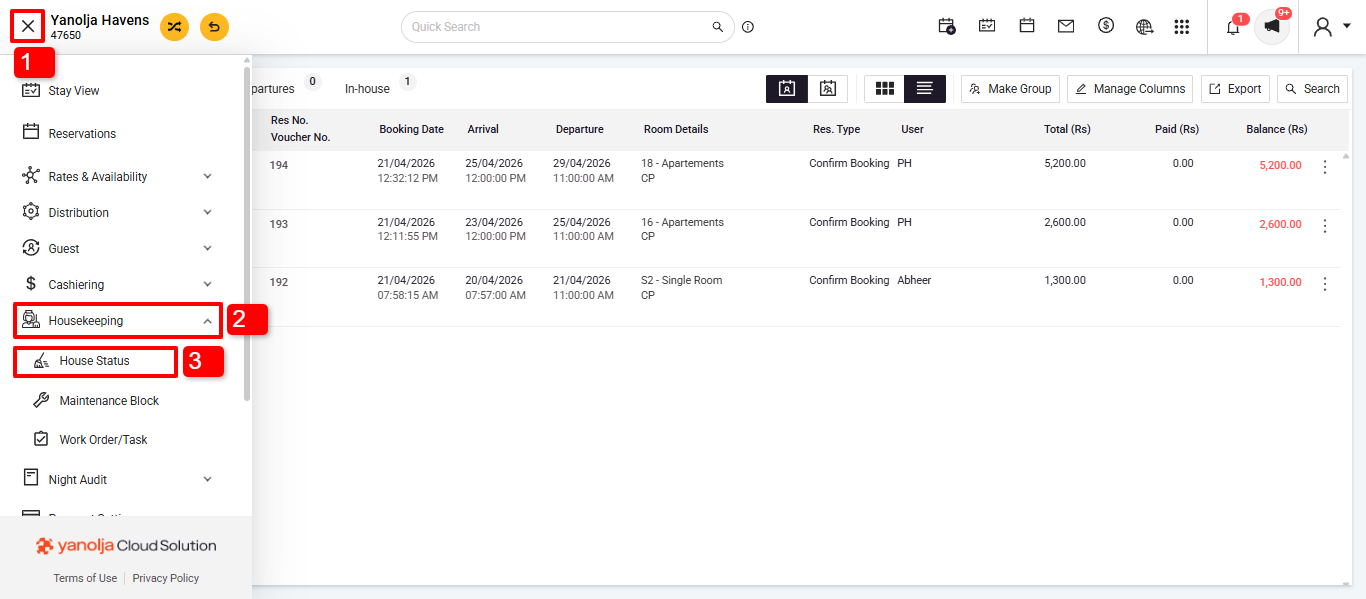
Go to Housekeeping Module:
1. Needs to click on the 3 lines.
2. Select Housekeeping
3. Select House Status Under House Keeping.
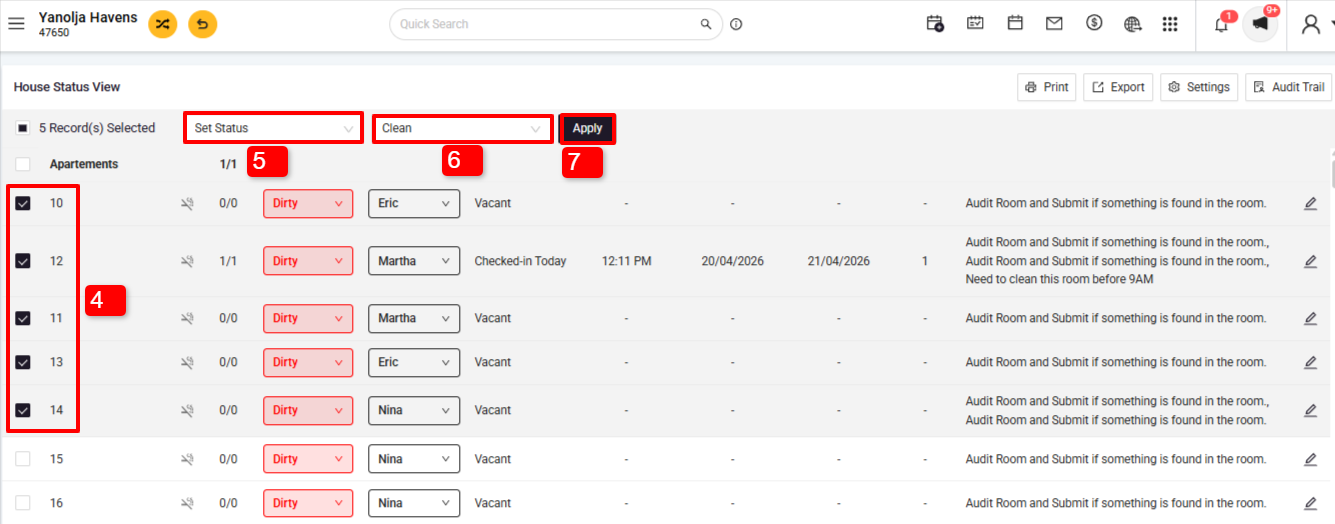
Select All Dirty Rooms:
4. Select Rooms in Bulk
5. Select Operation as Set Status
6. Select Status as Clean
7. Select on Apply
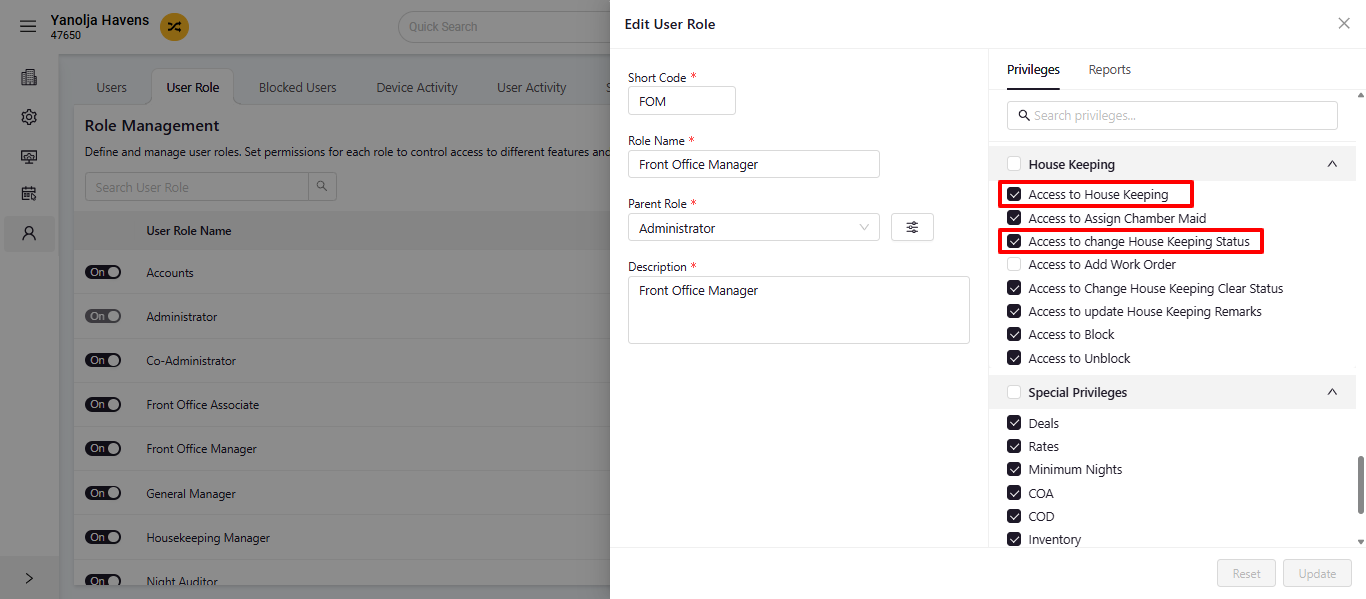
User privileges:
1.User configuration
2. Select User
3. Edit User Role
4. Privileges >> House keeping
5. Give Access to House Keeping and Access to change House Keeping Status
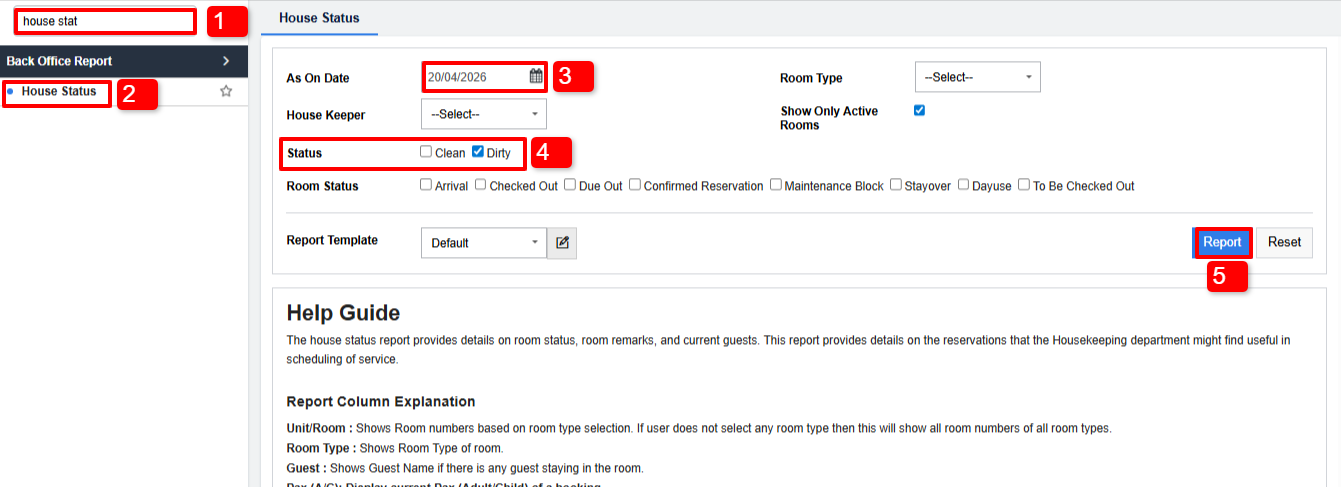
Report: We can refer to the “House Status” report in which we can see the status of the rooms.
Was this article helpful?
That’s Great!
Thank you for your feedback
Sorry! We couldn't be helpful
Thank you for your feedback
Feedback sent
We appreciate your effort and will try to fix the article