This article explains how to create a housekeeper from the Property Management Software (PMS) under Yanolja Cloud Solution.
- Creating a housekeeper user
- Assigning required details and access
- Logging in to the Housekeeping Mobile App
- Viewing and managing assigned rooms/tasks
1. Creating a housekeeper:-
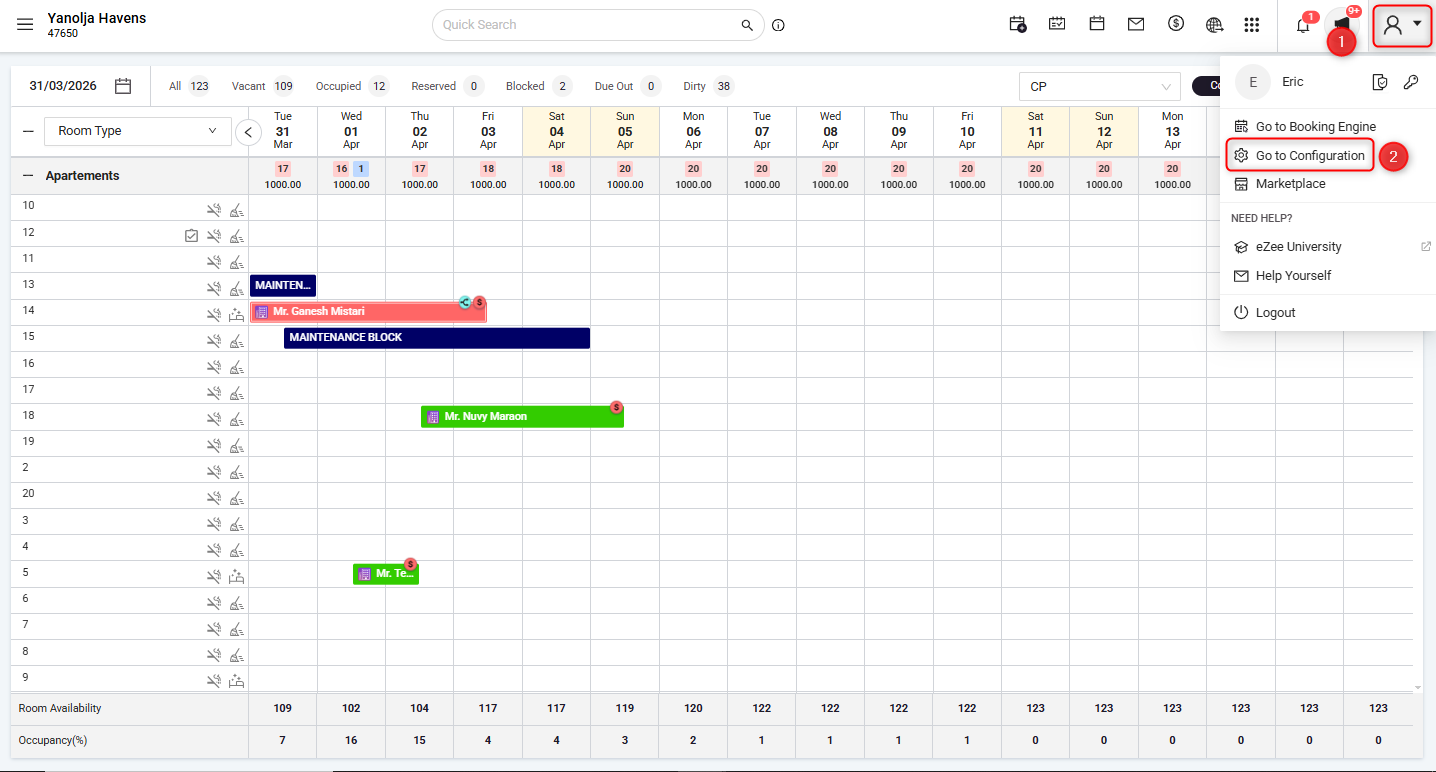
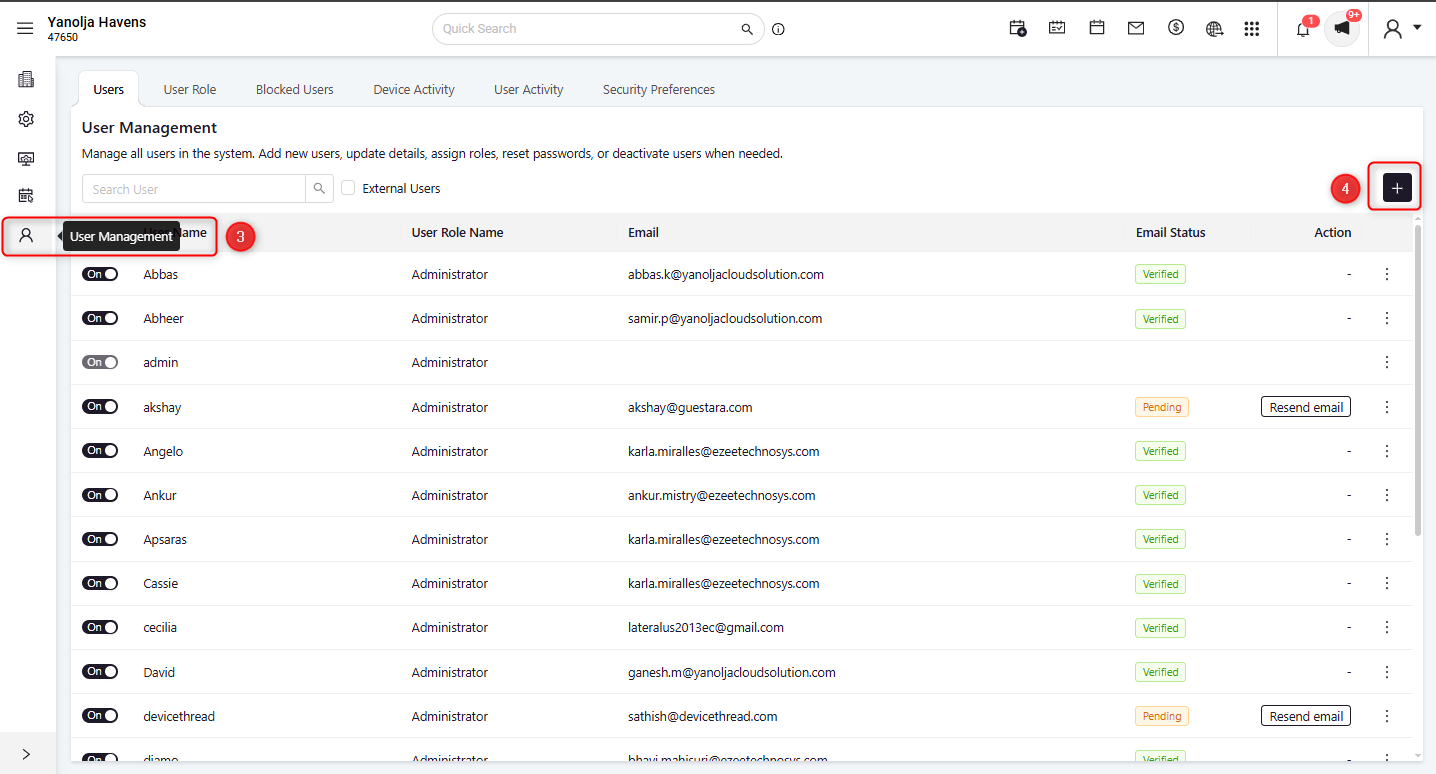
How to access-
Go to: Profile Icon → Go to Configuration → User Management → Click “+” (Add User)
How it works-
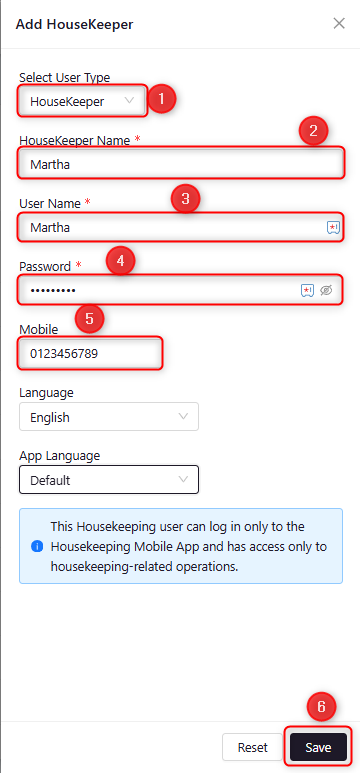
Follow the steps below to create a housekeeper:
- Select User Type as Housekeeper
- Enter Housekeeper Name
- Enter User Name
- Set a Password
- Enter Mobile Number
- Click Save
Once created, the housekeeper can log in to the Housekeeping Mobile App and perform housekeeping-related tasks.
2. Login into the Housekeeper App:
How it works-
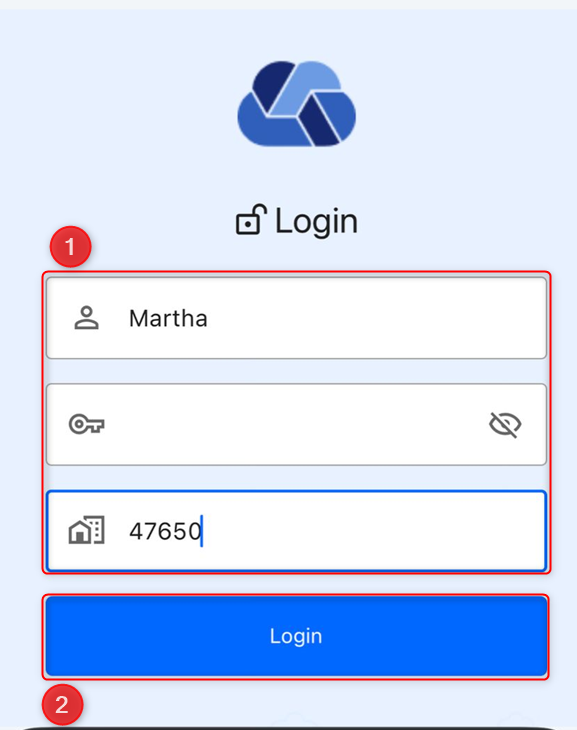
Follow the steps below to log in to the Housekeeping Mobile App:
- Enter User Name
- Enter Password
- Enter Property Code
- Tap on Login
After Login-
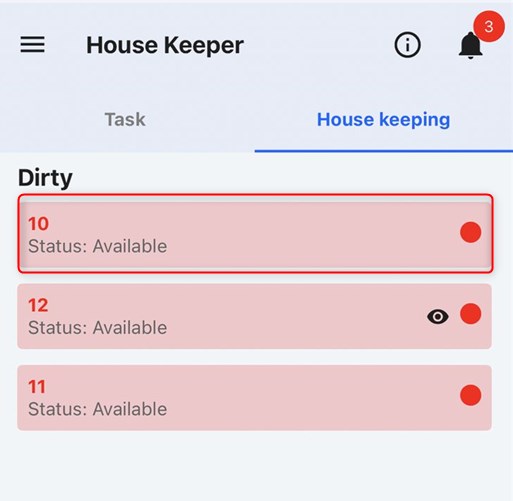
Once logged in, the housekeeper can view assigned tasks and room status.
- Rooms are displayed based on their status (e.g., Dirty)
- Assigned rooms are visible with current status (e.g., Available)
- Housekeepers can start updating room status directly from the app
Was this article helpful?
That’s Great!
Thank you for your feedback
Sorry! We couldn't be helpful
Thank you for your feedback
Feedback sent
We appreciate your effort and will try to fix the article