This article explains how to configure a Unit/Space for Housekeeping department in Property Management Software (PMS) under Yanolja Cloud Solution.
Steps to set up a Unit/Space for Housekeeping department:
Log in to Property Management Software (PMS).
1. Click on the ☰ menu located in the upper left corner.
2. Proceed to Housekeeping > House Status.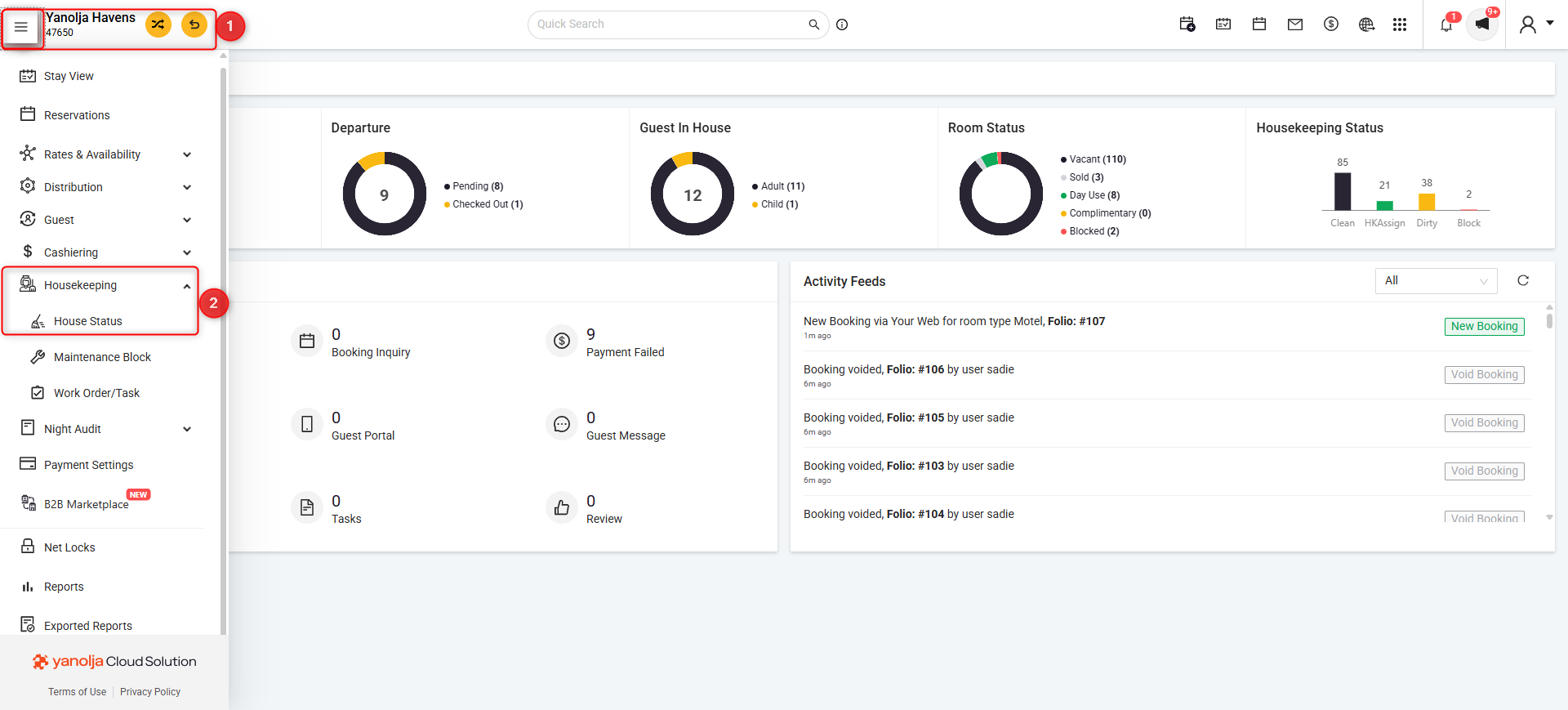
3. Click on Settings.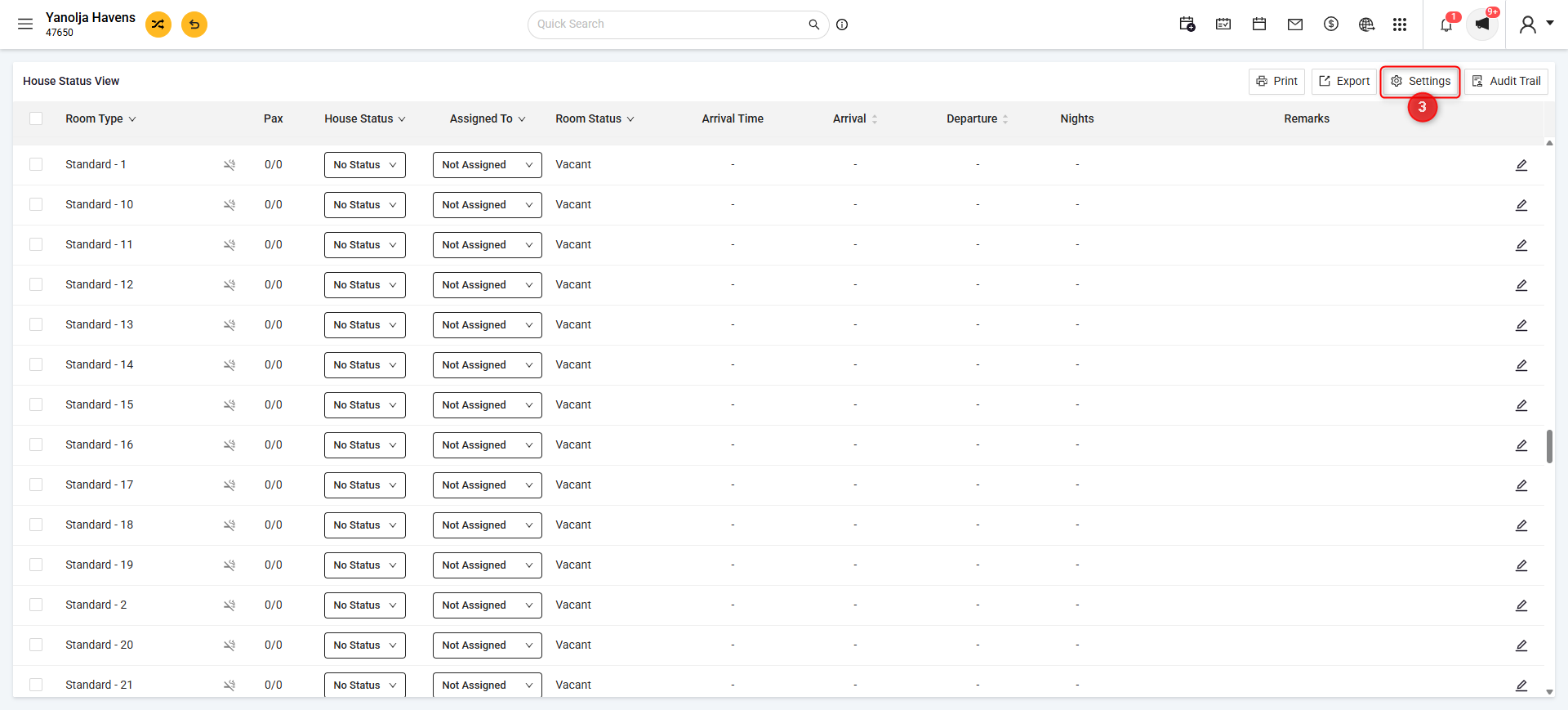
4. Click on the + icon next to Unit List
5. Enter the Unit Name (e.g. Cafeteria, Gym). 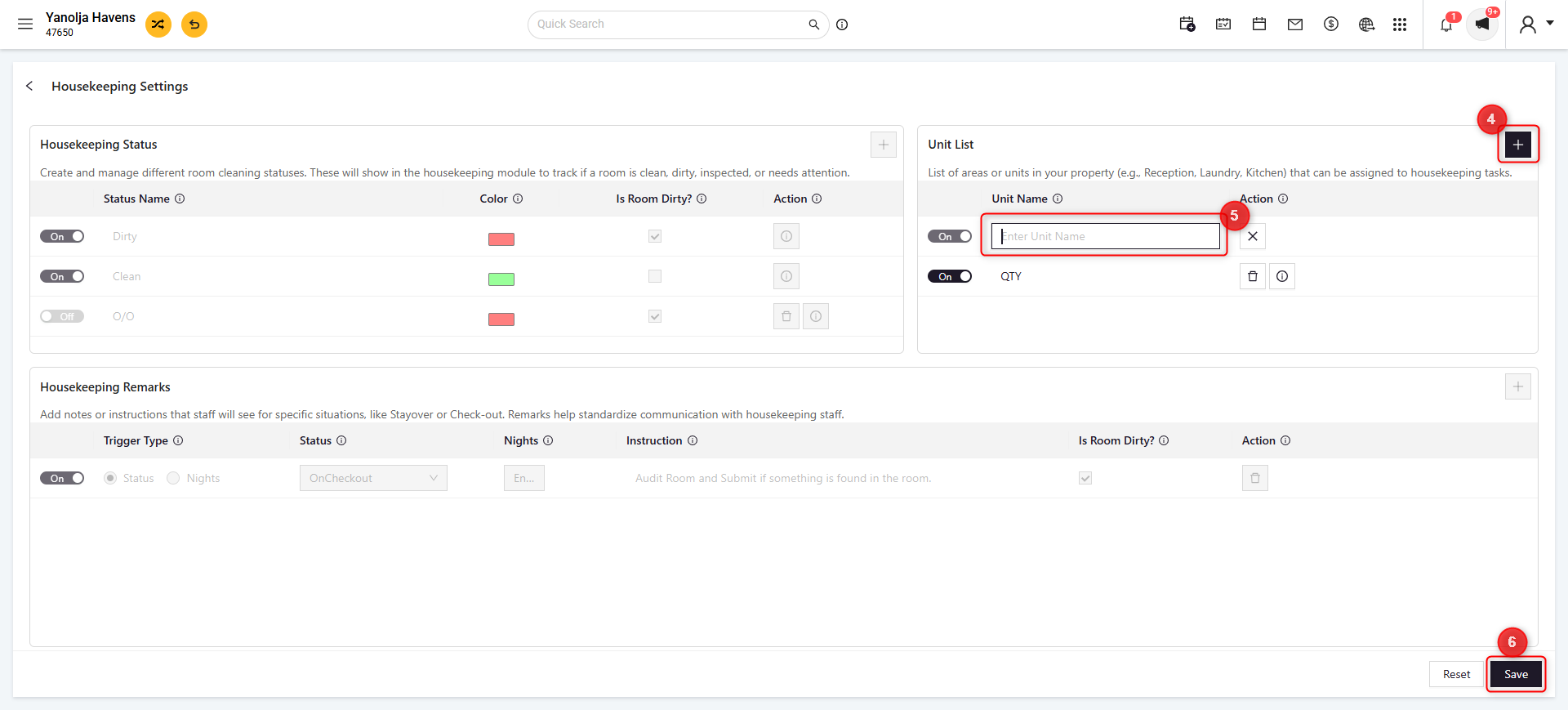
6. Click on Save.
7. Once saved, you can add the remark for housekeeper by clicking on the ☰ menu located in the upper-left corner, then navigating to Housekeeping > House Status > Select Unit > Select House Status > Assign House keeper.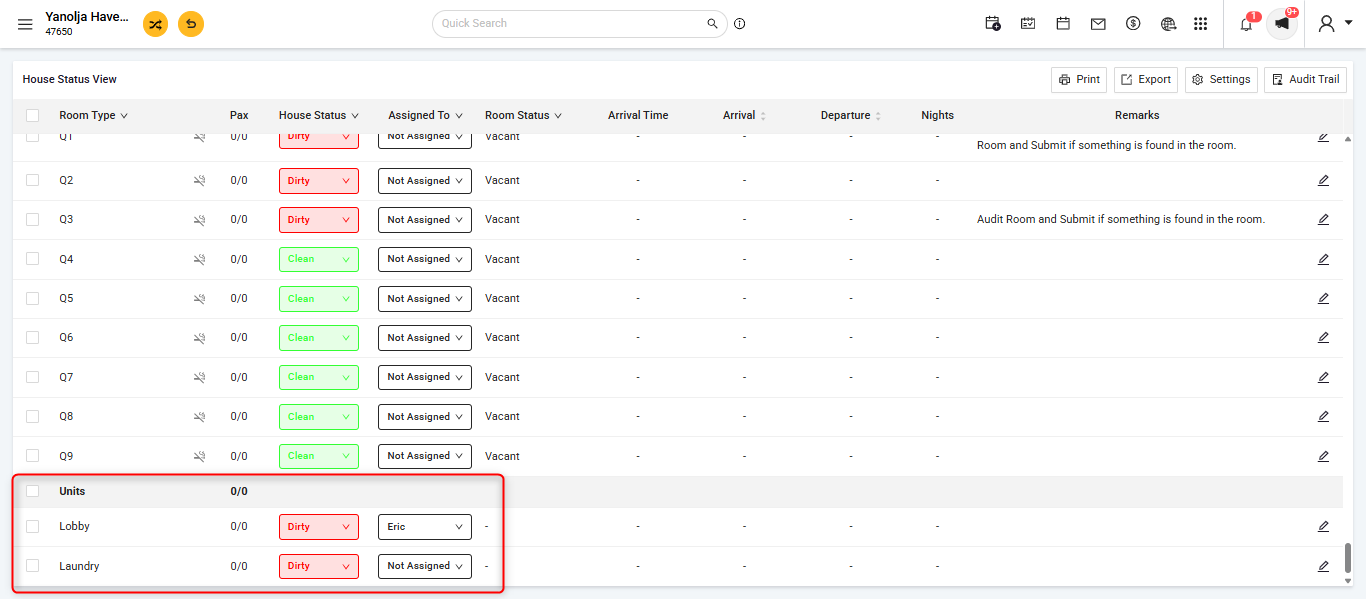
Was this article helpful?
That’s Great!
Thank you for your feedback
Sorry! We couldn't be helpful
Thank you for your feedback
Feedback sent
We appreciate your effort and will try to fix the article