To manage your transportation options (e.g., Taxis, Shuttles, or Private Cars), follow these steps within the configuration panel:
Access the Configuration Settings:
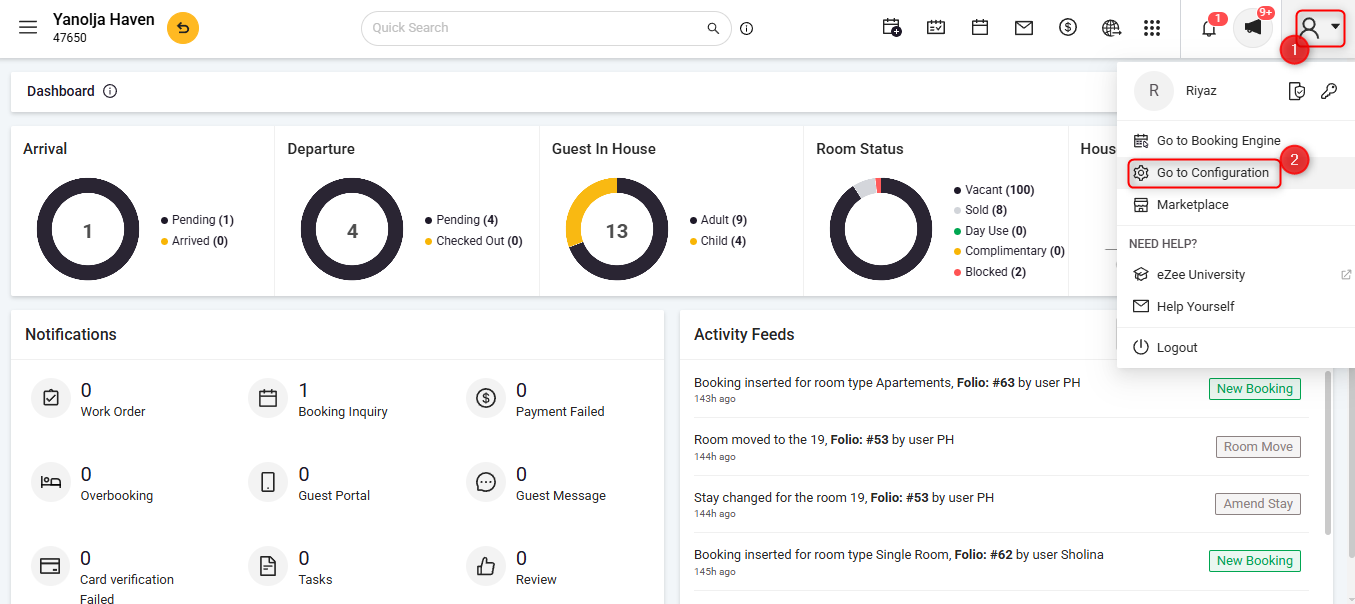
Click on the User Icon.
Select Go To Configuration.
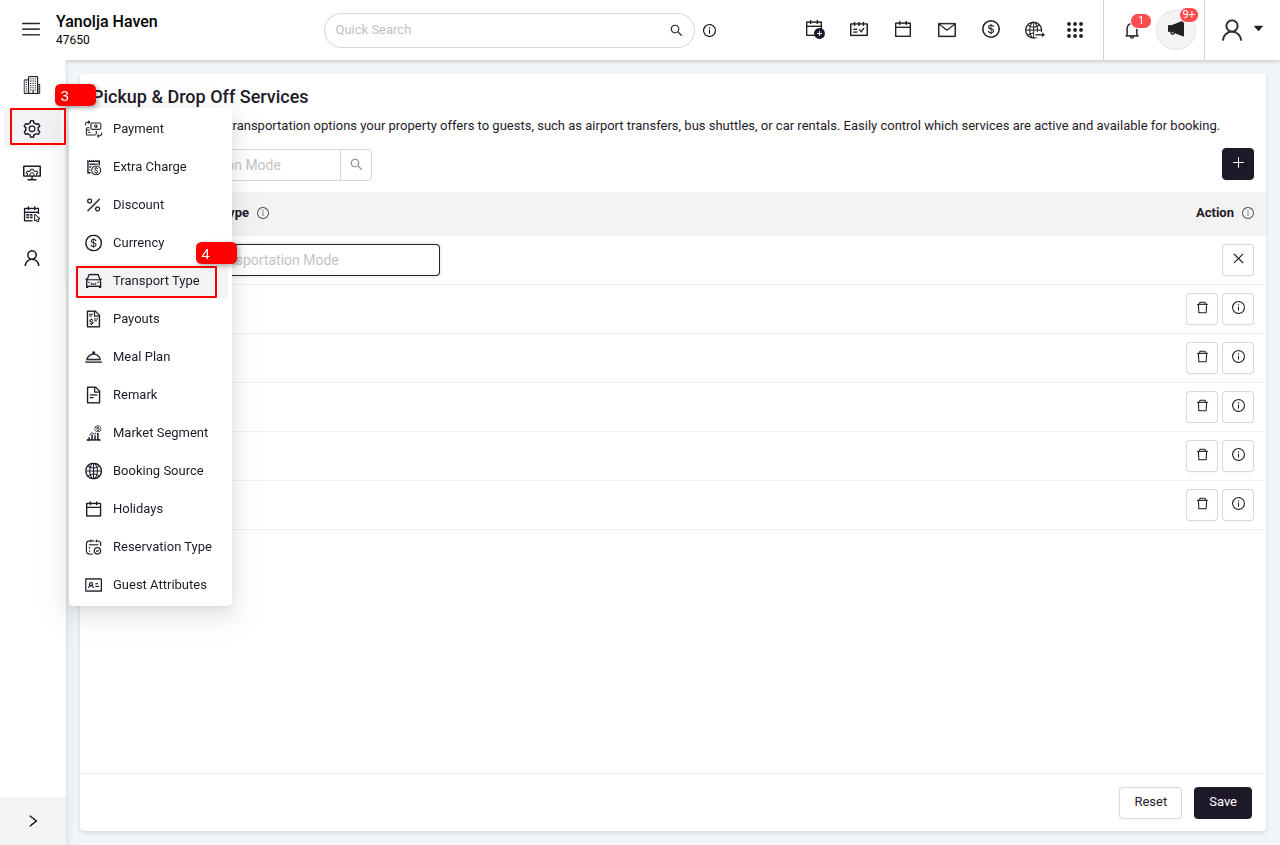
Click on the Menu.
Select Transportation Type.
Adding a New Mode:
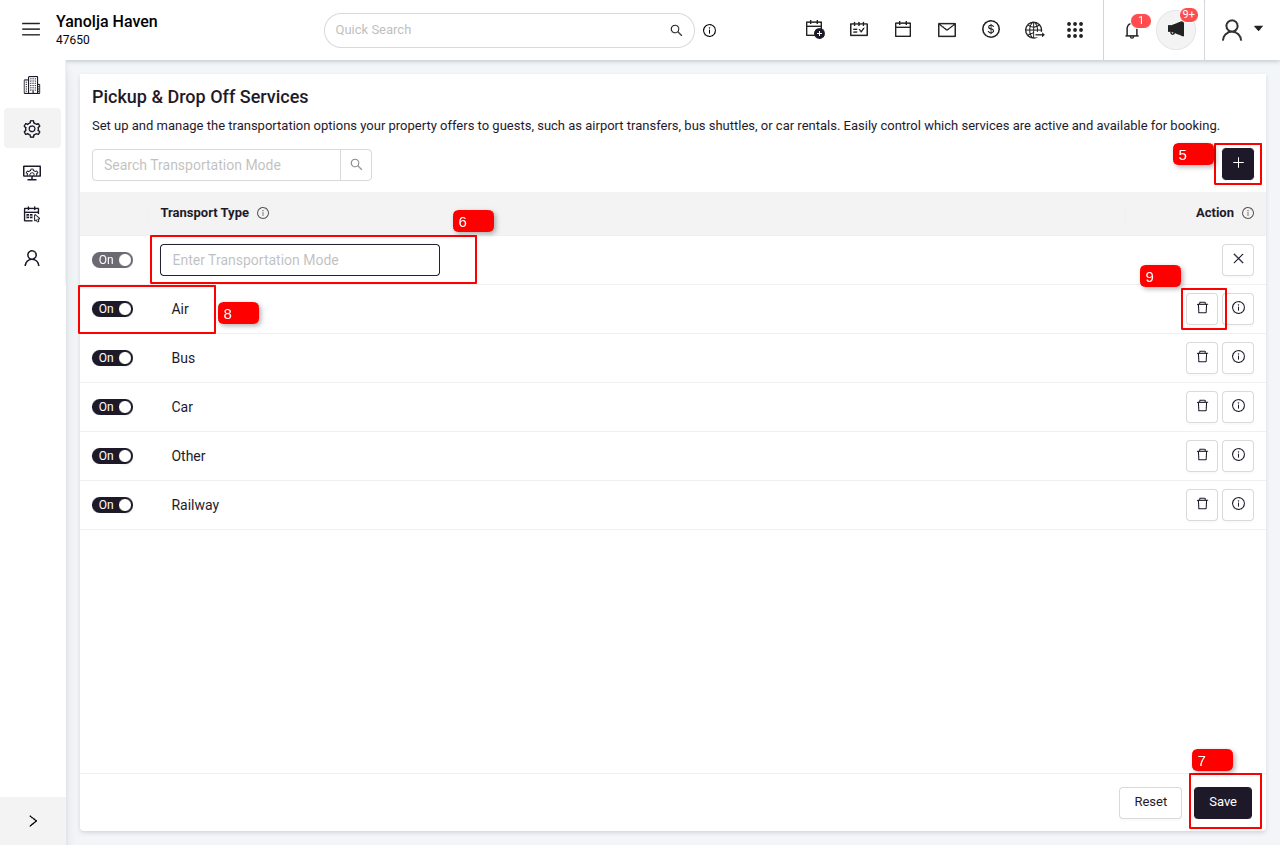
Click the Plus (+) Button located in the right-hand corner.
Enter the Mode Name (e.g., Taxi, Shuttle, Airport Pickup).
Click Save.
How to Edit or Delete:
To Modify: Select the existing mode, update the name, and click Save.
To Delete: Click the Delete icon next to the specific transportation mode.
Was this article helpful?
That’s Great!
Thank you for your feedback
Sorry! We couldn't be helpful
Thank you for your feedback
Feedback sent
We appreciate your effort and will try to fix the article