Overview
The Paid Outs (Pay Out Types) setting allows you to configure different payout categories that can be used to record expenses or payments made by the property, such as agent commissions, transportation charges, or miscellaneous expenses. You can also associate applicable taxes with each payout type.
Steps
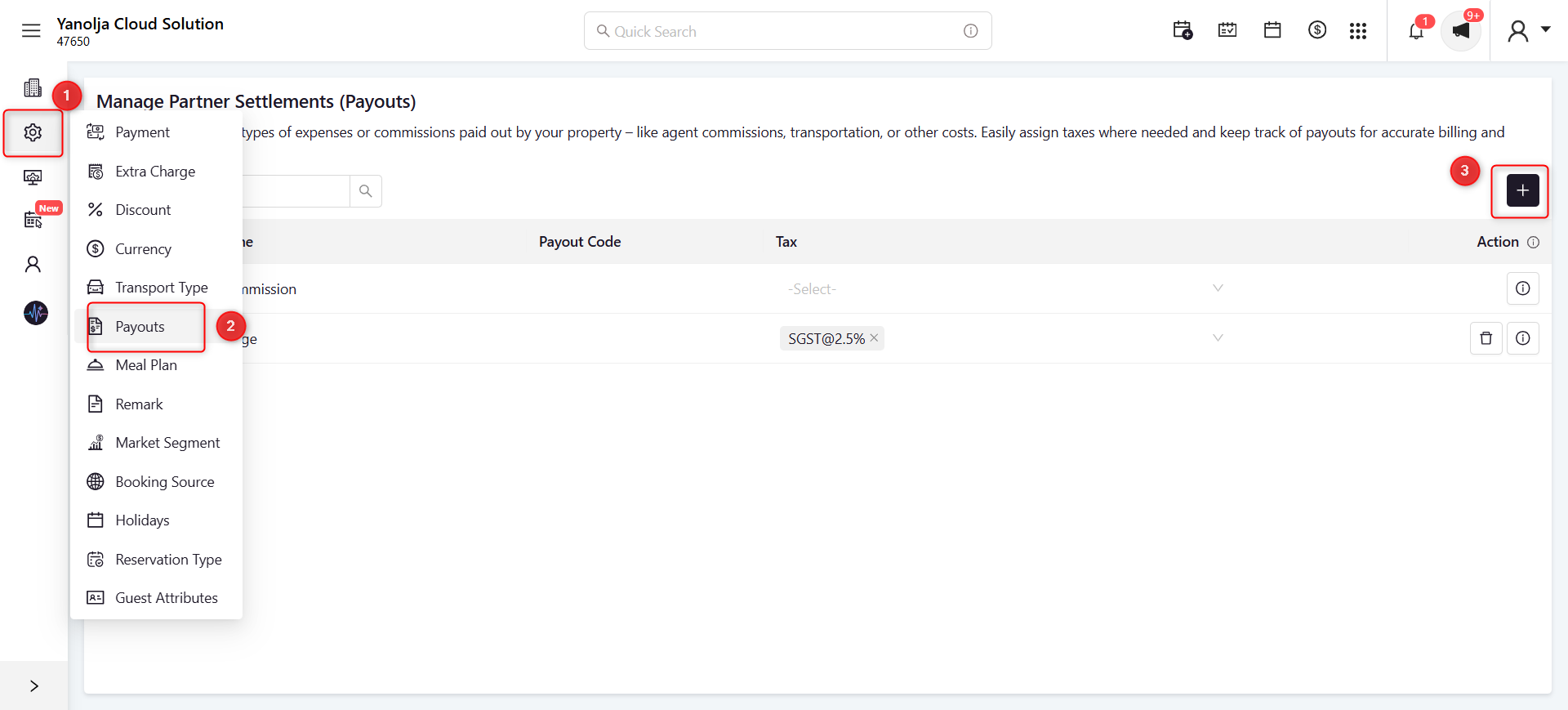
Step 1: Open the Paid Outs Configuration
- Go to Settings.
- Click Payouts.
- Click the + icon to create a new payout type.
Screenshot 1
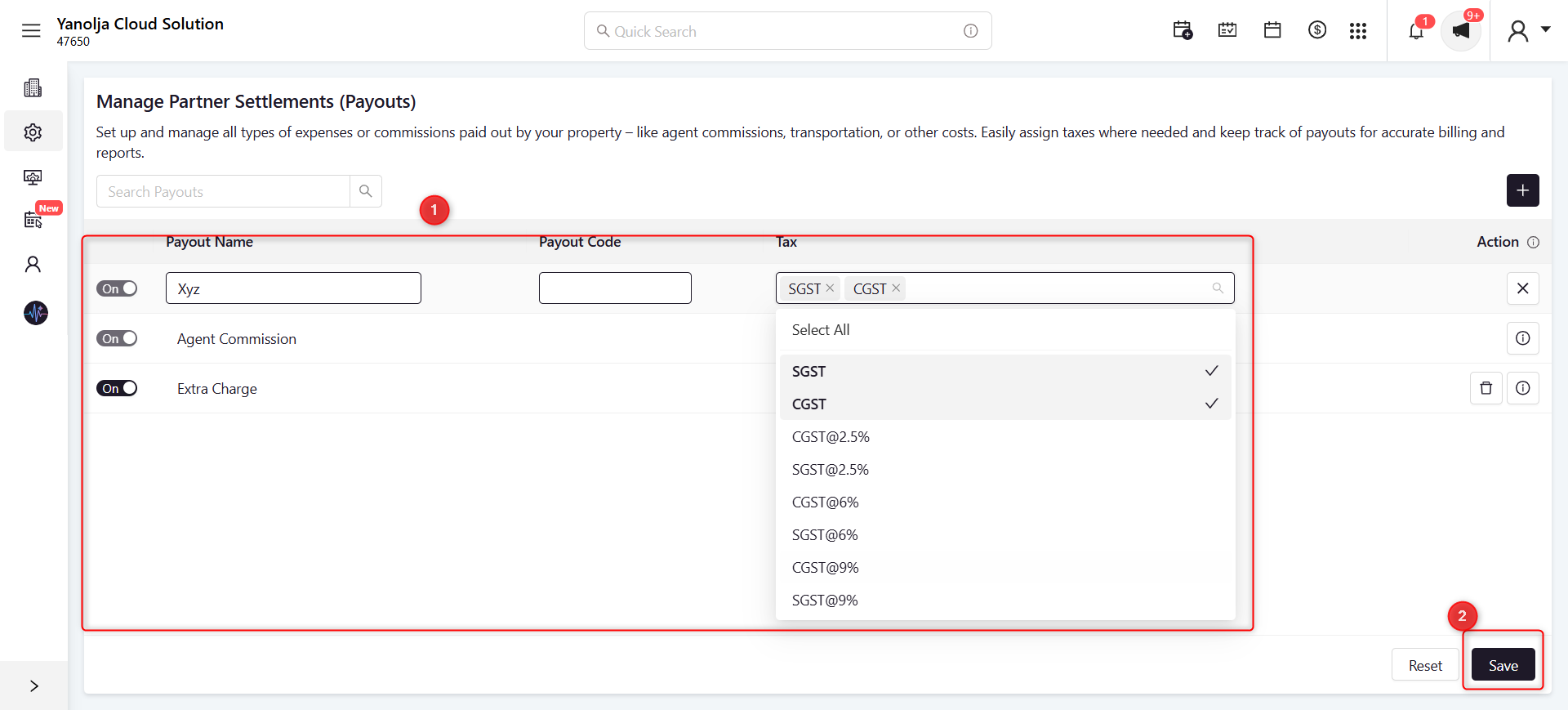
Step 2: Configure the Pay Out Type
- Enter the Payout Name.
- (Optional) Enter the Payout Code.
- Select the applicable Tax.
- Ensure the payout type is Enabled (On).
- Click Save.
Screenshot 2
Was this article helpful?
That’s Great!
Thank you for your feedback
Sorry! We couldn't be helpful
Thank you for your feedback
Feedback sent
We appreciate your effort and will try to fix the article