This article explains how to modify an existing credit card authorization in the Property Management System (PMS) under Yanolja Cloud Solution.
Modify an Existing Credit Card Authorization
If the reservation amount changes or additional funds need to be secured, you can modify the existing authorization.
Follow the steps below:
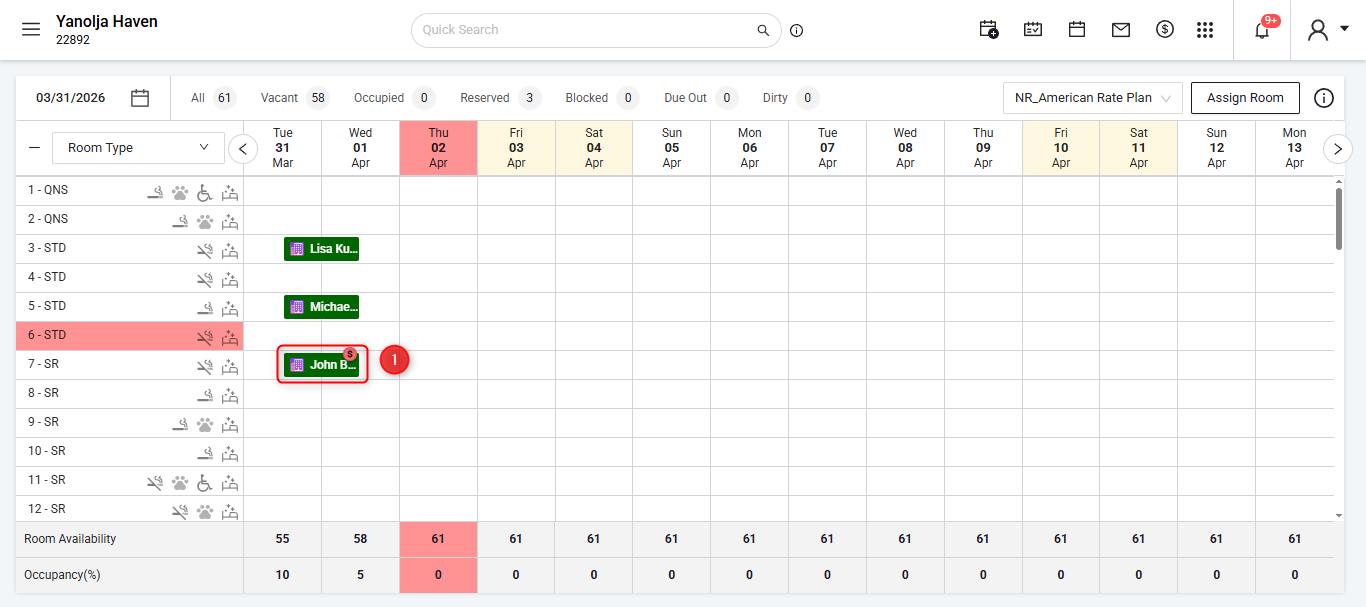
Open the reservation.
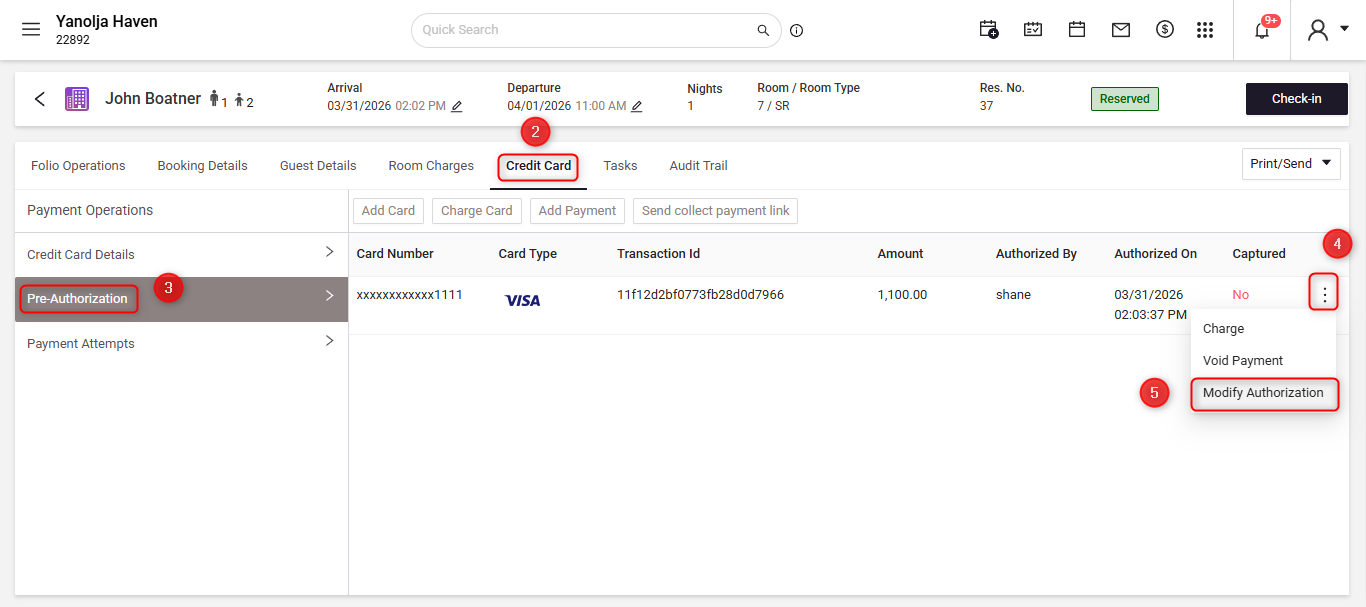
Navigate to the Credit Card section.
Select the Preauthorizations tab.
Click the three dots (⋯) next to the authorization.
Select Modify.
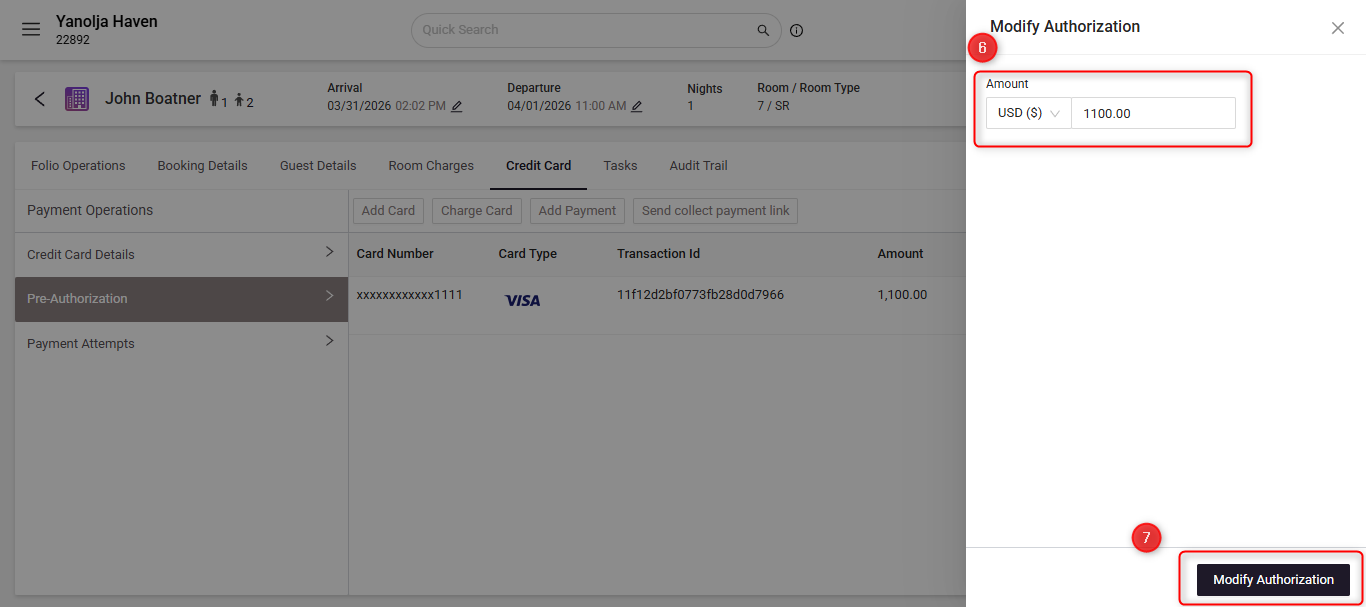
A modification window will open:
Enter the new authorization amount.
Click Modify Authorization.
The system will process an additional authorization for the difference amount.
Example:
If an authorization of $1100 already exists and you modify it to $1200, the system will authorize an additional $100, making the total authorization $1200.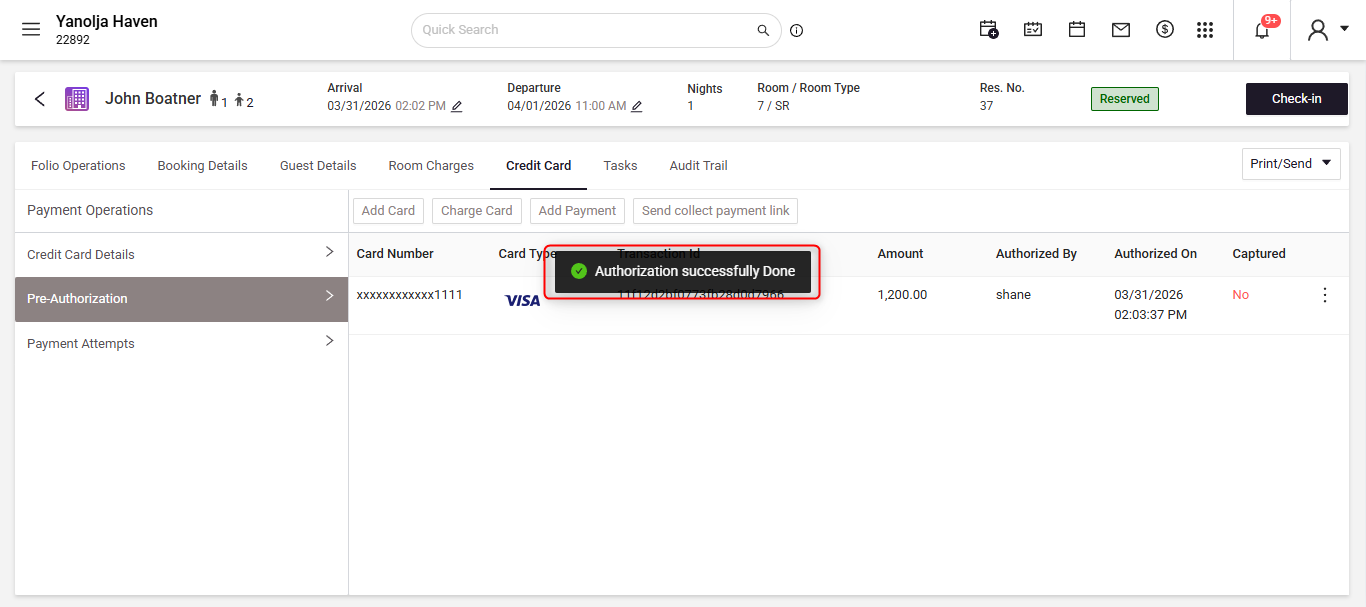
Was this article helpful?
That’s Great!
Thank you for your feedback
Sorry! We couldn't be helpful
Thank you for your feedback
Feedback sent
We appreciate your effort and will try to fix the article