Overview
The Room Charge Posting feature allows you to manually post Cancellation Charges to a reservation folio. This is useful when a guest cancels a reservation and the property needs to charge a cancellation fee as per its cancellation policy.
Steps
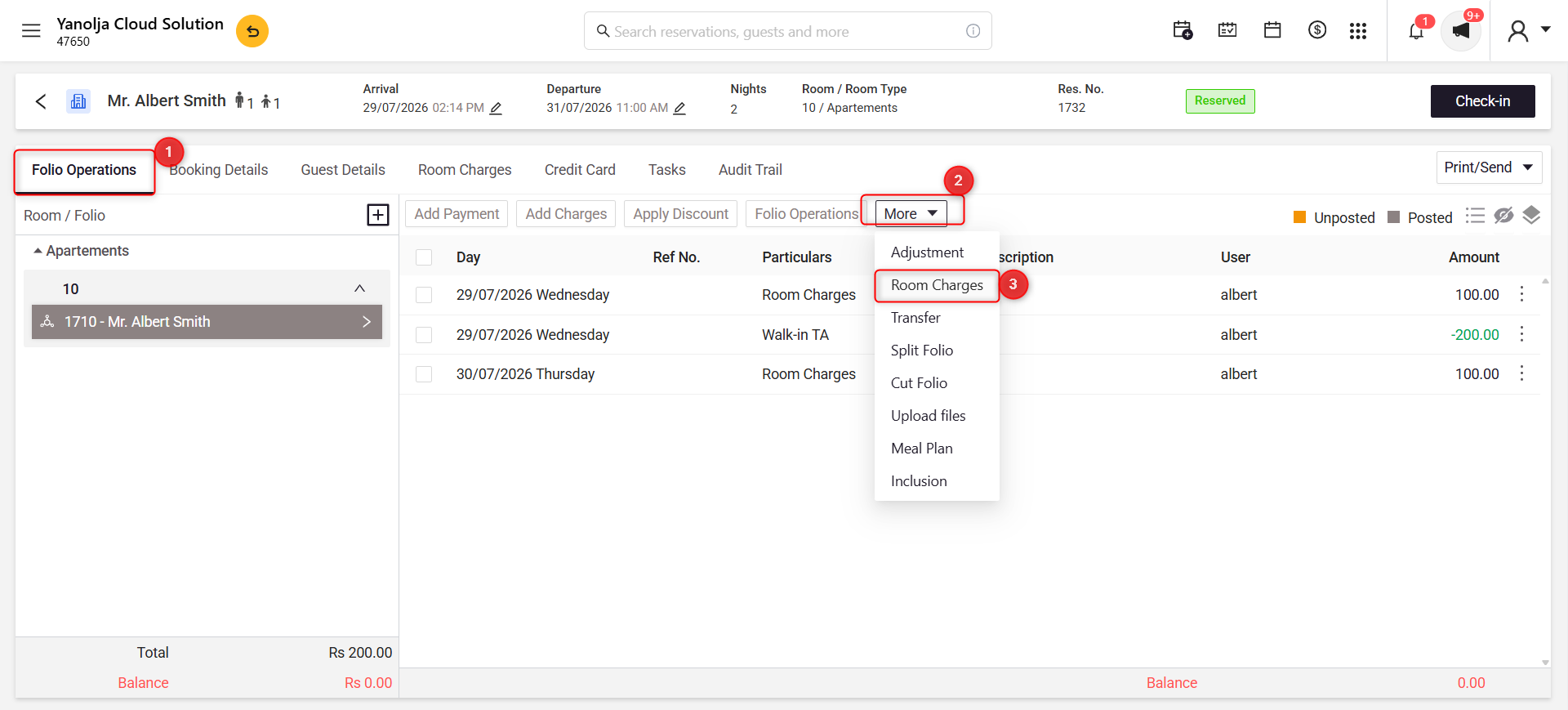
Step 1: Open the Room Charge Posting Window
- Open the required reservation.
- Go to the Folio Operations tab.
- Click More.
- Select Room Charges.
Screenshot 1
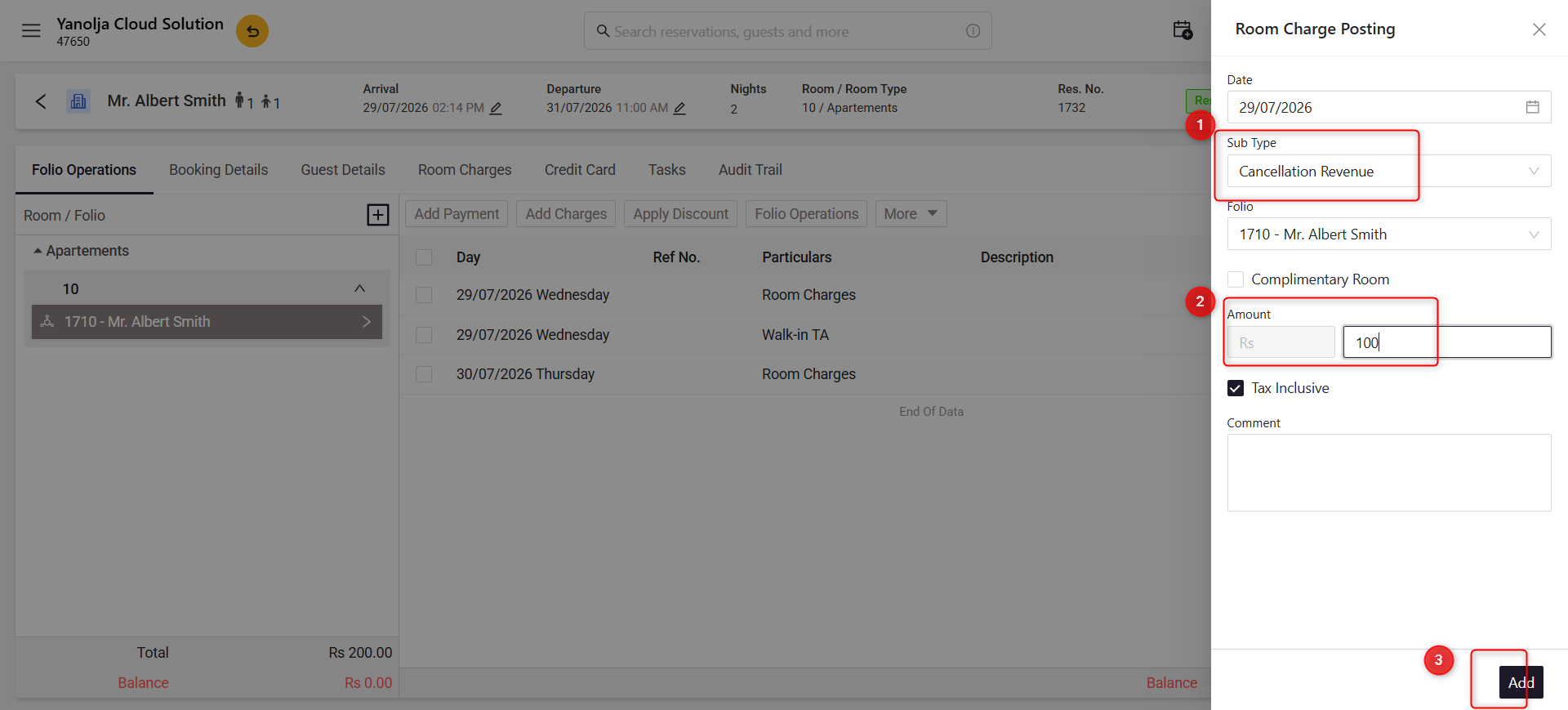
Step 2: Post the Cancellation Charge
- Select Cancellation Revenue from the Sub Type dropdown.
- Verify the Folio.
- Enter the Cancellation Charge Amount.
- (Optional) Enable or disable Tax Inclusive as required.
- (Optional) Add a comment for reference.
- Click Add to post the cancellation charge.
Screenshot 2
Was this article helpful?
That’s Great!
Thank you for your feedback
Sorry! We couldn't be helpful
Thank you for your feedback
Feedback sent
We appreciate your effort and will try to fix the article