Overview
The Manual Adjustment (Round Off) feature allows you to manually increase or decrease the folio amount by posting an adjustment entry. This is useful for rounding the final payable amount as per your property's billing policy.
Prerequisite: Before adding a manual adjustment, ensure that the Round-Off Type is configured as Manual in General Settings.
Steps
Step 1: Configure Manual Round-Off
- Go to Settings.
- Click General Settings.
- Open the Formats tab.
- Under the Round-Off section, select Manual as the Round-Off Type.
- Enter the required Round-Off Limit.
- Click Save.
Screenshot 1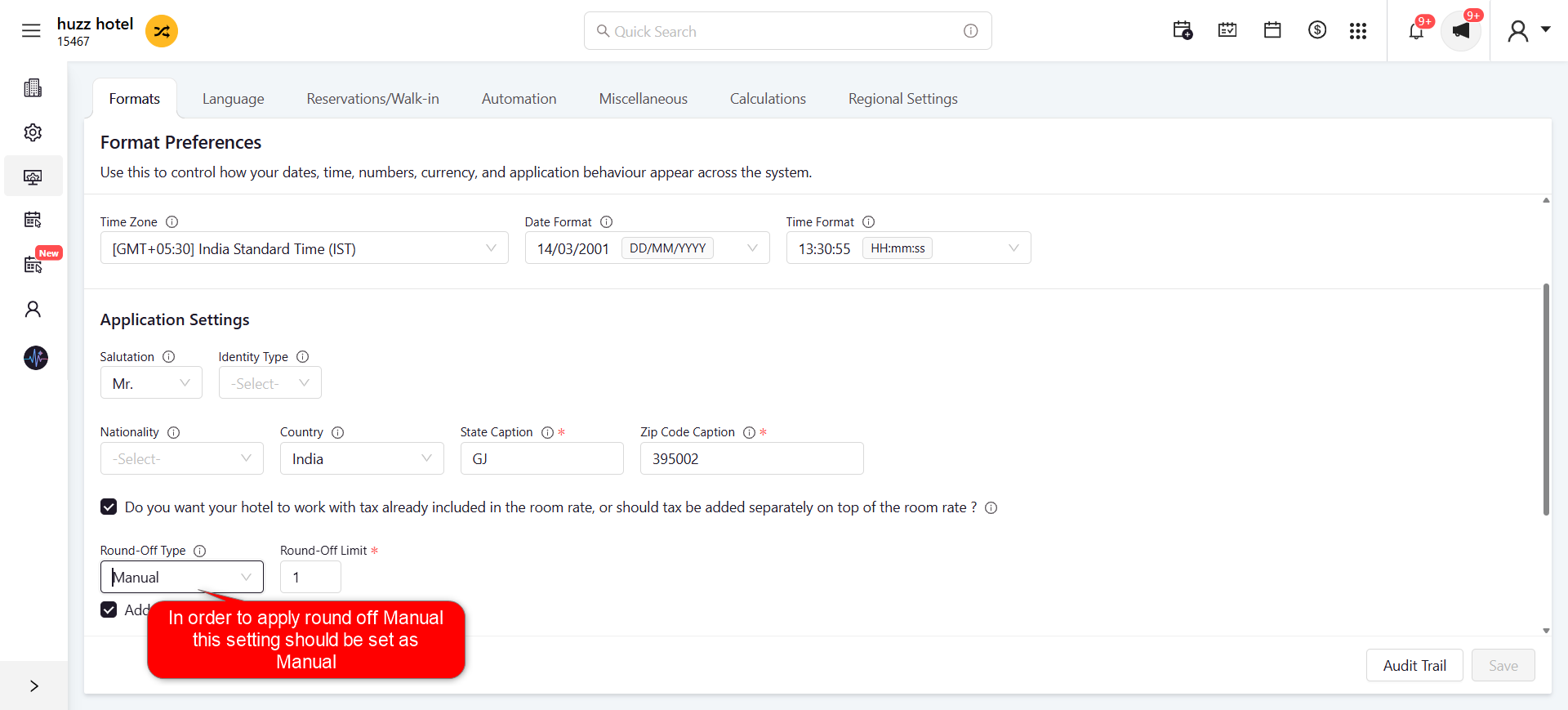
Step 2: Open the Adjustment Window
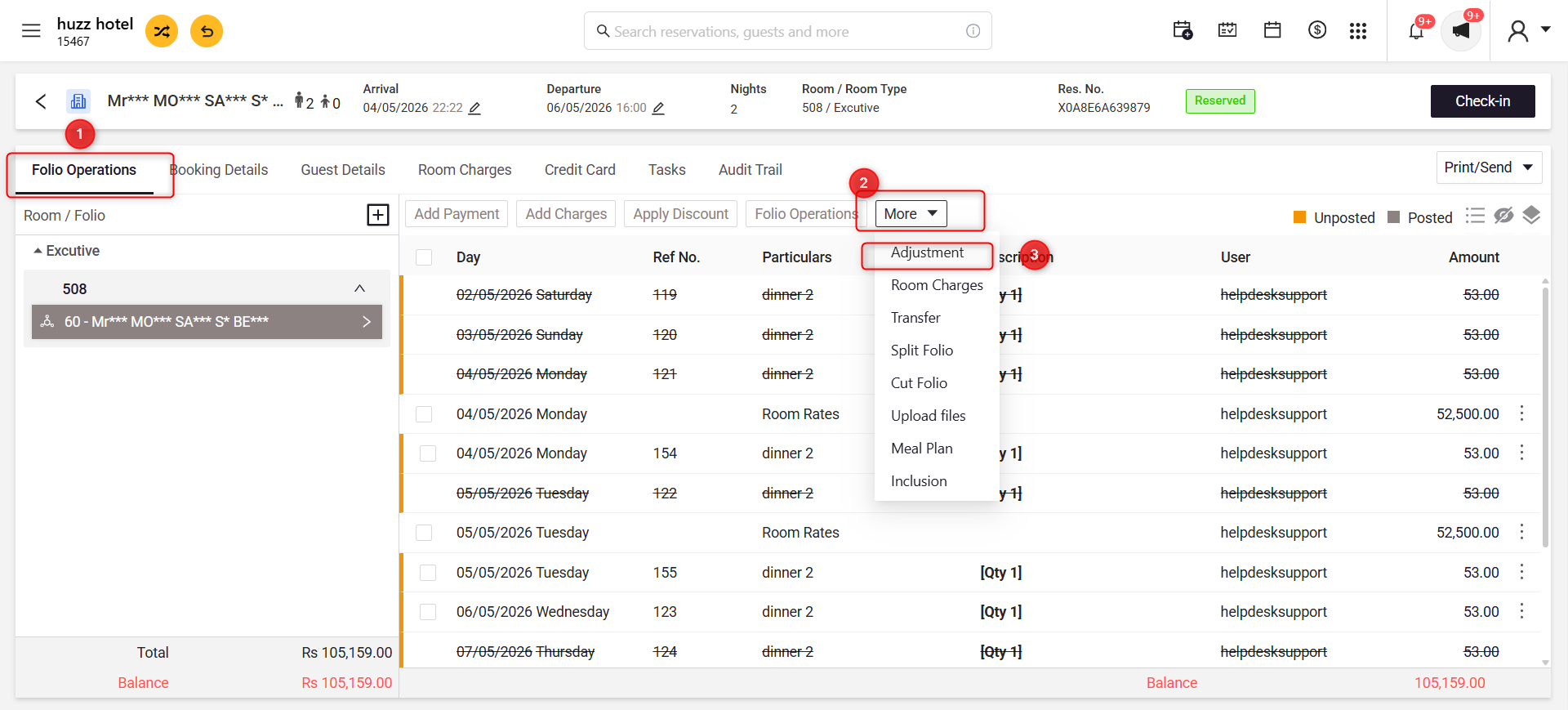
- Open the required reservation.
- Navigate to the Folio Operations tab.
- Click More.
- Select Adjustment.
Screenshot 2
Step 3: Add the Manual Round-Off
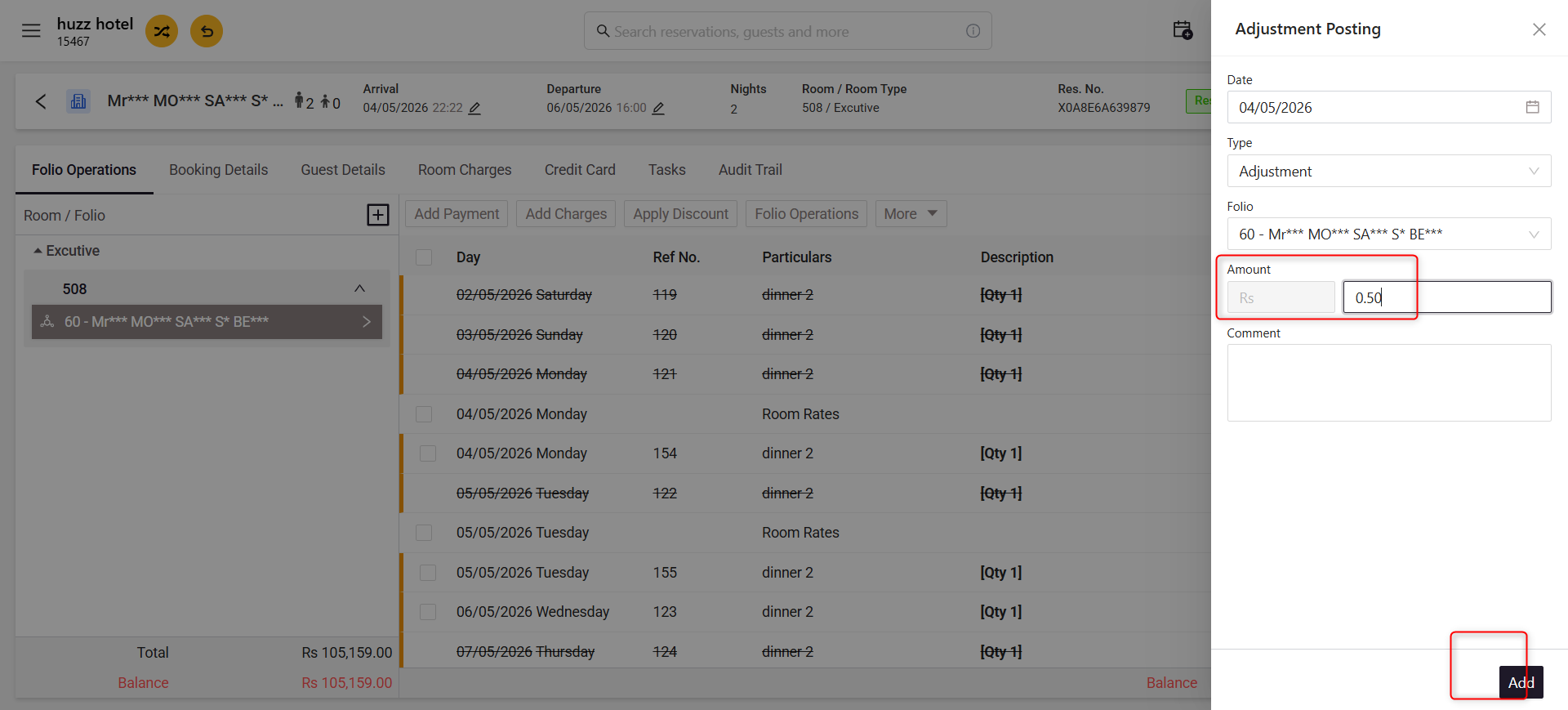
- Verify the Date, Type, and Folio.
- Enter the required Round-Off Amount.
- (Optional) Enter a comment.
- Click Add to post the adjustment.
Screenshot 3
Was this article helpful?
That’s Great!
Thank you for your feedback
Sorry! We couldn't be helpful
Thank you for your feedback
Feedback sent
We appreciate your effort and will try to fix the article