Este artículo no está disponible en Spanish (Latin America); accede a la versión en English.
Steps to Add a Season
1. Go to Configuration Panel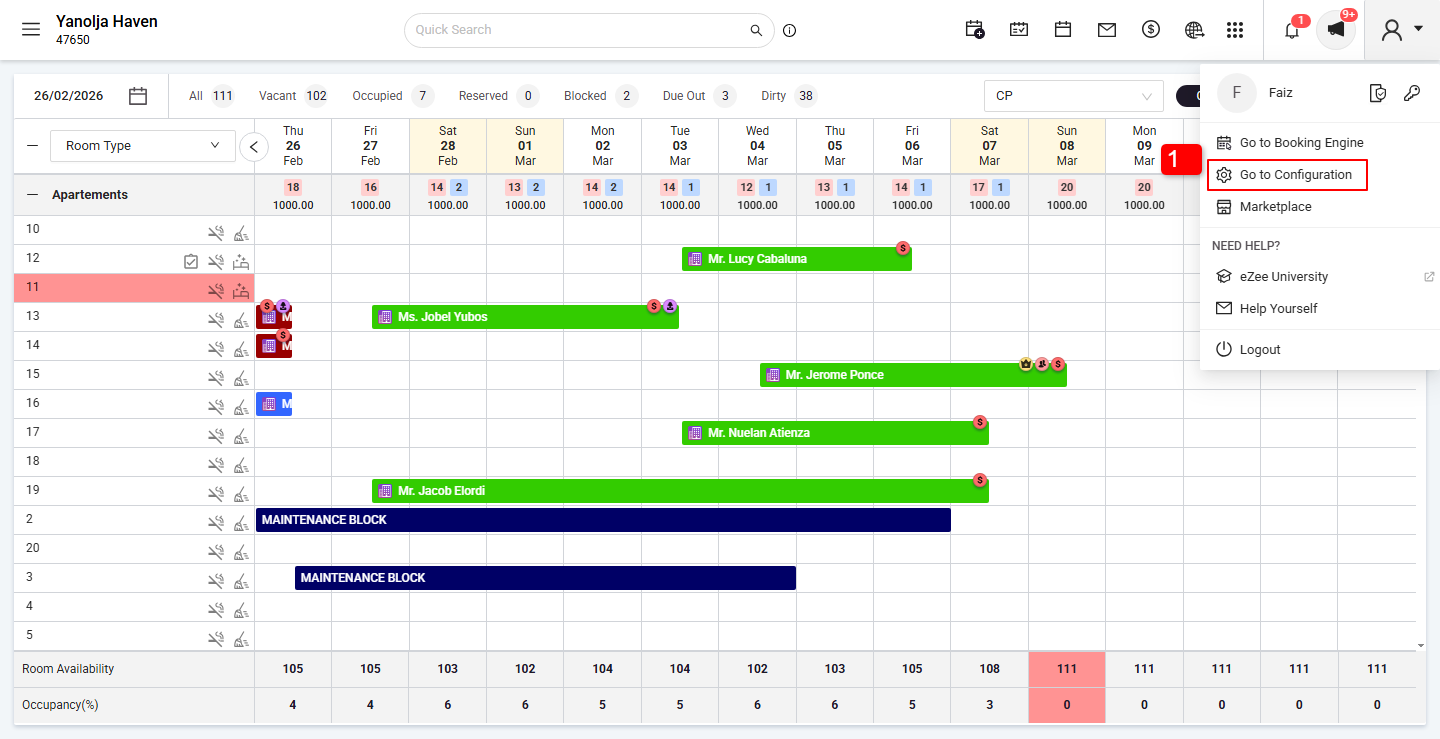
2. Click on the Settings option.
3. Click on Holidays.
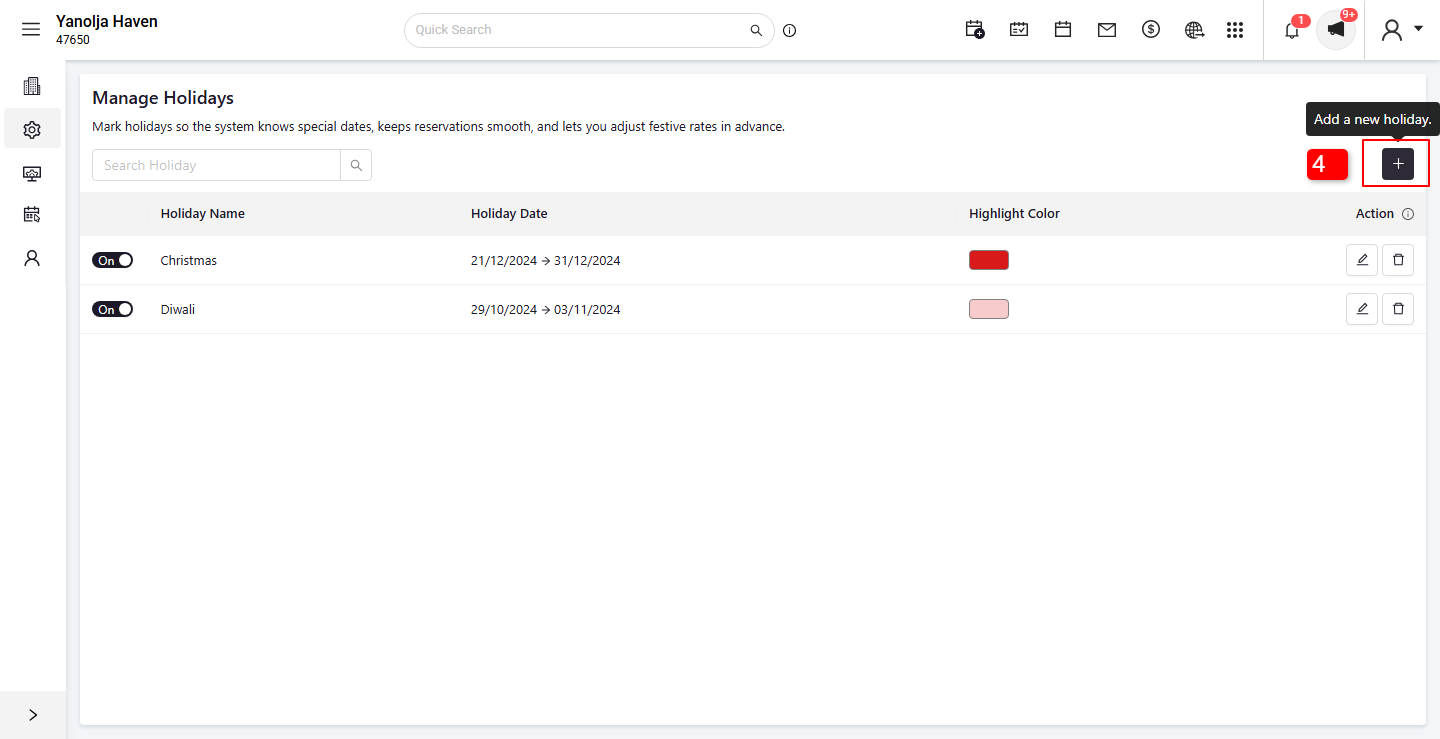
4. Click on the Plus (+) button to add a new holiday.
This will open the season creation form.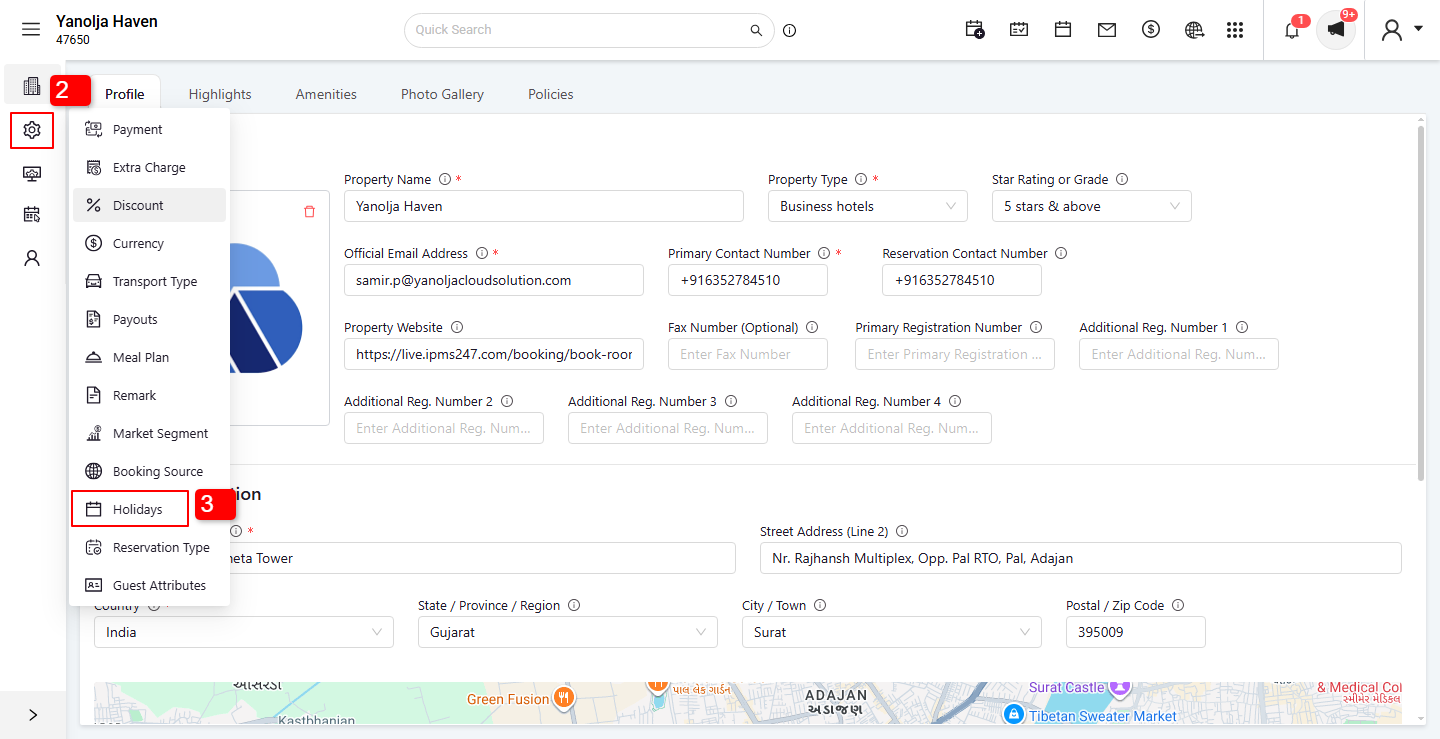
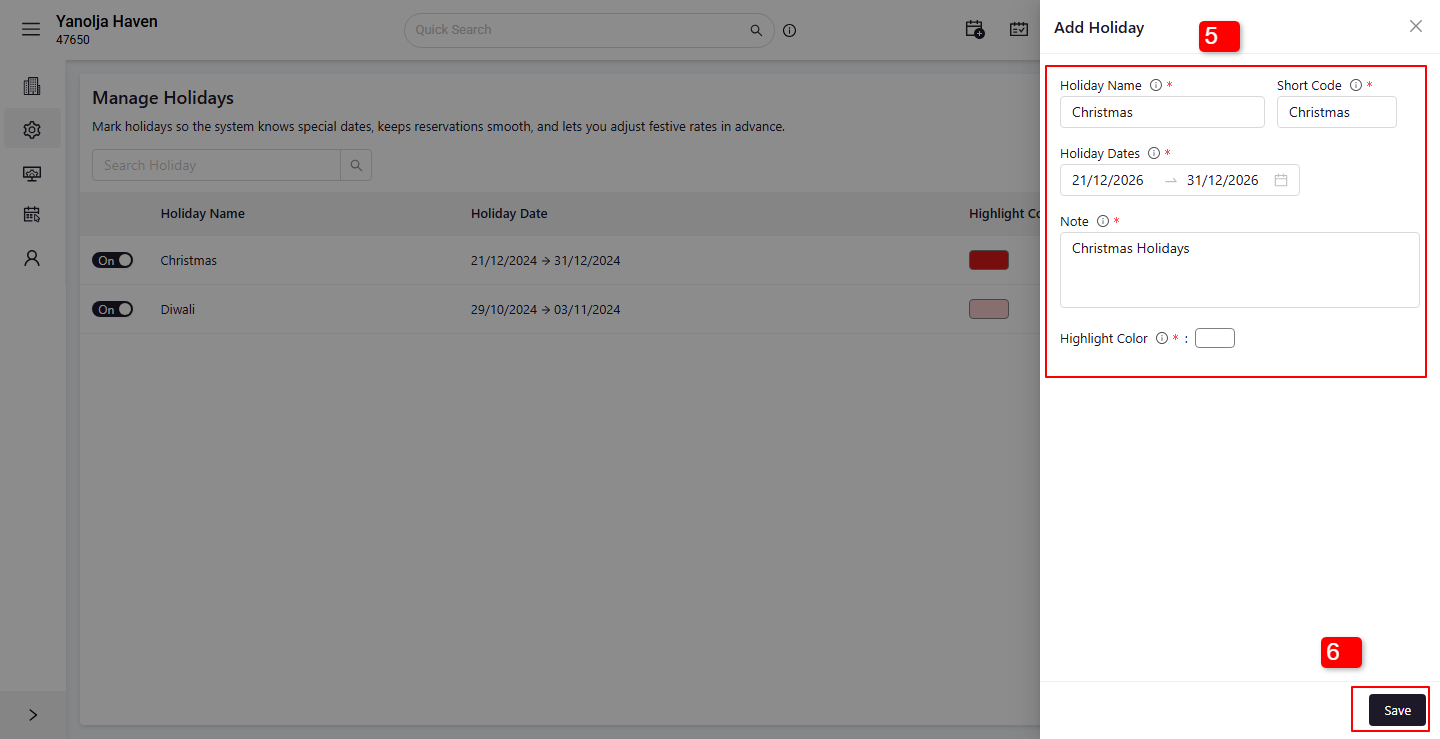
5. Enter Season Details
Season Name and short code (e.g., Peak Season, Off-Season)
Start Date and End Date(Day / Month)
Fill in any other required fields
6. Click Save
Your season will be created and available for use while defining seasonal rates.
Was this article helpful?
That’s Great!
Thank you for your feedback
Sorry! We couldn't be helpful
Thank you for your feedback
Feedback sent
We appreciate your effort and will try to fix the article