The Split Payment method allows customers to pay a bill using multiple payment methods, such as Cash, Credit Card, Online Payment, Check, Gift Card, etc.
This is useful when a customer wants to divide the total bill into several partial payments.
Example:
If the total bill amount is $200, the customer may choose to pay:
$100 in Cash
$50 via Online Payment
$50 via Credit Card
Step 1: First Payment :
Place the order.
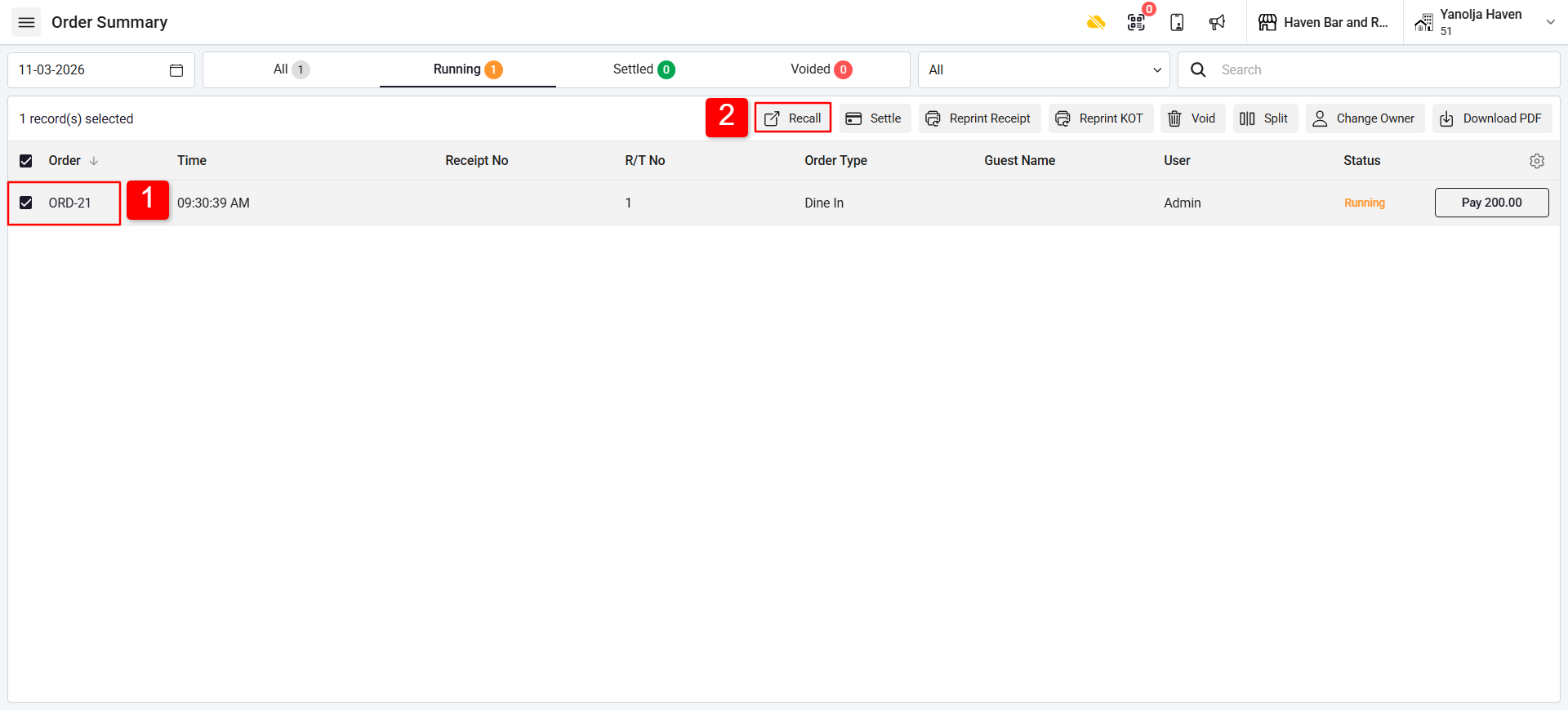
Recall the running order to settle the bill.
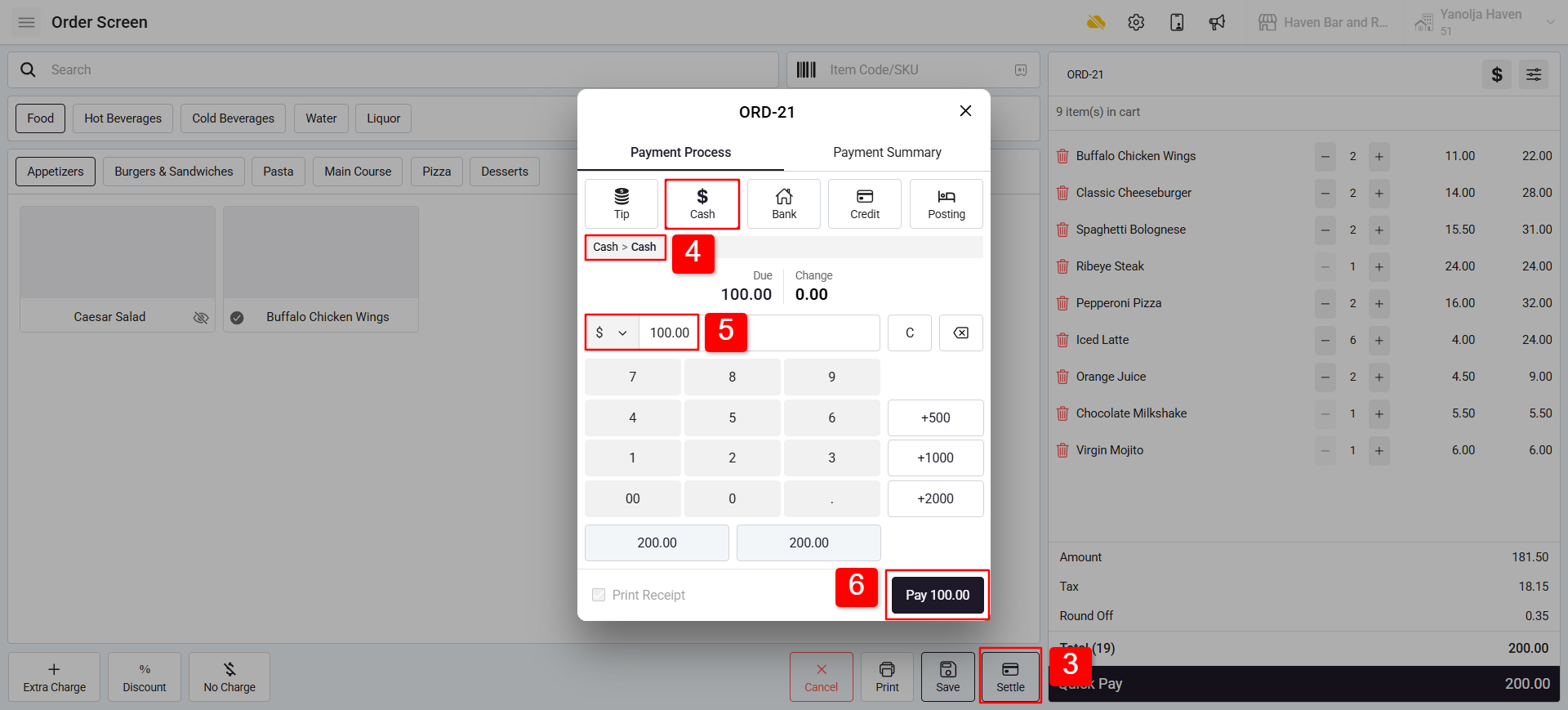
Click on Settle.
Select Payment Type: Cash and Payment Method: Cash.
Enter the amount received from the guest (e.g., $100).
Click Pay.
Step 2: Second Payment (Remaining Amount) :
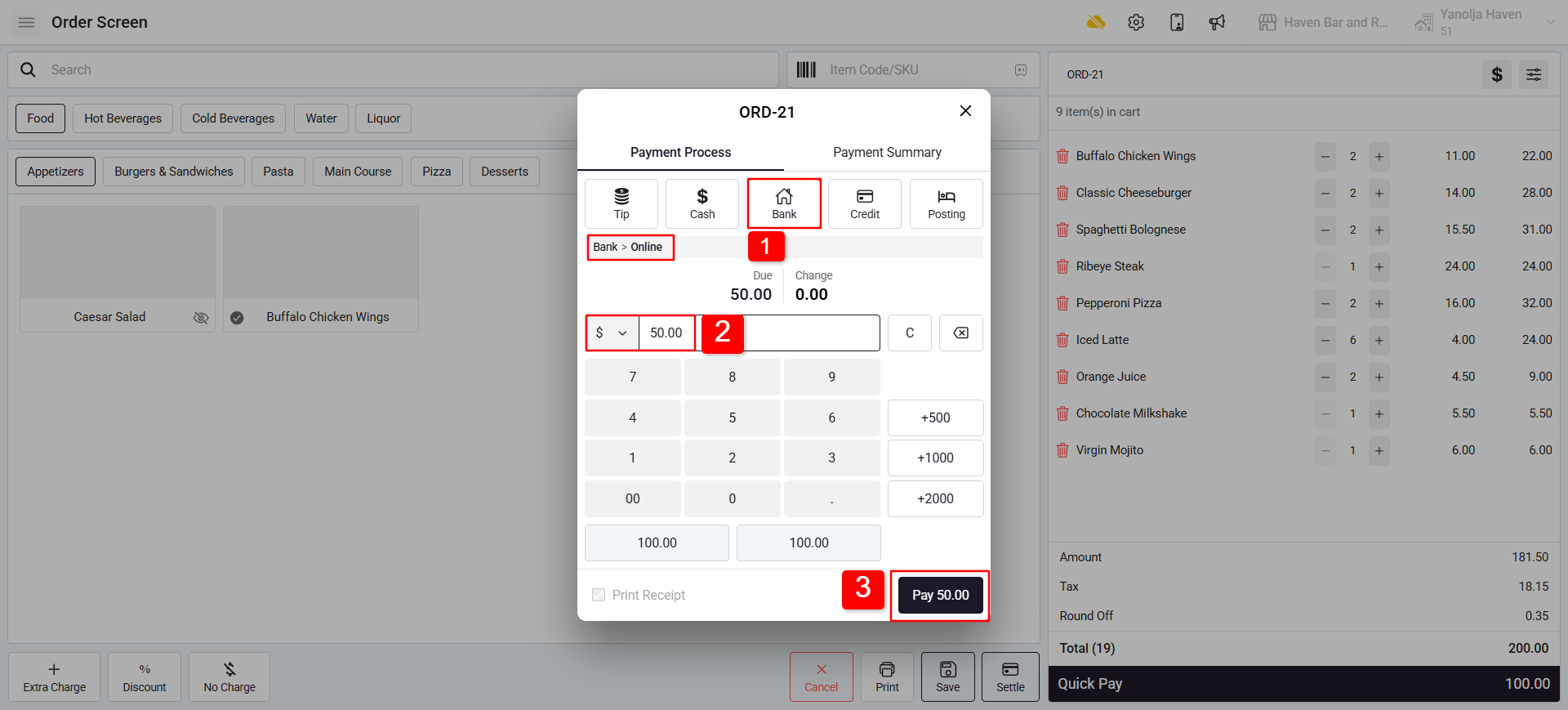
Select the second Payment Type Bank and Method (Online).
Enter the amount (e.g., $50).
Click Add Pay.
Step 3: Final Payment (Remaining Balance) :
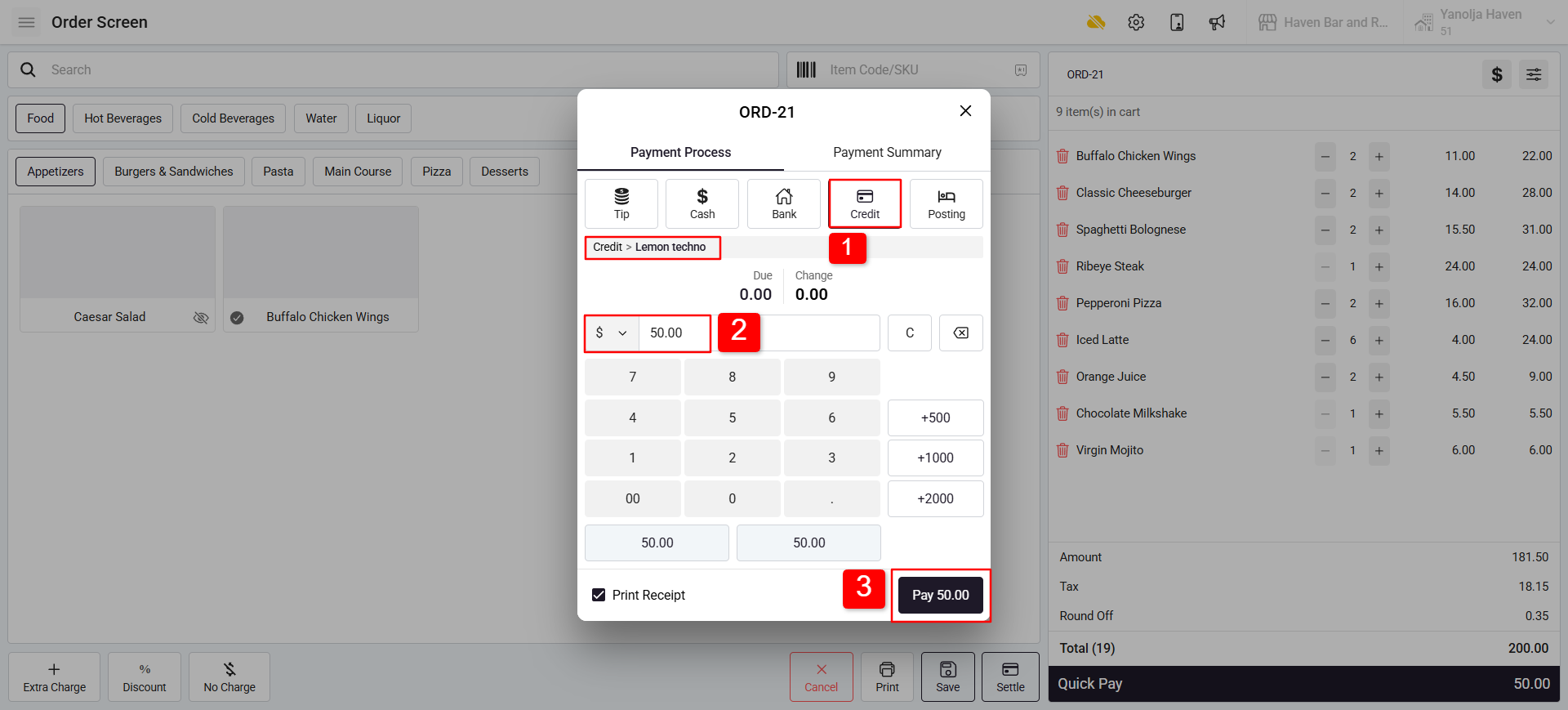
Select the third Payment Type and Method (e.g., Credit Card).
Enter the remaining amount (e.g., $50).
Click Add Pay to complete the payment.
Was this article helpful?
That’s Great!
Thank you for your feedback
Sorry! We couldn't be helpful
Thank you for your feedback
Feedback sent
We appreciate your effort and will try to fix the article