What is a Bluetooth Printer?
Bluetooth printers operate via wireless technology that can be configured to operate across Android devices.
Note:
Bluetooth printing will work in Rapid Serve App only
This will not work in the web version
Currently, Bluetooth printer supported on Android devices only
Paring printer in android mobile or tablet:
Turn on your Bluetooth printer.
Open the Settings in the android device on your smartphone or tablet.
Click on Bluetooth and Turn ON
Click on the name of your Bluetooth printer to start the Pairing
Follow below steps once you have connected your Bluetooth Printer with Android Phone/Tablet
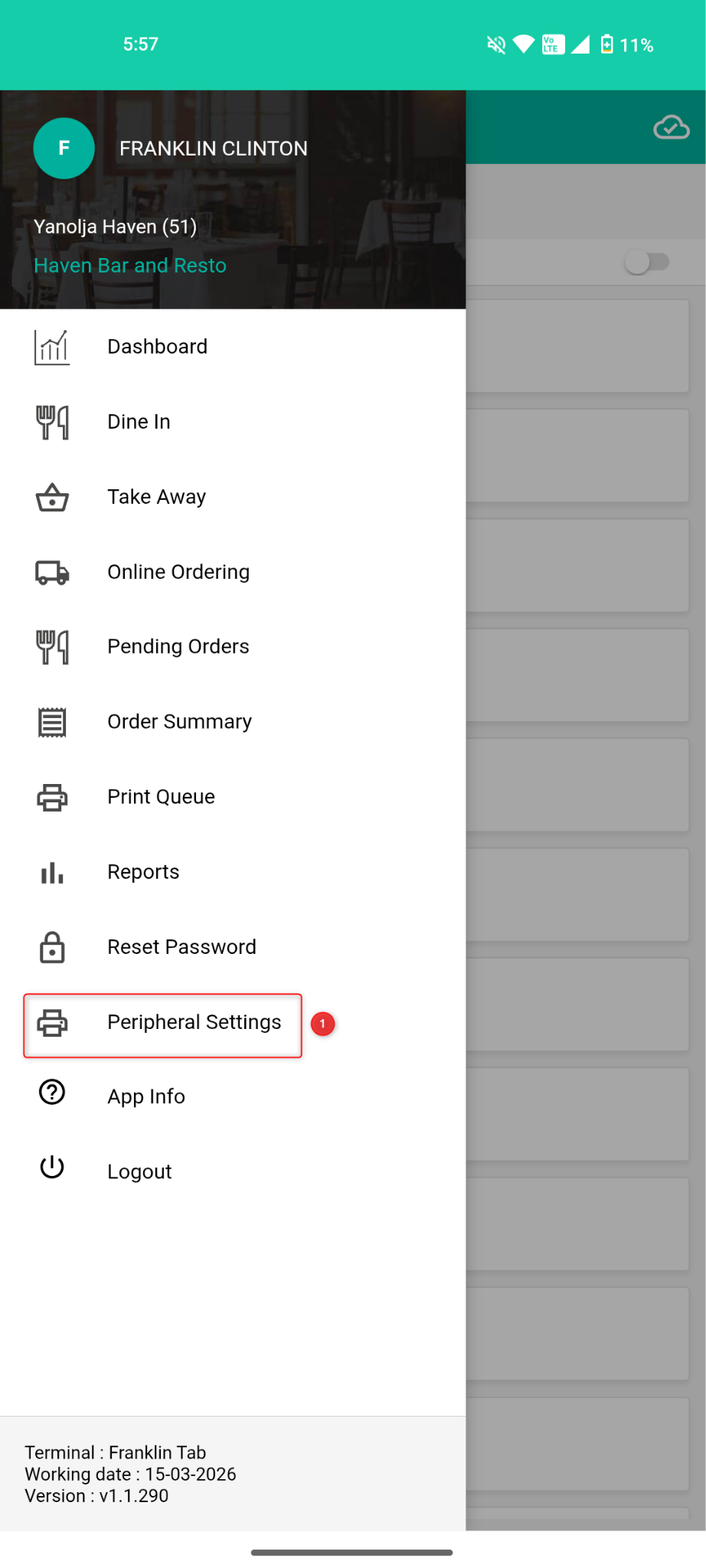
1. Open your RapidServe Application and Navigate to the Peripheral Settings.
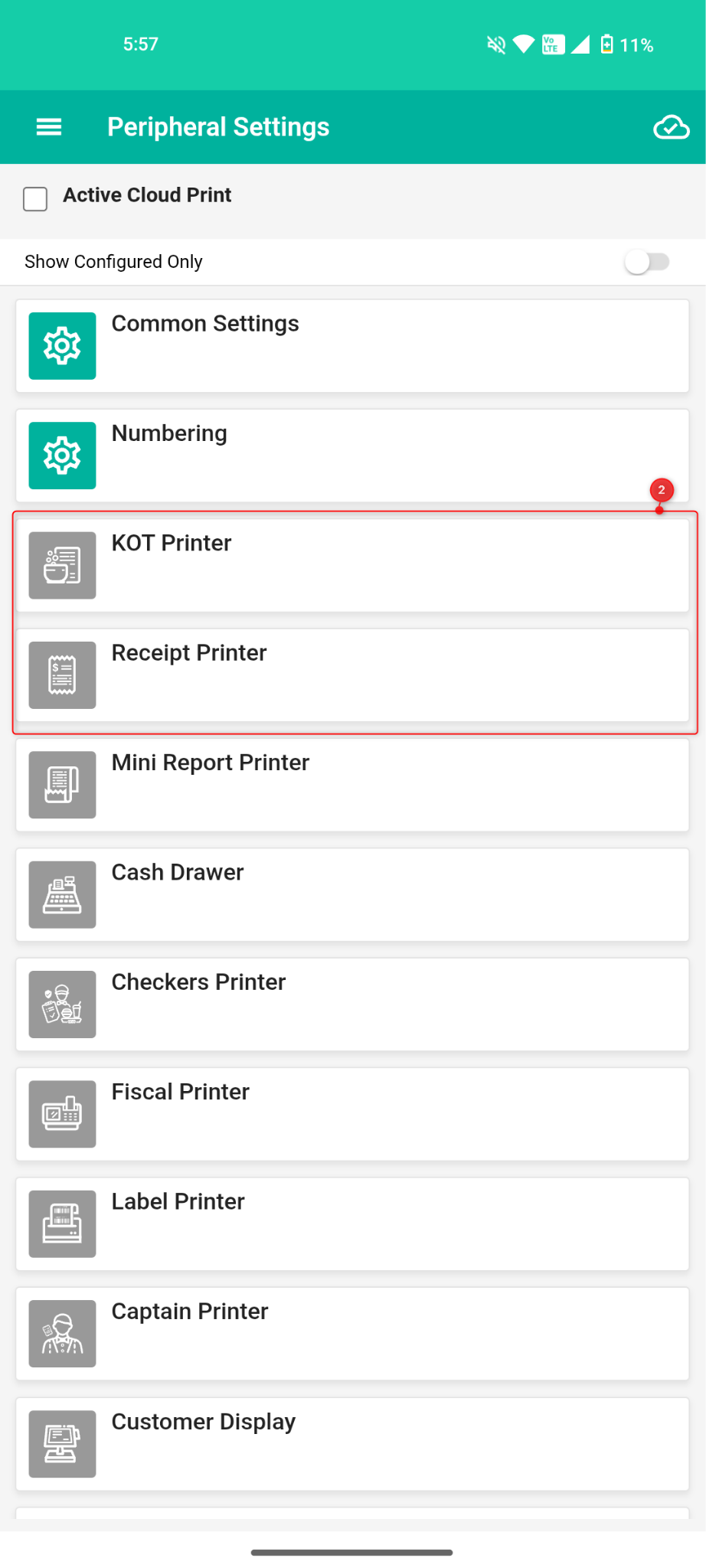
2. Select your the printer you are looking to setup, KOT/Receipt
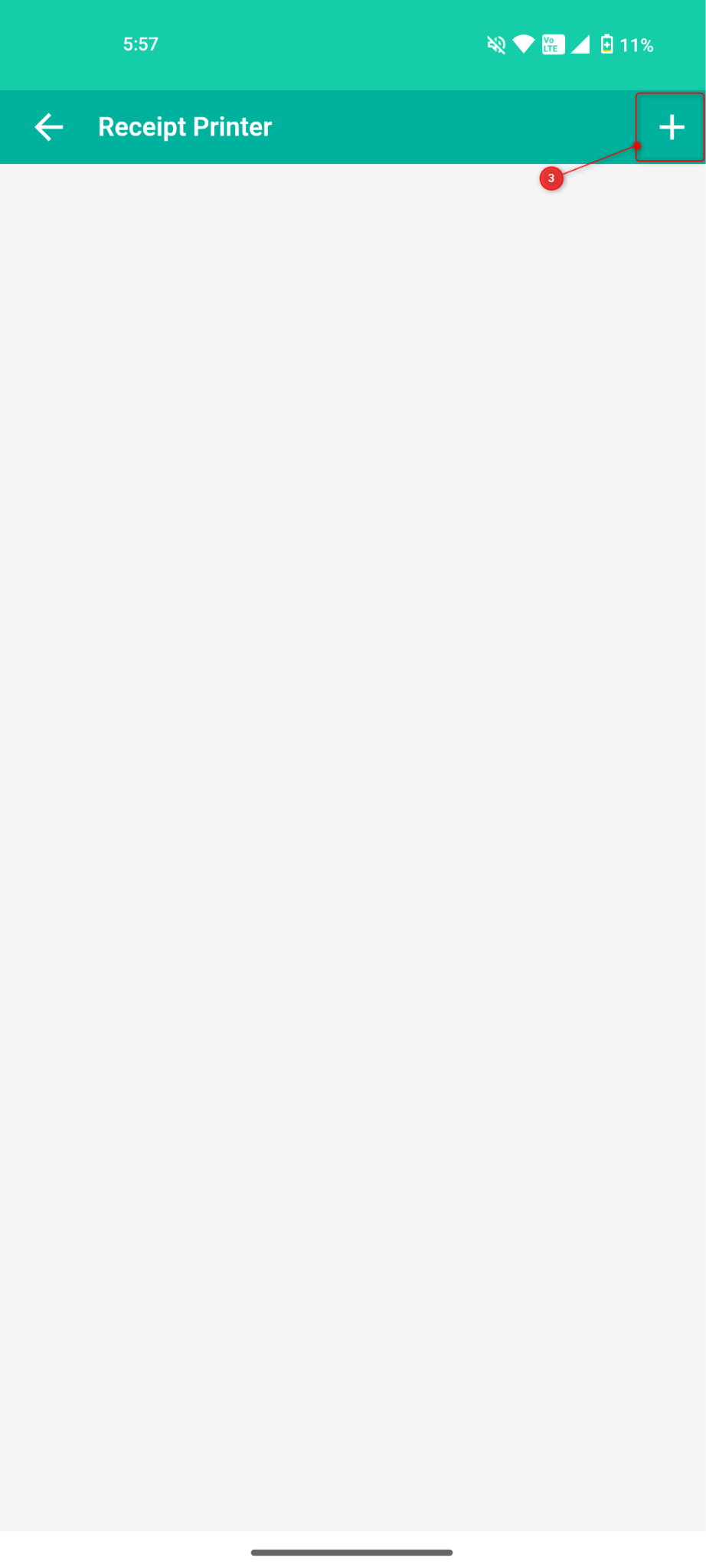
3. Once selected, Click on “+” Icon and add the Bluetooth Printer.
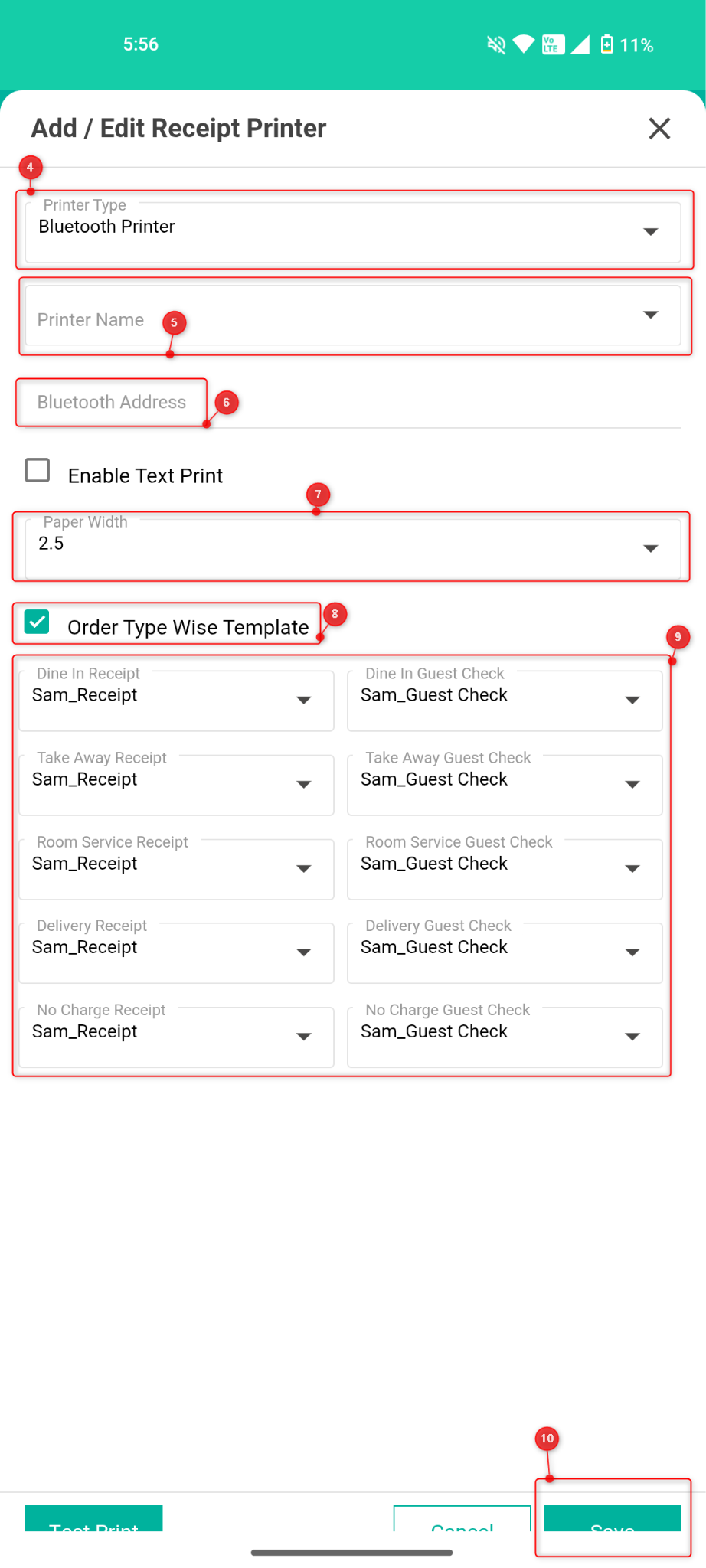
4. In Printer type select the “Bluetooth Printer”
5. In printer name, Connected Bluetooth printer on your phone will appear.
6. You can add the Bluetooth address or It will fetch automatically.
7. Select the Paper Width as per your preference.
8. If you want segregate Order wise templates, you can click on “Order wise template” and configure them accordingly.
9. Select the template of the Receipt and Guest Check.
10. Click on “Save” and the Bluetooth printer has been completed.
Restart your RapidServe Application and check printing.
Was this article helpful?
That’s Great!
Thank you for your feedback
Sorry! We couldn't be helpful
Thank you for your feedback
Feedback sent
We appreciate your effort and will try to fix the article