You can control the display order of images on your booking engine directly from PMS configuration.
Steps to Change Image Order
Go to PMS configuration.
Navigate to Room Type
Click on "Edit" for the required room type
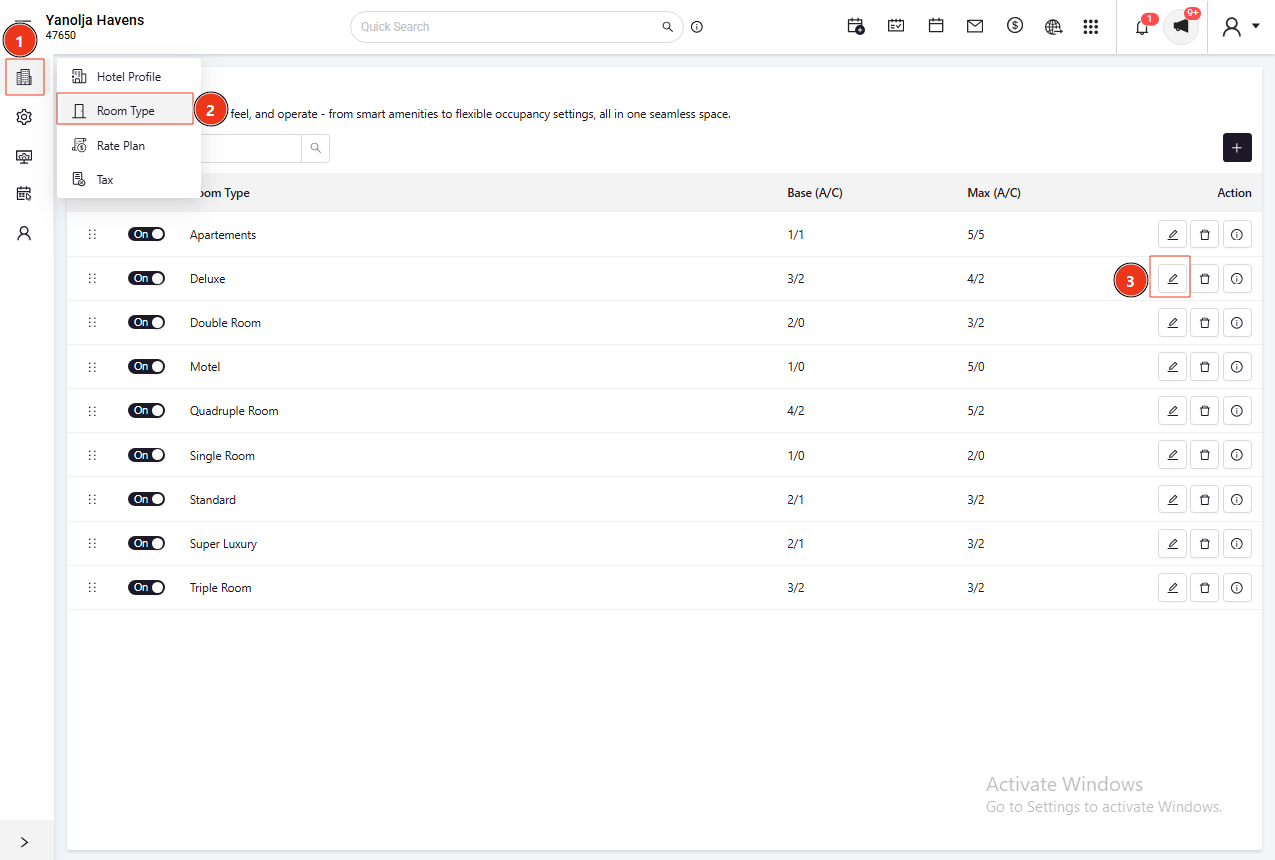
Go to the Image section
All uploaded images for the selected room type will be displayed
To rearrange images:
Simply drag and drop the images into your preferred order
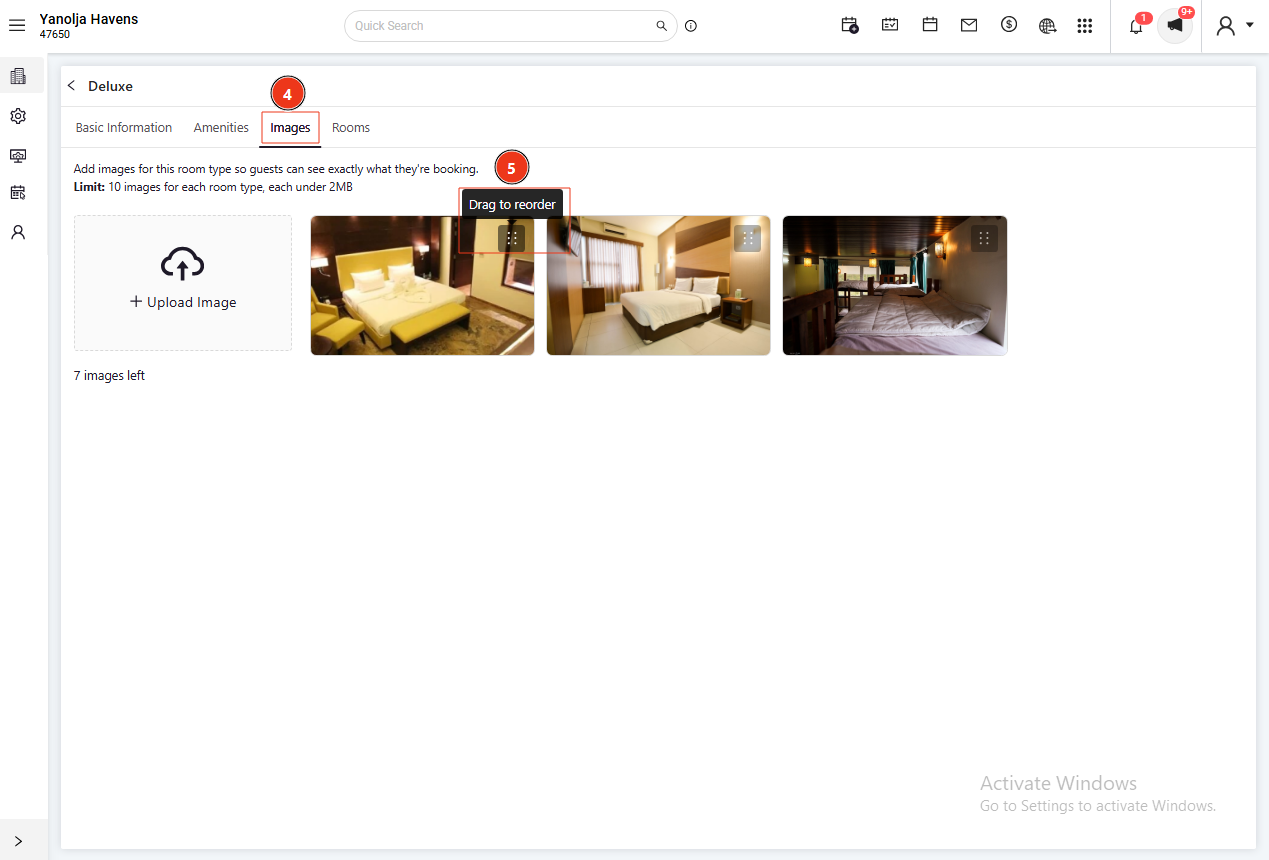
The first image in the list will be displayed as the main image on the booking engine.
Note
This feature allows you to highlight important visuals such as the following:
Room interiors
Property views
Amenities
Any changes made will be reflected immediately on the booking engine.
Was this article helpful?
That’s Great!
Thank you for your feedback
Sorry! We couldn't be helpful
Thank you for your feedback
Feedback sent
We appreciate your effort and will try to fix the article