How to Avoid Generating Invoice Numbers for Individual Rooms in a Group Reservation
In a group reservation, if multiple rooms (e.g., 10 rooms) are booked and only one combined invoice is required for the group, you should disable invoice generation for the remaining rooms. This helps maintain a proper invoice sequence and ensures only one invoice is generated.
Steps to Disable Invoice Number Generation
1. Access the Reservation
Navigate to Reservations
Switch to the Group View
Select the specific Group Reservation
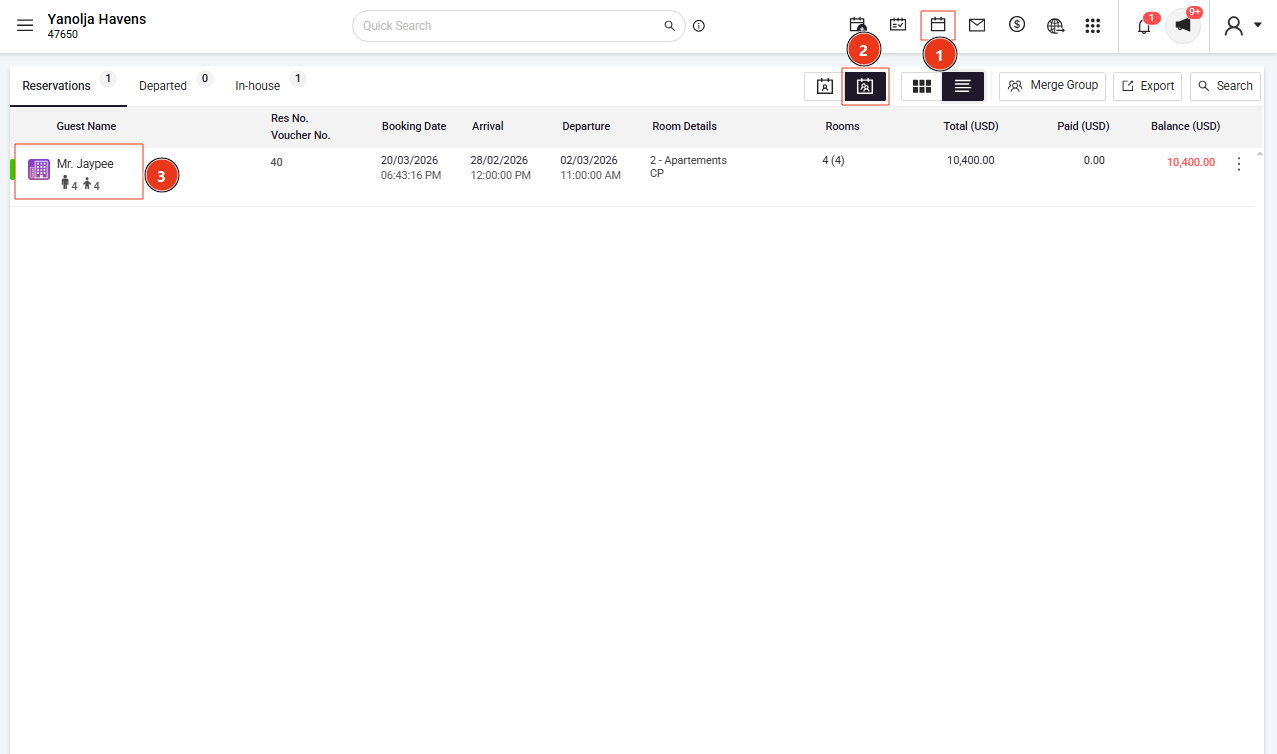
3. Select the specific reservation.
4. Click on 'Edit Transaction'.
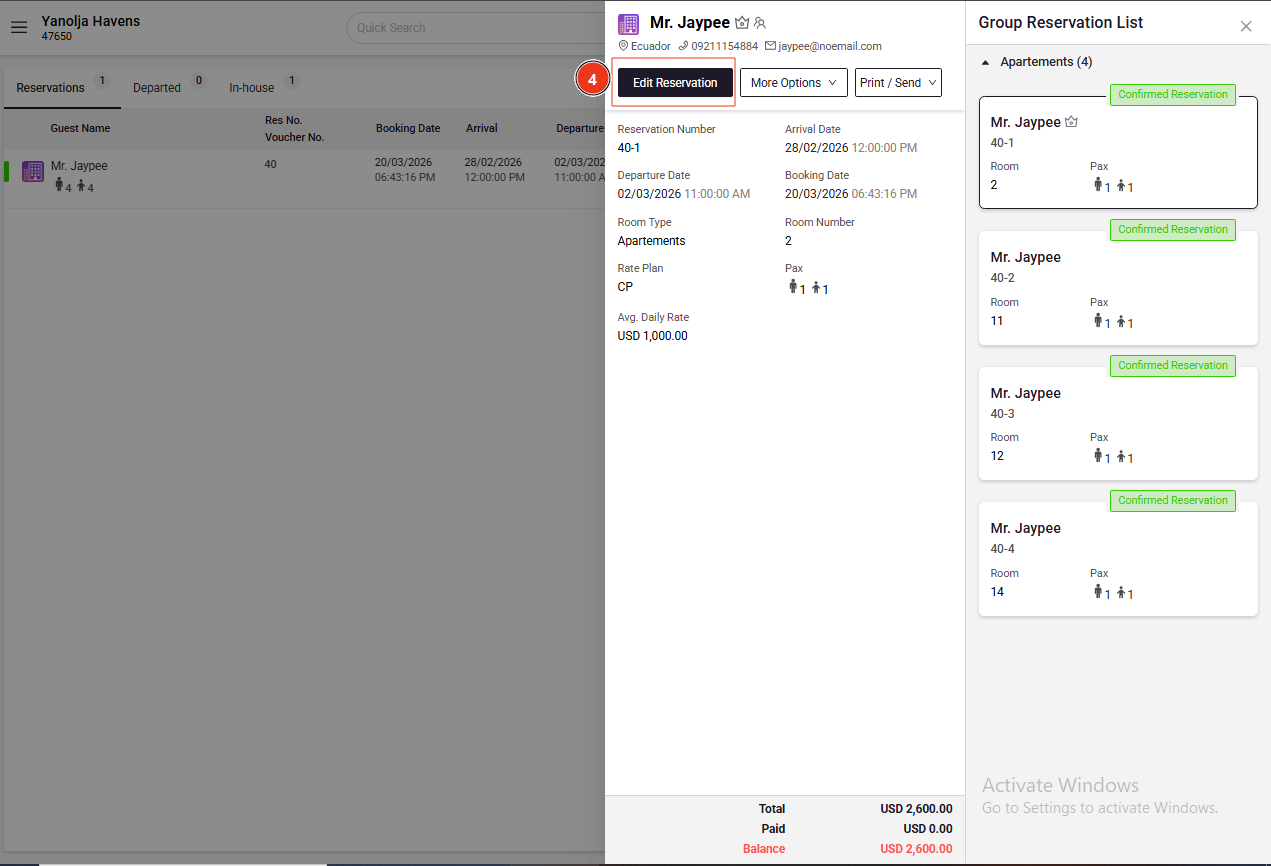
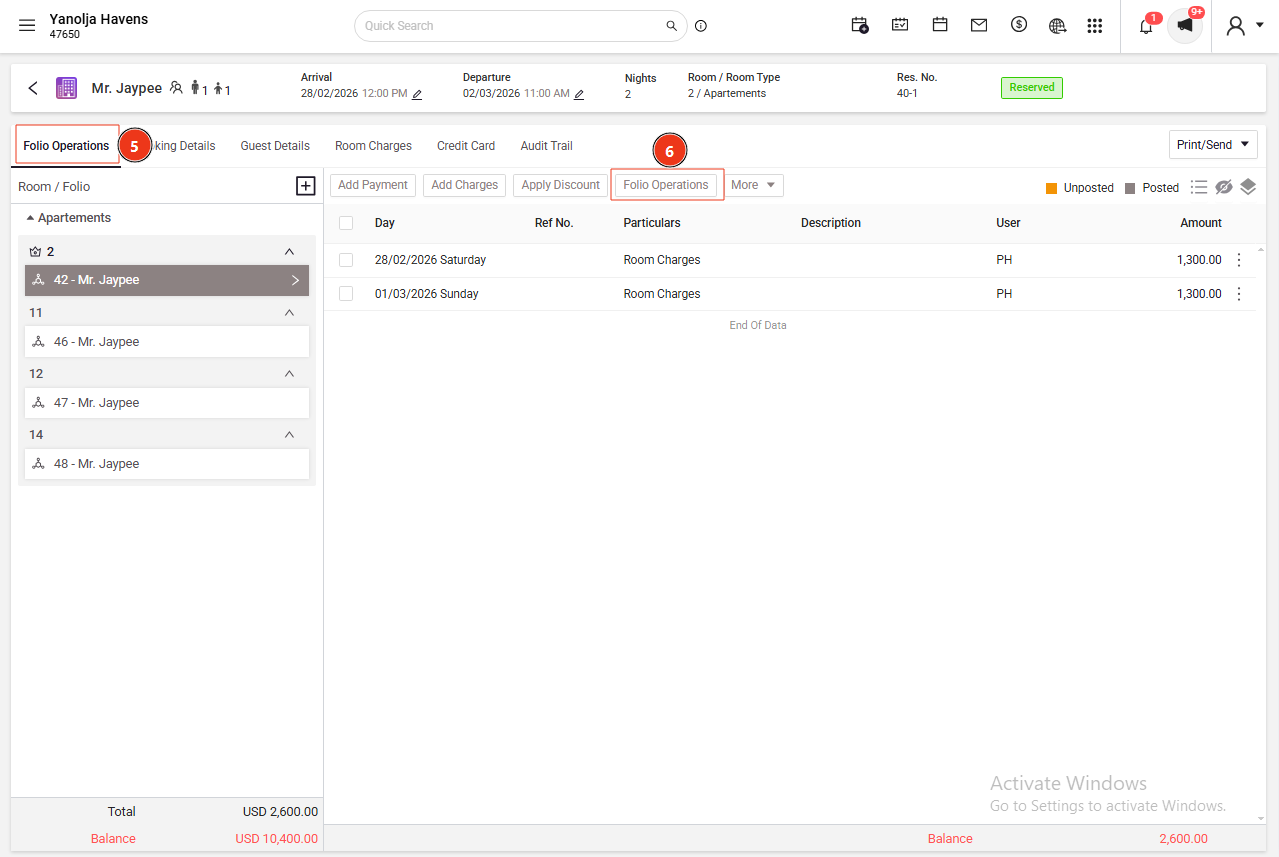
5. Select 'Folio Operations.'
6. Go to 'Folio Operations'.
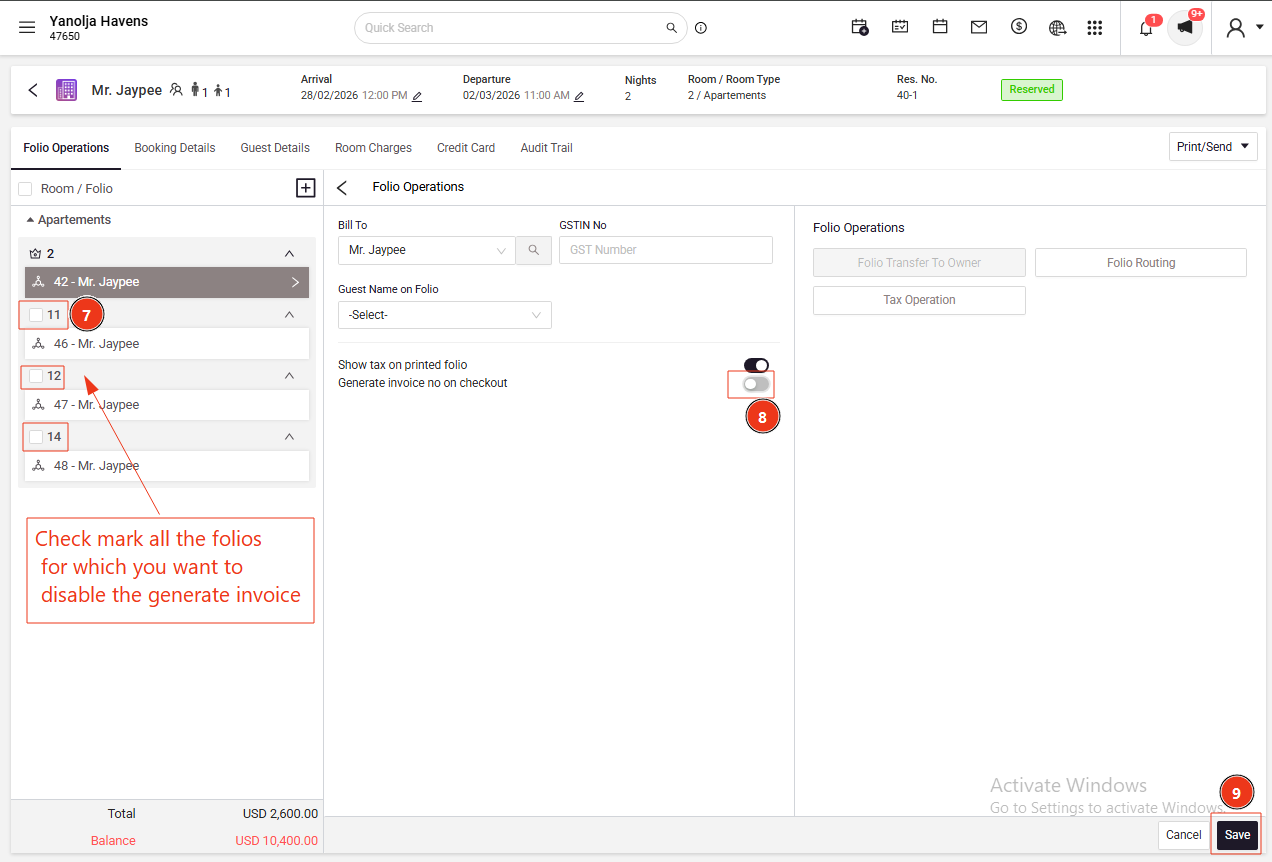
7. Checkmark the relevant folio.
8. Turn off 'Generate invoice no. on checkout.'
9. Save the changes.
Was this article helpful?
That’s Great!
Thank you for your feedback
Sorry! We couldn't be helpful
Thank you for your feedback
Feedback sent
We appreciate your effort and will try to fix the article