What is an Intermediate Item?
An intermediate item is made with other 2-3 store items. It is made in-store by using different inventory ( raw materials ) from the Store.
Example: Added item “Mayonnaise” made with Refined Oil, Egg Yolk, Vinegar (or Lemon Juice), Mustard, and Salt. So here we can call it an intermediate item. You can add here only other store items.
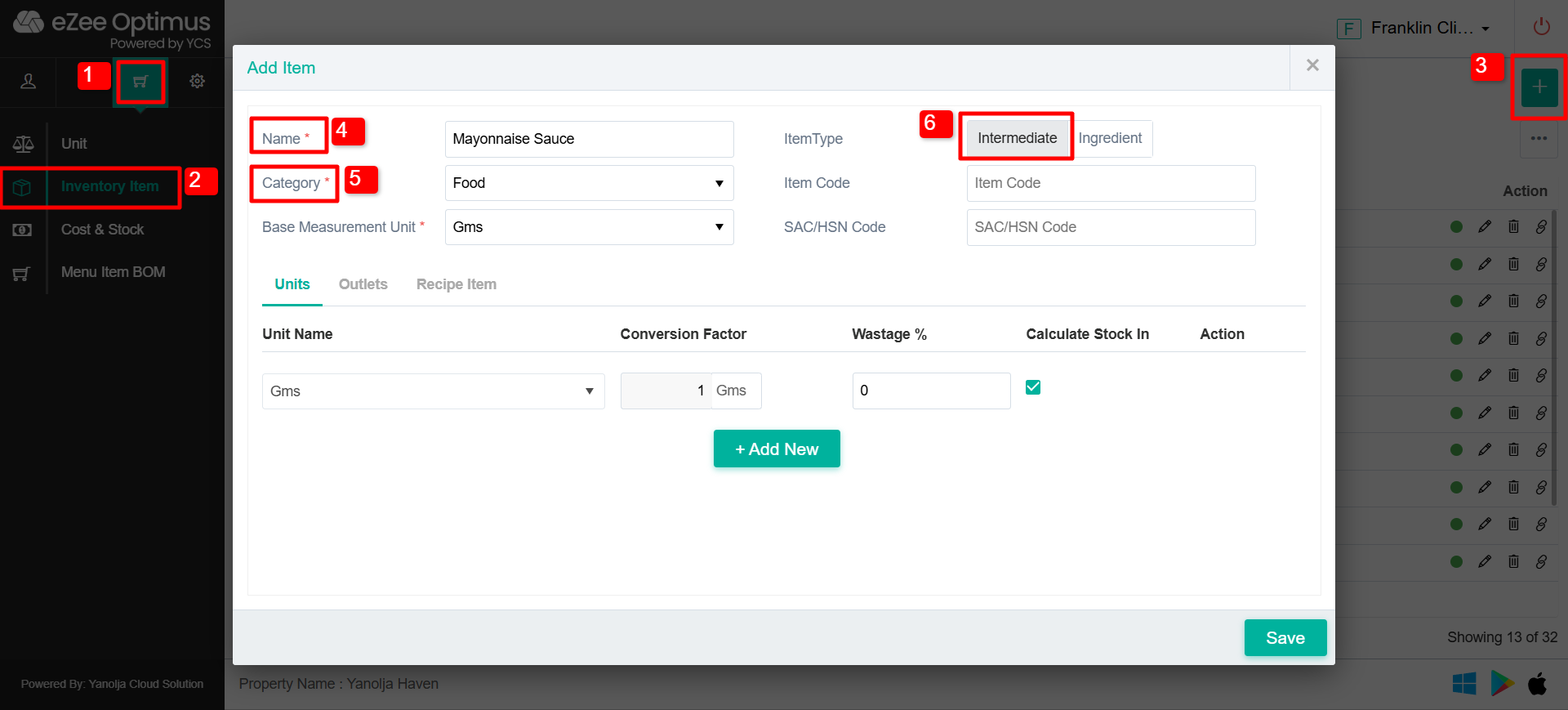
Add the Intermediate item as per the Screenshot below, Define the name and Base measurement unit. The minimum unit should be the base measurement unit.
1. Go to “Cart Icon”
2. Click on Inventory Item.
3. Click on “+” Icon to add the Inventory item/Intermediate item.
4.Add the Name of the Intermediate item.
5. Select the Category
6. Select item as intermediate item.
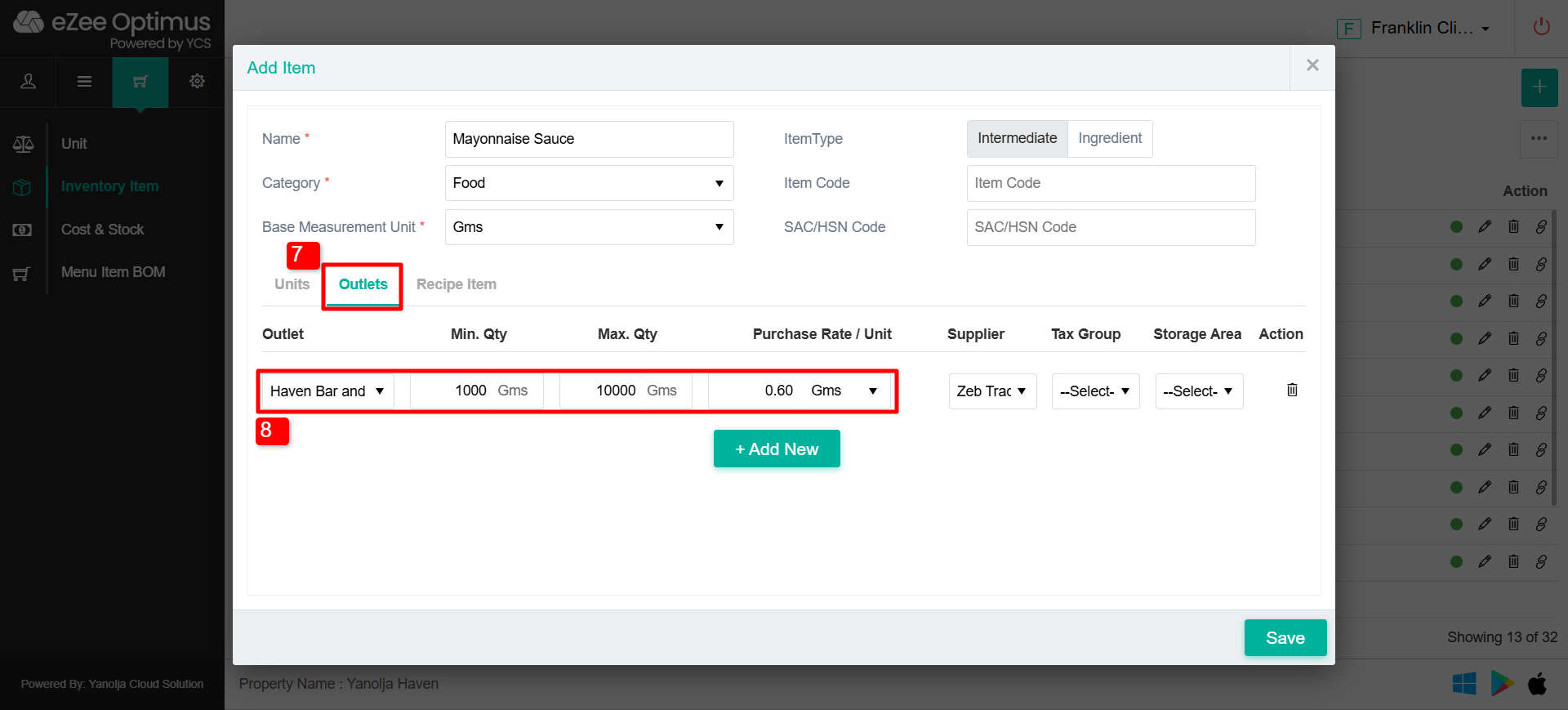
Select the Outlet name you want to activate this item in the same and add a default Purchase rate ( it is not mandatory as a Purchase rate is variable )
7. Click on Outlet option.
8. Select the Outlet, Min Qty, Max Qty and Purchase Rate/Unit
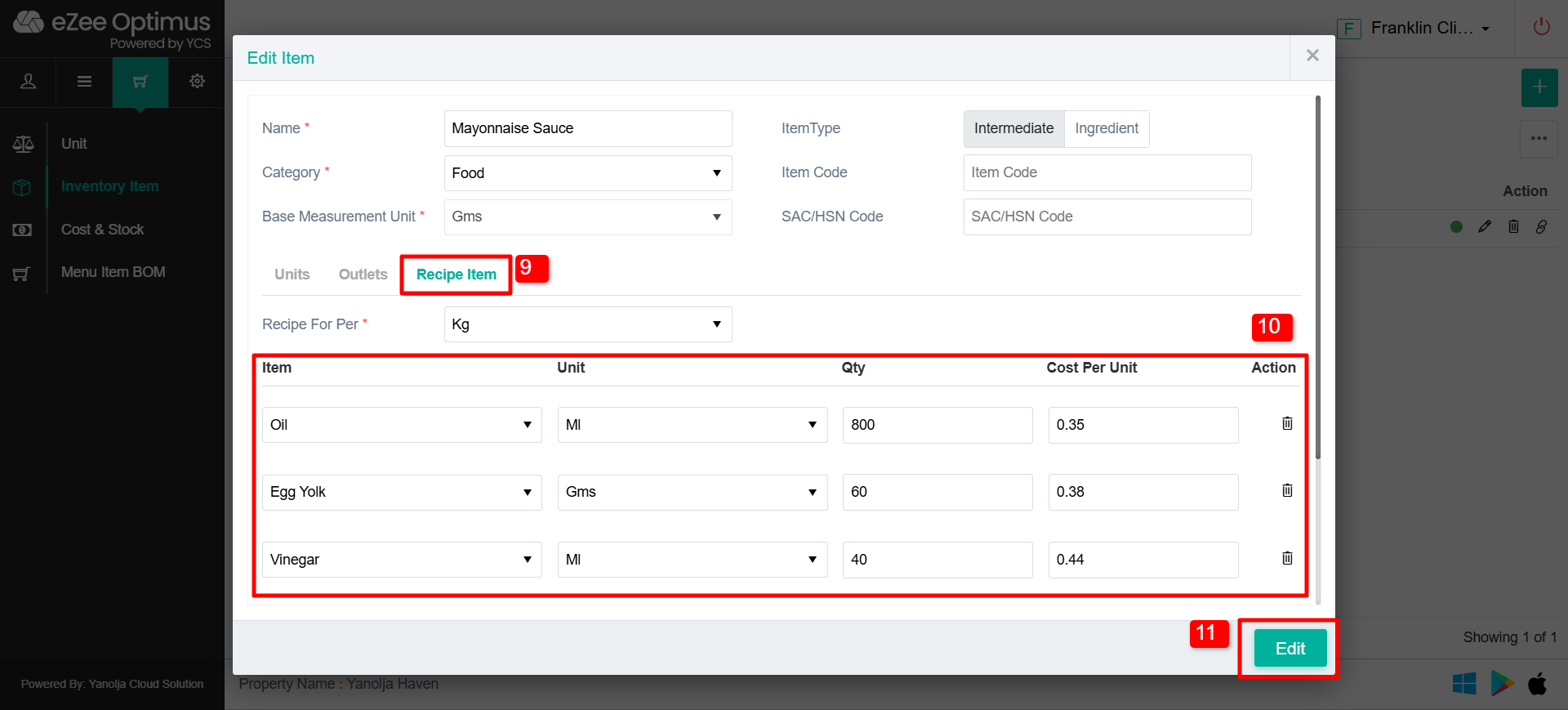
Add a Recipe of an Intermediate item.
9. Click on Recipe Item
10. Add the Recipe items, Unit, Qty and Cost per unit
11. Click on Edit/Save and the Intermediate item will be created.
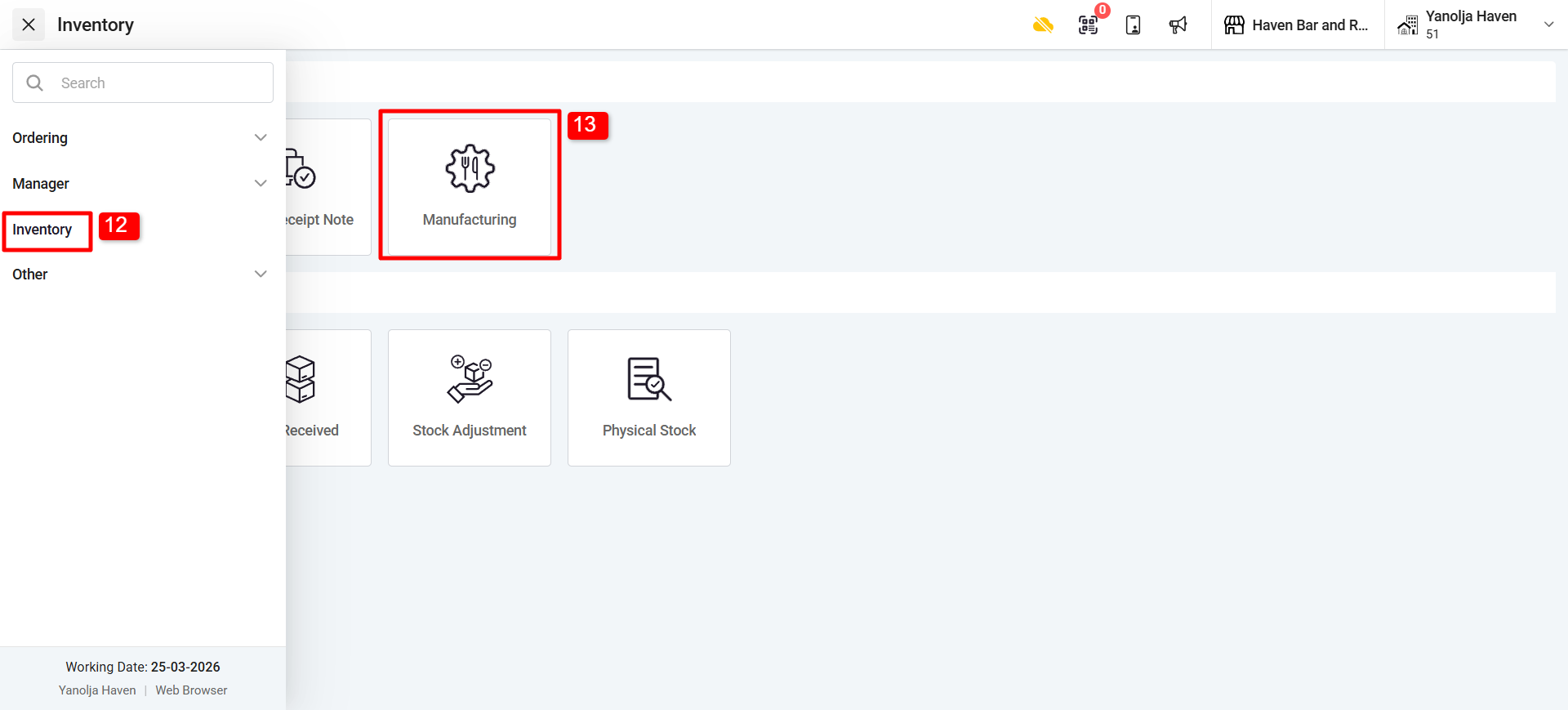
Once it is added, You can switch to Front and you can manufacture Qty and click on Save, Stock will be added to a particular outlet/store.
12. Go to Inventory.
13. Select “Manufacturing”
14. Click on “Add”
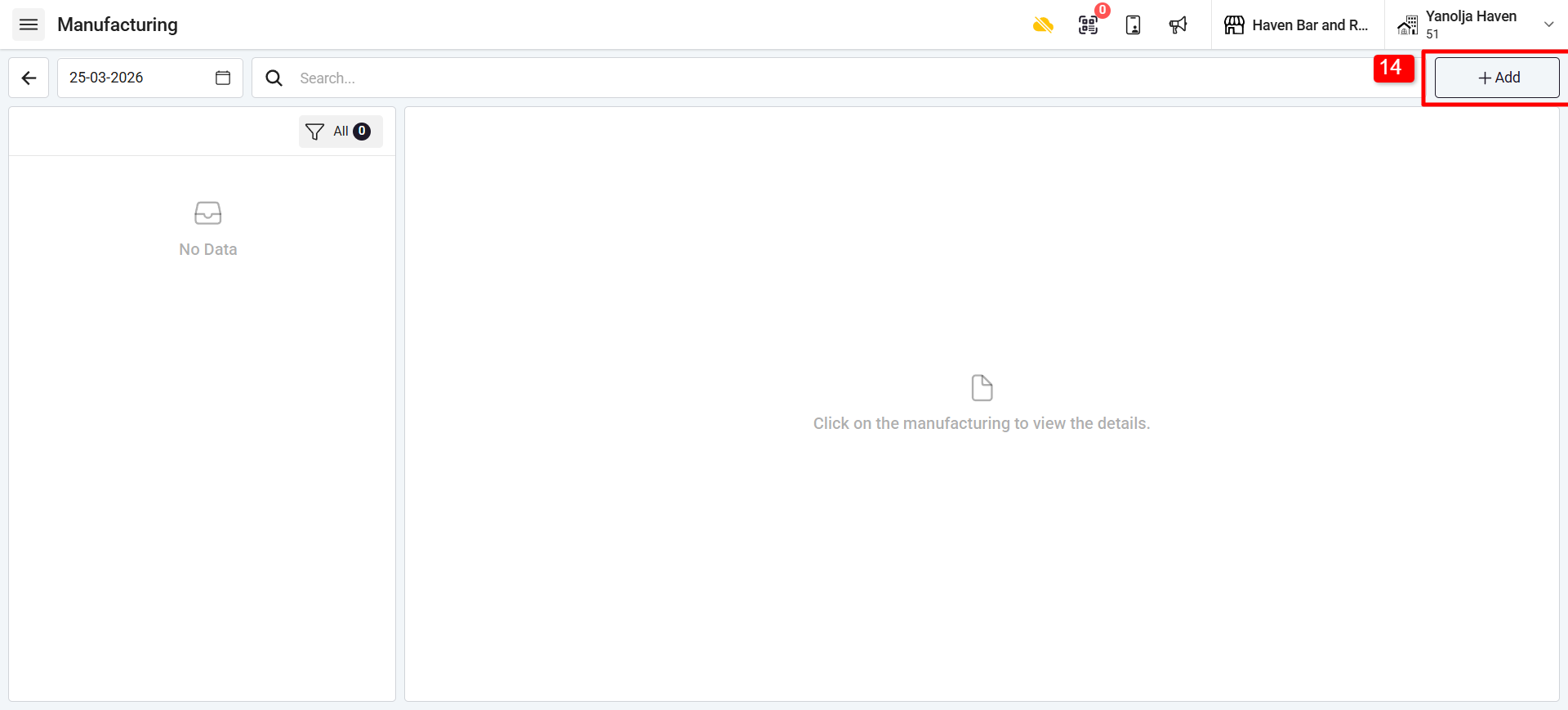
15. Click on “Add Item”
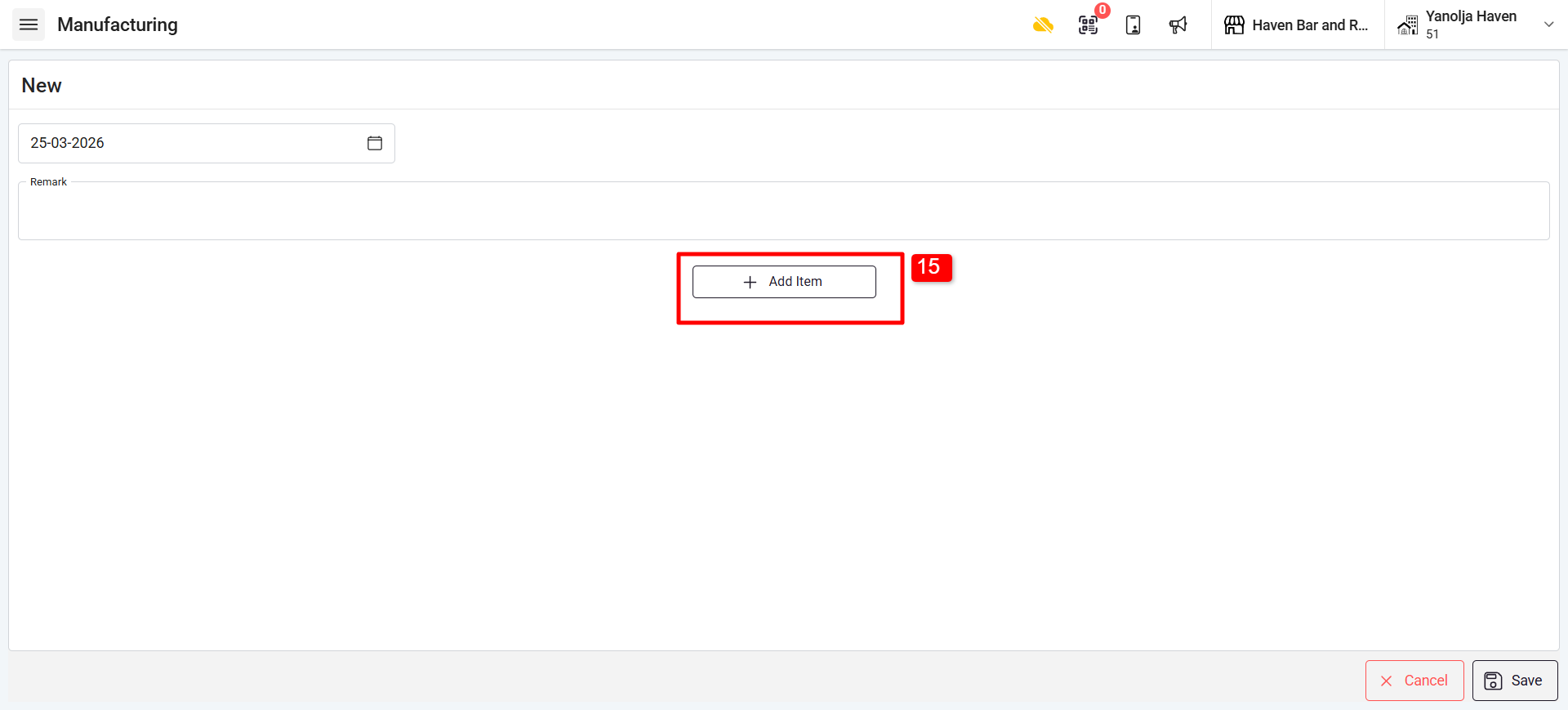
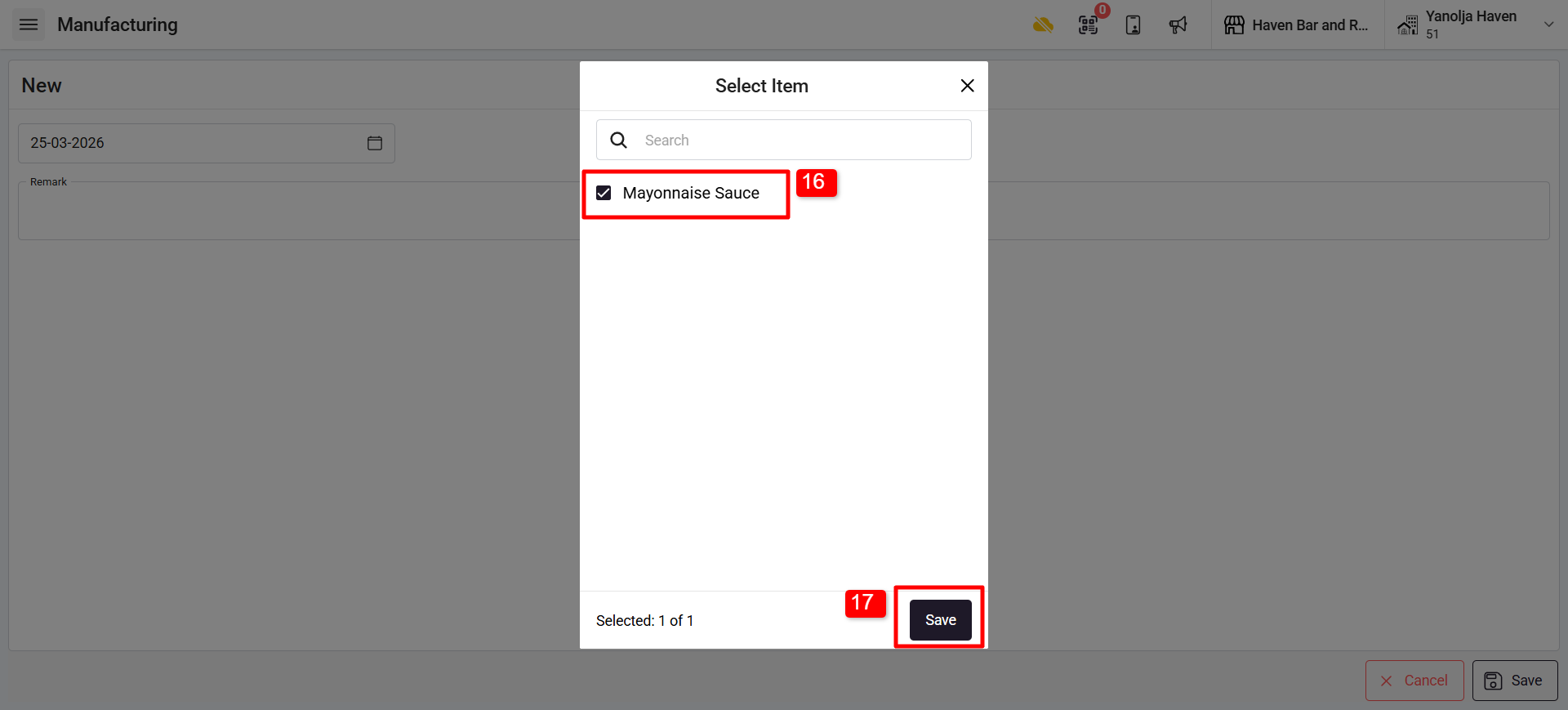
16. Select the Intermediate item.
17. Click on Save to add the item.
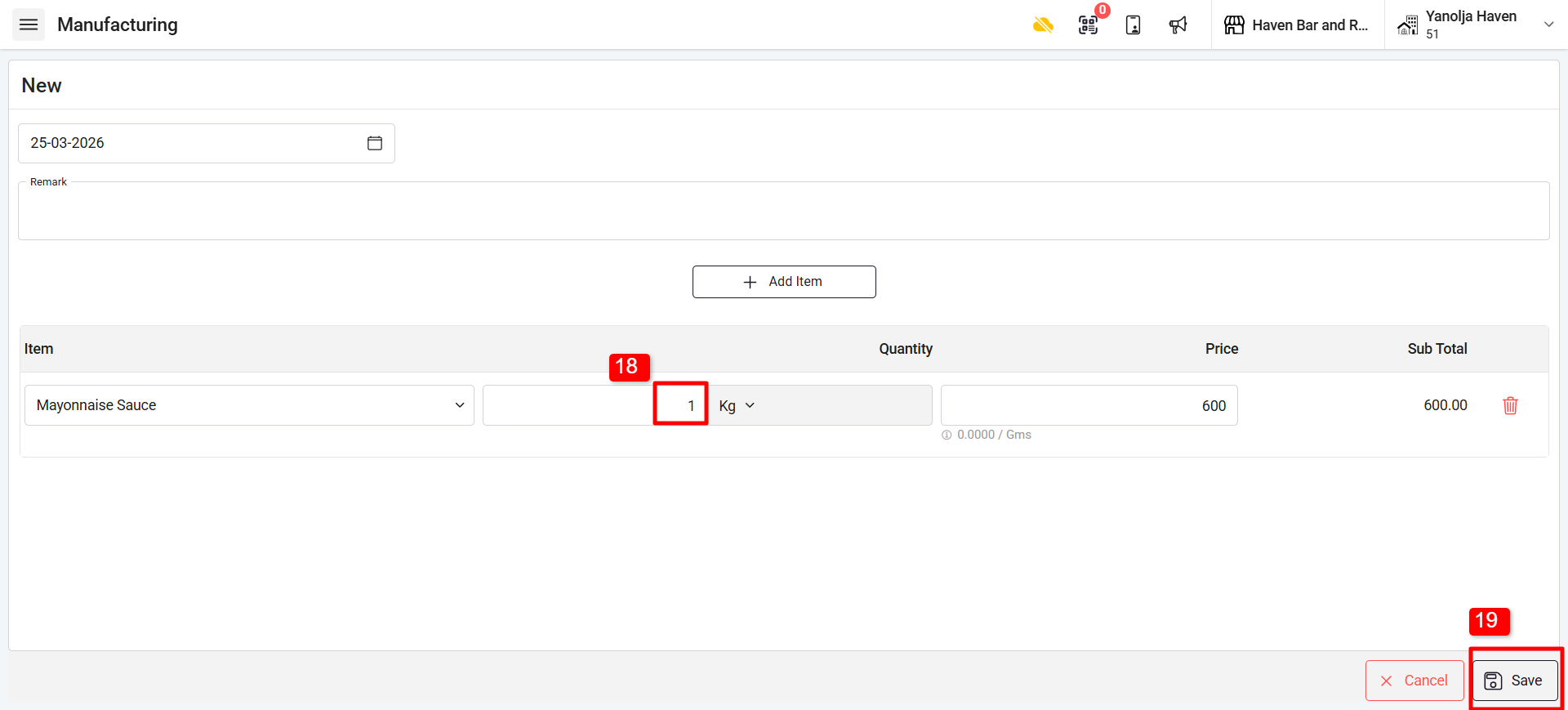
18. Enter the Qty of the Intermediate Item.
19. Click on save.
Was this article helpful?
That’s Great!
Thank you for your feedback
Sorry! We couldn't be helpful
Thank you for your feedback
Feedback sent
We appreciate your effort and will try to fix the article