You can easily track all Cancelled, Voided, and No-Show reservations using the built-in reports in the system after Login in the system.
Steps to Access These Reports
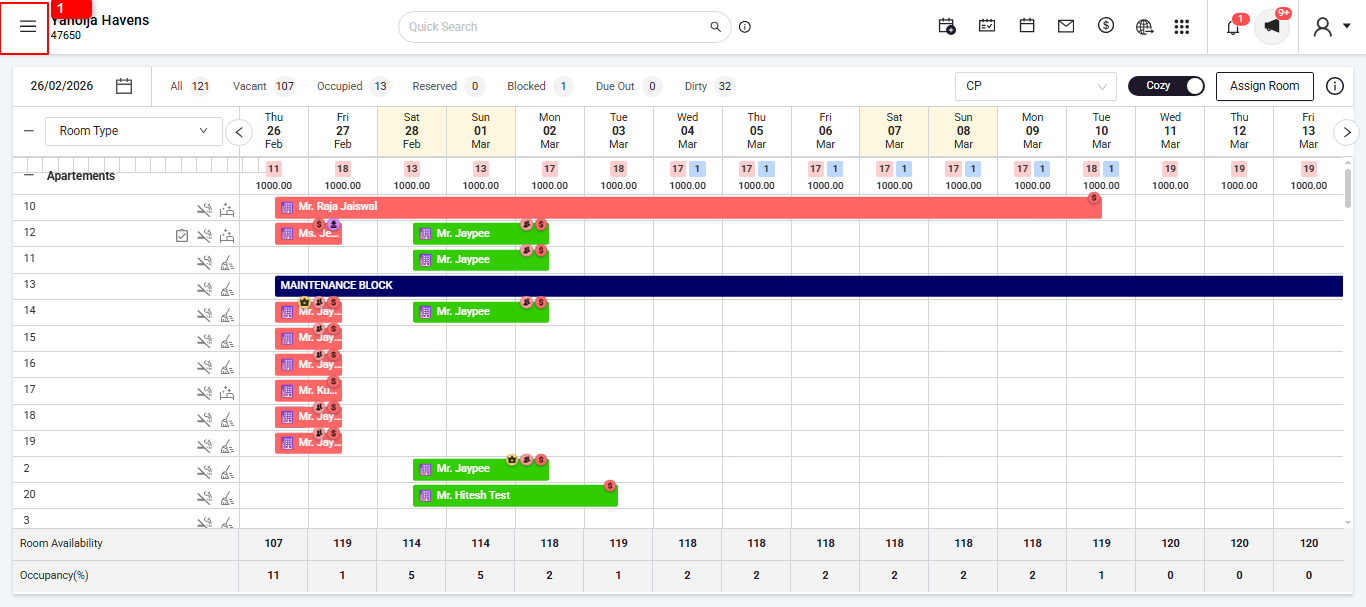
Click on the three-line menu.
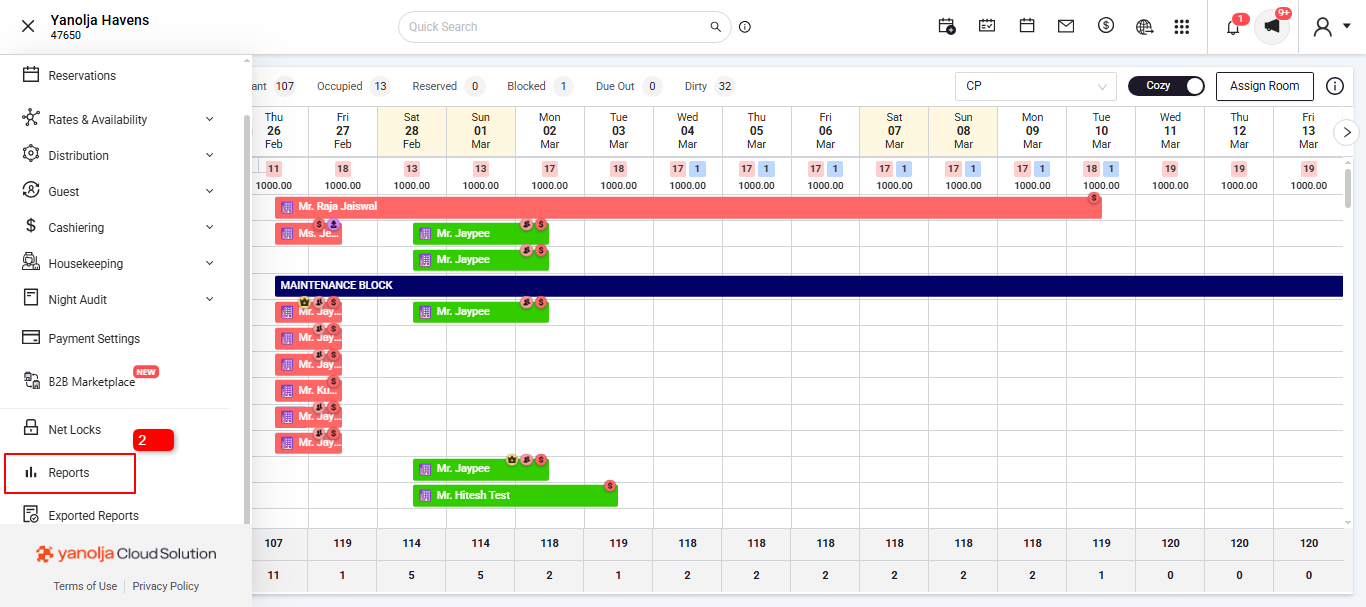
Go to Reports.
Under the Reservation Report, select the relevant report:
Cancelled Reservation
No-Show Reservation
Void Reservation
Click on Report
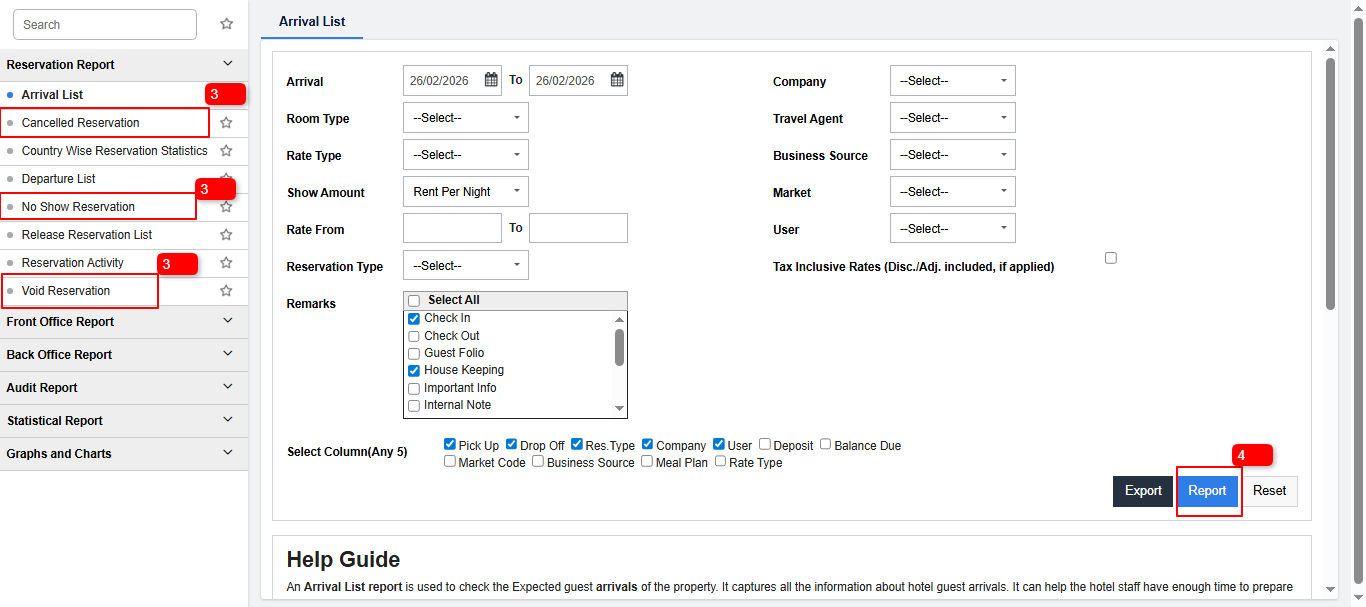
These reports will show a list of reservations based on their respective status.
Note:- User Privilege Required
To access these reports, the user must have the appropriate privileges to access these reports. .
Was this article helpful?
That’s Great!
Thank you for your feedback
Sorry! We couldn't be helpful
Thank you for your feedback
Feedback sent
We appreciate your effort and will try to fix the article