Purchase Order (PO):
A purchase order (PO) is a commercial document and the first official offer issued by a buyer to a seller, indicating the types, quantities, and agreed prices for products or services.
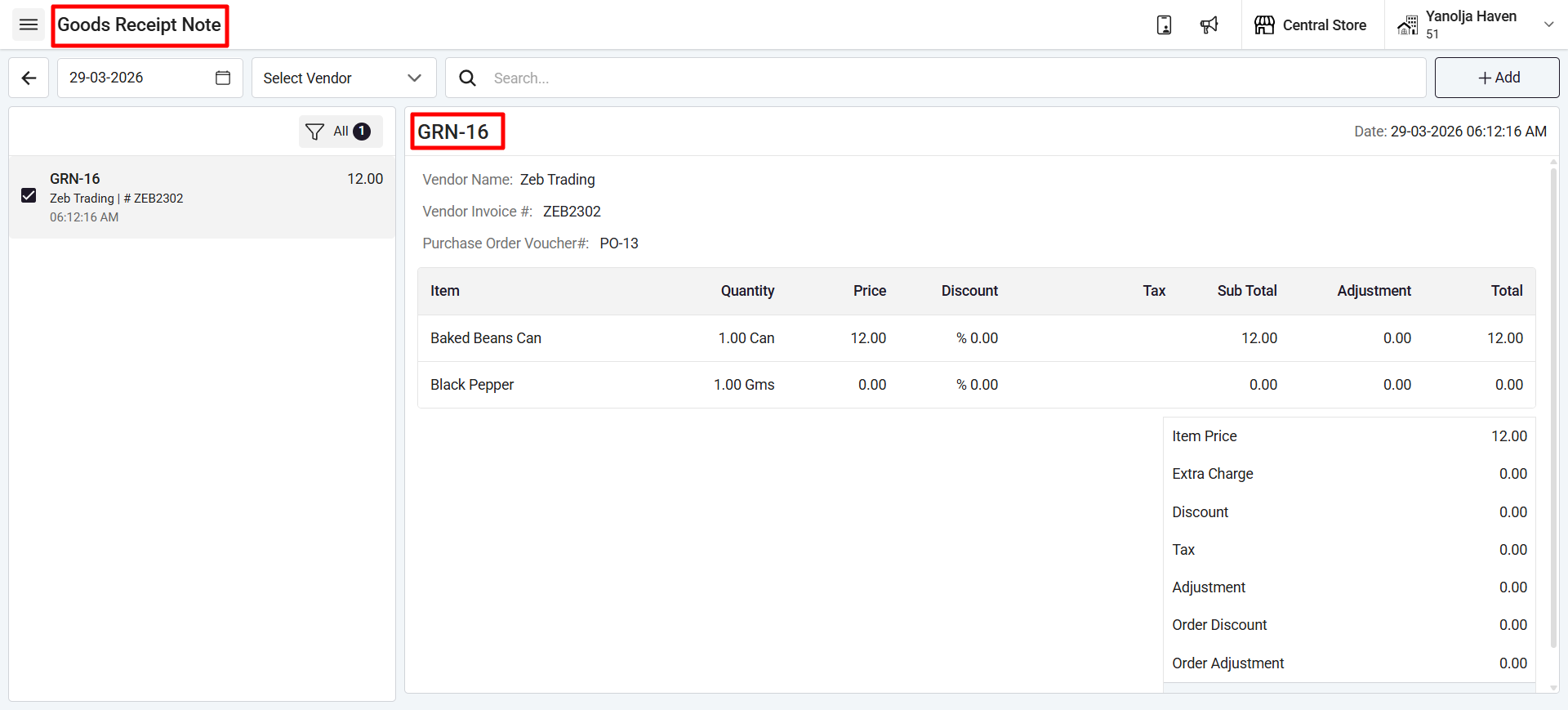
Goods Receipt Note (GRN):
A goods receipt note is an internal document generated after inspecting a delivery as proof of order receipt. It is generally produced by the stores team.
Steps to Create a PO:
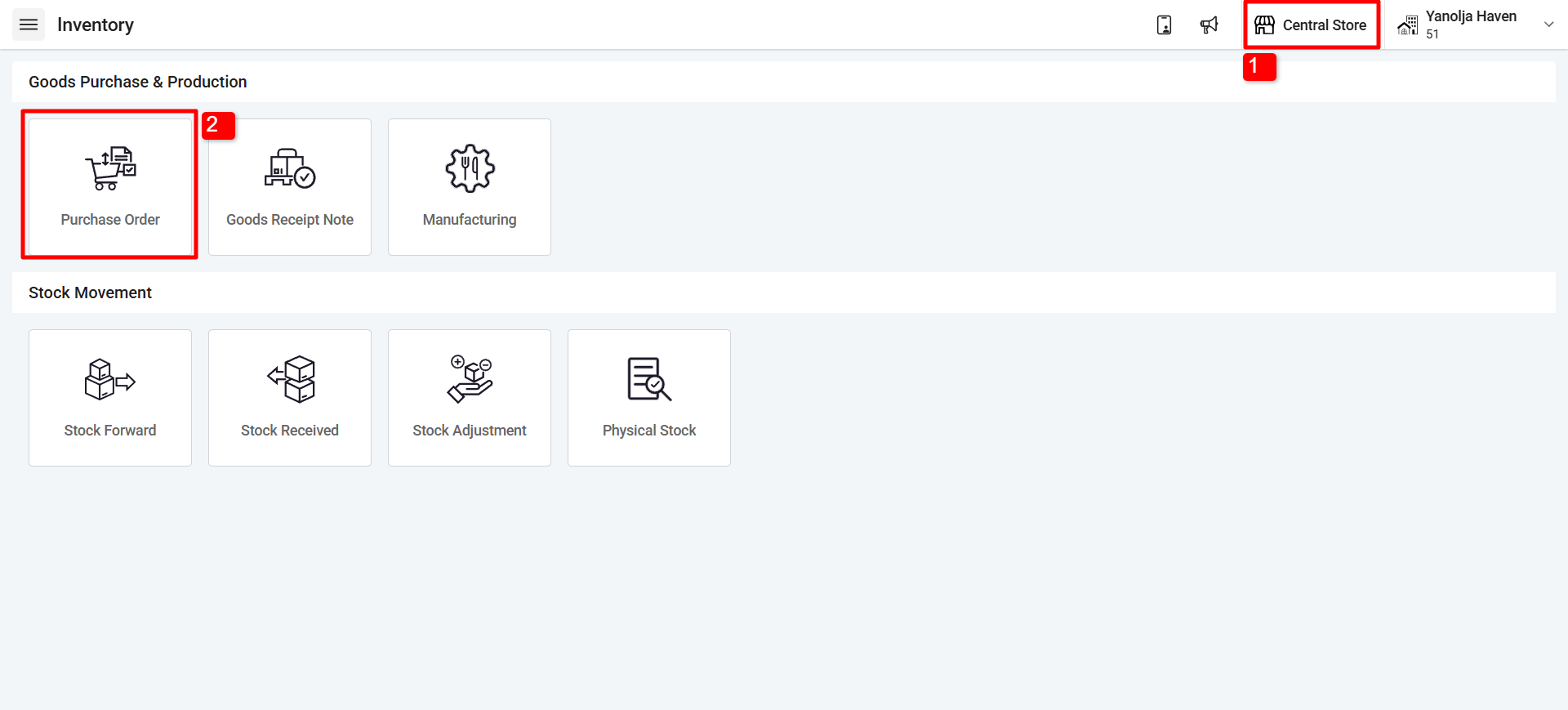
1. Select the store from which you want to create the purchase order.
2. Click on Purchase Order.
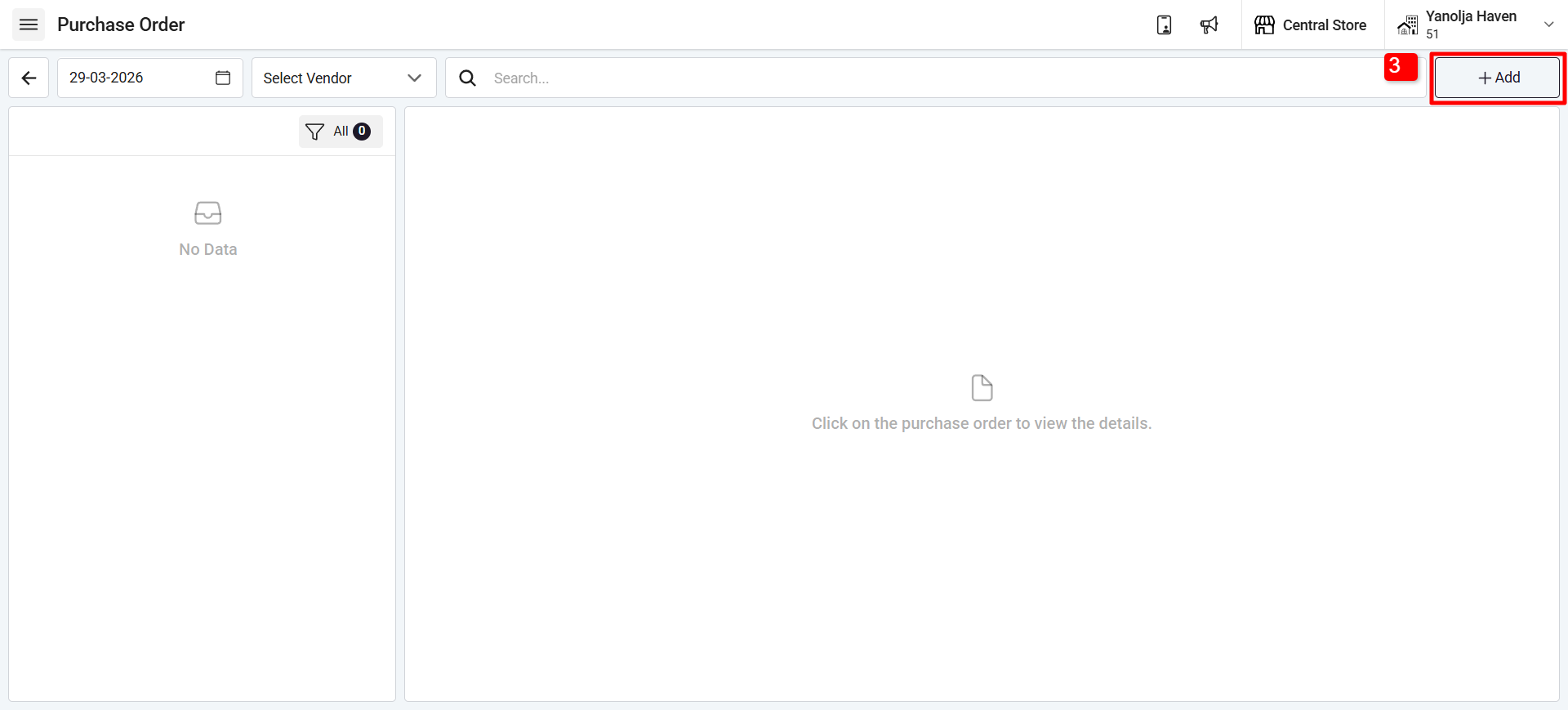
3. Click on the (+Add) option.
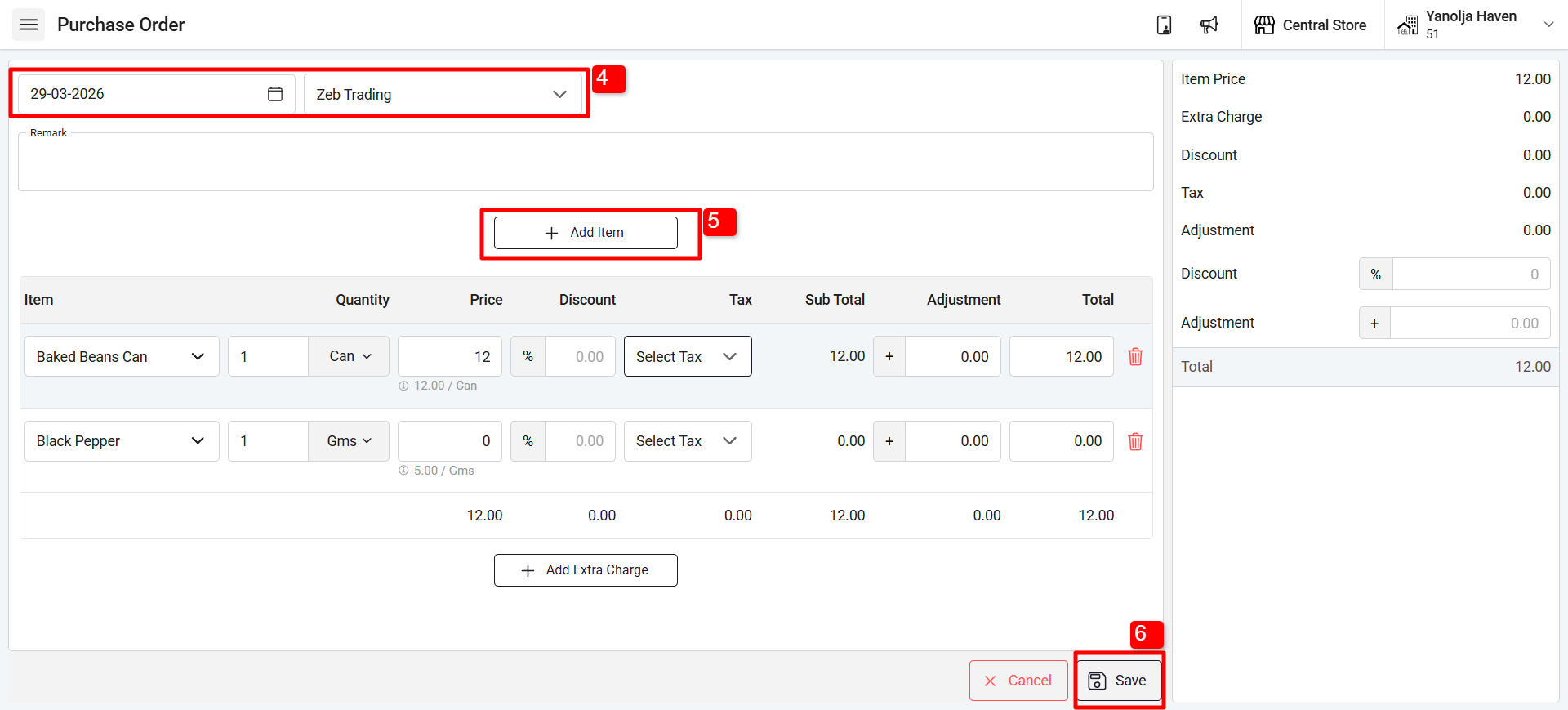
4. Select the date and supplier name.
5.Add the items you want to order from the selected supplier.
6. After adding items, enter the quantity and price, apply tax (if required), and click on Save or Save & Print (to print the purchase order voucher).
{You can also add extra charges (e.g., transportation charges).}
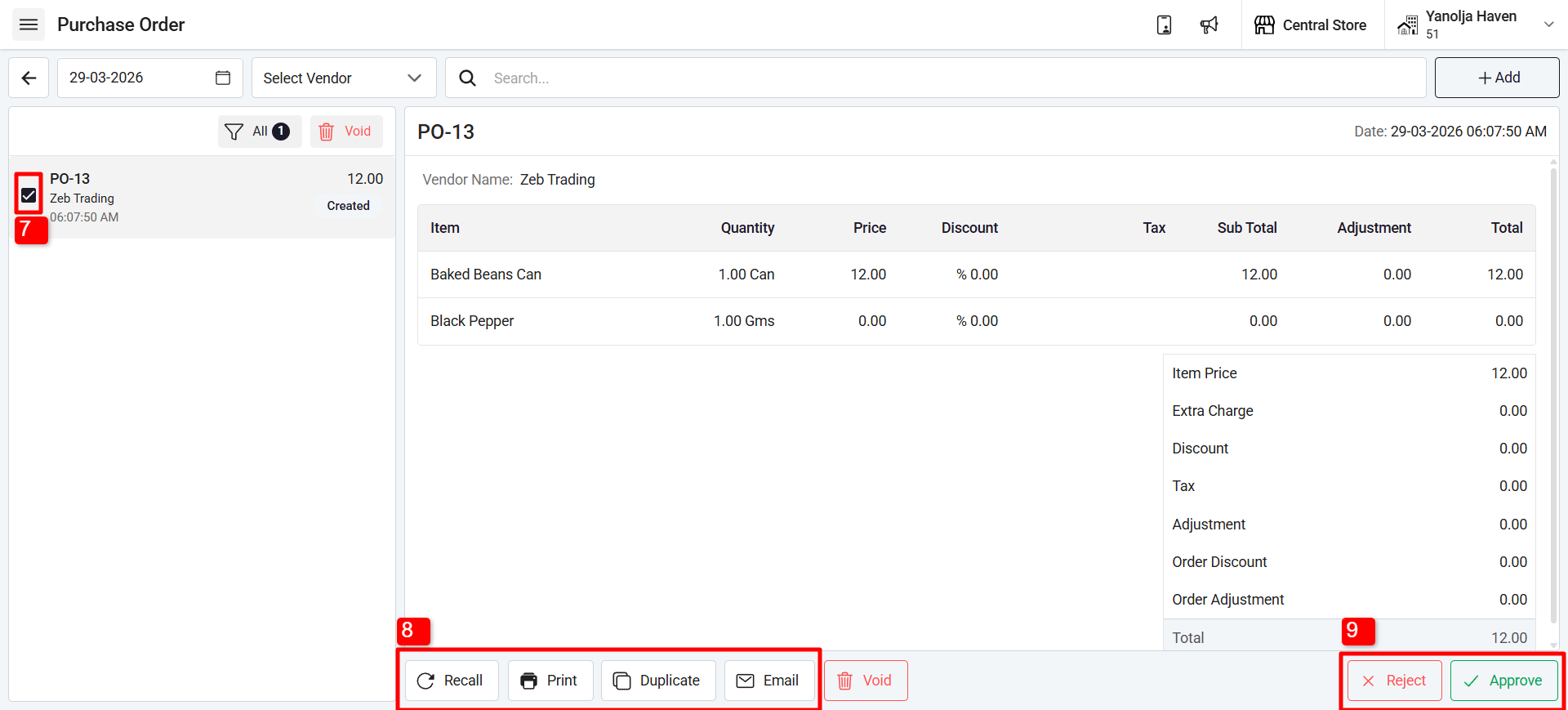
7. Select the Purchase order that has been created.
8.You can recall, Print, duplicate or email the vendor about the purchase order.
9. You can Approve or Reject the purchase order that has been created by verifying them.
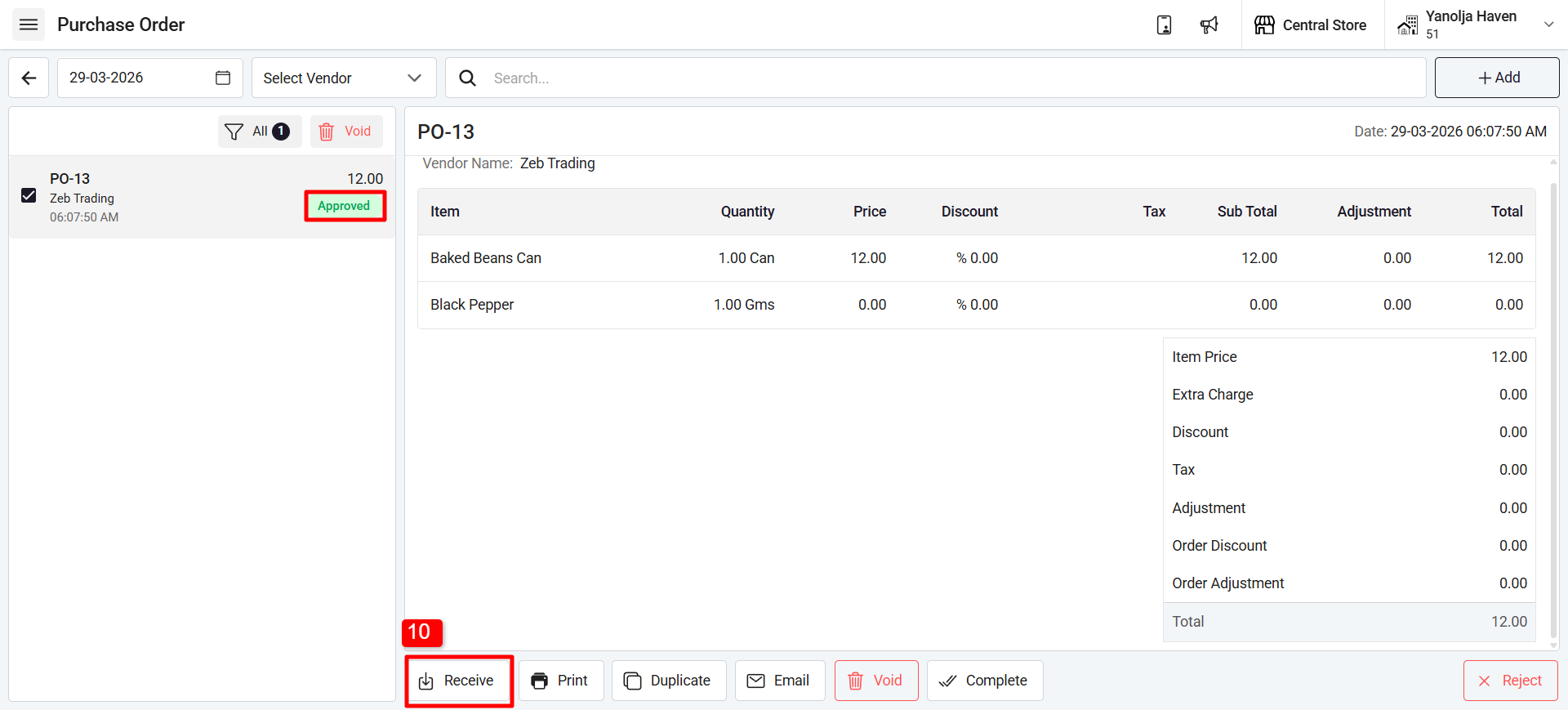
10 After this, you can select the purchase order once it says “Approved”. Now you can receive the goods from the supplier for the given order, meaning you can create a Goods Receipt Note (GRN) for the purchase order.
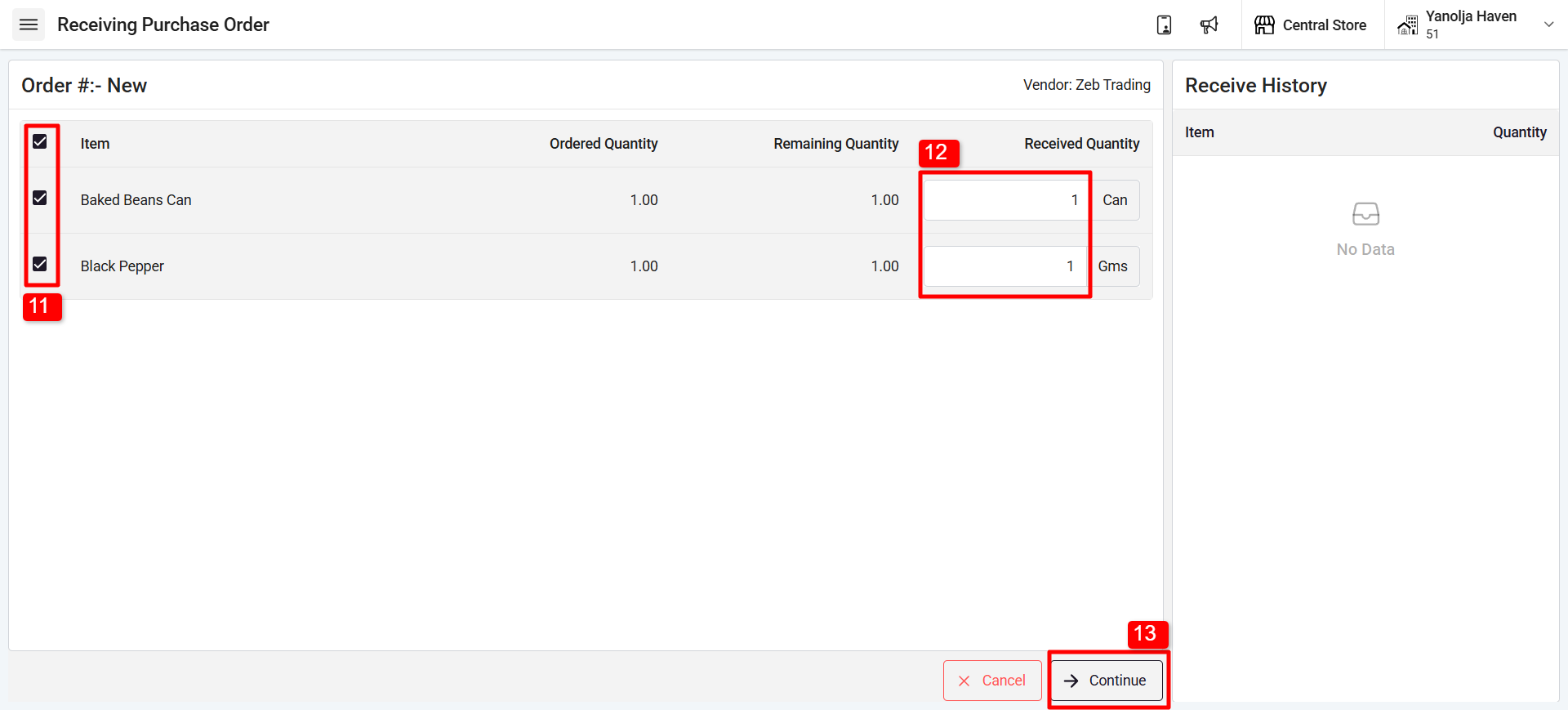
11. Select the item
12. Enter the Quantity that has been received from the vendor.
13. Click on “Continue”
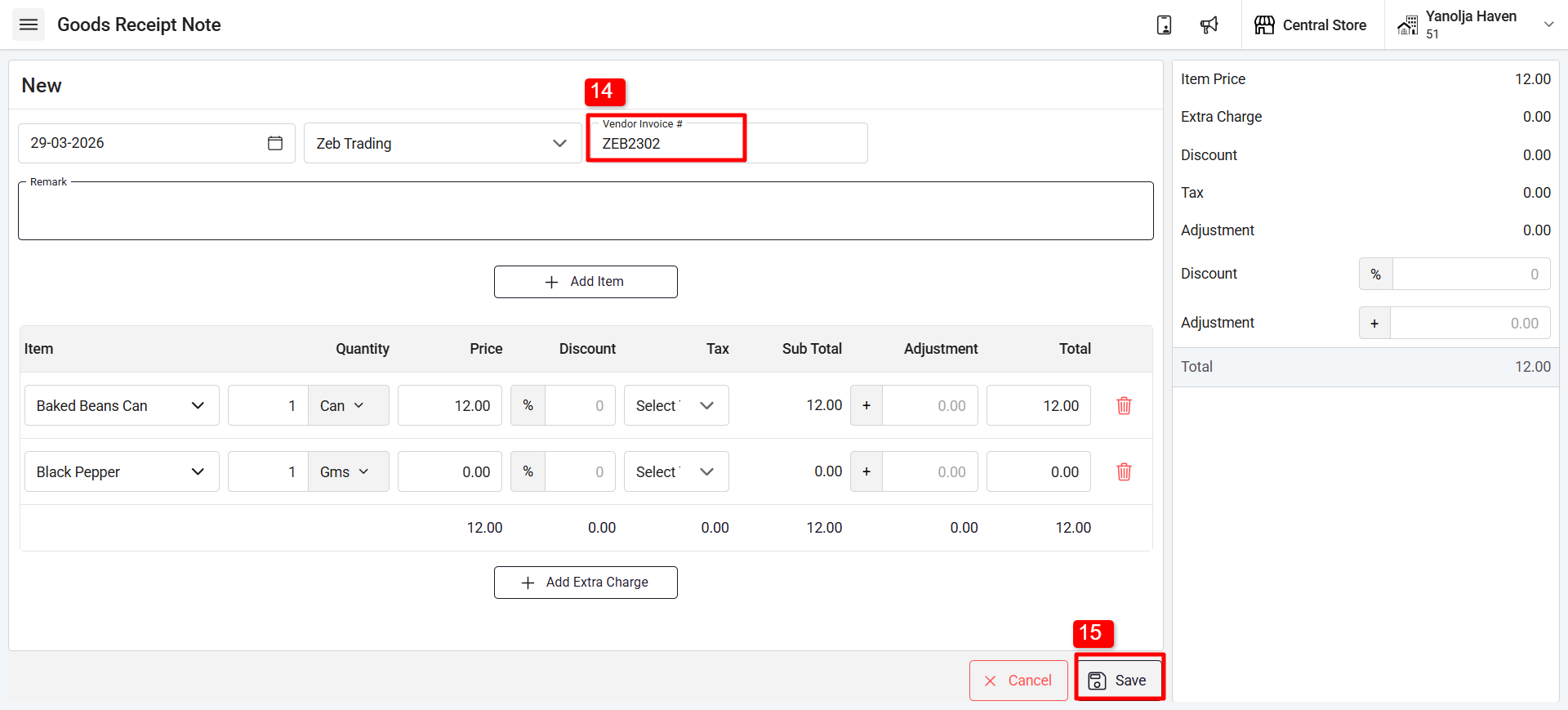
14. Enter the invoice number received from the supplier, and you can also modify the order as required.
15. Click on “save” and the PO and GRN will be completed.
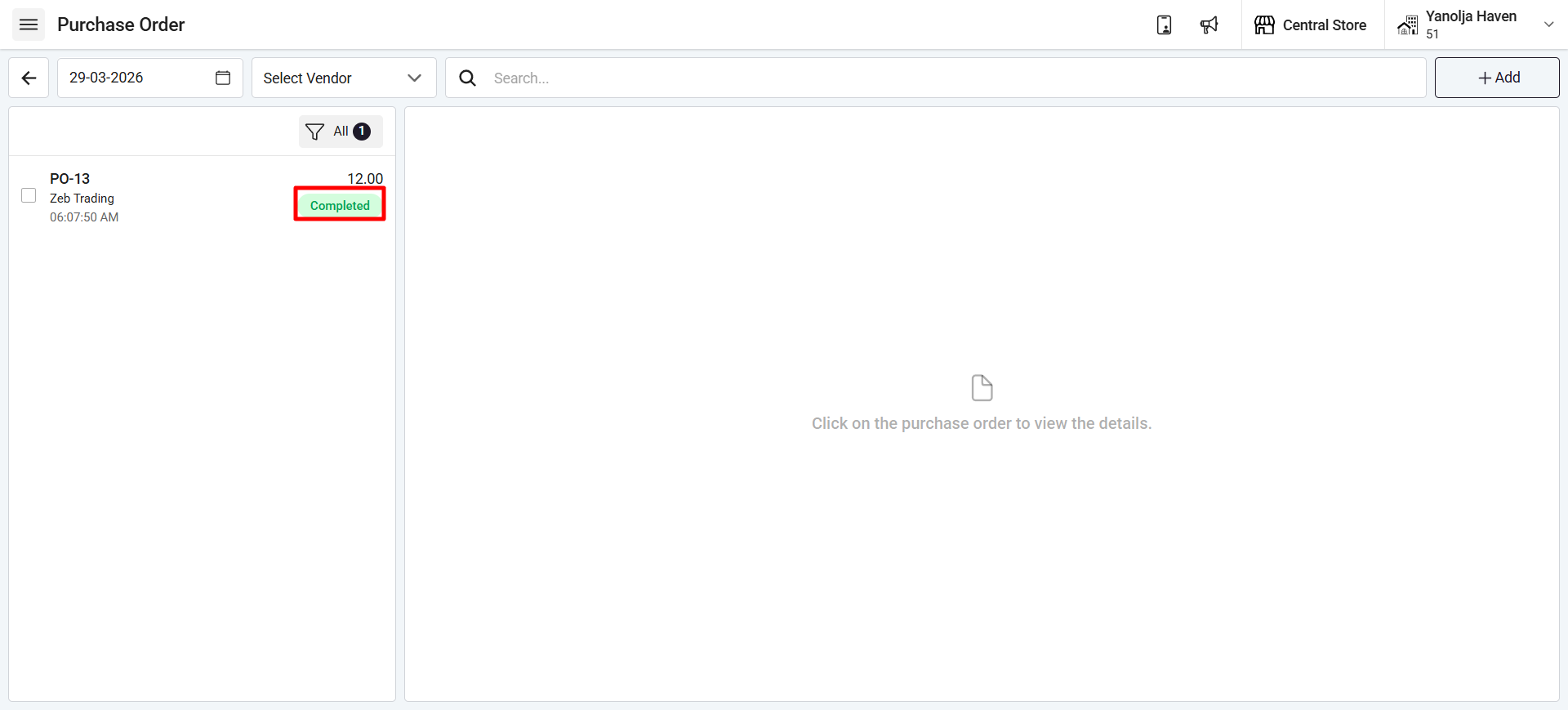
Once completed, a message will appear stating that the GRN has been created successfully, and the stock of ordered items will be added to the store.
Was this article helpful?
That’s Great!
Thank you for your feedback
Sorry! We couldn't be helpful
Thank you for your feedback
Feedback sent
We appreciate your effort and will try to fix the article