While performing Night Audit, an unsettled folio may appear due to a negative balance. This usually occurs when guest folios have incorrect or excess payment entries.
To resolve this, you can either remove the payment entry or process a refund.
Follow Below Steps to Remove Payment
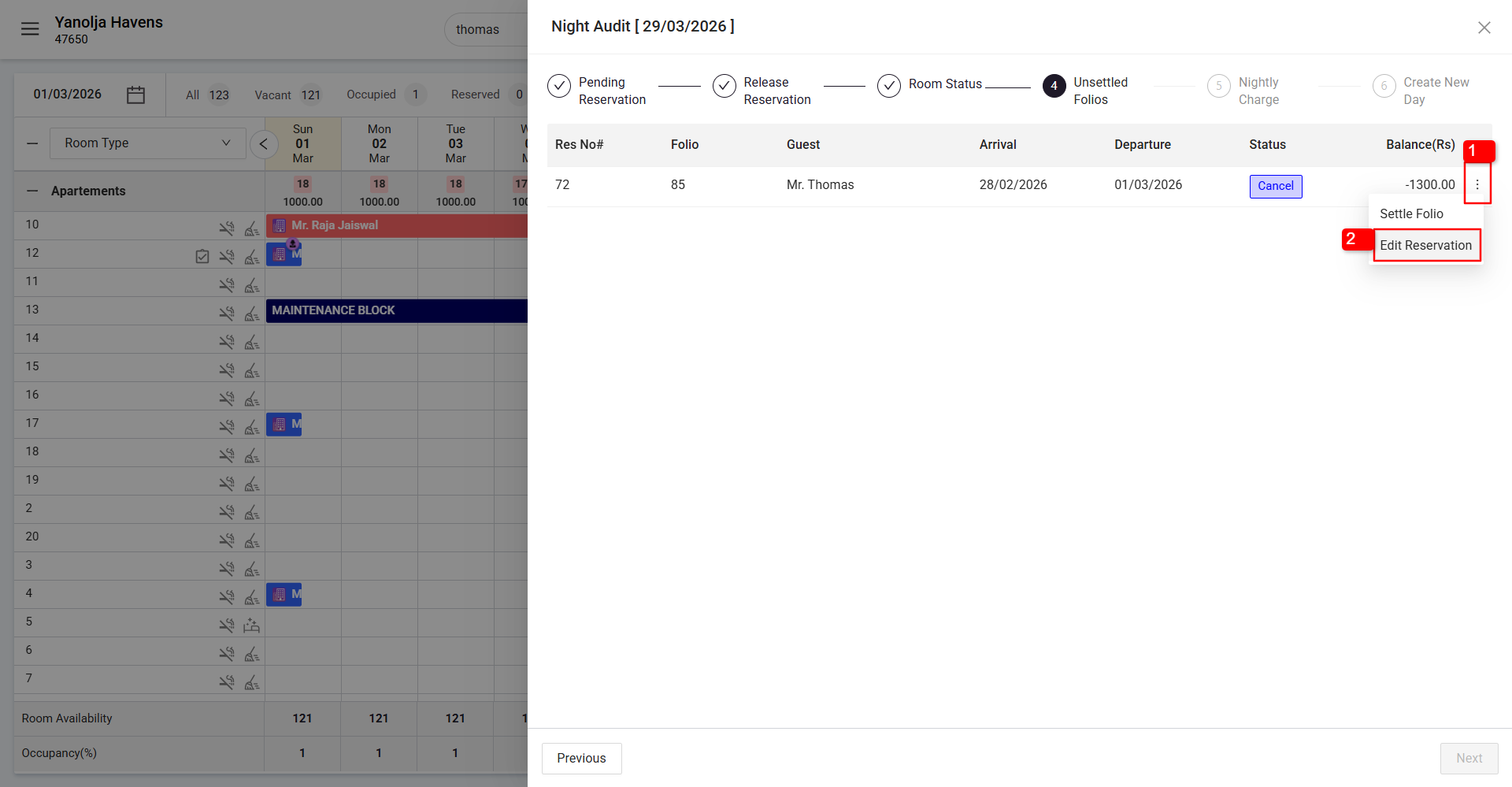
1 Click on the three-dot (More Options) button.
2 Click on Edit Reservation.
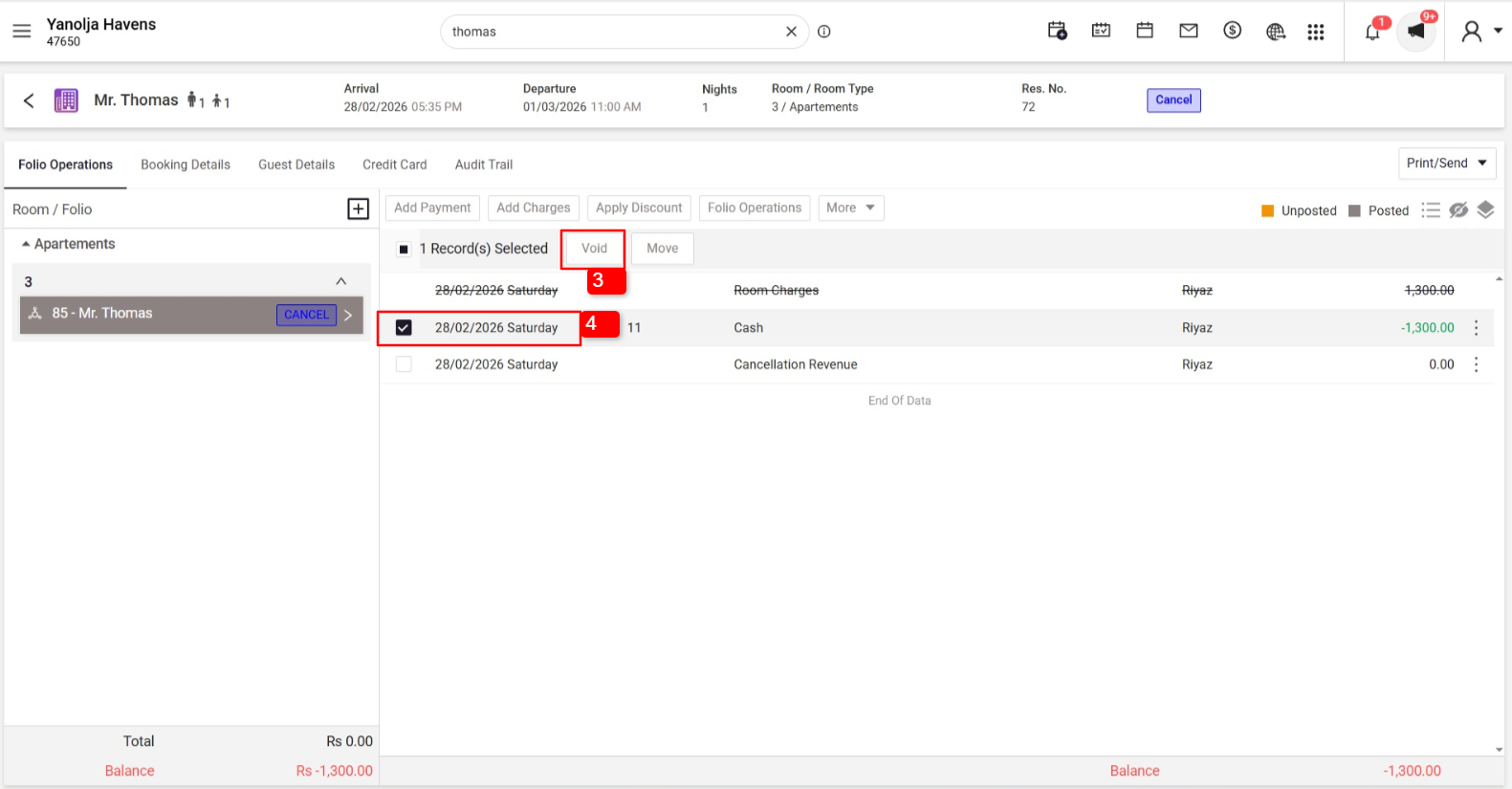
3 Select the Payment Entry.
4 Click on Void.
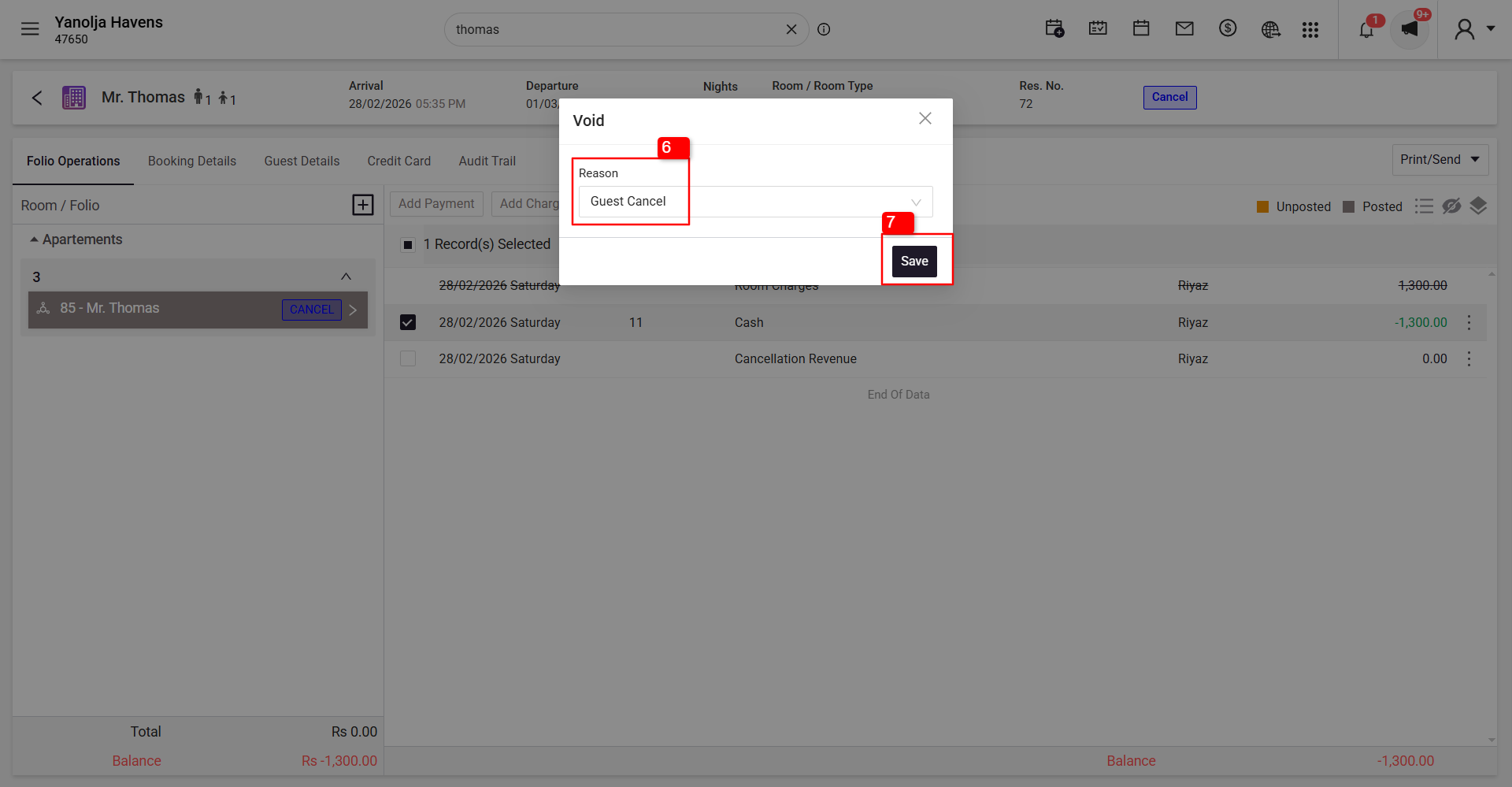
5 Select the reason.
6 Click on Save.
Follow Below Steps to Perform Refund
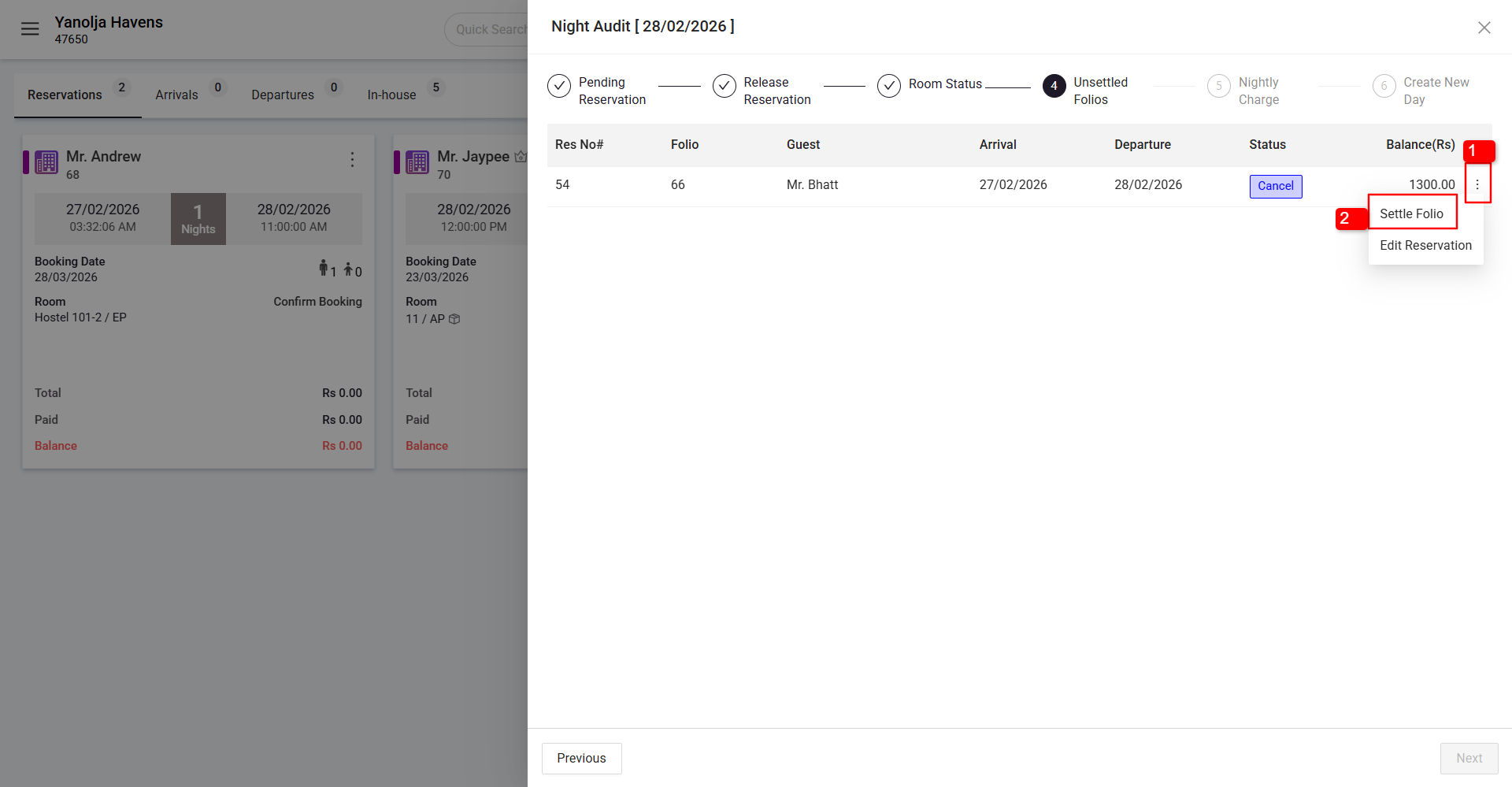
1 Click on the three-dot (More Options) button.
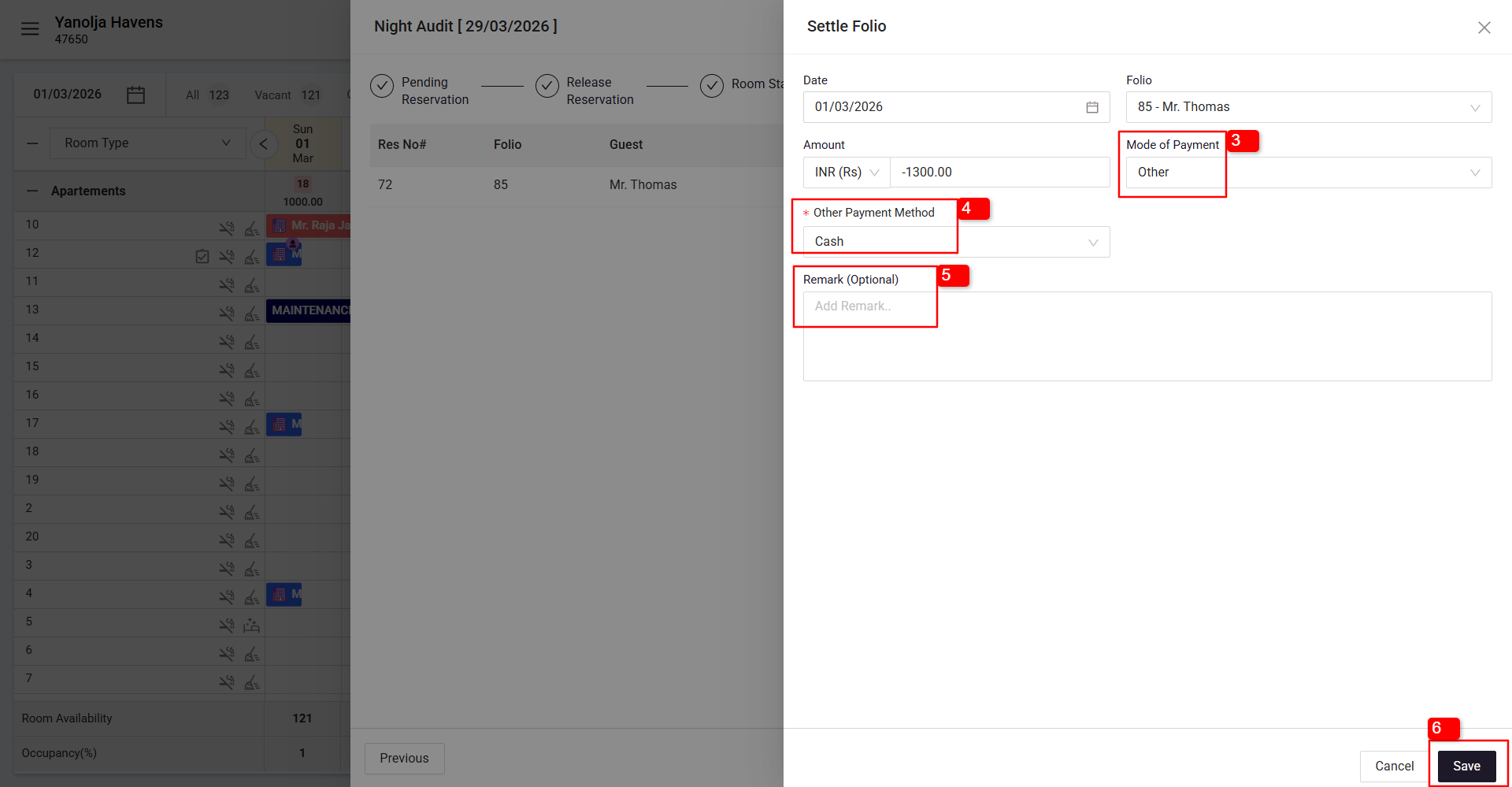
2 Click on Settle Folio.
3 Select the Refund Mode of Payment (e.g., City Ledger or Other).
4 Select the Payment Method (e.g., Bank Transfer, Cash, Credit Card, Debit Card, etc.).
5 Add remarks if required.
6 Click on Save.
Tip
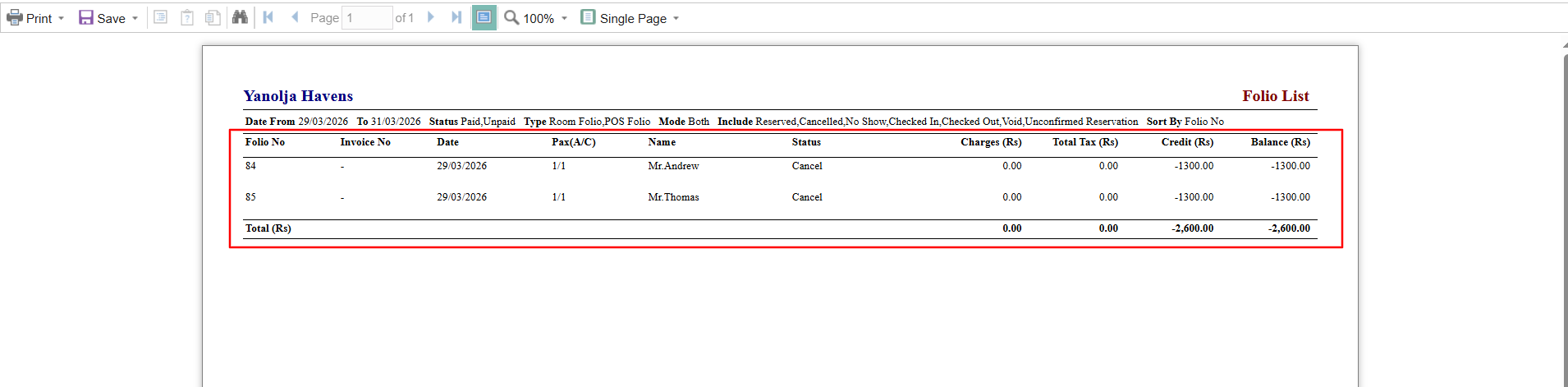
Use the Folio List Report under Reports > Back Office Reports to quickly identify negative balances.
Steps to Access the Report
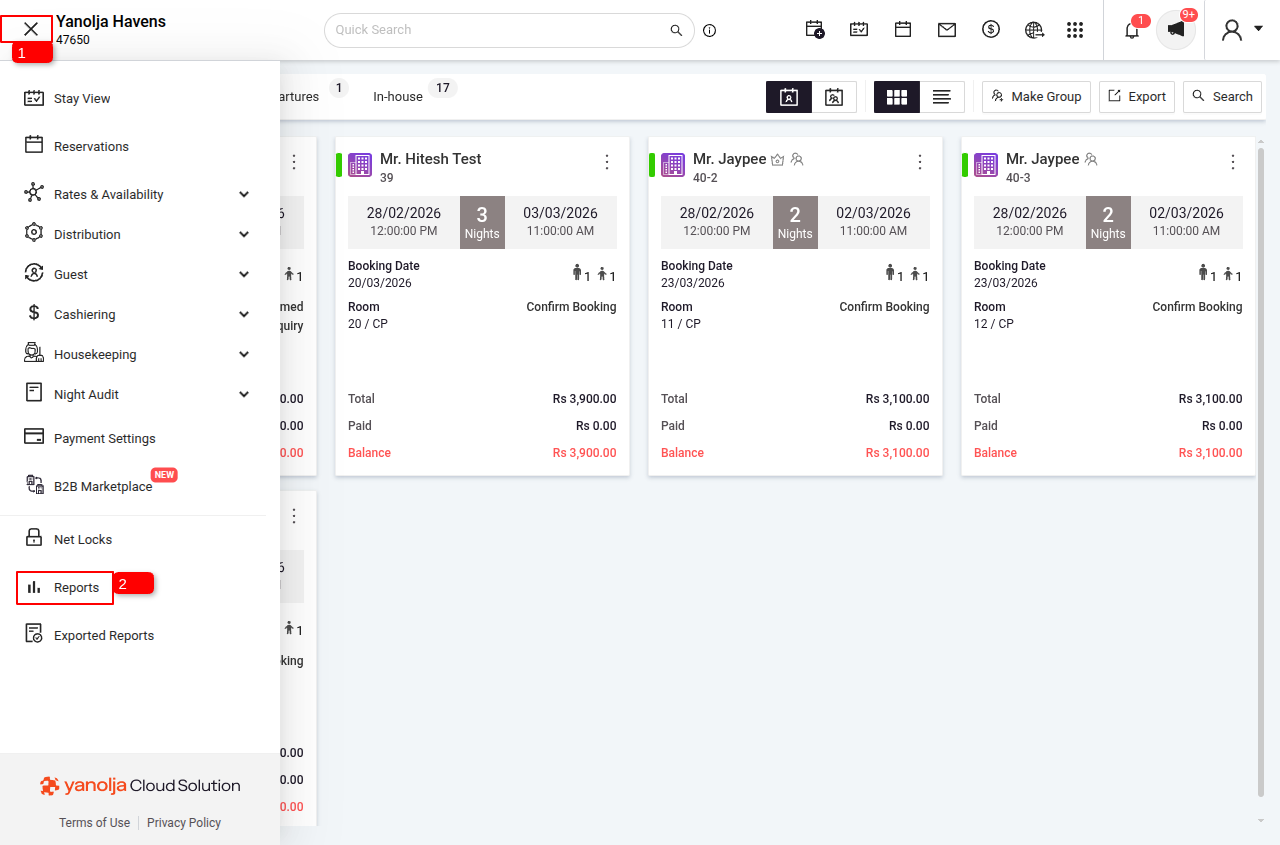
1 Click on the Menu Option.
2 Click on Reports.
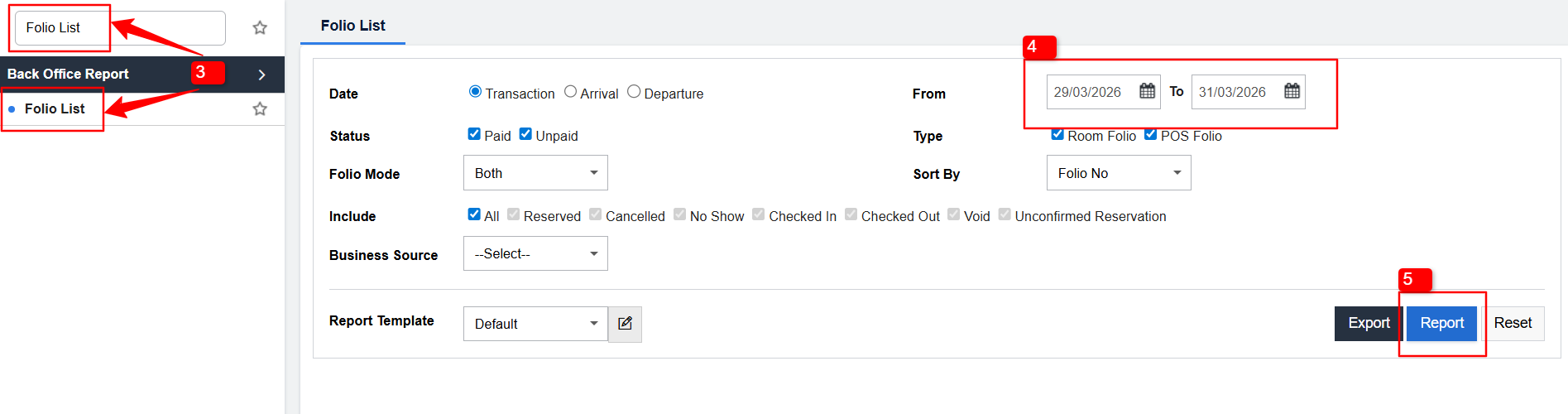
3 Search for Folio List Report and select it.
4 Select the date range for which you want to check folio operations.
5 Click on Report to generate the report.
Was this article helpful?
That’s Great!
Thank you for your feedback
Sorry! We couldn't be helpful
Thank you for your feedback
Feedback sent
We appreciate your effort and will try to fix the article