This message appears when another user is running a manual night audit. To resolve:
- Check User Activity: Go to Front Office > User Log to identify the user performing the audit.
- Coordinate with the User: Wait until the audit is complete or contact the user to stop the process if needed.
- If User Is Inactive: Admins can log out the user from Settings > User Management to release the lock.
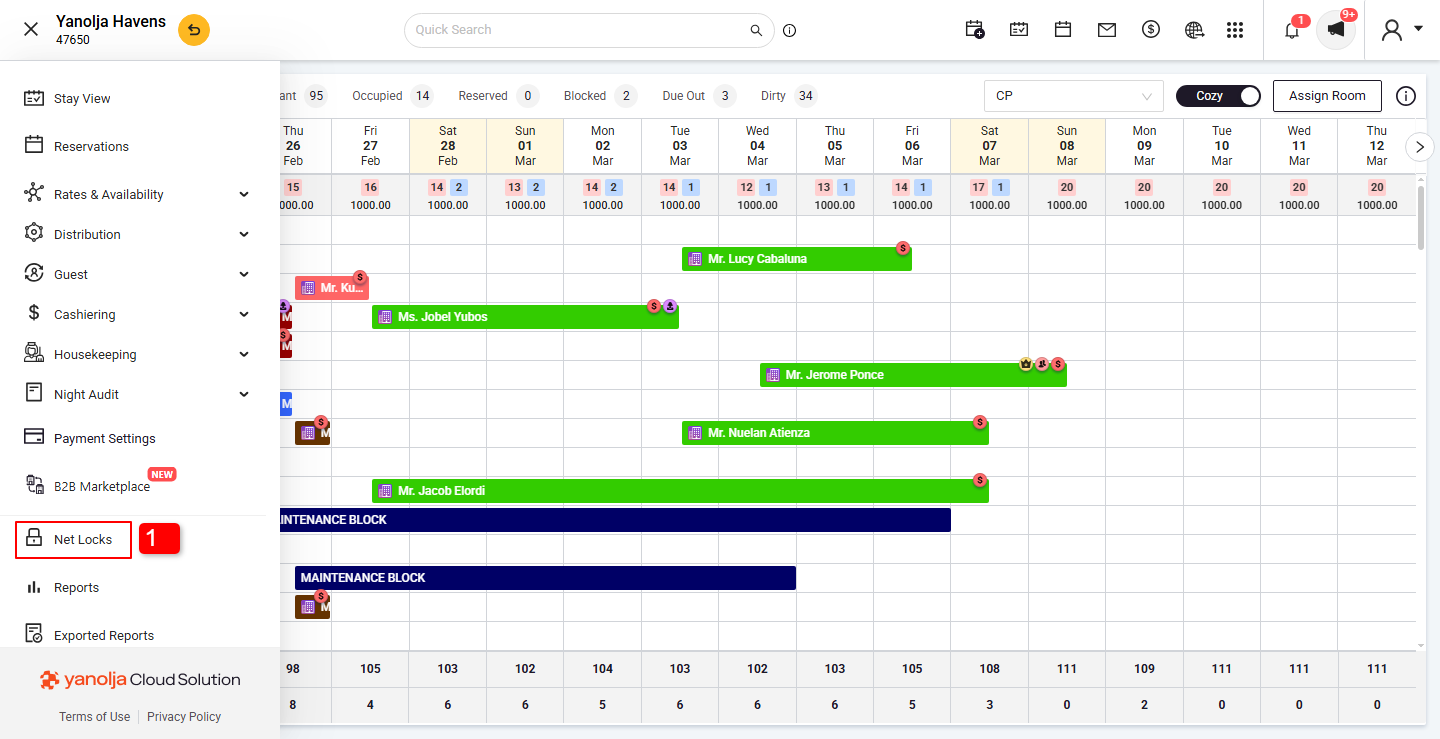
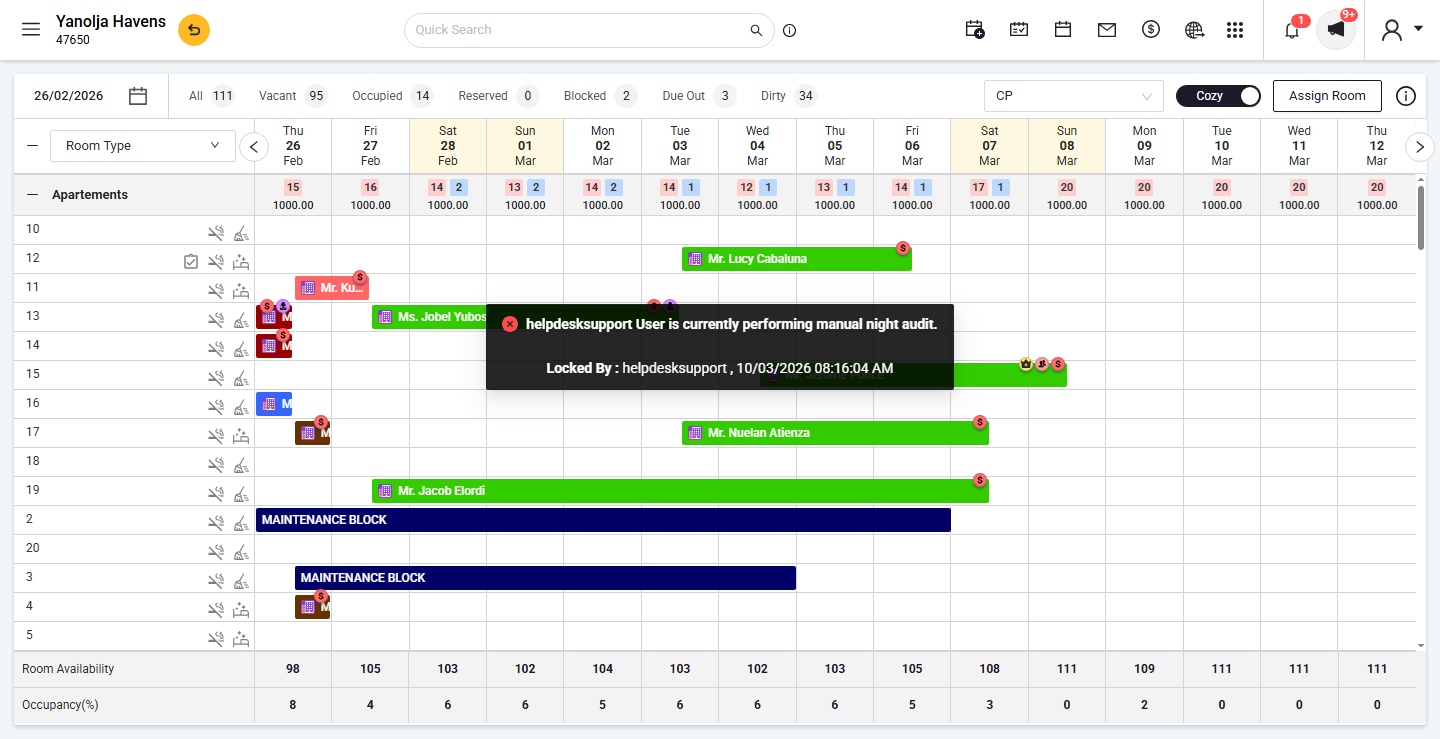 1. Click on the Net Locks option.
 2. Select the checkbox.
3. Click on Unlock.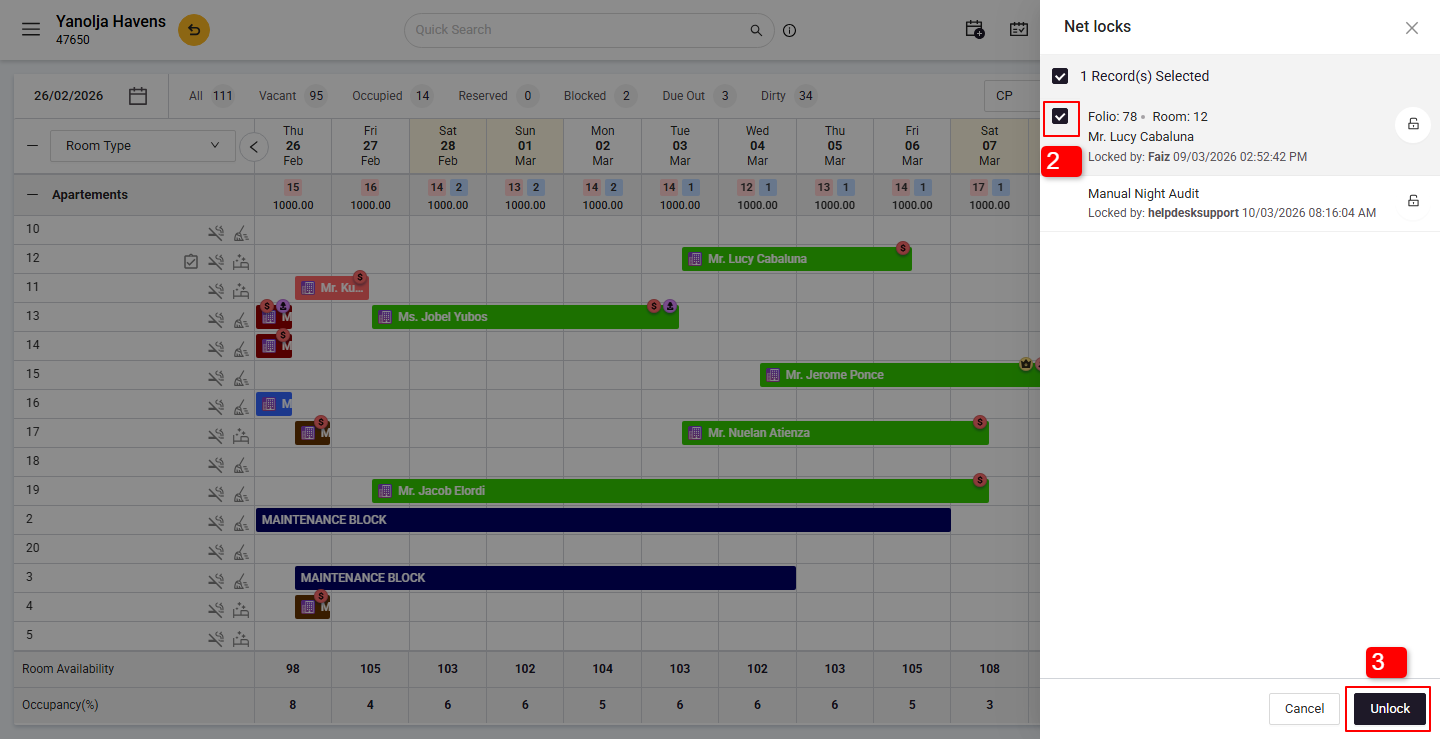
Was this article helpful?
That’s Great!
Thank you for your feedback
Sorry! We couldn't be helpful
Thank you for your feedback
Feedback sent
We appreciate your effort and will try to fix the article