You can send a group invoice directly to the group owner from the PMS System by following the steps below.
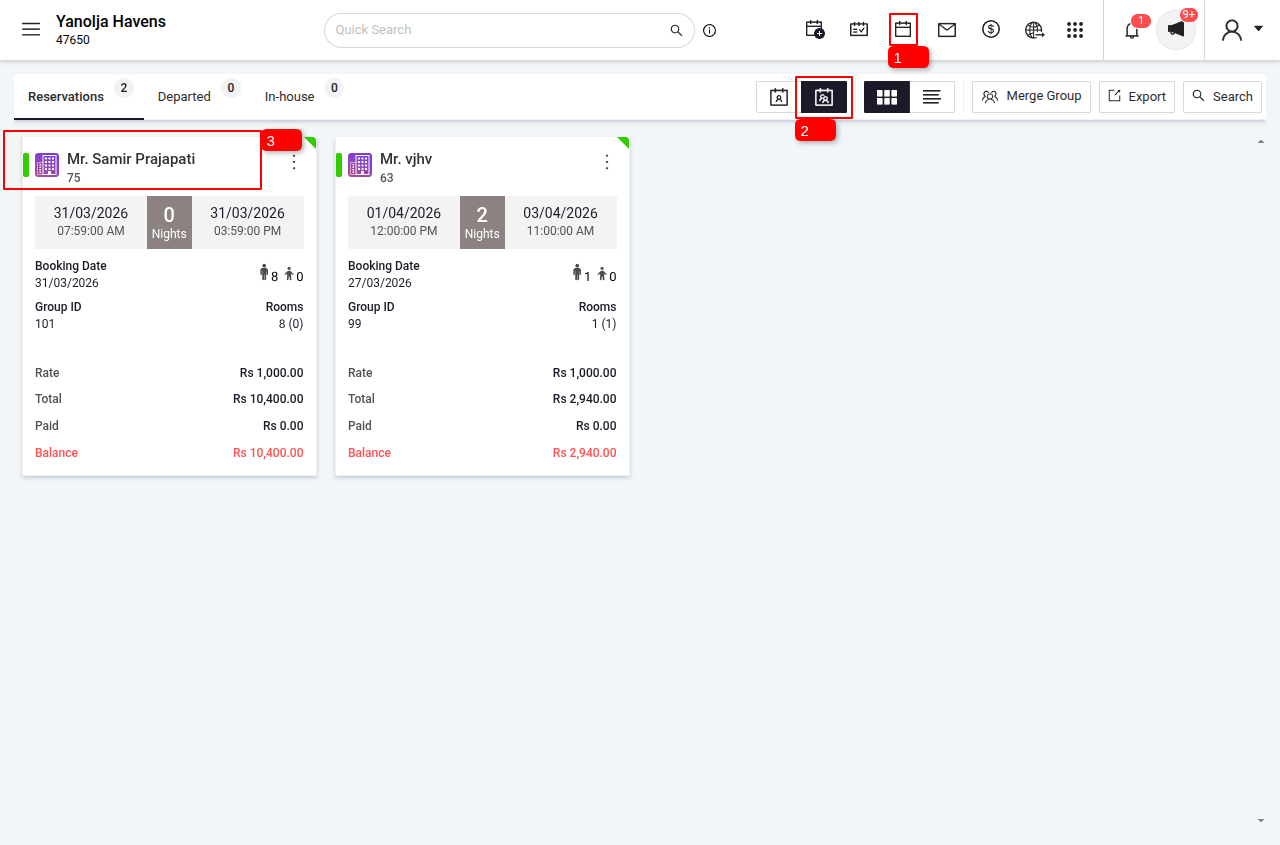
Navigate to Group Reservation
Login to PMS System.
1 Navigate to the Reservations Panel.
2 Switch to Group Reservation.
3 Select the booking.
Send Invoice
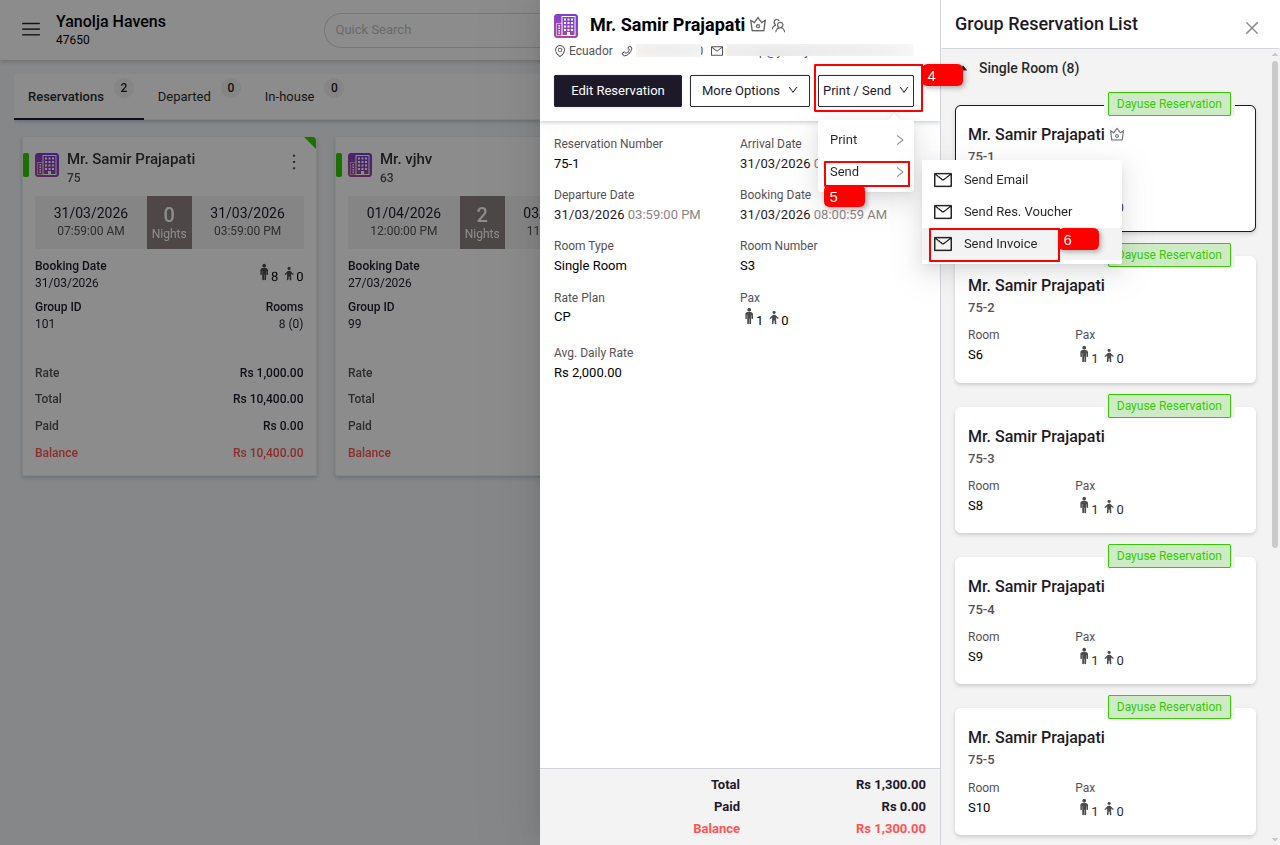
4 Click on the Print / Send Option.
5 Click on Send
6 Send Invoice.
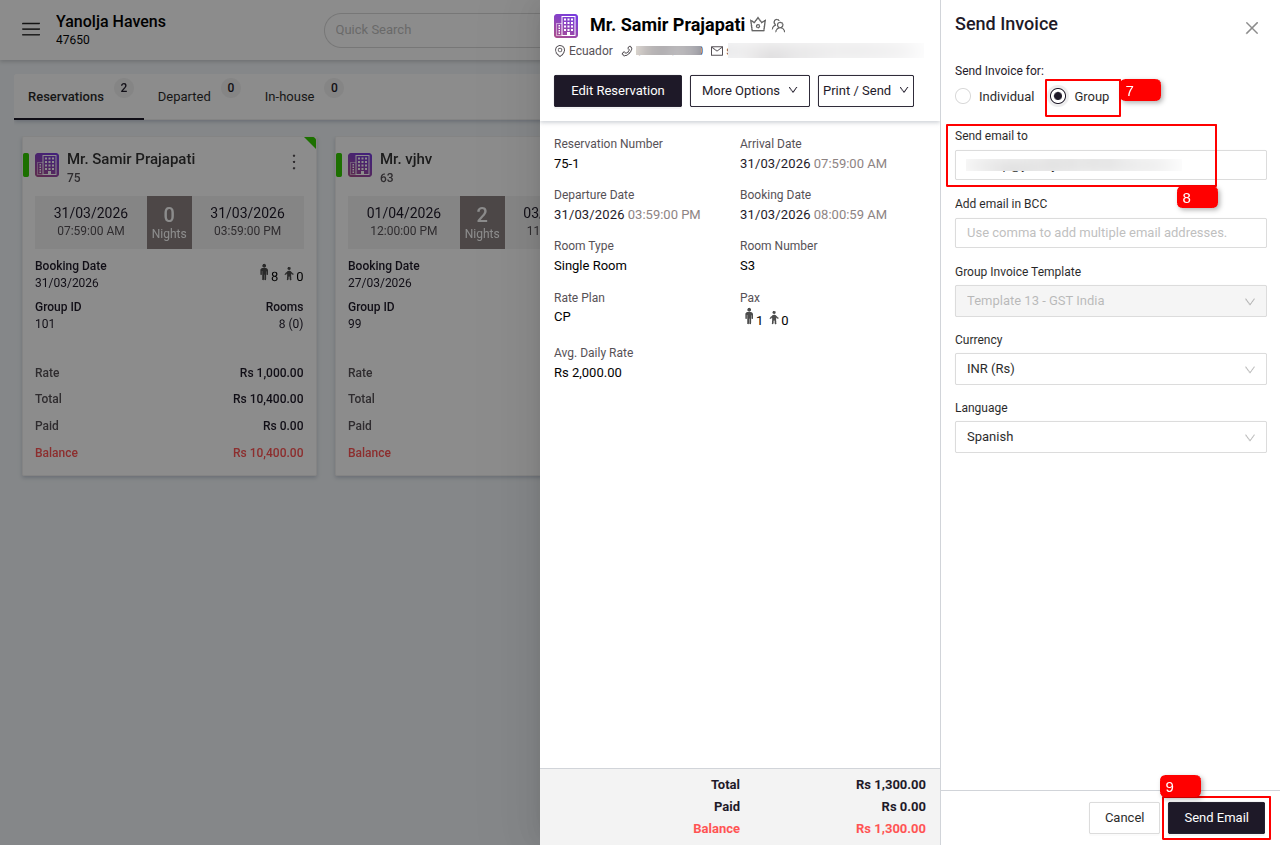
7 Select Group.
8 You can add multiple email IDs by separating them with a comma ( , ).
9 Click on Send Email, and the invoice will be sent successfully.
Was this article helpful?
That’s Great!
Thank you for your feedback
Sorry! We couldn't be helpful
Thank you for your feedback
Feedback sent
We appreciate your effort and will try to fix the article